A CapCut alternative that makes the whole short for you
CapCut is a full video editor: you build each video yourself, on a computer, in the browser or on a phone. WowReveal is not an editor. Paste a link or upload a video, and it writes the story, voices it, adds captions, a headline and music, and hands you a finished 9:16 short. Here is what each one does, what it costs and when CapCut is the better pick.
Which one to pick
Pick CapCut if…
- You want to edit by hand: a timeline with transitions, effects, filters, text and stickers.
- You want a desktop app for Windows or macOS, or to edit on your phone.
- You film your own footage and already know the edit you want.
- You want its large libraries of templates, effects and music to build each video yourself.
Pick WowReveal if…
- You want a finished short without editing: the story, the voiceover, captions, a headline and music are made for you.
- You start from a link (YouTube, TikTok, Instagram, Facebook and more) or a file and want to post the same day.
- You post in many languages: the voiceover speaks 27 of them.
- You make a lot of videos: several sources at once, clips from long videos with AI Clipper, and an API and MCP server for automation.
WowReveal and CapCut side by side
| Feature | WowReveal | CapCut |
|---|---|---|
| What it is | WowRevealAn AI shorts maker: paste a link or upload a video, get a finished voiced 9:16 short. | CapCutAn AI-powered photo and video editor for creating content for YouTube, Instagram and more.[1] |
| How you work | WowRevealPick one of 10 niche templates and the settings; the AI writes, voices and edits. Every setting can be changed. | CapCutYou edit on a timeline: trim, crop, split, add audio, text, stickers, effects, transitions and filters.[3] |
| Where the video comes from | WowRevealA public link (YouTube, TikTok, Instagram, Facebook, X, Vimeo and more) or your own file. | CapCutFiles from your computer, its cloud, Google Drive, Dropbox or a QR code.[3] |
| Voiceover | WowRevealThe AI writes a story for the video and voices it, in 27 languages. | CapCutText to speech gives your script a natural voice in 40+ languages.[1] |
| Captions | WowReveal22 animated caption styles and a headline on screen. | CapCutAuto captions that you can translate and style.[1] |
| Clips from long videos | WowRevealAI Clipper: a score, a reason and timecodes for every candidate clip; clips of 30, 45, 60 or 90 seconds. | CapCutAI clip maker: finds highlights in an uploaded video, reframes 16:9 to 9:16 and adds captions.[5] |
| AI video generation | WowRevealAI Studio: image and video models, priced per generation in credits. | CapCutAI video and image generators, with models such as Seedance 2.5, Veo 3 Fast and Sora 2.[1] |
| Hand editing | WowRevealNone: there is no timeline. Change the settings and make the video again. | CapCutA full editor; the desktop app adds keyframes and graphs, a colour wheel and smart search.[4] |
| Where it runs | WowRevealIn the browser on any computer or phone; nothing to install. | CapCutA desktop app for Windows and macOS, CapCut Online in the browser, a mobile app and CapCut Pad.[4] |
| Free plan | WowRevealFree credits on sign-up, every tool, a small watermark, files kept 7 days. | CapCutA free plan with free templates and basic editing tools.[2] |
| Paid plans | WowRevealFrom $12 a month, or credit packs from $10 that never expire. | CapCutPro, Ultra and Teams; the price of Pro depends on your region, device and promotions.[6] |
| Posting | WowRevealDownload the MP4, or have it posted to your Facebook Page, Instagram, Threads or YouTube channel, now or at a time you pick (Creator plan and up). TikTok: download it and post it yourself. | CapCutExport to download the video, or share it to your social platforms.[3] |
Free plans and prices
Both start free. What you pay for afterwards is different: WowReveal sells credits for finished videos, CapCut sells plans for its editor and AI features.
WowReveal (US dollars, as on our pricing page)
- Free: 30 credits on sign-up and no card. Every tool, a small watermark, sources up to 20 minutes, files kept 7 days.
- Plans from $12 a month (Starter: 160 credits a month, no watermark).
- Credit packs from $10 for 100 credits; pack credits never expire.
- A voiced story short costs 8 credits. A job that fails gives its credits back.
CapCut (as its pricing page showed them to us in Europe, in euros)
- Free: €0, with free templates and basic editing tools.[2]
- Pro: €23.99 a month: 1,400 monthly AI credits, premium templates and Pro features, 1 TB of storage.[2]
- Ultra: €68 a month: 7,483 monthly AI credits, everything in Pro plus exclusive AI features.[2]
- Teams: €14.99 a month per seat (2 seats): Pro features for every seat and a brand kit.[2]
- New users can try CapCut Pro free for 7 days with no credit card; availability varies by region and platform.[2]
CapCut says its displayed prices are for reference only and that the price of Pro depends on your region, device and promotions. Sign in on its pricing page to see yours.[6]
CapCut's AI clipper vs WowReveal's AI Clipper
Both cut a long video into vertical clips. The difference is where the video comes from and how much you see before you render.
CapCut AI clip maker
- You upload the video (from your device, its cloud, Google Drive or Dropbox) and keep the page open while it uploads.[7]
- The AI finds highlight scenes and speech, cuts the clips and reframes 16:9 to 9:16 with subject tracking.[7]
- Captions are generated (up to 20 languages, its clip generator page says), and you choose the clip duration.[7]
- "Edit more" opens a clip in the editor; then you export it.[5]
WowReveal AI Clipper
- Paste a link to a long video, such as a podcast, a stream or an interview, or upload it. One video per run.
- It transcribes and reads the whole video, then lists candidate clips, each with a score out of 100, the reason it was picked and its timecodes.
- You choose 30, 45, 60 or 90 seconds, a layout (Auto, Speaker, Wide, Split or Screen), captions, a headline, a progress bar and music.
- The analysis costs 6 credits per started 30 minutes and stays for 24 hours; each clip you render costs 2 credits.
On a PC, a phone or in the browser
Looking for a CapCut alternative for PC? WowReveal runs in the browser, so it works on Windows, macOS, Linux or a Chromebook, and on your phone, with nothing to install. The videos are made on our servers, not on your computer.
CapCut
- CapCut has a desktop app for Windows 7 or later (Windows 10 recommended) and macOS 10.14 or later, CapCut Online in the browser, CapCut Mobile and CapCut Pad.[4]
What WowReveal makes
Silent seven-second pieces of real WowReveal shorts, made by the app from free stock footage filmed by people, each with its template's own voice, captions and headline.

Talent Show Stories 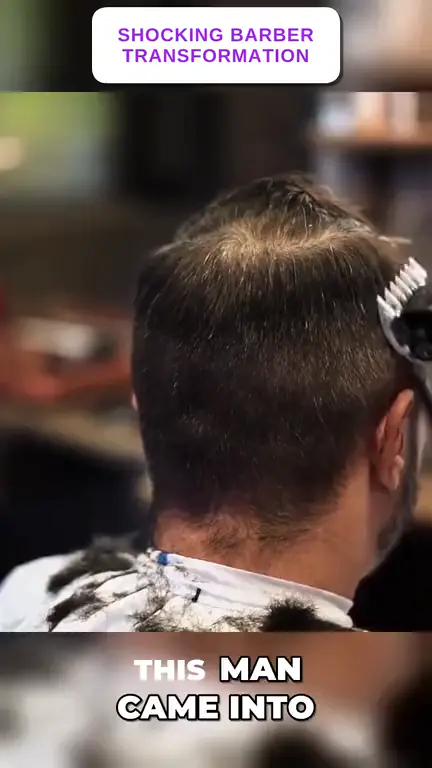
Haircut & Makeover Transformations 
Animal Rescue & Pets
Or both
Or use both
They do different jobs, so you can use both: make the voiced short in WowReveal, download the 1080×1920 MP4 and open it in CapCut when you want to change something by hand.
Questions about WowReveal and CapCut
You can start free: the Free plan gives you free credits on sign-up, every tool and a small watermark, with no credit card. CapCut has a free plan too. The two do different jobs: CapCut is an editor you work in yourself, WowReveal makes the whole short from a link or a file.
WowReveal works in the browser on any Windows, Mac, Linux or Chromebook computer, so there is nothing to install, and the videos are made on our servers. CapCut has a desktop app for Windows and macOS and an online editor in the browser.
No. WowReveal has no timeline: you choose a template and the settings (voice, captions, headline, music, length) and it makes the video; to change it, you change the settings and make it again. For editing by hand, keyframes or colour grading, CapCut is the better tool.
Yes, AI Clipper. Paste a link to a long video or upload it, and it lists candidate clips with a score, the reason and timecodes, then makes the ones you keep into 9:16 clips with captions. CapCut's AI clip maker works on a video you upload and lets you edit the clips in its editor.
WowReveal has a Free plan, paid plans from $12 a month and one-time credit packs from $10, in US dollars on our pricing page. CapCut lists Free, Pro, Ultra and Teams plans and says its prices depend on your region, device and promotions; on 24 November 2026 its page showed us Pro at €23.99 a month.
Yes. WowReveal gives you a 1080×1920 MP4 that you can open in CapCut, or any other editor, to change something by hand before you post.
Only from videos you own or have permission to use. Since March 2026 Meta counts someone else's footage on Facebook as original only when the focus is you, on screen, adding something genuinely new; a voiceover and captions on their own do not make it original, and Meta alone decides. Your own footage is the safest source.
Sources
Everything this page says about CapCut comes from CapCut's own pages, read on 24 November 2026. Products and prices change, so check them for today's details.
- 1.CapCut home pagecapcut.com/
- 2.CapCut pricingcapcut.com/pricing
- 3.CapCut Online video editorcapcut.com/tools/online-video-editor
- 4.CapCut Desktopcapcut.com/tools/desktop-video-editor
- 5.CapCut: create clips from a long videocapcut.com/tools/long-video-to-shorts
- 6.CapCut Help Center: how much does CapCut Pro cost?capcut.com/help/how-much-does-capcut-pro-cost
- 7.CapCut free online AI clip generatorcapcut.com/create/free-online-ai-clip-generator
Make your next short from a link
Sign up and start with 30 credits on the house, no credit card.