Turn a YouTube video into an Instagram Reel
Paste a link to your YouTube video. WowReveal cuts it to 9:16, writes and voices a story in one of 27 languages, adds animated captions, a headline and music, and gives you a Reel to download and post. Use your own videos, or ones you have permission to use.
What you get
A link is enough
Paste a youtube.com or youtu.be link, Shorts included, or upload the file. It runs in the browser, with nothing to install.
Vertical, the way Reels play
The footage is cut and framed to 9:16 at 1080×1920, which fits Instagram's limits for Reels (between 1.91:1 and 9:16, at least 720 pixels).
A story, not a description
The AI writes a story with context and a payoff for the footage and voices it in one of 27 languages, instead of telling viewers what they already see.
Captions, headline and music
22 animated caption styles, a headline for the first seconds and music, all burned into the video.
The words for the post
Post Kit writes a caption and hashtags for Instagram. Keep the five that fit best: Instagram allows five per post.
Posted to Instagram for you
On the Creator plan and above, connect your Instagram professional account and press Schedule: WowReveal publishes the Reel now or at the time you pick.
From start to result in a few steps
Step 1. Paste the link to your YouTube video, or upload the file, and pick a template.
Step 2. Choose the voice and its language, the caption style, the headline and the music, or keep the template's settings.
Step 3. WowReveal writes and voices the story, cuts the best footage to 9:16 and adds the captions, the headline and the music.
Step 4. Watch the result, then download the 1080×1920 MP4 and post it as a Reel in the Instagram app, or, on a plan with auto-posting, press Schedule and WowReveal posts it to your connected Instagram account.
What WowReveal makes
Silent seven-second pieces of real WowReveal shorts, made by the app from free stock footage filmed by people, each with its template's own voice, captions and headline.
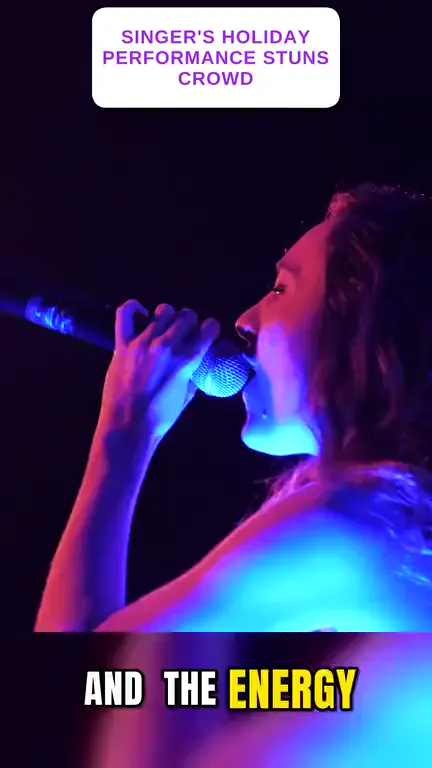
Talent Show Stories 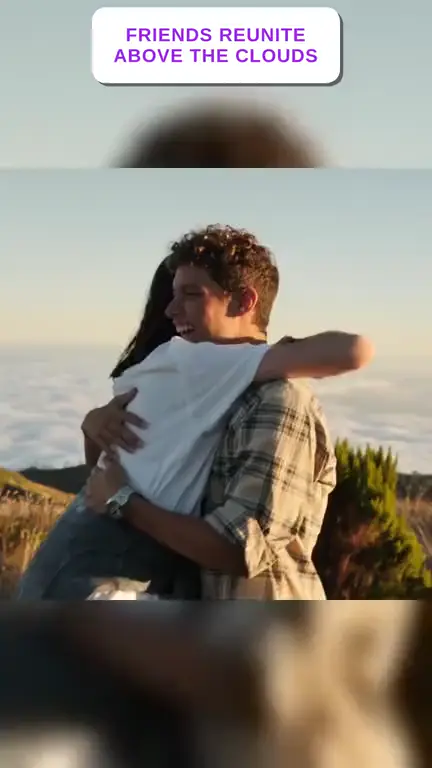
Wholesome & Kindness 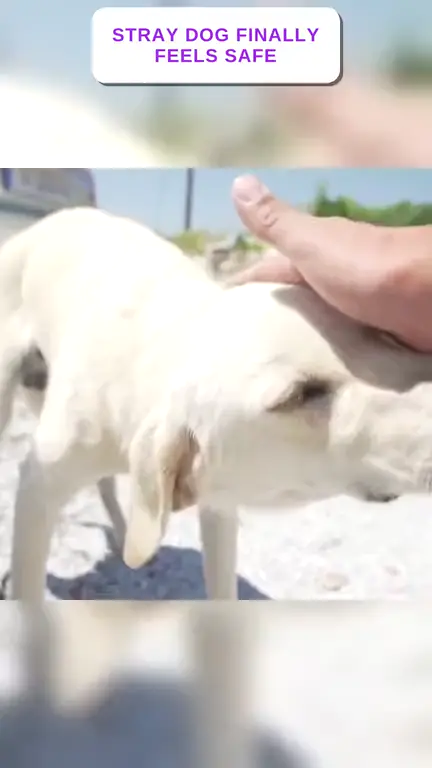
Animal Rescue & Pets
What Instagram asks of a Reel
WowReveal makes Reels of 15 to 60 seconds at 1080×1920. Here is what Instagram's own help pages say, so the rest of the post fits too:
- A reel can be up to 20 minutes long, but reels over 3 minutes won't be recommended to new audiences.[1]
- The aspect ratio can be anything from 1.91:1 to 9:16; reels should have at least 30 frames a second and a resolution of at least 720 pixels.[2]
- The recommended cover size is 420 × 654 pixels (1:1.55), and a cover can't be edited after the reel is uploaded.[2]
- You can use up to 5 hashtags on a post; spaces and special characters such as $ or % don't work in them.[3]
Use videos you have the right to use
Turn your own YouTube videos into Reels, or videos whose owner has given you permission. Our Acceptable Use Policy says so, and Instagram says you are responsible for getting any permission you need before you use someone else's work.
- Instagram counts third-party footage as original only with material edits: narration, a storyline or graphics that re-contextualize it or offer more information than the original.[4]
- Low-effort edits are not enough: borders, watermarks, speed changes or just crediting the original creator.[4]
- Instagram may not recommend unoriginal reels to people who don't follow you, and an account that mostly posts them may not be recommended at all.[4]
- On Facebook, Meta's rule of 13 March 2026 is stricter: someone else's footage counts as original when the focus is you, on screen, presenting something genuinely new.[5]
What it costs
Everything runs on one credit balance, shared with your videos. A failed job gives its credits back.
| A voiced Reel made from your video | 8 credits |
|---|---|
| Caption, hashtags and first comment for the post (Post Kit) | 1 credit |
Questions about YouTube to Instagram Reels
Only videos you own or have permission to use. Our Acceptable Use Policy says so, and Instagram makes you responsible for any permission you need. Reposting someone else's video without permission is not allowed, whatever tool you use.
No tool can promise that. Instagram counts third-party footage as original only with material edits, such as narration or a storyline that adds something new; on Facebook, Meta's rule of March 2026 asks for you on screen presenting something new. Meta alone decides. Your own footage is the safest source.
You choose 15, 20, 30, 45 or 60 seconds. Instagram accepts reels of up to 20 minutes, but says reels over 3 minutes won't be recommended to new audiences.
Yes. A youtube.com/shorts link works like any other YouTube link, and so do youtu.be links and other public video links. You can also upload the file.
Yes, on the Creator plan and above. Connect your Instagram professional account (one linked to a Facebook Page) in Settings → Social accounts, then press Schedule on the finished video: WowReveal publishes it as a Reel now or at the time you pick. On other plans, download the MP4 and post it in the Instagram app, with the caption and hashtags from Post Kit.
Yes. A new account starts with free credits and needs no credit card. Videos made on the Free plan carry a small watermark.
Sources
The platform rules on this page come from the platforms' own pages, read on 24 November 2026. Rules change, so check them for today's details.
- 1.Instagram Help Center: Record a reel on Instagramhelp.instagram.com/225190788256708
- 2.Instagram Help Center: Reel size & aspect ratios on Instagramhelp.instagram.com/1038071743007909
- 3.Instagram Help Center: Use hashtags on Instagramhelp.instagram.com/351460621611097
- 4.Instagram for Creators: Original content guidelinescreators.instagram.com/original-content-guidelines
- 5.Meta for Creators: Supporting creators who post original content on Facebook (13 March 2026)creators.facebook.com/blog/supporting-original-content-on-facebook
Ready to try it?
Sign up and start with 30 credits on the house, no credit card.