What Is Facebook Professional Mode? Definition, Setup and Page Differences
Facebook professional mode adds creator tools to a personal profile. Here's what it does, how it differs from a Page, and which one to pick for Reels.
In this article
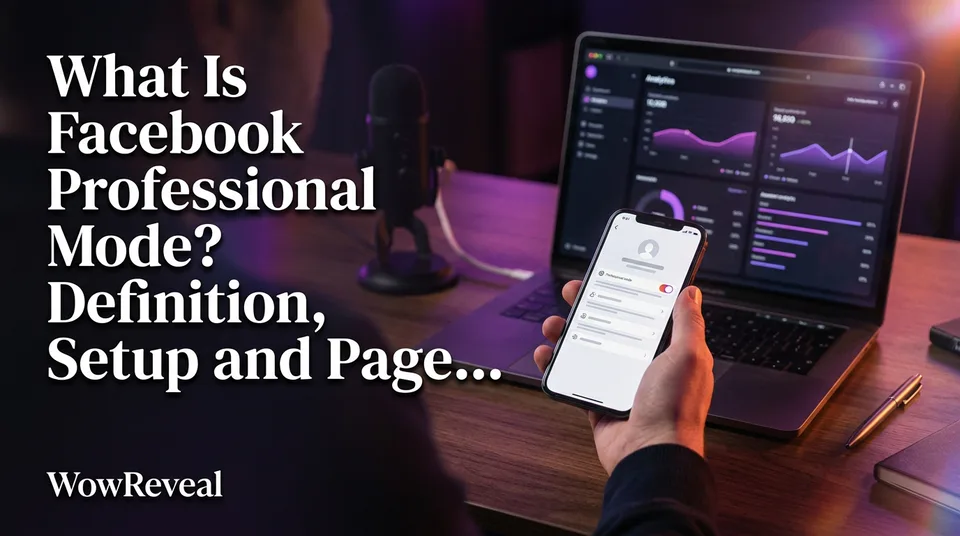
Facebook professional mode (also called pro mode) is a setting you can turn on for a personal profile that adds creator tools, insights and a public follow presence. It's one of two routes to creator tools and monetization programs, the other being a Facebook Page. It's free, and you can switch it off again.
Key points
- "Professional mode" and "pro mode" are the same feature. Facebook uses both labels.
- It works on a personal profile. It doesn't create a Page.
- Turning it on costs nothing and is reversible.
- It doesn't guarantee Facebook content monetization. Eligibility is checked per program.
- Facebook doesn't show you who viewed your profile, in any mode.
What changes when you turn it on
Turning on pro mode makes your profile more public and adds creator features. People can follow you without being your friend, you get Insights on reach and engagement, and you can open the Professional dashboard. Your friends list stays. Facebook's rules and menus change over time, so check what you see on your own account.
Can you see who viewed your profile?
No. Facebook doesn't show individual profile viewers, and pro mode doesn't change that. You get aggregate numbers instead, such as reach, views and follower growth. Any app promising a visitor list is lying to you, and some are scams.
Downsides to weigh
More of your content becomes visible to strangers. Check the audience setting on your posts before you publish. You'll also collect followers alongside friends, and some friend-focused features may behave differently. If you share family photos on the same profile, that overlap is the real cost. It's reversible, but anything already public stays public until you edit it.
Professional mode vs a Facebook Page
A profile in pro mode is still a personal account, while a Facebook Page is a separate public presence with admins, roles and its own tools. Both lead to creator programs, but they behave differently day to day.
Pages are managed through Meta Business Suite. You can give an editor access without handing over your login, and you can run several Pages for several niches. A pro-mode profile is tied to one person.
Here's our rule of thumb for Facebook Reels creators. If you're the face of the content and your audience follows you, pro mode is enough. If your content is niche-led or faceless, if you work with a team, or if you manage several pages for clients, build a Page. We've seen agencies get stuck because everything sat on one person's profile.
Professional mode and monetization
Pro mode gives you access to the place where monetization is checked, but it doesn't make you eligible. Each program has its own requirements, and they vary by country and change over time. Look at the Professional dashboard or the Monetization tools on your profile or Page to see which programs you qualify for. Meta's creator hub is the official reference.
Whichever route you choose, the same content rules apply. Originality matters most. Reposting other people's clips without permission is the fastest way to lose reach and eligibility. Payouts are never guaranteed, and Meta decides eligibility.
How to turn professional mode on or off
You switch pro mode on and off from your profile settings in the Facebook app, and it takes about a minute. The steps below follow the Facebook Help Center, so menu labels may shift slightly.
Turn it on (mobile)
- Tap Menu, then tap your name to open your profile.
- Tap Options above your photo.
- Select Turn on pro mode, then confirm with Turn on.
Turn it off
Follow the same path. Menu, your name, Options, then Turn off pro mode. You go back to a standard profile, and your Insights access for the profile goes with it.
If you can't find the option
Start with the basics. Update the Facebook app, then check that you're on a personal profile and not inside a Page. Availability can vary by country and account, so if the option still isn't there, try again later or use the desktop site. If it never appears, a Page is the cleaner route anyway.
Once you're set up, the work that matters is the videos. A tool like WowReveal can handle clipping, captions and 9:16 formatting so you spend your time on originality, not editing.
Where to go next
- How to Check Your Facebook Monetization Status and Eligibility — the next step: confirm which programs your profile or Page actually qualifies for.
- How Many Followers Do You Need to Monetize Facebook Reels? — answers the requirements question that follows setup.
- Original Content on Facebook Reels: What Counts and What Doesn't — originality is the core rule behind every monetization program.
- Facebook Monetization Violations: What Gets a Page Restricted — restrictions apply whichever mode or Page you use.
- How to Fix Limited Originality of Content on Facebook — what to do if originality flags hit your reach.
- Facebook Reels Income: What Decides It and How to Estimate Yours — sets realistic expectations on earnings.
- Short-Video Workflow for Agencies: Managing Many Reels and Shorts Pages — useful if the Page route fits your multi-page setup.
- Facebook Reels vs YouTube Shorts vs TikTok: Where to Post to Earn — compares where your videos can earn.
Generate your reel right now
Paste a link to any video — WowReveal writes the story, voices it and adds captions, a headline and music. Ready for Reels, Shorts and TikTok.



No link? Upload a file
- 30 free credits
- No card needed
- Voiceover in 9 languages
- Failed jobs refunded