How to Fix Limited Originality of Content on Facebook
Flagged for limited originality? Here's the order that works: audit, remove, rebuild your content mix, then request a review. No shortcuts, no promises.
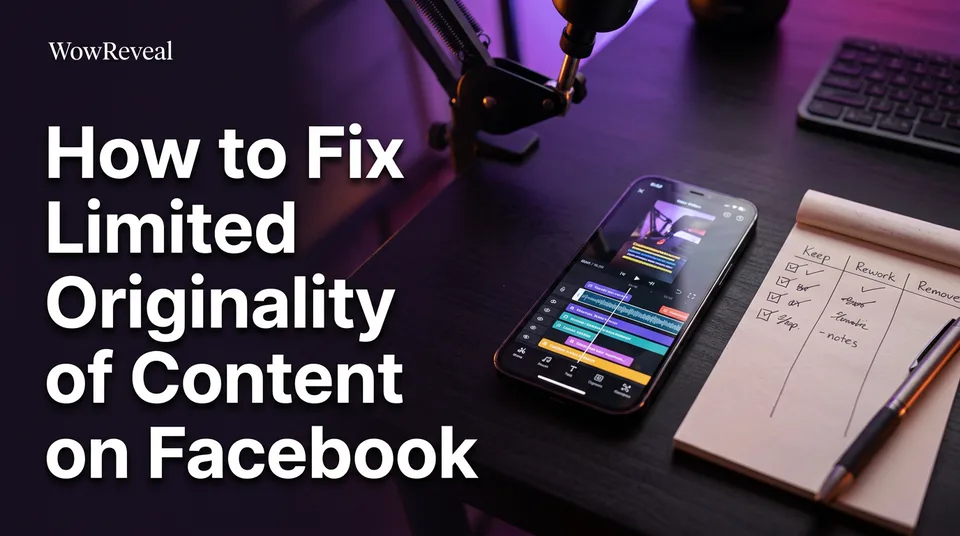
To fix limited originality of content on Facebook, you find and remove the reused or barely edited posts that triggered the flag, change how you make content so each post adds something meaningful, then request a review and keep posting original work consistently. Recovery time isn't guaranteed. The same changes are also how you post original content on Facebook to get more reach, because a Reel that gives viewers something new is simply a better Reel to distribute.
What limited originality means (and what triggers it)
Limited originality of content is a notice that your Page or profile posts too much material that isn't yours or isn't meaningfully changed. Meta's Original Content Guidelines name two behaviors behind it. Platform rules change, so check the current wording before you act.
Duplicating content
Duplicating content means posting someone else's video, photo or text as it is. A talent-show clip downloaded from another page and uploaded with nothing added is the classic example. Same for a TV moment, a YouTube video or a viral Reel you re-upload whole.
Having permission is a separate question from originality. A repost with permission can still be a repost.
Minor editorializing
Minor editorializing is changing a piece of someone else's content so slightly that a viewer gets nothing new. A filter, a crop, a speed change, your logo in the corner, a mirrored frame, an emoji caption. We've watched pages spend weeks on these tweaks and still get flagged, because the viewer sees the same video.
Step 1: Audit your recent posts
An audit means going through your recent posts one by one and judging each against those two behaviors. We'd start with the last 30 to 90 days, since that's the pattern you can judge most honestly and the one a reviewer is most likely to see.
Where to see the notice
The notice and its violation details sit in Page Quality or Account Quality, usually reachable through the Support Inbox or the Professional dashboard in Meta Business Suite. Menu names vary by account type and app version, so look for the quality or support section. The Facebook app and desktop can show slightly different paths.
Sort each post: keep, rework or remove
Ask one question per post: does a viewer get something they couldn't get from the original? Own footage, an original script or narration, real commentary and a new structure all count as yes.
| Verdict | What the post looks like |
|---|---|
| Keep | Your own footage, or your own script, voiceover or analysis driving the video |
| Rework | A reused moment with a real idea behind it, but no narration, context or structure yet |
| Remove | Re-uploaded clip with only a filter, logo, crop, speed change or music swap |
Be harsh. If you're arguing with yourself about a post, it's a rework at best.
Step 2: Remove or replace violating content
You remove every post you sorted as "remove", and you replace your strongest "rework" posts with versions you actually built. Delete them individually from the Page, Reels tab or Meta Business Suite content list. Don't wipe the whole Page; your original posts are the evidence in your favor.
Check old photos, text posts and Stories too, not only Reels. Then set a pre-publish rule so you stop posting reused content: nothing goes live unless you can name what's new in it. If you can't say it in one sentence, don't post it.
Step 3: Change your content mix
Changing your content mix means shifting most of what you publish from reposts toward videos where your own contribution is obvious. Cleanup without this step just resets the clock.
What counts as a meaningful enhancement
Run a before-and-after test on a single video.
- Before: a 30-second rescue clip, your logo added, trending music on top.
- After: the same moment trimmed to the 3 seconds that matter, with your own written story, a voiceover explaining what happened and why it's touching, captions, and a clear hook, setup and payoff.
The second version has a script, a point of view and a structure that exist nowhere else. The first has a sticker. That gap is the whole test.
Original formats that work for story, clip and compilation pages
Story pages work best with an original script and an AI voiceover (text-to-speech) on top of footage you own or have the right to use. Clip pages need real commentary or analysis over the best moments of your own long videos, not someone else's. Compilation pages need a theme, a ranking or narration that connects the pieces so the whole is more than the sum.
Other original content ideas: behind-the-scenes cuts of your own work, short explainers in your niche, reactions that actually argue something, and before-and-after sequences you filmed.
This is where a tool like WowReveal saves time without doing the thinking for you. It can write a story and voice it in 9 languages, pull the best moments from a long video you own with the AI Clipper, and add animated captions in 9:16. The originality still comes from your idea, your script and your footage, so edit what it writes.
Step 4: Request a review or appeal
You request a review only after the cleanup is done and new, original posts are live. Use the review option on the notice itself or inside Page Quality. Say plainly what you removed and what you changed.
Don't appeal repeatedly on an unchanged Page. An appeal on a feed that still looks the same is a quick way to get the same answer. We'd give it at least a week or two of consistent, clearly original posting before you ask.
How long does recovery take?
There's no fixed recovery time, and nobody outside Meta can promise one. Some restrictions are reviewed quickly, others sit for weeks, and a Page that keeps posting borderline content can restart the problem. What helps is steady original posting over several weeks.
Monetization isn't automatically restored either. If you're also seeing monetization limited, check your Facebook Content Monetization eligibility separately, since Meta alone decides approval and payouts. Any earnings you see afterward are estimates, not a promise.
The mistake that keeps pages flagged
The mistake is deleting posts without changing how you make content. A popular forum trick says to delete everything and swap the Page category. It doesn't touch the cause: your next upload is the same reused clip with a new logo, and the flag returns.
Cosmetic edits fail the same way. A filter, crop, speed change or watermark is minor editorializing, not enhancement. Fix the workflow first, then the feed.
Frequently asked questions
Can I fix limited originality from the Facebook app?
Yes, for most steps. You can view the notice through your Professional dashboard or Support Inbox, delete posts and request a review from the app. Menu names vary by account and version, so use Meta Business Suite if you can't find them.
Will deleting all my posts remove the limited originality flag?
Not reliably. Deleting reused posts is part of the fix, but if you keep posting duplicated or barely edited content afterward, the violation can come back. Change your process, then request a review.
Where to go next
- What Is Limited Originality on Facebook? Meaning, Effects and Where to Check — the basics of the violation if you want the definition first.
- Original Content on Facebook Reels: What Counts and What Doesn't — goes deeper on the meaningful-enhancement test used in the audit.
- Monetization-Safe Shorts: A Pre-Publish Checklist for Every Reel and Short — a check to run before each post so the flag doesn't return.
- Why Facebook Says 'Criteria Not Met' for Content Monetization (and What to Check) — covers the related monetization-limited problem.
- Reused Content Policies Compared: Facebook, YouTube and TikTok — useful if you cross-post the same videos to other platforms.
Turn any video into a ready-to-post Reel
Paste a link — WowReveal writes the story, voices it in 9 languages and adds captions, a headline and music. Start with free credits, no card.
Start free →