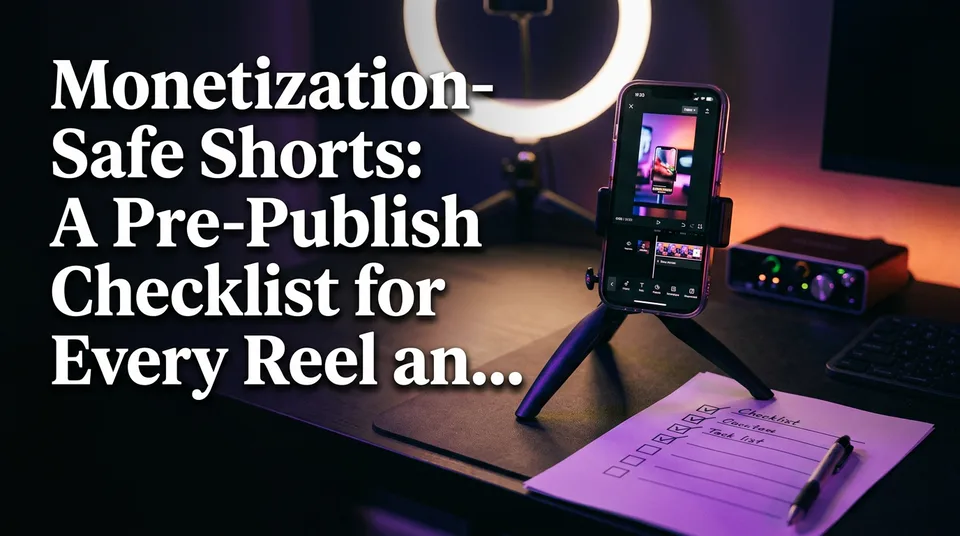
Monetization-Safe Shorts: A Pre-Publish Checklist for Every Reel and Short
A per-video gate for Facebook Reels, YouTube Shorts, TikTok and Instagram Reels: five checks, a pass/fix/hold call, and where each platform keeps its rules.
A monetization-safe Short adds original contribution, uses only audio and footage you have the rights to, avoids restricted content and carries no third-party watermarks. You verify those four things before every post, using each platform's own policy pages, not a forum thread or last year's video. The same original contribution is also what earns reach on Facebook, because a Reel that looks like someone else's upload gets treated like one.
Key takeaways
- Run five checks before every post: original contribution, audio rights, restricted content, clean visuals, and metadata with disclosures.
- Give each check a verdict: pass, fix or hold. Anything on hold does not publish today.
- A passing checklist keeps a video safe. It does not make a page or channel eligible to earn.
- Rules don't transfer. A clip that is fine on Facebook Reels can be blocked on YouTube Shorts.
- Earnings are estimates that vary by niche, country and platform. Nobody can promise a rate per 1,000 views.
What 'monetization-safe' actually means for a Short
A Short is monetization-safe when no policy stops that specific video from earning, even if your channel or page is fully approved. People mix these up constantly, and it's why "my Short earns nothing" threads never get a clean answer.
Eligibility vs. per-video safety
Eligibility belongs to the account. On YouTube it means being in the YouTube Partner Program; on Facebook it means being accepted into Facebook content monetization. Safety belongs to the video. A fully eligible page can still publish a Short that earns nothing because it contains a claimed song or a reused clip.
What happens when a Short is flagged
Outcomes run on a ladder. The mildest is limited ads, where fewer advertisers bid. Next comes no ads at all, which is demonetization of that video. Beyond that sit copyright claims, reduced distribution and removal.
We've watched pages lose weeks of reach after a single unoriginal clip, because distribution systems judge patterns, not only single uploads. Treat every post as part of that pattern.
Check 1: Is there an original contribution?
Yes, if you can name what you added: narration, commentary, a new story, or a substantial edit. A plain re-upload, or a minor change to someone else's clip, fails this check. It's also the answer to how you post original content on Facebook and get more reach: give the platform something it can't find elsewhere.
What counts as transformation
The test is simple. Remove your contribution and ask whether the video still stands without it. If the clip alone carries it, you added nothing.
What usually passes:
- A written story with your own AI voiceover over footage you have rights to
- Commentary that explains, reacts to or critiques the footage
- A real edit that reorders moments to tell a different story than the source
- Your own footage, shot or generated by you
What reads as reposted or reused content
A mirrored flip, a color filter, a crop, a speed change and a sticker are cosmetic. Systems and reviewers see through them. Stacking three clips from three creators with a trending sound is still other people's work, just in a longer file.
How original content affects reach on Facebook
Meta has published guidance saying it reduces distribution for unoriginal reposts and favors original creators. Read the current wording in the Facebook content monetization policies in the Meta Business Help Center, since it changes. In practice, original Reels are the ones that stay recommendable.
Verdict: pass if you can state your contribution in one sentence. Fix if it's thin by adding a voiceover or recut. Hold if the footage isn't yours and you have no permission.
Check 2: Do you have rights to the music and audio?
You do if the audio is original, licensed, or taken from a library the platform allows for your account type. Claimed content is the most common silent killer of Shorts revenue, and it often arrives from a 10-second background song nobody thought about.
Claimed content on YouTube Shorts
When a rights holder claims audio or footage through Content ID, the video is claimed content. YouTube's help page on Shorts monetization policies states that Shorts over one minute that contain claimed content are blocked and not eligible for monetization. Check that page for how shorter Shorts are handled, because the rules have shifted before.
Platform music libraries vs. commercial use
A trending sound in an app's in-built library isn't automatically cleared for monetized or business use. Library terms often differ by account type and by country. Read the music terms of the platform where you're posting, and don't assume a sound that worked on TikTok is cleared on Facebook Reels or Instagram Reels.
Voiceover and AI-voice considerations
Text-to-speech voiceover you generate yourself avoids music claims entirely, which is one reason story-driven Shorts are popular with daily posters. But AI voiceover doesn't exempt a video from originality rules. The voice is only as original as the story it reads and the footage under it.
Verdict: pass if every sound has a known source. Fix by swapping in library or original audio. Hold if you can't say where a song came from.
Check 3: Is the content restricted or advertiser-unfriendly?
Content is restricted when it falls outside a platform's advertiser-friendly or monetization guidelines, and the safest assumption is that anything shocking, deceptive or aimed at children needs a second look. This check is a screen, not a legal judgment.
Violence, shock and sensitive topics
Real injuries, graphic animal scenes, tragedy and hateful or harassing material can lose ads even when allowed on the platform. That includes rescue and sports clips with a hard moment in them. Cut to the recovery, not the impact, and read the advertiser-friendly guidelines for your platform.
Misleading titles, thumbnails and claims
If the title promises something the video never shows, that's a problem for both viewers and policy. A cover that suggests an event that didn't happen, or a medical or financial claim you can't support, belongs in "fix" immediately.
Kids' content and safety
Content aimed at children triggers extra rules on every major platform, including limits on ads, comments and personalization. Videos showing minors, such as kids' talent clips, also need consent from parents or guardians. If a clip features a child, hold it until you know the rule and have permission.
Verdict: pass if you'd be comfortable with a brand's ad next to it. Fix by trimming or re-titling. Hold on anything involving minors without consent.
Check 4: Are the visuals clean?
Clean visuals means no third-party watermarks or logos, no unlicensed footage, and captions and cover that sit inside the safe areas of a 9:16 frame. It's the quickest check, and it catches the most self-inflicted damage.
Watermarks and logos from other apps
A moving TikTok logo or a channel bug in the corner signals "someone else made this." Cropping or blurring it doesn't fix the underlying problem, and it can look like an attempt to hide the origin. Start from a clean source you own or licensed.
Source footage you did not shoot or license
Having a link to a video isn't a license. Permission means a written yes from the owner, a license, or a clear public-domain or Creative Commons status you've verified. When we build a Short from a long video with the WowReveal AI Clipper, the tool finds the best moments, but whether you're allowed to clip that video is still your call.
Captions, headline and cover placement
Keep captions out of the bottom 20% and the right edge, where app buttons and descriptions sit. A headline in the top safe zone and a cover with readable text at thumbnail size help both retention and clarity. Render at 1080×1920 and check on a real phone.
Verdict: pass if the frame is clean and readable. Fix any watermark by re-sourcing. Hold if the source is unclear.
Check 5: Titles, descriptions, disclosures and length
This check covers the metadata and labels around the video, and it answers a different question than the first four: does the packaging match the content, and does the platform need to be told something?
Disclosing altered or AI-generated content
Where a platform requires a label for realistic altered or synthetic content, apply it. YouTube, Meta and TikTok each have disclosure tools or rules that differ in wording and scope, and they update them. AI-generated footage that looks like a real event is the case that most often needs a label. Rules change, so open the current policy page each quarter.
Write titles and descriptions that describe what happens. The WowReveal post kit drafts titles, descriptions and hashtags, but you read them against the video before posting.
Length limits and claimed-content rules for longer Shorts
On YouTube, a Short can run up to 3 minutes, and longer Shorts are exactly where the claimed-content block applies. If your story runs past 60 seconds, your audio check has to be stricter. In YouTube Studio, the Content tab shows a Restrictions column. "None" means no restriction is currently flagged. It doesn't tell you the Short is earning, and it can change after publishing.
Verdict: pass if labels and metadata are accurate. Fix by editing before publish, which is far easier than after.
Where each platform publishes its policies
Every platform keeps its own rules in its own help center, and you should bookmark them rather than rely on summaries. Here's where each one lives.
| Platform | Where to read the rules | What to look for |
|---|---|---|
| YouTube Shorts | YouTube Help: Shorts monetization policies and Partner Program pages | Claimed content, Short length, advertiser-friendly guidelines |
| Facebook Reels | Meta Business Help Center: Facebook content monetization policies | Originality, partner monetization policies, eligibility |
| TikTok | TikTok Creator and Business help pages, community guidelines | Music terms by account type, program requirements |
| Instagram Reels | Instagram Help Center and Meta's creator monetization pages | Original content guidance, available monetization tools |
The YouTube Partner Program overview is the reference for what earns on YouTube. All of these pages change. Check the date or re-read them before a big content push.
The mistake that costs the most: assuming one platform's rules apply to another
The costliest mistake is treating a pass on one platform as a pass everywhere. Daily posters cross-post a single MP4 to Facebook, YouTube, TikTok and Instagram, and one policy mismatch can quietly zero out one of the four.
Same clip, different outcome
Here's how a single file can split. Treat this as a map of questions, not a ruling, since each outcome depends on current policy and rights-holder settings.
| Issue in the clip | YouTube Shorts | Facebook Reels | TikTok / Instagram Reels |
|---|---|---|---|
| Commercial song from a trending library | Claim possible; Shorts over 1 minute with claims are blocked from monetization | Music match may limit audio or distribution | Library terms may differ for business accounts |
| Another creator's clip with new voiceover | Reused content review applies | Originality guidance applies | Original-content guidance applies |
| Realistic AI-generated scene | Disclosure may be required | Labeling rules may apply | Labeling rules may apply |
| Corner watermark from another app | Reads as reused content | Reads as unoriginal | Often de-prioritized |
Re-checking before every cross-post
Don't post one file blindly to four places. Re-run the audio and disclosure checks per platform, and export a platform-specific version where needed, for example a silent or original-audio version for YouTube. It's 60 seconds per platform. A blocked Short costs far more.
Monetization eligibility: what the checklist does not replace
A passing checklist keeps a video safe, but it doesn't grant monetization. Eligibility thresholds are set per program, and they change, so read the source.
Can you get monetized with Shorts? Yes, through the YouTube Partner Program, if your channel meets its requirements and your Shorts follow the policies. Those requirements include a minimum subscriber count and a views or watch-hours threshold, and the program offers more than one tier. YouTube Shorts views count toward the Shorts views threshold, while regular watch-hour rules are measured separately. Always confirm the current numbers on YouTube's Partner Program page.
Without subscribers, you can't join the program, so earning from Shorts through YouTube isn't available until you reach the minimum. Availability also depends on country, so check the supported-countries list. Facebook content monetization has its own invitation or application route and country list. Meta decides eligibility, and so does YouTube.
Why a safe Short still earns different amounts
Two equally safe Shorts can earn very different amounts because pay depends on RPM (revenue per 1,000 views, after the platform's share), and RPM varies by niche, audience country, season and platform. There's no fixed rate for 1,000 views on YouTube Shorts, and any number you see online is someone's past result, not a promise.
You can do the arithmetic yourself. Views needed equals target earnings divided by RPM, times 1,000. If RPM were $0.10, a $2,000 month would need 20 million views. At $0.50 it would need 4 million. Those RPMs are made up for illustration, not typical rates, and they're why "30k views" has no single dollar answer.
Use a calculator to see a range, keep expectations conservative, and treat any figure as an estimate. Safety protects what you earn. It doesn't set the amount.
A 5-minute pre-publish routine for daily posting and multi-page teams
A 5-minute gate works when it's the same every day: run the five checks, give each pass, fix or hold, and publish only if nothing is on hold. Fix means you can correct it within 5 minutes. Hold means it waits.
Build the checks into your production flow
Put the checks where problems begin, not at the end. Decide the original contribution before you edit. Pick audio before you render. For AI-generated story Shorts, such as those from WowReveal, with a written story, AI voiceover, animated captions, headline, cover and a 9:16 render, the contribution and audio checks are mostly handled by the format itself. But footage rights, disclosure and restricted content still need a human eye before posting. Niche templates make this repeatable across daily posts.
For agencies, add a sign-off: one person produces, another approves against the checklist, and nothing goes live on a "hold."
Keep a source and license log
Keep a simple sheet: video title, source link, who gave permission, audio source and date checked. When a claim or a question arrives, you can answer in a minute, and for teams with many pages it's the only way to stay consistent.
Frequently asked questions
Can you get monetized with Shorts?
Yes, through the YouTube Partner Program, once your channel meets its current thresholds and your Shorts follow the monetization policies. Facebook and TikTok run separate programs with their own requirements. Each platform decides eligibility, and the rules can change.
How much does YouTube Shorts pay for 1,000 views?
There's no fixed amount. Earnings depend on RPM, which varies by niche, audience country, season and platform, so any figure is an estimate, not a guarantee. Check your own YouTube Studio analytics for your real numbers.
How many views do you need on YouTube Shorts to make $2,000 a month?
Divide your target by your RPM and multiply by 1,000. Because RPM differs so much between channels, the answer ranges from a few million views to many more. Use your own RPM, not someone else's.
What does "Restrictions: None" mean for a Short in YouTube Studio?
It means no copyright or ad-suitability restriction is currently flagged on that video. It doesn't confirm that the Short is earning, and the status can change after publishing, so check it again later.
Does adding AI voiceover make a Short original?
Not by itself. AI voiceover and AI generation don't exempt a video from originality rules, and the story and footage still have to be yours or licensed. Disclose realistic synthetic content where the platform requires it.
Where to go next
- Facebook Reels vs YouTube Shorts vs TikTok: Where to Post to Earn — Decide which platform's rules to check first and where your clips should go.
- Instagram Reels Monetization: Bonuses, Gifts, Subscriptions and Brand Deals — See how Instagram's monetization options and policies differ from YouTube and Facebook.
- What Is RPM for Creators, and How Is It Different From CPM? — Understand the number behind every "pay per 1,000 views" question.
- Niche Templates for Reels: Repeatable Formats for Daily Posting — Build formats that carry your original contribution into every daily post.
- What Is YouTube Shorts Revenue Sharing? How the Ad Pool Pays Creators
- Reused Content Policies Compared: Facebook, YouTube and TikTok
- AI Video Generator for Shorts: When to Use Images, When to Use Video
- AI Short Video Creation for Reels and Shorts: The Complete Guide
- Facebook Reels Monetization: How It Works, Who Can Earn and What to Expect
- Short-Form Video Monetization Across Platforms: Programs, Requirements and Rules Compared
- AI Story Video Generator: How to Turn a Story into a Short
- Faceless Shorts with AI: How to Make Them Step by Step
Turn any video into a ready-to-post Reel
Paste a link — WowReveal writes the story, voices it in 9 languages and adds captions, a headline and music. Start with free credits, no card.
Start free →