AI Story Video Generator: How to Turn a Story into a Short
Yes, AI can turn a story into a finished vertical video. Here's what these tools actually do, what to feed them, and what you still have to check before posting.
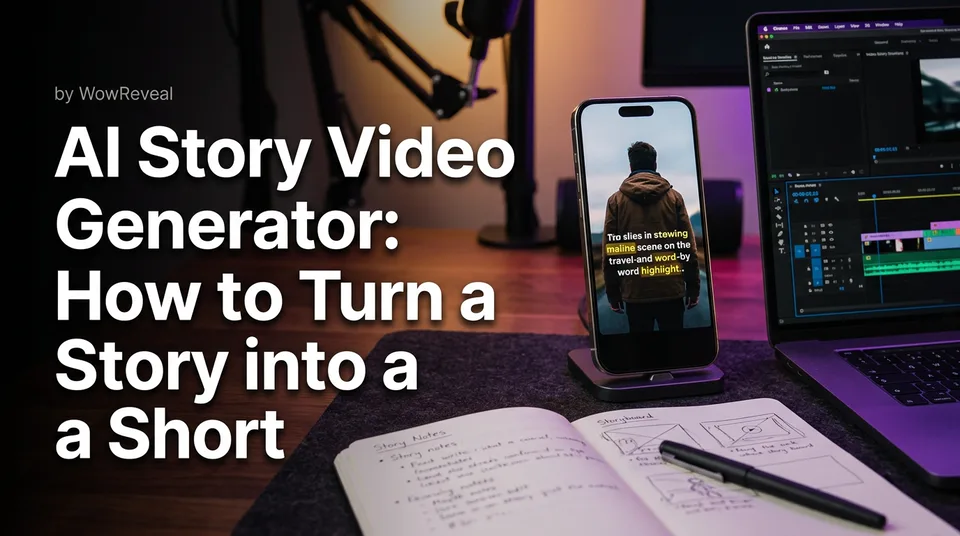
Yes, AI can turn a story into a finished vertical video. An AI story video generator writes or adapts the script, voices it, adds visuals, animated captions and music, and renders a 9:16 short. A human still needs to review facts, tone and originality before anything gets posted.
That last sentence is the part most tool pages skip. The generator does the assembly. You do the judgment. Pages that treat it that way ship daily without trouble, and pages that hit "publish" blind are the ones we see losing reach.
Key takeaways
- An AI story video generator handles four jobs: script, AI voiceover, visuals and captions, then renders a 9:16 video.
- Inputs are usually a link, an uploaded file or a text prompt. Outputs should include a headline, music and a cover, not just raw footage.
- Story shorts work best at 30-60 seconds, with captions on for sound-off viewing.
- "Free" almost always means free credits or a capped plan. Unlimited claims usually hide limits.
- AI-made videos are generally allowed, but originality, reused-content rules and disclosure labels still apply. Platform rules change, so check them.
- Nothing here guarantees views or earnings. Monetization depends on program eligibility and content quality.
What an AI Story Video Generator Actually Does
An AI story video generator is a tool that turns a story into a finished short by writing the script, voicing it, matching visuals and rendering the video. It replaces the editing timeline, not the editor's judgment.
The four building blocks: script, voiceover, visuals, captions
The script comes first. The tool either writes a story from your idea or rewrites existing material into a tight narration with a hook in the opening line.
Then text-to-speech (the engine behind AI voiceover) reads it aloud. Visuals follow: clips from your source video, or generated images and video. Last come animated captions, the word-by-word text that keeps sound-off viewers watching.
Add music, a headline and a cover, and you have something postable. Each block can be edited. If one is weak, the whole short is weak.
How it differs from a general AI video generator
A general AI video generator makes clips from a text prompt, often 5-10 seconds of motion with no story structure. You'd still have to write, voice, caption and stitch.
A story generator is a pipeline built around narration. Competitors in this space lean toward long-form movies or generic text-to-video. For Facebook Reels, YouTube Shorts and TikTok, you want the opposite: short, narrated, captioned and already in the right frame.
What You Provide and What You Get Back
You provide a source, either a link, a file or a prompt, and you get back a rendered vertical video plus the pieces around it. The difference between tools is how much of that package arrives ready to post.
Inputs: a link, an uploaded file or a text prompt
There are three common starting points:
- A link. Paste a YouTube or other video URL you have rights to use, and the tool builds a story from it.
- An uploaded file. Your own footage, a podcast recording or an interview you own.
- A text prompt. A story idea or a full draft, which is the "from text" route.
In WowReveal, you paste a link or upload a file. The AI Clipper finds the best moments, so you don't scrub through a 40-minute video hunting for 45 seconds.
Outputs: headline, music, cover and a rendered video
A useful output set is a story script, voiceover, clips or visuals, animated captions, a headline, music, a cover and the final 9:16 file. If a tool gives you only a silent clip, you're still doing the finishing by hand.
Watch for a post kit too: titles, descriptions and hashtags. It's a small thing that saves real time when you post 3-5 times a day across several pages.
Output Specs for Reels and Shorts
The spec for a story short is 9:16 vertical, roughly 30-60 seconds, with captions burned in and a voiceover in the viewer's language. Get those right and the same file suits Reels, Shorts, TikTok and Instagram Reels.
9:16 vertical format and safe zones for captions
Export at 1080×1920. Keep captions away from the bottom 15-20% and the right edge, where platform buttons and descriptions cover the screen. Each app's interface overlays differ slightly, so test one export on your phone before batching.
Captions matter more than most people admit. A large share of mobile viewing happens muted, and a story without readable text loses those viewers in two seconds.
Length that suits story shorts
Aim for 30-60 seconds. Under 30, a story rarely lands. Past 60, retention usually drops unless the plot truly earns it.
Pacing beats raw length. A 45-second short that holds the viewer to the last second does more than a 25-second one they abandon at second 8. Retention and watch time are what you're really shooting for.
Voiceover languages (9 in WowReveal)
WowReveal voices stories in 9 languages. That matters for creators who are non-native English speakers: you can write or source in one language and publish in another without recording a word.
Pick the language your audience actually speaks, not the one you're most comfortable editing in. And listen to the full voiceover once. Names and place words are where synthetic voices stumble.
How to Turn a Story into a Short: Step by Step
The workflow is four steps: pick the story, choose the voice, review the draft, then render and publish. For one short, the whole thing can take minutes instead of hours. That's an estimate, and it depends heavily on how much you edit.
Step 1: Pick the source or write the story
Start with a story you have the right to tell. That means your own writing, your own footage, or a source you have permission to use. Not a clip you found and liked.
If you're stuck for ideas, a trend finder or script writer helps you shape a hook. Open on the most surprising moment, not the setup. "She waited 11 years to open that letter" beats "Let me tell you about a woman."
Step 2: Choose voice and language
Select the AI voiceover and the language. Match the voice to the tone: warm for kindness stories, steady and plain for mysteries, quicker for sports moments.
Don't use the default voice on every page. We've seen audiences tune out when ten pages in the same niche all sound identical. A small voice change is cheap differentiation.
Step 3: Review the script and visuals
Read the script out loud. Cut filler, fix any invented detail, and check that the first sentence earns the next three seconds.
Then scan the visuals. Do they match the narration at each beat? A mismatch, like a sunny beach while the voice describes a funeral, is a fast way to look careless.
Step 4: Render, add the post kit and publish
Render the 9:16 video, then generate the title, description and hashtags. Upload through the native app or Meta Business Suite for Facebook and Instagram pages.
Before you publish, run a pre-publish check. We've watched pages lose reach for weeks after posting one unoriginal clip, so this step isn't optional.
Free AI Story Video Generators: What Free Really Means
Free usually means free credits or a limited plan, not unlimited production. If a tool promises "100% free, unlimited" with no catch, read the fine print before you build a workflow on it.
Free credits vs unlimited claims
Rendering video costs real compute, so someone pays. The honest versions are a free tier with credits to start, then monthly plans or one-time credit packs when you need volume.
WowReveal works this way: free credits to start with no card required. That's enough to test whether the output suits your niche before you spend anything.
So, is there a 100% free AI video generator? Some exist, but expect caps on length, resolution, daily exports or voice quality. Treat "unlimited" as a marketing word until you've exported ten videos.
Watermarks, limits and refunds on failed jobs
Before committing, check four things:
- Does the free export carry a watermark?
- What's the maximum length and resolution?
- How many renders per day or month?
- What happens when a job fails?
On that last point, WowReveal refunds failed jobs automatically. Don't take that for granted elsewhere. A tool that eats credits on a crashed render gets expensive fast.
AI Short Story Video Examples by Format
Story shorts fall into three practical formats: narrated stories over images, faceless story channels and story-led niche templates. Each suits a different kind of page.
Narrated stories over AI images
A short fiction or "true story" style piece, voiced over generated images with captions. It's the classic AI story format and the one most people picture.
It works when the story is genuinely good and the visuals stay consistent. It fails when images drift in style from scene to scene. If you're unsure whether to use stills or motion, that choice affects both cost and feel.
Faceless story formats
Faceless YouTube Shorts and Reels channels tell stories with no creator on camera: a narrator, footage and captions. This suits creators who don't want to be on screen or who work in a second language.
The voice becomes your brand. Keep it consistent across posts so viewers recognize the channel in the first second.
Story-led niche templates
Niche templates give a repeatable structure to a recurring story type. WowReveal has templates for talent shows, haircut transformations, animal rescue, satisfying restorations, sports moments, wholesome kindness, kids' talent, street food, best moments and podcast clips.
Each has a built-in arc: setup, turn, payoff. That's why they suit daily posting. You swap the content, not the skeleton.
Where AI Stories Fall Short and What to Review
AI stories fall short on facts, originality, pronunciation and source rights, so every short needs a human review. The tool assembles quickly, but it doesn't know what's true or what you're allowed to use.
Facts, names and claims
AI can invent details with total confidence. A date, a number, a quote, a place: if the story presents it as real, verify it. One wrong claim in a "true story" short can sink trust with the whole page.
Repetitive or generic scripts
Generic scripts repeat phrases, open with the same hook structure and end with the same moral. Viewers notice by the third video. Rewrite the first and last lines yourself, every time.
Voice pronunciation and pacing
Listen for mangled names, odd stress and dead pauses. Fix spelling phonetically in the script if needed. Slow or rush a line if the rhythm feels off.
Rights to source material
If your story comes from a link, you need permission to use that footage. AI doesn't change who owns it. Tools that find clips don't clear them for you, and Content ID matches work regardless of how the video was edited.
Are AI Story Videos Allowed and Legal?
AI-made story videos are generally allowed on Facebook Reels, YouTube Shorts and TikTok, but they must still be original, not mass-produced reused content, and may need an AI disclosure label. Platform rules change, so read the current version.
Are AI story generators illegal? The tools themselves aren't. What can be illegal or against policy is what you make with them: copyrighted footage you don't own, misleading claims, or deceptive synthetic media.
On YouTube, the monetization policies help page covers reused and inauthentic content, which is the main risk for templated AI output on the YouTube Partner Program. For Facebook, Meta's creators site is the place to check Facebook content monetization and originality guidance.
None of this is legal advice. It's the general picture, and eligibility is always decided by the platform, not by the tool.
AI Story Video Generator Mistakes to Avoid
The most common mistakes are posting unreviewed output, using the same template and voice on every video, ignoring sound-off viewing, and using footage you don't have rights to. Each one makes a short easy to skip or flag.
- Publishing the first render. Always read and watch it once.
- One voice, one script shape, forever. Mass-produced sameness looks like reused content.
- No captions or badly placed ones. Text hidden under the interface is wasted.
- Too long. A 90-second story with a 30-second idea.
- Borrowed footage. If you don't own it or have permission, don't use it.
- Expecting income from volume alone. Ten weak shorts don't beat two good ones.
Can ChatGPT Make an AI Video, and What to Use Instead
ChatGPT can write a story script, suggest hooks and draft captions, but it isn't a complete short-form video pipeline on its own. You'd still need voiceover, visuals, captions, music and a 9:16 render from somewhere else. Features change often, so check what your version supports.
Using ChatGPT as a script writer is fine, and plenty of creators do. The friction is the handoff: copying text into a voice tool, then an editor, then a caption tool, then exporting. Each handoff costs minutes.
An all-in-one generator removes those steps. WowReveal writes the story, voices it, finds moments with the AI Clipper, adds animated captions, a headline, music and cover, and renders in one run. Whether that beats your own stack depends on volume. For one video a week, a manual stack is fine. For daily posting across pages, the saved minutes add up.
How to Choose a Generator for Daily Posting
The best AI story video generator for you is the one that outputs postable 9:16 shorts quickly, lets you edit before rendering, and costs a predictable amount. "Best" depends on your niche and posting volume, not on a ranking.
Use these criteria:
| Criterion | What to check |
|---|---|
| Output format | Native 9:16, 1080×1920, captions included |
| Voice | Languages offered, natural pacing, name handling |
| Editing | Can you change script and visuals before rendering? |
| Package | Headline, music, cover, titles and hashtags |
| Cost | Free credits, plans, credit packs, refund policy |
| Rights | Clear guidance on source material and commercial use |
Test with three real stories from your niche, not the demo prompt. Compare how much editing each output needed. That number, not the feature list, tells you which tool saves time.
And remember what no tool can promise: views or income. A generator speeds up production. Whether the content earns depends on quality, consistency and platform eligibility.
Frequently asked questions
Can AI turn my story into a video?
Yes. An AI story video generator can take your text, link or file, write or adapt the script, add an AI voiceover, visuals, animated captions and music, and render a 9:16 short. You should still review facts, tone and originality before you post.
Are AI story generators illegal?
No, the tools themselves are legal to use. Problems come from what you make: footage you don't have rights to, misleading claims or content that breaks a platform's originality and reused-content rules. This is general information, not legal advice.
Is there a 100% free AI video generator?
Some tools are free, but they usually cap length, resolution, exports or voice quality, or add a watermark. Most honest options give free credits to start, then plans or credit packs. WowReveal offers free credits with no card required.
Can ChatGPT make an AI video?
ChatGPT is good for scripts, hooks and caption ideas, but a finished Reel or Short also needs voiceover, visuals, captions, music and a 9:16 render. You'd combine it with other tools or use an all-in-one generator.
Where to go next
- Are AI Story Videos Allowed on Facebook and YouTube? — Goes deeper on the legality and policy question raised here.
- Reused Content Policies Compared: Facebook, YouTube and TikTok — Explains the originality risk for AI-made stories.
- AI Video Generator for Shorts: When to Use Images, When to Use Video — Helps you choose the visual style for a story short.
- Best Reel Length and Pacing for Completion Rate — Guides story length and pacing choices.
- Niche Templates for Reels: Repeatable Formats for Daily Posting — Shows repeatable story formats you can reuse every day.
- Monetization-Safe Shorts: A Pre-Publish Checklist for Every Reel and Short — Turns the human-review step into a checklist you can run before posting.
- Short-Form Video Monetization Across Platforms: Programs, Requirements and Rules Compared — Shows what each program requires before a story short can earn.
- AI Short Video Creation for Reels and Shorts: The Complete Guide — The parent guide to the full AI shorts workflow.
- AI Video Clipper: How It Finds the Best Moments in Long Videos
- TikTok Monetization Requirements for Short-Video Creators: What You Need and How to Check
- What Is AI Voiceover? Definition and How It Works
- Best AI Voiceover for Reels: What to Compare Before You Choose
Turn any video into a ready-to-post Reel
Paste a link — WowReveal writes the story, voices it in 9 languages and adds captions, a headline and music. Start with free credits, no card.
Start free →