What Is AI Voiceover? Definition and How It Works
AI voiceover is narration generated from text by an AI speech model. Here's what it is, how it differs from basic text to speech, and where platform rules draw the line.
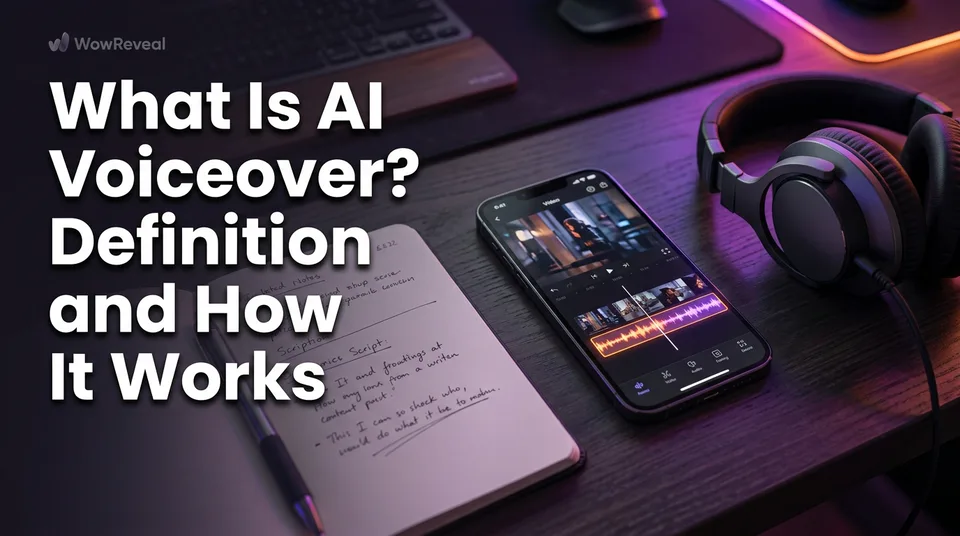
AI voiceover is narration generated from written text by an AI speech model, and it sounds like a human narrator because it controls tone, pacing and emphasis, which basic text to speech (TTS) doesn't. So yes, you can use AI to create voiceovers for videos. The harder questions are which voice keeps viewers watching and whether the platform will monetize the result.
Key points
- You supply a script. The model returns an audio track you place under your video.
- It differs from basic TTS through natural intonation, pauses, emphasis and a choice of voices.
- Quality depends on the script, the pacing and the language match, so always listen before posting.
- Platforms generally allow synthetic voice. They judge the originality of the content.
- Free tiers exist, but they usually limit length, voices or commercial use.
AI voiceover: a plain definition
AI voiceover is synthetic narration produced from text by a speech model trained on human speech. You write the words, pick a voice and a language, and get audio back in seconds. No microphone, no studio, no retakes.
That's why it powers most faceless videos. The narrator never appears on screen, so the voice carries the whole video.
AI voiceover vs basic text to speech
Basic text to speech reads words flatly, while AI voiceover adds natural intonation, emphasis, pauses and emotion. Both turn text into sound, so AI voiceover is best seen as the more controllable end of the same family.
Old-style TTS sounds like a screen reader: the same pitch on every sentence, no breath, no stress. We've watched a good story die in the first few seconds because the voice sounded robotic. Modern AI voices lower on the last word of a sentence and lean on the word that matters.
How AI voiceover works, step by step
An AI voiceover runs in four steps: script, voice and language choice, audio generation, then sync with the video and captions.
From script to audio
Write the script for the ear, not the eye. Short sentences, one idea each. A 60-second short fits roughly 140 to 160 words at a natural speaking pace.
Then choose the voice and language and generate. If a sentence sounds wrong, rewrite the sentence instead of fighting the voice.
Syncing the voice with the video
Drop the audio onto a 9:16 timeline and cut your visuals to the beats of the narration. Add animated captions that match the spoken words, since many viewers watch muted. The WowReveal voiceover tool handles this in one pass: it writes the story, voices it, adds captions and renders the vertical video.
What makes an AI voice sound natural
A natural AI voice gets three things right: tone, pacing and language fit. Listen to the whole track on a phone speaker before you publish, because that's how most viewers will hear it.
Tone and emphasis
Match the tone to the format. A motivational short needs energy, while a mystery story needs restraint. Stress on the wrong word can change the meaning of a sentence.
Pacing and pauses
Tight doesn't mean rushed. A half-second pause before a reveal does more for retention than any visual effect. Trim dead air, but keep the breaths that make it sound human.
Language and accent fit
Choose the accent your audience actually speaks or expects. A grammatically perfect voice with the wrong accent still feels off to the people you want to reach.
AI voiceover languages
Modern tools cover dozens of languages, and WowReveal voices stories in 9. Quality isn't equal across them. Widely spoken languages usually sound better than smaller ones, and names, numbers and slang are where mistakes show.
If you translate a script by machine before voicing it, have a native speaker listen once. It takes two minutes and saves a page's reputation.
Where AI voiceover fits in short videos
AI voiceover fits any short where words carry the video: story shorts, motivational shorts and explainers. It works the same on YouTube Shorts, Facebook Reels, TikTok and Instagram Reels.
Story formats lean on emotion and pacing. Explainers lean on clarity. Motivational clips need rhythm. Pick the voice for the job, not just the most popular one.
Are AI voiceovers allowed on YouTube and Facebook?
Generally yes. Synthetic voice itself isn't what platforms penalize. Mass-produced, repetitive or unoriginal content is what puts monetization at risk.
YouTube's Partner Program policies cover inauthentic and reused content, and Facebook Content Monetization has its own originality rules. Policies change, so check the current text. A voice over someone else's clip adds nothing. Your own script, your own editing and a real point of view do.
Free vs paid AI voiceover tools
Free AI voiceover tools exist, but they usually cap length, limit voices or restrict commercial use. Read the licence before you monetize anything.
Generators, apps and online tools all do the same core job. "Best" depends on your language and format, so run one script through two or three tools and listen. WowReveal gives free credits to start, no card needed.
Where to go next
- AI Story Video Generator: How to Turn a Story into a Short — the next step: turning a script into a narrated short.
- Faceless Shorts with AI: How to Make Them Step by Step — the main use case for AI voiceover, in practice.
- Are AI Story Videos Allowed on Facebook and YouTube? — a deeper look at the policy question for AI-voiced content.
- Reused Content Policies Compared: Facebook, YouTube and TikTok — the originality rules that matter more than the voice.
- Monetization-Safe Shorts: A Pre-Publish Checklist for Every Reel and Short — a practical check before you post narrated videos.
- AI Short Video Creation for Reels and Shorts: The Complete Guide — the whole workflow, from idea to upload.
- How to Add AI Voiceover to Reels, Step by Step
- Best AI Voiceover for Reels: What to Compare Before You Choose
Turn any video into a ready-to-post Reel
Paste a link — WowReveal writes the story, voices it in 9 languages and adds captions, a headline and music. Start with free credits, no card.
Start free →