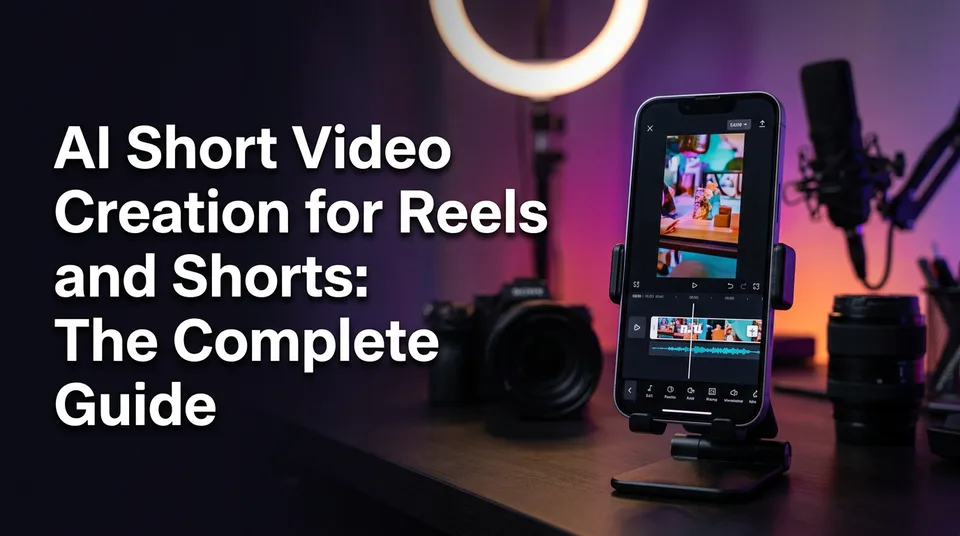
AI Short Video Creation for Reels and Shorts: The Complete Guide
AI can write, voice, clip, caption and render a 9:16 short. This guide maps the whole workflow, which stage AI owns, what you must check, and how to stay monetization-safe.
Yes, AI can make a short video clip for you: it can write the story, voice it, find the best moments in a long video, add captions and render a 9:16 file that's ready to upload. What it can't do is decide whether the result deserves to be posted. You still need a human hook, a review pass and an original contribution before a Reel or Short is safe to post and worth monetizing.
That's the honest shape of ai short video creation. It's a pipeline with six or seven stages, not a single magic button, and AI can own most of those stages if you check the right three things at the end. This guide walks the whole pipeline, names the tool types, and ties every stage to the originality rules that decide whether your page keeps earning.
Key takeaways
- AI can draft almost every stage of a short: story, voiceover, best-moment clipping, animated captions, headline, music, cover and the 9:16 render.
- Four tool types exist (story generator, clipper, voiceover, AI image and video generation) and each fits a different source material.
- The human job is small but non-negotiable: write or sharpen the hook, check facts and voice, and add something original.
- Free AI video makers exist, but free credits usually cap length, quality or exports. Test one finished short before you commit.
- The most common failure is posting raw AI output. Fix it with a hook line, a fact and voice check, and a unique angle.
- Platform rules change. Check Meta and YouTube's current help pages before you monetize anything.
What AI short video creation actually means
AI short video creation is the use of AI to produce a vertical video under about 60 seconds, from the idea through to a postable file. That covers writing, narration, editing and design. It does not mean pasting a prompt into a box and getting a finished, monetizable Reel.
Most search results for this topic describe one thing: a text-to-video generator. Canva AI, Runway and YouTube Dream Screen all sell versions of it. Useful, but that's one tool type solving one stage. A page owner posting daily needs the whole chain, and most of the chain isn't generative video at all.
Four ways AI makes a short: story voiceover, clipping, repurposing, AI-generated visuals
There are four distinct methods, and mixing them up is how people end up with the wrong tool and a wasted afternoon.
- Story voiceover. AI writes a short narrated story over footage you have the right to use, then adds an AI voiceover, captions and music. Typical length: 30 to 45 seconds. This is the backbone of animal rescue, kindness and "best moments" pages.
- Clipping. AI scans a long video, finds the strongest 20 to 60 seconds and cuts them into a vertical clip. Podcasts, interviews, streams and your own long videos are the natural fit.
- Repurposing. You turn your own long YouTube video into several Shorts or Reels, each with a new hook, captions and cover. It's clipping plus packaging.
- AI-generated visuals. AI creates images or video that don't exist: a historical scene, an explainer visual, an animated character. Quality and consistency vary a lot by model.
Each method has a different human check. With story voiceover you check facts and tone. With clipping you check context, so a clip doesn't misrepresent what was said. With generated visuals you check realism and disclosure.
The AI shorts workflow step by step
The workflow runs in six steps: choose the source, generate the story, add voiceover, find the best moments, dress the video, then render and prepare the post. AI drafts each step in seconds. A human reviews the hook, the facts and the fit before anything goes live.
We've built and used this pipeline daily, and one thing holds every time: pages that skip the review stage lose the time they saved. Reach drops, eligibility questions appear, and the recovery costs far more than the minutes you'd have spent checking.
Step 1: Choose the source or idea
Start with something you're allowed to use and a format that already works. Your source can be your own footage, your own long video, licensed material, a podcast you host, or an idea for generated visuals. It can't be someone else's finished video posted as if it were yours.
Pick the angle before you open any tool. "A dog is rescued from a flooded drain" is a subject. "Nobody expected the last 10 seconds" is an angle. For finding formats early, a trend finder helps, and WowReveal has one, but your own scroll through the Reels feed in your niche works too. Look for a format that's repeating across several pages in the last two weeks, not last month.
Step 2: Generate the story or script
AI should write the first draft of the story, and you should rewrite the first line. A 30 to 45 second story Reel runs roughly 75 to 110 words at a natural speaking pace, around 2.5 words per second. Shorter than 60 words feels thin. Longer than 120 and you're either rushing the voice or losing viewers.
Give the generator constraints: who the story is about, the single emotional beat, the length in words, the language and the tone. A vague prompt gets a vague story. In WowReveal you can paste a link or upload a file and the app writes the story from the footage itself, or you can use the script writer when you're starting from an idea.
Read the draft aloud once. Anything that makes you stumble will make the voiceover stumble too.
Step 3: Add AI voiceover
AI voiceover, also called text-to-speech, turns the script into narration in seconds, and in 2025 the better voices are good enough that pacing and script quality matter more than the voice itself. WowReveal voices stories in nine languages, which matters if you're a non-native English speaker who'd rather narrate in Spanish, Portuguese, Hindi or another language your audience actually watches in.
Choose the voice to match the content. A warm, slower voice suits kindness and rescue stories. A faster, brighter one fits sports moments. Avoid the flat, newsreader default for emotional content.
Then listen to the whole thing with headphones. Mispronounced names, odd stress on numbers and strange pauses are the tells that a viewer reads as low effort. Fix them in the script (spell names phonetically if you must), not in the audio.
Step 4: Find the best moments
An AI clipper finds the strongest segments of a long video so you don't scrub through 40 minutes by hand. The WowReveal AI Clipper takes a link or file, finds the best moments and cuts them for 9:16. Most tools in this category work on a similar principle: they score segments by speech, motion and emotional peaks.
Treat the result as a shortlist, not a verdict. We'd pick from the top three or four suggestions rather than accept the first. Check that the clip starts mid-action or mid-sentence on something interesting, and that cutting it hasn't changed the meaning.
For a 60-second clip from a long video, the best segment usually has a clear beginning, a turn and a payoff inside the minute. If it needs setup from minute 12 to make sense, skip it.
Step 5: Captions, headline, music and cover
Animated captions, a headline, music and a cover are the packaging that decides whether someone stops scrolling. Most viewers watch with the sound low or off in public, so captions aren't optional. Keep them to one or two lines, high contrast, inside the safe zone so platform buttons don't cover them.
The headline is a short on-screen line in the first second, a promise or a question. It does a different job than the title in the caption. The cover (the thumbnail) matters most on profile grids and in Facebook and YouTube browse surfaces.
For music, choose tracks you have the right to use. Platform-provided libraries are the safest default, and a track that's fine on one platform isn't automatically fine on another. A brand kit, where you save fonts, colors and a logo position, keeps a page visually consistent across dozens of posts without redoing the design each time.
Step 6: Render 9:16 and post kit
Render at 1080×1920, 9:16, and watch the final file on a phone before posting. Not on the editor preview. On the phone, at arm's length, with the same distractions your viewer has. Captions that looked fine on a monitor can sit under the Reels buttons.
Then write the post: title, description and hashtags. A post kit generates these in one go, and WowReveal includes one. Edit the output. Add the specific detail only you know, trim hashtags to a handful of relevant ones, and make sure the description doesn't claim anything the video doesn't show.
Upload through the native app or Meta Business Suite for Facebook and Instagram when you're scheduling. A simple check: does the first frame make sense without sound and without the caption? If yes, post.
Which AI tool type to use and when
Four tool types cover the pipeline, and the right one depends on what you already have: footage, a long video, only an idea, or nothing at all. Using a text-to-video generator when you have footage is the most common mismatch we see.
| Tool type | What it does | Use it when | Human check |
|---|---|---|---|
| Story generator | Writes a short narrated script from footage, a link or a prompt | You have visuals but no story | Facts, tone, first line |
| AI clipper | Finds and cuts the best moments from long video | You own a podcast, stream or long video | Context, accuracy of the cut |
| AI voiceover | Narrates a script in a chosen voice and language | You need narration, or a new language | Pronunciation, pacing |
| AI image and video generation | Creates visuals that don't exist | The scene can't be filmed or sourced | Realism, disclosure, consistency |
Story generator
A story generator is right when you have strong visuals and need the narrative around them. It's the engine behind most story Reels. The best ones take the footage as input and write to what's on screen, rather than producing a generic script that happens to be about the same subject.
Its weakness is sameness. If every page runs the same prompt, the same hook structure shows up everywhere. Vary the angle, the emotional beat and the opening line yourself.
AI clipper
A clipper fits when you already have long, original material. Your podcast, your livestream, your 20-minute YouTube video: each hides five or six Shorts. It's the fastest route from one long upload to a week of posts.
A clipper is a poor choice for other people's long videos you have no rights to. That's reposting, and no clipper makes it original. Cutting alone isn't a contribution.
AI voiceover
Voiceover is right when you want narration without recording it, or when you want the same story in a second language. For creators who aren't confident narrating in English, it removes the biggest barrier to the English-speaking audience, and it works the other way too: an English script narrated for a Spanish or Portuguese audience.
Pay attention to the script's language, not just the voice. A machine-translated script voiced perfectly still sounds off to a native listener. Have someone fluent skim it when the language is new to you.
AI image and video generation
Generation is right when the thing you need to show can't be filmed or sourced: a fantasy scene, an animated explainer, a "what if" visual. AI Studio in WowReveal generates images and video with leading models and viral presets, and tools like Runway or Canva AI sit in the same category.
Be realistic about limits. Clips are usually short, faces and hands can drift, and continuity between shots is hard. Realistic synthetic content can also trigger disclosure rules, covered below. For when to pick images versus video, our deeper guide on that question goes through the trade-offs.
Free AI short video creation: what to expect
There are free ways to create AI shorts, but a 100% free AI video maker with no limits doesn't really exist. Free access almost always means credits, a trial, or a capped tier, and the cap usually shows up as shorter length, lower resolution, a watermark or fewer exports.
That's a fair trade for testing. It's a poor basis for a daily posting plan.
Before you commit to any tool, run one real short through the free tier and check these:
- Maximum video length and resolution (is it a true 1080×1920?)
- Whether exports carry a watermark that platforms or viewers will notice
- How many credits one finished video costs, not one generation attempt
- What happens when a job fails: refunded credits or lost credits
- Whether commercial and monetized use is allowed on that tier
On the cost side, WowReveal gives free credits to start without a card, then monthly plans and one-time credit packs, and failed jobs are refunded automatically. That last part matters more than it sounds. Generation fails sometimes, and paying for failures adds up across a month of daily posting.
You'll also see the same questions in search in different clothes: ai short video creation free, online, or as an app. A browser-based tool works on any laptop with no install. A mobile app suits editing on the go. Our view for page owners: use a web app for the heavy generation, then check the result on your phone.
And a small honest note on money. Free tools don't change the earnings math. No tool, free or paid, promises views or payouts. Eligibility and earnings are decided by Meta, YouTube and TikTok, and any figure you see is an estimate.
Text-to-video vs story shorts: which approach fits your page
Story shorts fit most monetized pages better than pure text-to-video, because they use real footage, carry a narrative and are easier to make original. Text-to-video wins when there's no footage and the scene has to be invented.
Text-to-video AI turns a prompt into a short clip. A Canva AI video generator produces a clip with synchronized audio from a text description. Others, like Runway, are built around generative models for video. An AI long video generator, in the sense people search for it, usually means stitching many generated scenes into something longer, which multiplies the consistency problem.
| Factor | Text-to-video | Story shorts (footage + AI story) |
|---|---|---|
| Input | A prompt or image | Real footage, link or file |
| Typical clip length | Short generated clips, stitched | Full 20 to 60 second video |
| Visual consistency | Often drifts between shots | Consistent, because it's real |
| Originality risk | Generic, "AI slop" look | Lower, when you add story and narration |
| Disclosure risk | Higher for realistic scenes | Lower, footage is real |
| Best for | Fantasy, explainers, concept visuals | Rescue, kindness, sports, talent, restoration |
Talking-head content is its own case. A free AI talking video generator animates an avatar or a still image to speak your script. It's convenient for explainers, but audiences notice the uncanny look quickly, and several platforms look closely at mass-produced avatar content. Use it sparingly and with a real point of view in the script.
If you're deciding for a faceless page, our rule is simple. Start with story shorts on footage you have rights to. Add generated visuals only for the gaps. If your whole page is generated clips with a synthetic voice and no human angle, expect trouble with originality review sooner or later.
AI Reels maker or Shorts maker: choosing for each platform
Any good AI maker outputs the same 9:16 file for every platform, so the choice is about where you post and what you're allowed to monetize, not which tool exports "Reels" versus "Shorts". The differences show up in length limits, monetization programs and audience habits.
Use a Facebook Reels workflow if you're targeting Facebook content monetization. Use a YouTube Shorts workflow if you're aiming at the YouTube Partner Program. TikTok and Instagram Reels reward fast, native-feeling edits and each have their own creator programs.
| Platform | Typical sweet spot | Monetization route | Note |
|---|---|---|---|
| Facebook Reels | 20 to 60 seconds | Facebook content monetization (eligibility set by Meta) | Strong originality focus |
| YouTube Shorts | Under 60 seconds is the safe default | YouTube Partner Program, Shorts ad revenue share | Inauthentic content policy applies |
| TikTok | 15 to 60 seconds for most formats | Creator programs, region and eligibility dependent | Check AI content labeling |
| Instagram Reels | 15 to 45 seconds | Bonuses, gifts, subscriptions, brand deals | Availability varies by country |
Length limits and program names change, so check the current numbers in each platform's creator help pages before you plan a month of content around them.
Is there a YouTube Shorts maker that uses AI? Yes, several. YouTube itself has added generative features inside Shorts, including YouTube Dream Screen for AI-generated backgrounds, and many third-party tools generate faceless Shorts from a prompt. The catch is the same everywhere. The tool makes the file. It doesn't make the file original or eligible.
For most pages we'd make one master 9:16 video per idea and adapt only the title, description, hashtags and sometimes the first second per platform. Don't post the exact same file with a visible watermark from another app. Platforms often reduce the reach of videos carrying another app's watermark.
Keeping AI-made shorts within originality and monetization rules
AI-made shorts stay safe to monetize when they carry your own original contribution (story, edit, commentary or narration), don't repost others' footage unchanged, and follow each platform's current originality and AI disclosure rules. Rules change, so verify them at the source.
What platforms look for
Meta's guidance for Facebook content monetization centers on original content, and the Meta originality policy targets accounts that repost others' videos without meaningful added value. The Meta Business Help Center is where the current monetization policies and eligibility requirements live, and it's worth rereading each quarter.
On YouTube, the YouTube inauthentic content policy (previously described as repetitious content) sits within the monetization rules for the YouTube Partner Program. It's aimed at mass-produced, repetitive and templated videos with little variation or added value. The YouTube Help page on the YouTube Partner Program is the primary source for current requirements.
Here's the practical translation, from watching how pages get hit:
- Reposted footage with no change. Re-uploading someone else's clip, even cropped and captioned, isn't original. Get permission or use your own material.
- Template spam. Fifty videos with the same structure, voice and visuals and only the topic swapped reads as mass production.
- Misleading edits. Clips cut so they change what a person said or what happened are a trust problem before they're a policy problem.
- Copyrighted audio. Content ID claims on music can mute, block or redirect revenue from a video. AI doesn't clear rights for you.
- Undisclosed realistic synthetic content. Platforms offer labels or disclosure settings for realistic AI-generated or altered media. Use them where they apply.
We won't tell you how to dodge any of these checks, and no honest tool does. If a method works only because a system can't see it, it'll stop working.
A pre-publish safety pass
A pre-publish pass takes about two minutes per short and catches the issues that cost pages their reach. Run it every time, including on the tenth video of the day.
- Source check. Do you own the footage, have written permission, or hold a license that covers monetized use?
- Contribution check. Can you name what you added: story, narration, edit, commentary, translation with real adaptation?
- Hook check. Does something specific happen or get promised in the first 2 seconds?
- Fact check. Names, places, dates, numbers and claims in the script match what the video shows.
- Voice check. No mispronounced names, no robotic pauses, no wrong-language words.
- Music check. Track is from a library or licensed source that allows monetized use on this platform.
- Disclosure check. If the video shows realistic AI-generated people, places or events, use the platform's AI label.
- Caption check. Description makes no claim the video doesn't support, and no earnings promises.
A more detailed version of this list, built for daily posting, is in our monetization-safe checklist. Keep one open next to your scheduler.
Common AI video creation mistakes for Reels
The biggest mistake in AI video creation for Reels is publishing raw AI output: no hook, no human review and no original contribution. The fix is three small habits, a hook line you wrote or sharpened, a fact and voice check, and a unique angle.
It's tempting because the output looks finished. Captions are in, voice is smooth, music is playing. But finished-looking and worth-watching are different things, and platforms and viewers can both tell.
No hook in the first 2 seconds
If nothing grabs attention in the first 2 seconds, most viewers swipe, and retention (the share of the video people keep watching) collapses before the story starts. AI-written intros love to open with a scene-setting line like "In a quiet village, something happened." That's slow.
Open on the payoff or the question instead. "She waited 6 years for this moment." "Watch what the dog does at 0:12." Then deliver on it. Rewrite the first line by hand every time. It's the highest-leverage 20 seconds of work in the whole pipeline, and it's the part AI is worst at.
Skipping the fact and voice review
AI narration can state things confidently that aren't in the footage. We've seen generated scripts invent a location, a name or a motive that nobody in the video supports. One wrong detail is enough for comments to turn on you, and misleading content can trigger platform action beyond lost reach.
Watch the video once with the sound on and the script in hand. Does every claim match what's on screen? Do names sound right? Is the voice calm where the story is calm? Five minutes of review here beats any editing trick.
Same template, no variation
Running one template unchanged on every post is the fastest route to the "mass-produced" label, and the audience gets bored before the algorithm does. Same voice, same caption style, same music bed, same structure, every day.
Vary what you can without breaking your brand. Rotate two or three voices. Change the hook structure between a question, a claim and a countdown. Mix story length between 25 and 50 seconds. Keep the visual identity consistent and let the story vary. That's the difference between a recognizable page and a factory.
A few smaller mistakes worth a line each: captions placed under the Reels buttons, music too loud over narration, a cover that doesn't match the video, hashtag walls of 30 tags, and posting before checking the 9:16 render on an actual phone.
A repeatable daily posting routine
A sustainable AI shorts routine batches the creative work once, then runs the same short pipeline daily, so a page can post consistently without the creator being on editing duty for hours. We'd plan around one weekly session and a short daily session.
Weekly, about 60 to 90 minutes:
- Scan for formats. Check what's repeating in your niche. A trend finder speeds this up, but nothing beats looking at five competing pages yourself.
- Collect sources. Gather footage you have rights to, and list your own long videos to clip.
- Draft the batch. Generate 7 to 10 stories or clip shortlists in one sitting.
- Rewrite the hooks. Spend the most time here. One line each.
Daily, about 15 to 20 minutes:
- Pick the next draft from the batch.
- Add voiceover, adjust captions, headline and cover.
- Render at 9:16 and watch it on your phone.
- Run the pre-publish safety pass.
- Generate the post kit, edit it, then schedule or publish.
Niche templates help here because they lock the structure while the content changes. WowReveal ships templates for talent shows, haircut transformations, animal rescue, satisfying restorations, sports moments, wholesome kindness, kids' talent, street food, best moments and podcast clips. A template is a starting frame, not a finished identity. Add your own angle inside it.
For agencies running many pages, the same routine applies per page, with a brand kit per client so fonts, colors and logo placement stay separate. If you're integrating with your own systems, an API and an MCP server exist for AI agents, but keep a human on the review step whatever you automate.
Track results weekly, not daily. Look at average watch time and completion rate across 10 to 15 posts before changing a format. Single videos swing too much to learn from. And remember that earnings per view differ by platform and country: RPM (revenue per 1,000 views) and CPM (cost per 1,000 ad impressions) are different measures, so treat any calculator output, including a Facebook earnings calculator, as a rough estimate.
What to do next
Make one short end to end this week, using the workflow above, before you build any routine. Pick a source you own or have rights to, generate a 30 to 45 second story, add voiceover, review the hook, facts and voice, render 9:16 and post it.
Then read the deeper pages below, starting with the platform you plan to monetize on. The rules and pacing details matter more than the tool you choose. And if you want to try the whole pipeline in one place, the free credits at WowReveal are enough to make a few test shorts without a card. Judge the output on whether you'd post it under your own page name, not on whether it looks impressive.
Frequently asked questions
Which AI can create a short video?
Several can, and they do different jobs. Story generators write and voice narrated shorts, clippers cut long videos into vertical clips, and generators like Canva AI, Runway and YouTube Dream Screen create visuals from prompts. WowReveal covers the story, voiceover, clipping, captions and 9:16 render steps in one app. Pick by what you already have: footage, a long video, or only an idea.
Is there a 100% free AI video maker?
Not one without limits. Free tiers almost always cap length, resolution, exports or credits, and some add a watermark. Test one complete short on the free tier before relying on it, and check whether monetized use is allowed on that tier.
Can I create AI videos for free?
Yes, to a point. Free credits let you make test shorts, and some tools offer a limited free plan. Expect limits, and don't expect free tools to guarantee views or earnings. WowReveal offers free credits to start with no card, and refunds failed jobs automatically.
Is there a YouTube Shorts maker that uses AI?
Yes. YouTube has built-in generative features for Shorts, and many third-party tools create faceless Shorts from a prompt or turn long videos into clips. Whatever makes the file, YouTube's inauthentic content policy still applies to monetization, so add your own story, narration or edit.
Is AI-generated content eligible for monetization?
It can be, but eligibility is decided by each platform, and rules change. Content that's mass-produced, repetitive or reposted without meaningful added value is the usual problem. Check the Meta Business Help Center and the YouTube Partner Program help page, and use disclosure labels for realistic synthetic content.
How long should an AI short be?
For story shorts, roughly 20 to 60 seconds, with 30 to 45 seconds a strong default. At natural speaking pace that's about 75 to 110 words of narration. Put the hook in the first 2 seconds and keep captions on screen throughout.
Can AI voiceover work in other languages?
Yes. WowReveal's AI voiceover narrates in nine languages, which helps non-native English creators reach audiences in their own or other languages. Have a fluent speaker skim translated scripts, because correct pronunciation doesn't fix awkward wording.
Where to go next
- How to Find Trending Reels and Spot Formats Before They Peak — Step one of the workflow: choosing an idea that's already working.
- AI Video Generator for Shorts: When to Use Images, When to Use Video — Goes deeper on the AI image and video generation tool type.
- Are AI Story Videos Allowed on Facebook and YouTube? — Answers the policy question behind AI story shorts.
- Reused Content Policies Compared: Facebook, YouTube and TikTok — Explains the originality rules for clipping and repurposing.
- Monetization-Safe Shorts: A Pre-Publish Checklist for Every Reel and Short — The detailed version of the pre-publish safety pass.
- Best Reel Length and Pacing for Completion Rate — Helps you set length and pacing before the 9:16 render.
- Niche Templates for Reels: Repeatable Formats for Daily Posting — Builds the daily routine around repeatable formats.
- Satisfying Restoration and Haircut Transformation Reels: A Before-and-After Format That Holds Attention — A worked example of one niche template in practice.
- Facebook Niche List: Categories Pages Commonly Use for Reels — Helps you choose a niche before you batch stories.
- Facebook Reels vs YouTube Shorts vs TikTok: Where to Post to Earn — Helps you pick the platform for your AI shorts.
- What Is YouTube Shorts Revenue Sharing? How the Ad Pool Pays Creators — Explains how Shorts earnings work if you post on YouTube.
- What Is RPM for Creators, and How Is It Different From CPM? — Clarifies the earnings terms used when you track results.
- Instagram Reels Monetization: Bonuses, Gifts, Subscriptions and Brand Deals — Covers the Instagram side if you cross-post.
- Short-Form Video Monetization Across Platforms: Programs, Requirements and Rules Compared
- How to Make Reels Go Viral: The Practical Guide
- AI Story Video Generator: How to Turn a Story into a Short
- AI Video Clipper: How It Finds the Best Moments in Long Videos
- Faceless Shorts with AI: How to Make Them Step by Step
Turn any video into a ready-to-post Reel
Paste a link — WowReveal writes the story, voices it in 9 languages and adds captions, a headline and music. Start with free credits, no card.
Start free →