How to Make Reels Go Viral: The Practical Guide
Virality isn't a trick, it's five levers you can pull: hook, retention, shares, format and consistency. Here's the order that matters and how to review your results.
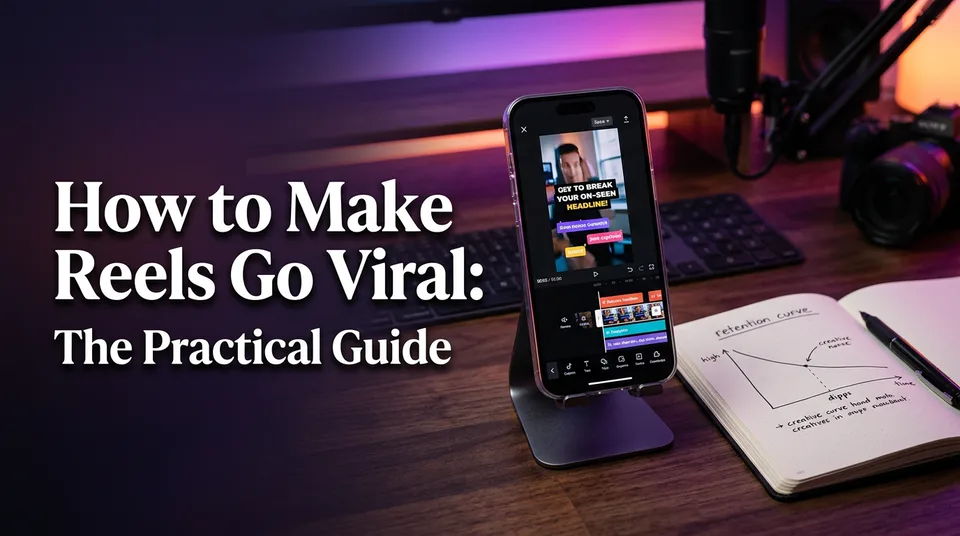
Nobody can make a Reel go viral on demand, but you can raise the odds by getting five levers right, in this order: a hook in the first 3 seconds, retention to the end, shares, a repeatable format and consistent posting. That's the honest answer to how to make reels go viral, and the rest of this guide is the detail behind each lever.
We build tools that creators and page owners use to make short vertical videos every day, so we see what holds attention and what quietly dies at second two. The pattern is stubborn. Most people polish hashtags and captions while the first 3 seconds of the video are doing all the damage.
This guide is built for people who already post. It ranks the levers by impact, shows how Instagram, Facebook, YouTube Shorts and TikTok weigh them differently, and gives you a review loop to run after every batch of Reels. Platform rules and ranking behavior change, so treat the platform notes as general guidance and check the official sources linked along the way.
Key takeaways
- Virality can't be guaranteed. You can only raise the odds, and a few posts are too small a sample to judge.
- Work the levers in order: hook, retention, shares, format, consistency. Fix the first 3 seconds before touching hashtags, captions or posting time.
- Judge your results against your own median views, not against someone else's viral hit.
- Review Reels in batches of about 10, change one lever per batch, and read completion rate, average watch time, shares per reach and non-follower reach.
- A spike built on reused clips or watermarks can end in lost reach or lost monetization. Original or clearly transformed content keeps the win.
What 'going viral' really means (and what it doesn't)
Going viral means a Reel gets shown to far more people than your normal audience, and no platform publishes a view count that makes it official. It's a relative event. A Reel that does 20 times your usual numbers is viral for your page, even if it never touches a million.
Is 1,000 views a lot?
Whether 1,000 views is a lot depends entirely on your account size and niche. For a page with 300 followers, it can mean the Reel reached well beyond your audience. For a page with 200,000 followers, it's a flop that probably died in the first minutes.
Use your own median instead. Take your last 15 to 20 Reels, find the middle value, and treat that as your baseline. A Reel that lands at several times your median is a signal worth dissecting. One that sits at half your median is a signal too, just a less fun one.
Niche matters as well. A broad entertainment page and a narrow B2B account can't be compared on raw views. Compare like with like, and compare yourself to yourself.
Why one hit is not a strategy
One hit proves almost nothing, because luck, timing and an audio trend can all carry a single Reel. If you can't explain why it worked, you can't repeat it. And a page that depends on one lucky spike usually goes back to its old numbers within weeks.
We've watched pages chase the feeling of a hit by copying it frame for frame, which rarely works. What does work is extracting the lever that made it spread: the opening, the pacing, the reason people sent it to a friend. Then you build that into a format you can run daily.
There's a darker version of this too. A viral Reel built on someone else's footage can bring a copyright claim, reduced distribution or a monetization problem right when you have the most eyes on the page. We cover that later in the guide.
The five levers that decide whether a Reel spreads
Five levers decide whether a Reel spreads: the hook, retention, shares, format and consistency, and they matter in that order. Each lever has one concrete action and one number to watch. If you want to know how to increase your reel views, this table is the shortest version of the answer.
| Lever | What you do | What to measure |
|---|---|---|
| 1. Hook | Open with your strongest frame or line inside 3 seconds | 3-second hold (share who stay past the opening) |
| 2. Retention | Cut dead air, pace in short beats, end on a payoff or loop | Completion rate, average watch time |
| 3. Shares | Make something people send to one specific person | Shares/sends per reach |
| 4. Format | Reuse a proven structure in a clear niche | Spread of results across 10 posts in the format |
| 5. Consistency | Post on a sustainable rhythm and review in batches | Median views, non-follower reach over time |
The order isn't arbitrary. If the hook fails, nobody sees your pacing. If retention fails, nobody gets to the moment worth sharing. A strong format and a daily schedule just multiply whatever the first three levers produce, good or bad.
One honest caveat. Platforms don't publish exact signal weights, so this ranking is a working model built from official guidance, public statements and what we see across thousands of Reels made with our own tools. It's a prioritization method, not a leaked algorithm.
Lever 1: Write a hook that works in the first 3 seconds
A hook is whatever stops the thumb in the first 3 seconds, and it's the highest-impact lever because every other lever depends on someone staying long enough to experience it. You'll see it in analytics as the 3-second hold: the share of viewers who are still there after the opening.
Most Reels lose the majority of their viewers early, before the content even starts. So a small improvement in the opening beats a big improvement anywhere else in the video.
Hook patterns that work for story and visual Reels
These patterns hold up across niches, and they work with or without a face on screen.
- Result first. Show the finished product, the transformation or the punchline in frame one, then rewind to how it happened. Restorations, haircut changes and cooking Reels love this.
- Open loop. Start mid-story with a question the viewer needs answered. "She walked into the audition with one rule" works better than "So this is a story about an audition."
- Bold on-screen claim. A short line of text, six to ten words, that promises one specific thing. Specific beats clever.
- Pattern break. An unexpected movement, a zoom, a cut or a sound in the first second. Something that doesn't look like the last Reel in the feed.
- Direct address. A line spoken to one person: "If you've ever lost a client over this, watch." It's old-fashioned and still effective.
For story Reels with AI voiceover, the first spoken line has to be the most gripping line in the script, not the setup. Write the story, then move the best sentence to the top. If you use a script tool, ask for three alternative openings per idea and pick one by gut, then test.
Hook mistakes that make people scroll
The most common hook mistakes are boring and avoidable. We see the same ones every week.
- A logo, title card or "Hey guys" before any content.
- Starting with context ("So yesterday I was thinking...") instead of the interesting part.
- A black or blurry first frame while the video loads or fades in.
- On-screen text sitting under platform buttons or captions, where the interface covers it. Keep important text away from the bottom and right edges.
- A hook that promises something the video never delivers. People leave early, completion falls, and the next Reel gets shown to fewer people.
Test your hook the dumb way: mute the video, watch only the first 3 seconds, and ask whether a stranger would know what they're about to get. If you can't tell, neither can they.
Lever 2: Keep people watching to the end
Retention is the share of your Reel that people actually watch, and the two numbers that tell you if it works are completion rate and average watch time. Completion rate is the percentage of views that reach the end. Average watch time is the mean time people spend on the Reel.
A Reel can have decent average watch time and a poor completion rate if it's long and people bail halfway. Look at both. Short Reels that loop often show completion rates above 100% of runtime in some analytics, because people replay them, and that's a good problem to have.
Pacing and length
The right length is the shortest one that still delivers the payoff. That sounds obvious, and it still gets ignored. A 45-second Reel with 15 seconds of filler loses to a 28-second Reel that cuts straight to the point.
Some working rules from our own editing habits:
- Change something every 2 to 4 seconds: a new shot, a new line of voiceover, a new caption block, a zoom.
- Tease the payoff early, deliver it late. Viewers stay for what they've been promised.
- Cut the silence. Breathing room is for long-form. In a Reel, a gap feels like a bug.
- End where the beginning can pick up, so the loop feels natural and replays count.
Maximum Reel lengths have changed more than once on every platform, so check the current limits in each app before you plan a long format. Don't confuse "allowed" with "wise", though. Longer only works if retention holds.
When your source is a long video you own or have permission to use, the hard part is finding the 20 to 40 seconds worth keeping. That's what the AI Clipper in WowReveal does: it scans the footage for the strongest moments so you start from candidates rather than a scrub through a 40-minute timeline. You still decide what makes the cut.
Captions and on-screen text for sound-off viewing
Captions keep sound-off viewers watching, and plenty of people scroll with the sound off, especially in public. If your Reel only makes sense with audio, you've lost a chunk of the audience before the hook finishes.
Keep captions big, high contrast and short, one to six words at a time, synced to speech. Animated captions that highlight the current word help the eye follow along. Check spelling by hand. Auto-generated text makes odd mistakes with names, accents and mixed languages, and an obvious typo in a headline costs trust.
This matters even more if you publish in a language that isn't your first. Read the captions aloud once. If a native speaker would say it differently, change it.
Lever 3: Make the Reel worth sharing
Shares and sends are one of the clearest signs that a Reel deserves a wider audience, because a person staked their own taste on it by sending it to someone. Instagram in particular has talked publicly about sends as an important signal for showing Reels to people who don't follow you. Treat that as general guidance, since the exact weighting isn't published and can change.
People share for three reasons, and your Reel should hit at least one.
- Emotion. Awe, warmth, surprise, a laugh. Wholesome kindness, rescued animals and kids' talent clips travel because they make people feel something fast.
- Usefulness. "You need to send this to your sister before she buys that." A tip, a warning, a shortcut.
- Identity. "This is so us." Relatable humor and niche in-jokes say something about the sender.
The test we use is simple: name one specific person who would receive this Reel. If you can't, the Reel is probably entertaining but not sendable.
A direct prompt like "send this to someone who needs it" can help, used sparingly. Pleading for shares or using tricks like "share or bad luck" is engagement bait, and Meta has publicly said it demotes that kind of content. Earn the share with the content, not the begging.
What to measure: shares or sends per reach, not the raw count. A Reel with 50 sends from 2,000 viewers is a stronger signal than 200 sends from 500,000.
Lever 4: Pick a repeatable format and niche
A repeatable format is a structure you can fill with fresh material every day, and it's what turns one hit into a pipeline. Think "before and after", "best moment plus reaction", "story over footage" or "30-second podcast clip with captions". The structure stays. The content changes.
A clear niche does two jobs. It tells viewers what to expect so they follow, and it gives the platform consistent signals about who to show you to. A page that posts cooking on Monday, politics on Tuesday and pets on Wednesday makes both jobs harder.
Pick a niche using three filters: you can make it daily without burning out, there's visible demand in the Reels tab, and you can make it with original or properly licensed material. If a niche only works by copying other pages' clips, drop it.
Here's the example that comes up most from art pages, so let's use it. To make an art Reel go viral:
- Open on the finished piece or the most dramatic moment, not on a blank canvas.
- Speed the process into 15 to 30 seconds, with a visible change every few seconds.
- Put one line of text on screen that sets a question: "Wait for the last brushstroke."
- End on the reveal, then cut back toward the first frame so it loops.
- Keep it your own work, with music you're cleared to use.
That same skeleton works for restorations, woodworking, baking and haircuts. The format is the asset. If you want it ready-made, WowReveal's niche templates (satisfying restorations, haircut transformations, street food, talent shows and others) package that kind of structure so you aren't rebuilding it every day.
Spot trending formats before they peak
A trending format is worth joining while it's still climbing, not after your feed is full of it. By the time everyone's doing it, the audience has seen it 40 times.
A routine that works:
- Spend 15 minutes a day scrolling the Reels tab for your niche, ideally from an account that follows your niche.
- Save 10 examples a week of Reels that look unusually strong, not just popular.
- Note what repeats: the opening, the cut rhythm, the structure. Ignore the specific topic.
- Join when you see the format in a handful of accounts, not hundreds.
- Adapt it to your niche with your own footage and voice. Don't copy another creator's Reel.
Trending audio is a separate question. It can help discovery, but the music available to you depends on platform and account type, and business or monetized pages are often limited to a licensed library. Check what you're allowed to use before building a Reel around a sound. A trend finder helps with the research side, but the judgment about what fits your page is yours.
Lever 5: Post consistently and learn from each batch
Consistency means posting often enough that you get enough attempts to learn, and the useful unit isn't a single post but a batch of about 10 Reels. One Reel tells you almost nothing. Ten Reels start showing a pattern.
How often should you post? As often as you can keep the quality floor. For many pages that's daily. For others it's four or five a week. A daily schedule of weak Reels is worse than a smaller schedule of strong ones, and a schedule you abandon after three weeks is worst.
Here's the 10-post review loop we recommend.
- Post 10 Reels in the same format or niche, changing nothing structural.
- Export or screenshot the numbers for all 10: views, average watch time, completion rate, 3-second hold, shares per reach, non-follower reach.
- Rank them by views, then separate the top three from the bottom three.
- Compare the top and bottom groups. What do the winners share in the first 3 seconds? Where does retention drop in the losers?
- Pick one lever to improve in the next batch. Just one.
- Make the next 10 with that change and compare.
Changing five things at once teaches you nothing. Changing one thing per batch is slow and it works.
What to check in your insights
Open Meta's Professional Dashboard and Insights on Instagram and Facebook, YouTube Studio analytics for Shorts, and TikTok's analytics. The names differ, but the questions don't. Use this table to turn a symptom into a fix.
| What you see | Likely lever | What to try next batch |
|---|---|---|
| Low 3-second hold | Hook | Rewrite the first line, show the result first, remove any intro |
| Good hold, poor completion | Retention | Cut filler, tighten pacing, shorten the Reel, add a loop |
| Good completion, few shares | Shares | Add a clearer emotion or a sendable moment, write for one person |
| Strong Reels but uneven results | Format | Standardize the structure, narrow the niche |
| Great Reels, slow growth | Consistency | Raise cadence, batch production, stop skipping weeks |
| Low non-follower reach | Hook plus topic clarity | Make the topic obvious in 3 seconds, use keywords in on-screen text |
Check these numbers 24 hours and 7 days after posting. Early numbers show the hook. Later numbers show how long the Reel keeps getting distributed.
How platforms differ: Instagram, Facebook, YouTube Shorts and TikTok
All four platforms reward Reels that people want to finish and share, but they weigh signals differently, and the emphasis below is general guidance rather than published algorithm detail. Treat it as a way to decide what to test first on each platform.
| Platform | Signals that tend to matter most | Practical tilt |
|---|---|---|
| Instagram Reels | Shares/sends, watch time, non-follower reach | Write for the send, make topics obvious to strangers |
| Facebook Reels | Watch time, original content, tie to monetization | Original footage and stories, clean of watermarks |
| YouTube Shorts | Viewed vs swiped away, loops, watch time | Strong opening, seamless-feeling loops, a clear title |
| TikTok | Early completion, rewatches, engagement | Tight pacing, fast payoff, native feel |
Instagram Reels
Instagram leans on sends and on showing Reels to people who don't follow you. That makes the opening and the sendable idea doubly important. Instagram's own creator hub publishes guidance on Reels and how they're recommended, and it's worth rereading every few months because the advice shifts.
Original content is rewarded and recycled content has been reduced in recommendations, so make Reels that don't carry watermarks from other apps. Use keywords in captions and on-screen text, since Instagram search matters more than it used to.
Facebook Reels
Facebook favors watch time and original content, and for page owners it connects directly to Facebook content monetization, where eligibility is decided by Meta and can change. Facebook audiences can differ from Instagram's, so don't assume the same Reel performs the same way. In our experience, story-led Reels with a clear payoff often suit Facebook pages well, though you should test that for your own audience.
To make Reels go viral on Facebook, treat originality as part of the plan rather than a legal footnote. Meta has said it reduces distribution of unoriginal content, so a reposted clip can limit both reach and earnings. Always read the current policy in Meta Business Suite and the Facebook Help Center before you scale a format.
YouTube Shorts
Shorts use a different framing: YouTube shows how many people viewed your Short versus swiped away, and a Short that loops cleanly gets replays that add watch time. YouTube's help documentation on Shorts explains how Shorts are shown to viewers, and counting rules have changed before, so check it when your numbers look odd.
Look at YouTube Studio analytics for the viewed-vs-swiped-away split first. If a lot of people swipe away immediately, the fix is the opening, same as everywhere else. For earning, the YouTube Partner Program has its own thresholds and rules, separate from reach.
TikTok
TikTok is the most hook-hungry of the four. Early completion and rewatches carry a lot of weight, so short, fast Reels with an immediate payoff tend to do well. The viewing habit is quick-fire, so a slow build that works on Facebook can stall here.
Posting the same video everywhere is fine if it's your own and clean of watermarks. But adjust the first line and the pacing per platform. A 40-second Facebook story might become a 20-second TikTok.
How to go viral on Instagram Reels without followers
You can go viral on Instagram Reels without followers because Reels are shown to non-followers by design, which means the quality of your first 3 seconds matters more than your follower count. A new account with a great hook can beat an old one with a weak hook.
What helps a small account most:
- A tight niche. One topic, so viewers and the platform know what you are.
- Hook-first Reels. No intros. Result or open loop in frame one.
- One idea per Reel. Stranger audiences don't have context, so keep it simple.
- Keywords where people look. Put the topic in on-screen text and the caption, since people search.
- Original content. Your own footage, your own voice, your own edit.
- A batch mindset. Post 10, review, change one lever. Followers follow retention.
Watch non-follower reach in your insights. If most views come from followers, the platform isn't yet confident your Reels suit strangers, which usually points back to the hook and topic clarity.
Skip the shortcuts. Buying followers, follow-unfollow loops and engagement pods can damage the signals you're trying to build, and they don't fix a weak opening.
What to do after you post
What you do after posting is small but real: protect the Reel, watch the early numbers and resist the urge to delete and repost. Most of the work happened before you hit publish.
- Check the Reel on a second phone or a different account. Make sure the cover, the text placement and the sound are right. Fix problems immediately.
- Reply to comments in the first hour. Real replies keep the conversation going and tell you what viewers want next. Ask a question that invites a specific answer.
- Share it to your Stories or feed where the platform allows it, so your existing audience can see it quickly.
- Cross-post thoughtfully. Export a clean version without another app's watermark, and adjust the opening to suit each platform.
- Look at the numbers at 24 hours and 7 days. Note them in a simple sheet for your 10-post review.
- If it starts moving, follow up fast. Post a part two or a close variation in the same format while attention is high.
Don't delete and repost the same Reel because it underperformed. It splits your data, can look like duplicate content and teaches you nothing. Write down the lesson, then fix the lever in the next Reel.
Hashtags, captions and posting time: where they fit
Hashtags, captions and posting time are the smallest levers, and tuning them before you fix the first 3 seconds is the most common mistake we see. A perfect caption on a Reel nobody finishes still goes nowhere.
Hashtags. Use a handful of relevant ones, as topic labels rather than growth magic. Stuffing 30 in the caption doesn't help and can look spammy. If you're short on time, a post kit that suggests titles, descriptions and hashtags saves the guesswork, but a few accurate tags beat many generic ones.
Captions. There's no magic caption to make a reel viral. Write one that adds context the video doesn't give, includes the topic keywords naturally and ends with a question or a prompt to send it to someone. Patterns that work:
- A one-line promise: "The restoration took 3 weeks. The reveal takes 20 seconds."
- A question that invites a specific reply: "Which step surprised you most?"
- A sendable prompt: "Send this to the friend who still doesn't believe this works."
Posting time. Check when your audience is active in your insights and post a little before those windows. It's a tie-breaker, not a lever. A strong Reel at an odd hour beats a weak Reel at the perfect minute.
The 5-3-1 rule. You'll see this on Instagram advice pages, and it's a popular posting-rhythm heuristic, not an official platform rule. The most common version suggests a weekly mix of five feed posts, three Stories and one Reel, and other versions exist. If you run a Reels-first page, treat it as a prompt to vary your formats, not a schedule you must follow. No platform will reward or penalize you for it.
Viral Reels mistakes to avoid
The viral Reels mistakes we see most are weak hooks, reused content, watermarks, bloated length and chasing trends outside your niche. Each one is fixable in the next batch. Run through this list before you publish.
- A weak or slow opening. If the first 3 seconds don't earn the next 10, nothing else matters.
- Reused clips. Reposting someone else's video without permission is a policy problem and an ethical one.
- Visible watermarks. A TikTok or editing-app watermark on a Reel signals recycled content, and platforms can reduce its reach.
- Too long for what it delivers. If the idea takes 20 seconds, don't stretch it to 50.
- Chasing trends off-niche. A random trending dance on a restoration page confuses viewers and the algorithm.
- Text that's hard to read. Small, low-contrast or UI-covered text turns captions into noise.
- Changing everything at once. If you change hook, format and posting time together, you can't learn anything.
- Judging by one post. Review batches of about 10.
Staying monetization-safe while chasing reach
Staying monetization-safe means making Reels that are original or clearly transformed, because a viral spike on borrowed footage can cost you far more than it earns. Facebook content monetization and the YouTube Partner Program each decide eligibility on their own terms, and neither guarantees income.
A practical checklist:
- Use footage you filmed, own or have written permission to use.
- Add real value: your own story, commentary, edit and voiceover, not just a re-upload with music.
- Remove other apps' watermarks and avoid ripping clips from other creators.
- Use music you're cleared to use, since Content ID can claim audio and limit monetization.
- Read the current originality and reused-content policies for each platform. Rules change.
- Don't try to dodge originality checks with crops, mirrors or filters. That's the kind of trick that gets pages penalized.
Any earnings estimate, including from a calculator, is an estimate. Reach, RPM and CPM vary by niche, audience location and season, and the platform decides what you're paid.
A simple weekly workflow with AI to produce Reels faster
A weekly workflow with AI speeds up the repeatable parts of Reel production, while you keep the decisions that matter: the idea, the hook and the final check. The trick is batching. Don't rebuild each Reel from scratch every morning.
Here's a workflow that fits a creator posting daily or an agency running several pages.
- Research (once a week). Spend an hour on trend spotting. Save 10 reference Reels, note the formats and pick three to try. A trend finder can shorten this, but you still choose what fits.
- Hooks and scripts (once a week). For each idea, write three hook options and pick one. A script writer can draft story versions in your voice, which you then edit by hand. Put the most gripping line at the top.
- Source your footage. Use your own material or footage you have permission to use. Paste a link or upload a file into WowReveal and let it write the story and voice it in one of 9 languages with an AI voiceover, or let the AI Clipper pull the strongest moments.
- Add the finish in one pass. Animated captions, a headline, music and a cover, rendered as a 9:16 video at 1080×1920. Check the first 3 seconds and the captions yourself before you queue anything.
- Write the post details. Titles, descriptions and a few relevant hashtags from a post kit, edited so they sound like you.
- Schedule in Meta Business Suite or each platform's tool. Queue a week at a time so you aren't deciding under pressure daily.
- Review (every 10 Reels). Run the diagnosis loop above and choose one lever to fix.
AI voiceover and text-to-speech are fine when the content is original and adds real value, but a pile of near-identical AI videos with no new angle can fall foul of reused or mass-produced content rules. Make each Reel say something. Vary your hooks, stories and footage.
WowReveal gives free credits to start without a card, and failed jobs are refunded automatically, so testing a format costs little before you commit. That's the whole pitch. The real work is the loop: post 10, read the numbers, fix one lever, repeat.
Frequently asked questions
How do I make my Instagram Reel viral?
You can't force it, but you can raise the odds with five levers in this order: a hook in the first 3 seconds, retention to the end, shares, a repeatable format and consistent posting. Fix the opening before touching hashtags or captions, and review results in batches of about 10 Reels.
Is 1,000 views on a Reel a lot?
It depends on your account size and niche. For a small or new account, 1,000 views can mean the Reel reached beyond your followers. For a large page, it's weak. Compare it to the median views of your last 15 to 20 Reels instead of someone else's numbers.
What is the 5-3-1 rule on Instagram?
It's a popular posting-rhythm heuristic, not an official Instagram rule. The most common version suggests five feed posts, three Stories and one Reel per week, though other versions exist. For a Reels-first page, use it only as a reminder to vary formats.
How do I increase my Reel views?
Fix the first 3 seconds, then tighten pacing so more people reach the end, then make the Reel something people send to one specific person. After that, stick to a repeatable format and post consistently. Check completion rate, average watch time and shares per reach each batch.
Do hashtags make Reels go viral?
No. Hashtags work as topic labels, and a handful of relevant ones is enough. They're a minor lever compared with the hook and retention, so don't spend your time on them until the first 3 seconds are strong.
How do I make an art Reel go viral?
Open on the finished piece or the most dramatic moment, speed the process into 15 to 30 seconds with a visible change every few seconds, and put one line of text on screen to set up a payoff. End on the reveal and cut back toward the opening so it loops. Use your own work and cleared music.
Can I go viral on Instagram Reels without followers?
Yes, because Reels are shown to non-followers by design. A tight niche, a hook-first opening, one idea per Reel and original content matter more than follower count. Watch non-follower reach in your insights to see if strangers respond.
Should I delete and repost a Reel that underperformed?
Usually not. It splits your data, can look like duplicate content and doesn't teach you why it failed. Note what the numbers show, fix the weakest lever and apply it to your next batch of Reels.
Where to go next
- How to Find Trending Reels and Spot Formats Before They Peak — Gives you a daily routine for the format lever before a trend gets crowded.
- Best Reel Length and Pacing for Completion Rate — Goes deeper on the retention lever with length and pacing guidance.
- Niche Templates for Reels: Repeatable Formats for Daily Posting — Shows how to turn one working structure into a daily routine.
- Satisfying Restoration and Haircut Transformation Reels: A Before-and-After Format That Holds Attention — A concrete result-first format you can adapt to art and transformation content.
- Best Niches for Facebook Reels: How to Choose One That Fits Your Page — Helps you pick a niche before you build a format around it.
- Facebook Niche List: Categories Pages Commonly Use for Reels — A browsable list of niches if you're still deciding what to post.
- AI Short Video Creation for Reels and Shorts: The Complete Guide — The next step for producing Reels faster with AI.
- Monetization-Safe Shorts: A Pre-Publish Checklist for Every Reel and Short — Keeps your viral attempts inside platform rules.
- Reused Content Policies Compared: Facebook, YouTube and TikTok — Explains where originality lines sit on each platform.
- Are AI Story Videos Allowed on Facebook and YouTube? — Answers the policy question before you scale AI voiceover Reels.
- Facebook Reels vs YouTube Shorts vs TikTok: Where to Post to Earn — Helps you choose where reach is worth the most to you.
- Facebook Reels Monetization: How It Works, Who Can Earn and What to Expect — Connects reach on Facebook to earning.
- Instagram Reels Monetization: Bonuses, Gifts, Subscriptions and Brand Deals — Covers what comes after reach on Instagram.
- What Is RPM for Creators, and How Is It Different From CPM? — Clarifies the earnings metrics that follow a spike in views.
- Faceless Shorts with AI: How to Make Them Step by Step
- Hooks for Reels and Shorts: How to Win the First 3 Seconds
- How to Make Your Reels Go Viral on Facebook: Signals, Tactics and Fixes
- Post Kit for Reels and Shorts: How to Write Titles, Descriptions and Hashtags
Turn any video into a ready-to-post Reel
Paste a link — WowReveal writes the story, voices it in 9 languages and adds captions, a headline and music. Start with free credits, no card.
Start free →