Niche Templates for Reels: Repeatable Formats for Daily Posting
A niche template isn't a CapCut preset, it's a repeatable format. Here's the structure behind seven niches that work for daily posting, and how to keep each Reel original.
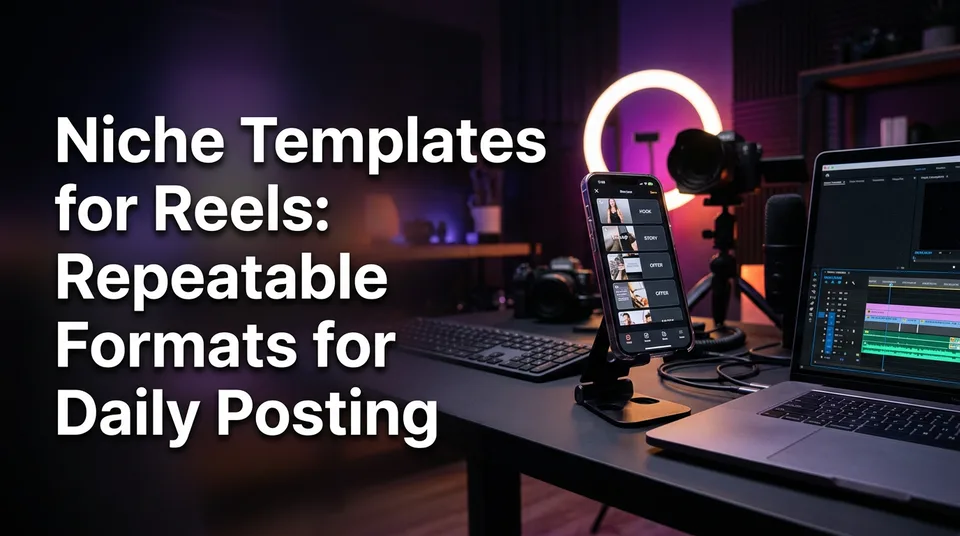
A niche template for Reels is a repeatable format, meaning a fixed skeleton of headline, hook, story beats, music and cover that you reuse with new footage every day. The formats that repeat best for daily posting are talent shows, animal rescue, satisfying restorations, sports moments, wholesome kindness, street food and podcast clips, and each one stays original when you add your own story and voiceover on top of the footage.
That last part matters more than the skeleton. A format without your own narration is a repost with a nicer frame. A format with a fresh script and voice is a new video that happens to follow a proven shape.
Key takeaways
- A niche template is a content format (headline, hook, beats, music, cover), not an editor preset for transitions and text boxes.
- Seven formats repeat well: talent, rescue, restoration, sports, kindness, street food and podcast clips.
- There's no single best niche for Facebook Reels. Pick by footage supply, audience fit, originality potential and monetization eligibility.
- Originality comes from a new story script and an AI voiceover per video, not from changing the filter.
- Realistic cadence is 1-5 Reels a day per page, batched by niche, rotating two or three formats.
- Platform rules change. Check Meta, YouTube, TikTok and Instagram guidance before you scale anything.
What a niche template for Reels really is
A niche template for Reels is a reusable content format that fixes the structure of the video and leaves the footage and the story open. It answers "what is this video and how does it unfold?" rather than "which font and transition do I use?". Most pages you'll find under "ready made reel templates" answer the second question only.
Layout templates (CapCut, Canva, Adobe Express) vs format templates
Layout templates from CapCut, Canva and Adobe Express are editor presets. You drop in clips, the preset handles cuts on the beat, text placement and effects. They're fast, mostly free, and genuinely useful for aesthetic polish.
But they have a ceiling. A CapCut template doesn't tell you what the first line should say, which moment of a clip deserves the opening second, or how to narrate it. Two hundred pages can use the same preset and look like the same page.
A format template is the opposite trade. It's less about visual tricks and more about the editorial skeleton: headline pattern, hook, 3-5 beats, music mood, cover style. You still need a way to render it, but the thinking is already done.
| Layout preset | Content-format template | |
|---|---|---|
| Decides | Transitions, text position, effects | Headline, hook, beats, music, cover |
| Typical tools | CapCut, Canva, Adobe Express | Format-based tools like WowReveal niche templates |
| Story and voiceover | Not included | Core of the format |
| Originality risk | High if footage is unchanged | Lower with a new script per video |
| Best for | Visual polish, one-off edits | Daily posting in one niche |
Why formats that repeat suit daily posting
Posting 1-5 Reels a day kills improvisation. By the third video you're staring at footage with no idea how to open it. A format removes that decision.
Audiences also learn formats. Someone who watches one restoration Reel on your page knows what the next one promises, and that familiarity is what earns follows rather than one-off views. We've watched pages stall precisely because every post looked like a different channel.
The anatomy of a repeatable reel format
Every format that works in 9:16 vertical video has the same five parts: headline, hook, beats, music and cover. The niches differ only in how they fill those slots. Get the anatomy right and you can build a format for any niche, including ones nobody has sold you a template for.
Headline and hook in the first 2-3 seconds
The headline is the on-screen line that frames the video, and the hook is whatever the viewer sees and hears in the first 2-3 seconds. They should work together, not repeat each other. If the headline says "He fixed a 40-year-old bike", the hook shouldn't be a title card, it should be the rusted frame.
Keep headlines under roughly 8 words so they're readable on a phone without pausing. Put the most surprising frame first, even if it chronologically belongs later. Spoken openings do heavy lifting here, which is why a voiceover that starts mid-tension beats one that starts with "Hello everyone".
Beats: the story steps that hold attention to the end
Beats are the 3-5 steps between hook and payoff. Think setup, complication, turn, payoff, and an optional kicker. Each beat should change something: new information, new emotion, or a new visual.
Retention, the share of the video people actually watch, drops at the points where nothing changes. That's your editing rule. If two consecutive seconds carry the same information, cut one. Most strong Reels run 20-60 seconds; longer works only when each beat earns its place.
Music and cover
Music sets the mood, and mood should match the niche: tense and rising for sports, soft and warm for kindness, steady and rhythmic for restoration. Keep it under the voiceover, not fighting it. Use music you're licensed to use on each platform, since rights differ between Facebook Reels, TikTok and Instagram Reels.
The cover is the thumbnail on your grid and in feeds. It should read at thumbnail size: one clear subject, one short line of text, consistent style across the page. A consistent cover style is half of what makes a page look like a brand rather than a pile of clips.
Seven niche templates that repeat well
Seven niches give pages a steady supply of footage and a clear story shape: talent, rescue, restoration, sports, kindness, street food and podcast clips. These are also the formats that tend to travel, because the emotion is legible without context. What goes viral is rarely random: it's a clear emotion, a clear payoff, and a first second that earns the next five.
Below, each one gets a headline pattern, hook, beats, music and cover. WowReveal's niche templates cover these same seven shapes, but the structure works in any editor.
Talent shows and kids' talent
Fits: pages with access to licensed or permitted performance footage, or original performances.
- Headline pattern: "[Age/role] stunned the judges with [skill]".
- Hook: the first impossible note, move or trick, cut before any build-up.
- Beats: the nervous walk-on, the doubt, the turn, the reaction, the result.
- Music: low and expectant, rising on the turn.
- Cover: performer mid-moment, one line of text.
For kids' talent, be careful about privacy and consent. Footage of minors you don't have rights to is a bad bet on every platform.
Animal rescue
Fits: pages with permission to use rescue organization footage or their own.
- Headline pattern: "Nobody expected what was inside the [place]".
- Hook: the animal in its worst condition, eyes visible.
- Beats: discovery, first contact, trust, treatment, transformation.
- Music: quiet and sparse, then warmer at the recovery.
- Cover: before-state close-up, or a side-by-side.
Narration matters most here. The story of who found the animal and what happened next is where you add value.
Satisfying restorations
Fits: faceless pages, the easiest niche to run without appearing on camera.
- Headline pattern: "Watch this [object] go from ruined to [result]".
- Hook: the worst-looking frame, in close-up.
- Beats: the damage, first clean, the hard part, the reveal.
- Music: steady, tactile, low-key.
- Cover: split frame, before on one side and after on the other.
Sports moments
Fits: pages that can lawfully source clips. Sports leagues guard their footage, so rights are the main constraint.
- Headline pattern: "[Name] did something nobody saw coming".
- Hook: the peak action, then rewind to the setup.
- Beats: context, build, the play, the reaction, the aftermath.
- Music: fast and rising, cutting out on the key moment.
- Cover: the decisive frame, tight crop.
Be honest about this niche: it's the one where most reposted clips get claimed or removed. Original commentary and permitted footage only.
Wholesome kindness
Fits: broad-audience pages, strong on Facebook where shares travel.
- Headline pattern: "What he did for a stranger changed the whole day".
- Hook: the moment of need, not the act of help.
- Beats: the problem, the passerby, the act, the reaction, the ripple.
- Music: gentle piano or acoustic, never saccharine strings.
- Cover: a human face reacting, soft crop.
Street food
Fits: travel, food and local-culture pages, with strong appeal across languages.
- Headline pattern: "This [price/place] [dish] is why people queue".
- Hook: the loudest sizzle or the best pour, first frame.
- Beats: the stall, the prep, the signature move, the plate, the taste reaction.
- Music: lively local rhythm, kept low.
- Cover: the finished dish, steam visible.
Podcast clips
Fits: pages built on long-form interviews, ideally with permission from the host or guests.
- Headline pattern: "[Guest] says the thing nobody admits about [topic]".
- Hook: the boldest sentence of the clip, as text and audio.
- Beats: the claim, the pushback, the story, the punchline.
- Music: minimal, or none under dialogue.
- Cover: speaker's face with the claim as text.
This is where an AI Clipper earns its keep: it scans a long episode for the best moments so you don't scrub a 90-minute file by hand. You still choose which moments are worth posting.
What is the best niche for Facebook Reels?
There's no single best niche for Facebook Reels, and anyone naming one is guessing. The right niche is the one that passes four checks: you can get footage consistently, the audience fits your language and region, you can add something original, and the content is eligible for Facebook content monetization.
Run each candidate through that list:
- Footage supply: can you source or shoot 30+ usable clips a month without legal risk?
- Audience fit: do you understand who watches this and in which language?
- Originality potential: can you write a new story each time, not just caption a clip?
- Monetization eligibility: does the content stay inside Meta's guidelines?
Meta publishes the program rules on its creator hub, and they change, so check eligibility and originality guidance there before you commit to a niche. The same goes for YouTube Partner Program eligibility if you're running Shorts.
If you want a starting point for the "best templates for Facebook Reels", the seven above lean toward emotion and visual clarity, which Facebook's feed rewards with shares. But earnings vary by region, audience and format, and no niche guarantees any payout. Estimate with a calculator, then test two niches for 30 days before you pick one.
How to keep templated Reels original
Templated Reels stay original when each one carries a new story and a new voice that wasn't in the source footage. The template should repeat; the content inside it shouldn't. Platforms are increasingly strict about unoriginal, repurposed content, and a format that lets you post fast also lets you get flagged fast if you cut corners.
Write a new story for each clip
A story isn't a caption. It's a short script, usually 60-120 words for a 30-45 second Reel, that tells viewers something the clip doesn't: who, why, what happened before. Write it in the beat order from your format.
WowReveal's story generator writes this from a pasted link or uploaded file, and you edit it. Edit it. A script you've sharpened with one specific detail beats an untouched draft every time.
Add AI voiceover in the audience's language
An AI voiceover (text-to-speech narration) turns the script into audio without recording. WowReveal voices stories in 9 languages, which lets one page serve different regional audiences with the same footage and a different script per language.
Pick a voice that fits the niche: calm for kindness, punchy for sports. And add animated captions; most viewers watch on mute at first, and captions carry the hook for them.
Avoid reposting unchanged footage
Don't reupload someone else's video as-is, with or without a filter. Changing speed, mirroring the frame or cropping to dodge detection is exactly the kind of trick that gets pages penalized, and Content ID claims on YouTube can still land on footage you didn't own. Use footage you shot, licensed, or have written permission to use, and make the narration and structure yours.
A daily posting workflow with ready formats
A daily workflow with ready formats takes a source clip to a finished 9:16 Reel in four steps: choose the format, add the source, review the story, render and post. Once the format is fixed, the daily work shrinks to picking footage and sharpening a script.
- Pick the niche template for the day.
- Paste a link or upload a file you have rights to.
- Review the story, voiceover, captions, headline and cover. Fix the first line and cut anything flat.
- Render at 1080×1920 and schedule through Meta Business Suite or the platform's own uploader.
Batch one niche, rotate two or three formats
For one page, 1-3 Reels a day is realistic and sustainable; 4-5 works if you batch. Spend one session writing and rendering a week's worth in a single niche, then rotate two or three formats inside it, such as a restoration reveal, a "before you scroll" timelapse and a story-led repair.
Small agencies running many pages should keep one niche per page. Mixing niches on one page confuses both the audience and the recommendation system.
On getting 1,000 views on a Reel: there's no trick, but there's a pattern. A strong hook, a clear payoff, a cover that reads at thumbnail size, and consistent posting for a few weeks give a page the best chance. Nothing guarantees a number.
Post kit: title, description, hashtags
A post kit is the title, description and hashtags that ship with the video. Write them once per post, not once per niche. Keep the title consistent with the on-screen headline, the description to a sentence or two of context, and hashtags to a handful that match the niche rather than 30 generic ones.
Where to get reel templates (free and ready-made)
You can get reel templates free from editor apps, and format templates from tools built around niches. They solve different problems, so the right source depends on whether you need a look or a repeatable video.
Free editor templates and their limits
For Instagram Reels templates free in CapCut, open CapCut, search "Templates", filter by vertical, then tap "Use template" and swap in your clips. Instagram has its own template feature too: in the Reels camera, tap the template icon, or tap "Use template" on any Reel that shows it, to reuse its clip timing. Canva and Adobe Express offer free Reel templates in their Instagram categories, usually with a paid tier for premium assets.
Aesthetic niche templates for Reels (soft, minimal, cinematic) are plentiful there. The limits: no story, no voiceover, no niche logic. And free downloads that reuse someone else's footage can't make your content original.
When a format template tool is the better fit
If you post daily in one niche, a format tool saves more time than a prettier preset. WowReveal's niche templates cover the seven formats above, and you can start with free credits and no card; plans and credit packs are on the pricing page. Failed jobs are refunded automatically.
It also handles the rest: AI Clipper for best moments, captions, music, cover, and the 9:16 render, so one source video becomes a finished Reel in a few minutes of review.
Common template mistakes to avoid
Most template mistakes come from treating the format as the finished product. The skeleton is meant to be fleshed out each time. A few patterns we see over and over:
- Copying trends blindly. A format that works for a 2M-follower page won't transfer if you lack its footage or audience.
- Identical pages. Fifty pages with the same preset and the same captions look like one page, to viewers and to platforms.
- Weak hooks. If the first 2-3 seconds are a title card, you've lost most viewers.
- No voiceover or story. Silent clips with captions are the easiest content to replicate, and the easiest to flag as unoriginal.
- Ignoring rights. Sports and talent footage in particular are often claimed.
- Chasing earnings estimates. Treat any RPM or payout figure as an estimate; eligibility is decided by Meta, YouTube and TikTok, not by your template.
Frequently asked questions
Where do I get templates for reels?
Free layout templates are inside CapCut, Canva, Adobe Express and Instagram's own Reels camera. For repeatable content formats (headline, hook, beats, music, cover per niche), use a format-based tool such as WowReveal's niche templates, which you can try with free credits and no card.
What type of reels go viral?
Reels with a clear emotion, a hook in the first 2-3 seconds and a satisfying payoff travel best. Rescue, restoration, kindness and sports moments often fit that pattern. No format guarantees virality, and results depend on audience and execution.
How do I get 1,000 views on a Reel?
Open with a visual hook, keep beats tight so retention holds to the end, use a readable cover and post consistently for several weeks in one niche. Views can't be guaranteed, but this combination gives each post the best chance.
Are niche templates for reels free to download?
Layout templates in CapCut, Canva and Instagram are free, with paid tiers for extras. Format templates work differently: WowReveal gives free credits to start, then monthly plans or one-time credit packs.
How do I search for Reel templates on Instagram?
Open the Reels camera and tap the template icon, or tap "Use template" on any Reel that offers it. You can then swap in your own clips. Menu names may change as Instagram updates the app.
Where to go next
- Facebook Reels vs YouTube Shorts vs TikTok: Where to Post to Earn — Choose which platform to run your formats on before you commit to a niche.
- What Is RPM for Creators, and How Is It Different From CPM? — Understand the earnings metric once you've picked a niche and start testing.
- Instagram Reels Monetization: Bonuses, Gifts, Subscriptions and Brand Deals — See how Instagram-side earning works if your templates target Instagram Reels.
- How to Find Trending Reels and Spot Formats Before They Peak
- Facebook Niche List: Categories Pages Commonly Use for Reels
- Satisfying Restoration and Haircut Transformation Reels: A Before-and-After Format That Holds Attention
- Best Niches for Facebook Reels: How to Choose One That Fits Your Page
- How to Make Reels Go Viral: The Practical Guide
- Hooks for Reels and Shorts: How to Win the First 3 Seconds
- How to Post Reels Daily on Multiple Pages Without Burning Out
Turn any video into a ready-to-post Reel
Paste a link — WowReveal writes the story, voices it in 9 languages and adds captions, a headline and music. Start with free credits, no card.
Start free →