How to Make Your Reels Go Viral on Facebook: Signals, Tactics and Fixes
Going viral on Facebook isn't luck. It's originality, watch time and shares, plus a 3-second hook and steady posting. Here's the system, and how to fix Reels stuck at low views.
No one can guarantee a Facebook Reel goes viral, but you raise the odds by making original Reels that hold viewers to the end and get shared, using a strong 3-second hook, a tight format and consistent posting. Those are the three signals that matter most: originality, watch time and shares. Every tactic below exists to move one of them.
So how do you increase your reel views? Fix the hook, cut the slack, post your own material, and read your retention curve before you change anything else. The rest of this guide shows you how.
Key takeaways
- Facebook favors original content, strong watch time (completion and replays) and shares or sends. Likes and comments help, but matter less than retention and shares.
- Win the first 3 seconds with a question, a surprising visual or the result shown first. Skip logos and slow intros.
- Use 9:16 vertical video, animated captions and a loop or payoff ending. Start testing at 7 to 30 seconds.
- Test 3 to 5 Reels a week for 2 weeks, changing one variable at a time.
- Reposting reused, unedited clips is the quiet reach killer. Add real value or use your own footage.
- Views are not earnings. There's no fixed payout per 1,000 views.
What "Viral" Means on Facebook Reels (and What No One Can Promise)
A viral Reel is one that Facebook keeps showing to people who don't follow you, long after the first few hours. That's the whole definition. It's distribution, not a number.
There's a difference between viral and steady. A single Reel at 2 million plays is a spike. A page that reliably gets 20,000 to 50,000 plays per Reel is a system, and for most monetized pages the system pays better than the lottery ticket.
Be suspicious of anyone who promises a view count. Meta decides distribution, and it doesn't publish exact thresholds. The official Meta creator hub and Meta Business Help Center describe best practices, not guarantees. Rules and recommendations change, so check them every few months.
One more thing. Forum threads and Reddit posts titled "teach me how to go viral" mostly recycle the same advice: hooks, hashtags, trends. That advice isn't wrong. It's just disconnected from why it works, which is what the next section fixes.
How the Facebook Reels Algorithm Decides Who Sees Your Reel
Facebook shows a Reel to a small test audience first, then expands it if people watch and share. Meta doesn't publish the exact weighting, so treat anything claiming precise percentages as invented. But the pattern is consistent enough to work with, and it comes down to three signals.
Originality: why original content gets distributed
Original content gets distributed; reused content gets limited. Meta's guidelines for Facebook content monetization and its unoriginal content policy push creators toward making their own videos, or adding substantial value to material they have the rights to.
We've watched pages lose reach for weeks after reposting one unoriginal clip. The Reel itself wasn't the only casualty. The page's other posts slowed down too. Originality isn't a bonus signal, it's the gate.
Watch time and completion: the signal you control most
Watch time, meaning how long people stay and whether they finish or replay, is the signal you can improve fastest. A 12-second Reel that 70% of viewers finish beats a 45-second Reel where half leave at second 4.
Your hook decides whether people stay past the first seconds. Your pacing decides whether they reach the end. Your ending decides whether they replay. That's the whole retention chain.
Shares and sends: how Reels travel beyond your followers
Shares and sends are what carry a Reel outside your follower base. Someone sending your Reel to a friend in Messenger is a stronger endorsement than a like, because it costs effort and signals real value.
Share-worthy Reels usually do one of three things: they make someone say "this is so you", they surprise people enough to show others, or they carry an emotion strong enough to pass along. Kindness, rescue stories and impressive talent do this well.
Hooks: Win the First 3 Seconds
The hook is the first 3 seconds of your Reel, and it decides whether anyone reaches the second 3. A weak hook caps everything else, because people who leave early drag your watch time down no matter how good the middle is.
What works: a question the viewer wants answered, a surprising visual, or the result shown first with the process following. What doesn't: a logo animation, a "hey guys", a slow fade-in, or three seconds of establishing shot.
Add on-screen text in the first second. Many people watch with the sound off or low, and a line of text gives them the premise instantly.
Hook patterns that work for story and transformation Reels
Story and transformation Reels have natural hooks built in, if you start in the right place.
- Result first: show the finished restoration or haircut for 1 to 2 seconds, then rewind to the start.
- Stakes in one line: "He had 10 seconds to save the puppy" beats "Here's a rescue story".
- Open loop: pose a question your payoff answers at the very end, which also lifts completion.
- Mid-action start: cut straight to the most interesting moment and explain later.
- Contradiction: "Everyone laughed at his song. Then the judges turned around."
Each of these moves watch time first and shares second. If you want more variations, our deeper hook guide is linked below.
Format, Length and Pacing That Keep People Watching
Vertical 9:16 video at 1080×1920 is the baseline format, and anything else wastes screen space. Horizontal footage with black bars looks unfinished and loses the viewer faster.
Length should match the story, not a target. Start testing between 7 and 30 seconds, then follow your own retention data. A simple reveal might need 9 seconds. A rescue story with context might need 40. Padding to hit a number always hurts completion.
Pacing is mostly about cutting. Remove every pause, every repeated shot and every sentence that doesn't push the story forward. If the viewer can predict what's next, trim it.
Animated captions help watch time because they hold the eye and carry the story when sound is off. Keep them large, high-contrast and inside the safe area so Facebook's interface doesn't cover them.
Finish with a payoff or a loop. A last frame that flows back into the first one invites a replay, and replays count toward watch time. Don't end on a "thanks for watching" card, because people scroll away at exactly that moment.
You can upload from the Facebook app on your phone or schedule from Meta Business Suite on desktop. The format rules are identical. The same logic also applies to Instagram Reels, YouTube Shorts and TikTok: hook, retention, shareability. What changes is the audience and the discovery surface, not the craft.
Posting Cadence: How Often to Post and How to Test
Consistency matters more than volume, and the right cadence is the one you can hold for months. For most pages that means testing 3 to 5 Reels a week, or one a day if your production is fast.
Judge results over a 2-week window, not one Reel. A single Reel can flop or spike for reasons you can't see. Fourteen days gives you 6 to 10 data points, which is enough to spot a pattern.
Here's a simple 2-week experiment for a monetized page:
- Pick one niche and one format, for example 20-second rescue stories with voiceover.
- Post 3 to 5 Reels in week one, using your current hook style. Note plays, average watch time and shares for each.
- In week two, change one variable only, such as a result-first hook. Keep length, topic style and posting time the same.
- Compare both weeks. Keep the change if average watch time or shares improved. Revert if not.
- Repeat with the next variable: length, caption style, then ending.
Changing three things at once teaches you nothing. It feels productive and gives you noise.
Trending Audio, Hashtags and Captions: What Helps and What Doesn't
Trending audio can help discovery, but it doesn't replace a hook or retention. A trending sound on a Reel nobody finishes goes nowhere.
If you use music, pick it from the Facebook audio library so licensing is covered, and keep it under your narration. Loud tracks that drown out the voiceover hurt comprehension, and comprehension drives completion. Check the current licensing terms in Meta's help center, since they vary by account type and region.
Hashtags are a minor lever. Three to five relevant ones help Facebook classify the Reel, and there's no reliable "viral hashtag" list that moves reach on its own. Generic tags like #viral or #fyp tell the system nothing about your niche.
Captions in the post text matter less than the on-video text. A short, clear line that restates the hook is enough. Long paragraphs under a Reel rarely get read, though a question that invites a reply can add comments.
If you want to find what's rising, watch what formats, not just sounds, are climbing in your niche. Copy the structure and make your own version. Don't copy the clip.
Why Your Facebook Reels Are Not Getting Views: A Diagnosis Table
Reels stuck at a few hundred views almost always have one of five problems, and your insights tell you which. Open Meta Business Suite or Professional mode insights and check plays, average watch time, the retention curve and shares.
| Symptom | Likely cause | Fix |
|---|---|---|
| Sharp drop in the first 3 seconds | Weak or slow hook | Show the result first, add on-screen text, cut any intro |
| Steady decline, few finish | Pacing too slow or length too long | Trim pauses, shorten, add a mid-Reel twist |
| Good completion, low plays | Small test audience or topic mismatch | Post consistently, tighten the niche, refine the opening visual |
| Plays fine, almost no shares | Nothing worth sending | Add emotion, surprise or a "this is so you" angle |
| Sudden drop across all Reels | Reused or unoriginal content flagged | Stop reposting, add voiceover and commentary, use your own footage |
| Low quality look | Horizontal video, blurry export, tiny captions | Export 9:16 at 1080×1920 with large captions |
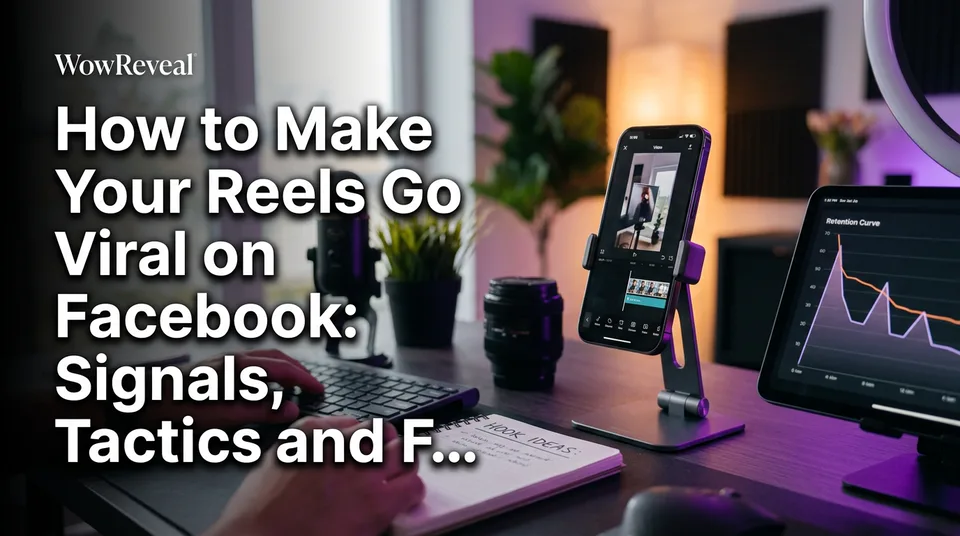
Read the retention curve like a map. The place where the line falls is the place to edit. One change at that point beats a total reinvention.
The Biggest Mistake: Reposting Reused Content
Reposting someone else's video with little or no change is the most common reason pages stay stuck. Facebook limits the reach of unoriginal content, and for monetized pages it can also put eligibility at risk. Meta's rules on this are in its monetization policies and may change, so read the current version rather than relying on memory.
The trap is quiet. Nothing announces "limited reach". Your Reels simply stop leaving your follower base, and you assume the audience got bored.
Reusing a clip isn't always forbidden. Using it without permission, or without adding anything of your own, is the problem. And we don't recommend tricks to dodge originality checks or Content ID. They fail, and they put the whole page at risk.
How to make a reused clip original
If you have the rights to the footage, or it's your own long video, the goal is to add real value. That means more than a crop or a filter.
- Write your own story about what's happening, and narrate it with an AI voiceover or your own voice.
- Add commentary that explains, reacts or gives context the original lacked.
- Cut for a new purpose: pick the best 15 to 30 seconds and rebuild the pacing around a hook.
- Use your own material whenever possible. It's the safest and often the strongest.
Ask yourself one question: if the original creator watched this, would they see a new video or their own, slightly worse? If the answer is the second one, don't post it.
Views Are Not Earnings: What Virality Pays
There is no fixed payout per 1,000 views on Facebook Reels. Earnings depend on whether your page is eligible for Facebook content monetization, on your content, on your audience's region and on factors Meta controls. Views don't guarantee income.
That's why "how to make $500 a day on Facebook" is the wrong question. Anyone quoting a flat rate per 1,000 views is guessing or selling something. Your RPM, the revenue per 1,000 views, differs from another page's, and it can change month to month.
What you can do is estimate. WowReveal has a free Facebook earnings calculator that gives rough ranges from your plays, and it's an estimate only, never a promise. For the official rules on eligibility and payouts, go to Meta's creator hub.
Treat views as a means. The goal is a page with originality, strong retention and steady output, because that's the page that qualifies and stays qualified.
A Repeatable Workflow With AI to Post Daily
Daily posting only works if each Reel takes minutes, not hours, and AI can cut that time without breaking originality rules. The key is using it to speed up production of your own ideas and rights-cleared footage, not to mass-produce copies.
Here's a workflow we've seen hold up for pages posting every day:
- Pick a repeatable format. One niche template, such as rescue stories or restorations, so every Reel has the same skeleton and you don't redesign each time.
- Source material you can use. Your own footage, licensed clips, or a long video you own.
- Find the moments. An AI Clipper scans a long video and surfaces the strongest 15 to 30 seconds so you're not scrubbing a timeline.
- Write the story and voice it. A script plus an AI voiceover (text-to-speech) turns raw footage into a narrated story with a hook, which is what makes it original.
- Add captions, headline and cover. Animated captions, a clear headline and a 9:16 export finish the job.
- Write the post kit. A short title, description and three to five hashtags, then schedule it.
WowReveal does steps 3 to 6 in one place: you paste a link or upload a file, and it writes the story, voices it in 9 languages, adds animated captions, music and a cover, and renders a 9:16 video. It's one way to cut production time. A manual editor works too, as long as the Reel is original and you check the result.
Then go back to the diagnosis table. Look at the retention curve after every batch, and let that decide what you change.
Frequently asked questions
How do I make a Facebook Reel go viral?
No one can guarantee it, but you raise the odds by posting original Reels with a strong hook in the first 3 seconds, tight pacing and an ending that earns replays and shares. Test 3 to 5 Reels a week for 2 weeks and use your insights to decide what to change.
How can I increase my Facebook Reel views?
Check the retention curve in Meta Business Suite or Professional mode insights and find where viewers leave. Fix the hook if they leave in the first 3 seconds, tighten pacing if they leave midway, and make the Reel more share-worthy if plays are fine but shares are low.
How much does Facebook pay for 1,000 views on Reels?
There's no fixed rate. Earnings depend on your eligibility for Facebook content monetization, your content, your audience's region and Meta's own systems, so views never guarantee income. Use a calculator for rough estimates only, and check Meta's creator hub for current rules.
Do trending audio and hashtags make Reels go viral?
They can help discovery, but they don't replace a hook or good retention. Use audio from the Facebook audio library, keep it below your narration, and stick to three to five relevant hashtags instead of generic ones.
Why are my Facebook Reels stuck at a few hundred views?
The most common causes are a weak hook, slow pacing, nothing worth sharing, or reused content that gets limited reach. Compare your insights against the diagnosis table above and change one thing at a time.
Where to go next
- How to Make Reels Go Viral: The Practical Guide — the cross-platform version if you also post on Instagram, TikTok or Shorts.
- Hooks for Reels and Shorts: How to Win the First 3 Seconds — more hook patterns to test in your first 3 seconds.
- Best Reel Length and Pacing for Completion Rate — go deeper on length and pacing to lift completion.
- Original Content on Facebook Reels: What Counts and What Doesn't — understand the originality signal and the reused-content trap.
- How to Find Trending Reels and Spot Formats Before They Peak — find rising formats and audio worth adapting.
- Niche Templates for Reels: Repeatable Formats for Daily Posting — build a format you can repeat every day.
- Monetization-Safe Shorts: A Pre-Publish Checklist for Every Reel and Short — run this check before every post to avoid limited reach.
- Facebook Reels Monetization: How It Works, Who Can Earn and What to Expect — see how views connect to earnings.
- How to Make Money on Facebook Reels: A Step-by-Step Path From New Page to Earning Page — the full path from new page to earning page.
- Best Niches for Facebook Reels: How to Choose One That Fits Your Page — pick the niche your Reels will be built around.
- Post Kit for Reels and Shorts: How to Write Titles, Descriptions and Hashtags
- Can ChatGPT Make an AI Video? What It Can and Can't Do
Turn any video into a ready-to-post Reel
Paste a link — WowReveal writes the story, voices it in 9 languages and adds captions, a headline and music. Start with free credits, no card.
Start free →