Post Kit for Reels and Shorts: How to Write Titles, Descriptions and Hashtags
A post kit is a title, a clean description and a few specific hashtags. Here's what each field does on every platform, plus a template you can fill in daily.
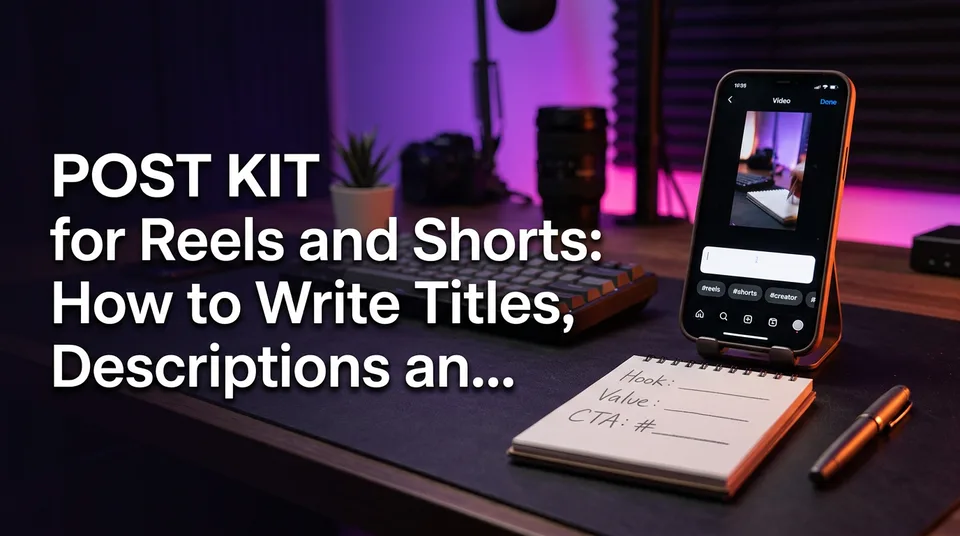
A post kit is the title (or on-screen headline), a keyword-led description or caption and a few relevant hashtags, written so viewers and the platform both understand what the video is about. The right mix differs by platform: Facebook Reels run on a caption, YouTube Shorts use a title plus a description, and everywhere a handful of specific hashtags beats a wall of tags. Getting reels titles descriptions hashtags right takes under two minutes per video once you have a template.
And if you came here asking how to increase your reel views: packaging helps the right people find the video and decide to tap. It doesn't make anyone stay. The hook and the completion rate do that, and we'll be blunt about that split later.
Key takeaways
- A post kit has three text fields (title or headline, description or caption, hashtags) and one visual field (the cover or thumbnail).
- Facebook Reels mostly use one caption field. YouTube Shorts use a title of up to about 100 characters plus a description. TikTok and Instagram Reels use one caption each.
- Put the main keyword in the first line, written as one natural sentence. Repeating keywords reads as spam.
- Pick hashtags with a simple method: one niche, one topic, one format. Treat any count (3, 5, 10) as something to test, not a rule.
- No title or hashtag guarantees views. Platform limits and behavior change, so check the official help pages before you build a habit around a number.
What Is a Post Kit for Reels and Shorts?
A post kit is everything you type, plus the cover you pick, between finishing the edit and tapping Publish. It's a repeatable routine, not a growth hack. The point is that you stop reinventing your wording for every upload, and that every video says clearly what it's about.
Title vs headline vs caption vs description
These four words get mixed up constantly, so pin them down. The title is a separate field that only some platforms give you, mainly YouTube Shorts. The headline is text burned into the video itself, usually in the first seconds. The caption is the single text box under a Reel on Facebook, Instagram and TikTok. The description is the longer text field on YouTube.
So what's the difference between title and description on Facebook Reels? In most publishing flows, including Meta Business Suite, there's no separate title. You get one description or caption field, and that's where your keyword sentence and hashtags both go. Interfaces change, so open the composer and look before assuming.
What each field actually does
Each field has a different job, and mixing them up is where most weak packaging comes from.
- Title or headline: stops the scroll and states the promise in a few words.
- Description or caption: tells the platform and the viewer what the video is, in plain language. This is where search wording lives.
- Hashtags: add topic context and a way to be grouped with similar videos.
- Cover or thumbnail: decides whether someone taps from a profile grid, search results or a feed that shows stills. A tool like the WowReveal cover maker exists for exactly this field.
How to Write Titles for Reels and Shorts
A good title names the subject, promises one specific thing and delivers exactly that in the video. Curiosity works, but only when it's backed by specifics. "She did this to a 40-year-old chair" beats "You won't believe this", and it doesn't lie.
Title formulas that fit story Reels
Story-driven videos, the kind built on a short narrated plot, need titles that name the character and the turn. We've tested the same few shapes for years and they hold up:
- Subject + surprise: "A janitor found this under the stage"
- Keyword + outcome: "Rusty hand plane restoration, start to finish"
- Number + payoff: "3 minutes to see why the judges stood up"
- Question the video answers: "Why did the dog refuse to leave the fence?"
Front-load the keyword. If someone searches "hand plane restoration", those words should be at the start, not buried after "OMG you need to watch". And match what the video delivers. A title that overpromises gets a tap and then a swipe, and that swipe shows up in your completion rate.
Title length and what gets cut off
On YouTube Shorts the title field allows about 100 characters, per YouTube Help, but you should aim for under 60 so nothing truncates in feeds. For on-screen headlines, 4 to 8 words is the sweet spot, because viewers read them in about two seconds. Longer headlines get skipped.
Descriptions and Captions: SEO Without Stuffing
A description or caption should explain the video in one or two natural sentences, with the main keyword near the start. That's the whole trick behind "description SEO for Shorts". Search systems read your text to understand the video, and plain language does that job better than repetition.
What to put in the first line
The first line is the only part many viewers see before a "more" cut. Treat it as a mini headline. Use this order:
- The main keyword, in a sentence a person would say.
- The payoff or the question the video answers.
- A light call to action, only if it's genuine ("Follow for part 2").
Everything after that, such as credits, context or a second hashtag line, is optional. Write it in the language spoken in the video. If your voiceover is Spanish, the caption is Spanish, even if your page is English-first. Pages that run several languages should keep one language per video, because a mismatch confuses both viewers and search.
Stuffed vs clean: a before-and-after example
Here's the same video, a restored vintage radio, packaged two ways.
Before (stuffed):
radio restoration radio repair old radio restoration satisfying restoration restore radio satisfying video #radio #restoration #satisfying #viral #fyp #reels #trending #foryou #explore #video #amazing #asmr
After (clean):
Watch a rusted 1950s radio come back to life, from first scrub to first sound. Restoration videos get easier to follow when you see the full process. #radiorestoration #satisfying #reels
The clean version reads like a person wrote it, front-loads "radio" and "restoration" once each, and uses three hashtags that describe the video. The stuffed one repeats itself, adds tags with no connection to the content and tells a viewer nothing. It reads as spam, and keyword stuffing is exactly the pattern platforms say they discourage.
Hashtags for Reels: How Many, Which, and Where
Hashtags add topic context, but they're a small input, and no hashtag makes a Reel viral. The honest answer to "which hashtags make reels go viral" is none. What they can do is help a platform file your video next to similar content. Everything below is a method to test, not a promise.
Is there a 3 hashtag rule?
No platform documents a "3 hashtag rule". It's creator folklore, and it caught on because three is a number that forces restraint. That's a good habit, even if it isn't a policy. Commonly 3 to 5 specific hashtags work fine, and we'd test between 3 and 5 on your own page rather than copy anyone's rule.
The limits that are documented are different. YouTube, for example, says it may ignore all hashtags on a video if it has more than 15 of them, and it shows the first three above the title. Check YouTube Help for the current behavior, since it can change.
Use this selection method for every video:
- One niche tag: the narrow community (#radiorestoration)
- One topic tag: the broader subject (#satisfying or #diy)
- One format tag: the type of video (#reels, #shorts or #storytime)
Add one or two extras only if they describe the content accurately.
Title or description: where hashtags go
Put hashtags in the description or caption by default. On YouTube Shorts, hashtags typed in the description (or in the title) can show above the video title, and that's the first thing viewers see, so keep them relevant. Putting them in the title uses up characters you need for the promise. For most creators, the description is the better home and the title stays clean.
Do viral or trending hashtag lists work?
Copy-paste lists of "100 viral Reels hashtags" mostly don't help, because generic tags are used by millions of videos and say nothing specific about yours. If you want to follow a trend, find it first. Look at the trending feeds on the platform for formats and sounds in your niche, then use a tag only if your video really belongs to it. On Facebook, the hashtag interface and its visibility have changed repeatedly, so check Meta's business help center for what's currently supported.
Platform Differences: Facebook, YouTube Shorts, TikTok and Instagram
The same video needs a slightly different post kit on each platform because the fields and limits differ. Here's the quick map. Limits below are the commonly documented ones at the time of writing, so verify them in each platform's help pages before relying on them.
| Platform | Text fields | Typical limits | Hashtag placement |
|---|---|---|---|
| Facebook Reels | One caption/description | Check Meta's help for current length | In the caption |
| YouTube Shorts | Title + description | Title about 100 characters | Description (first three can show above title) |
| TikTok | One caption | Length limit set by TikTok, verify in app | In the caption |
| Instagram Reels | One caption | Up to 2,200 characters, hashtag cap applies | In the caption |
Facebook Reels
Facebook Reels use a caption field, and in most flows there's no separate title. Write the keyword sentence first, add your two or three hashtags at the end and put the real work into the on-screen headline and the cover. If you publish through Meta Business Suite, the same logic applies, and you can schedule a week of kits in one sitting.
YouTube Shorts
YouTube Shorts are the only one of the four with a real title field plus a description, so they reward the most careful packaging. Write a keyword-led title under about 100 characters, then a one-to-two-sentence description and your hashtags. You'll edit all of it in YouTube Studio after upload, which is handy for fixing a weak title once you see how a video performs.
TikTok
TikTok gives you a single caption with a character limit that has changed over time, so check TikTok Support for the current number. Keep the first line short and punchy, since feeds truncate it. Use few hashtags, and make them describe the video rather than chase the For You page.
Instagram Reels
Instagram Reels allow captions up to 2,200 characters and have historically capped hashtags at 30. Instagram has also been adjusting hashtag guidance, so check Meta's help center. Don't treat the cap as a target. A short caption with three to five relevant tags does the same job as a 30-tag block, without looking like spam.
Common Mistakes That Hurt Distribution
The biggest packaging mistakes are all ways of misleading the platform or the viewer, and they cost you more than they gain. We've watched pages stall for weeks on habits that took two seconds to fix.
- Keyword stuffing. Repeating the same phrase five times doesn't help anyone. One natural sentence does.
- Hashtag walls. Twenty tags in a Reel caption look like spam and dilute the few that matter.
- Irrelevant or banned hashtags. Tags that don't match the video, or tags the platform restricts, can hurt reach. If a tag looks odd or blocked when you search it, skip it.
- Misleading titles. A promise the video doesn't keep wrecks watch time. That's a packaging mistake and a retention problem at once.
- Reposted captions. Copying another creator's caption, along with their clip, is an originality problem. Write your own wording every time.
- Mismatched language. An English caption on a Portuguese voiceover confuses viewers and search.
A Fill-In Post Kit Template and Pre-Publish Check
You can build a post kit in under two minutes if you fill in the same blanks every time. The WowReveal post kit generates a title, description and hashtags for a video, which is useful when you're posting daily, but the template below works with nothing but a notes app.
Step-by-step template
- Headline (on-screen): [Subject] + [surprise or result], 4 to 8 words.
- Title (YouTube Shorts only): [Keyword] + [payoff], under 60 characters.
- First line: One natural sentence with the main keyword near the start.
- Second line (optional): One detail, credit or call to action.
- Hashtags: 1 niche + 1 topic + 1 format. Add one or two more only if accurate.
- Cover: A clear still with the headline readable at thumbnail size.
- Language check: Caption language matches the spoken language.
Before you publish, run this check:
- Does the first line say what the video is, in plain words?
- Does the title or headline promise only what the video delivers?
- Are all hashtags relevant, and is the total small?
- Is the wording yours, not copied from the source clip's page?
- Does the cover still read on a small screen?
Batching post kits for daily posting
If you post daily, don't write kits one at a time. Write seven in a single sitting, keeping a short sheet of your niche, topic and format tags so you only swap the specifics. Agencies running several pages should keep one sheet per page and per language. Batching also makes weak titles obvious, because you can see them side by side.
Can Packaging Increase Your Reel Views?
Packaging can help the right viewers find and tap your video, but it can't increase views on its own. If someone asks us how to increase reel views, we point to the order of operations: hook, then retention, then packaging.
A strong title gets the tap. But the first 3 seconds decide whether the viewer stays, and completion rate, how many people watch to the end, is what tells the platform to show the video to more people. A stuffed caption on a boring opening goes nowhere. A plain caption on a Reel with a sharp hook has a real shot.
So treat the post kit as the last two minutes of a job done properly earlier. Original footage or narration, a hook that lands immediately, a pace that holds and then honest packaging. Platform rules and monetization eligibility are decided by Meta, YouTube and TikTok, and nothing here guarantees views or earnings.
Frequently asked questions
What is the 3 hashtag rule?
It's creator folklore, not a documented platform rule. The idea is to use only three hashtags to stay focused. It's a reasonable starting point, but test 3 to 5 on your own page and compare results rather than treating it as law.
Are hashtags better in the title or the description?
The description or caption is the default home for hashtags on every platform. On YouTube Shorts the first hashtags can appear above the title, but putting them in the title uses up characters you need for the promise. Keep the title clean.
Which hashtags make reels viral?
None do. Hashtags add topic context, and no tag guarantees reach. Choose one niche, one topic and one format hashtag that truly describe the video, and put your effort into the hook and retention instead.
What's the difference between title and description on Facebook Reels?
In most Facebook Reels flows there's no separate title, just one caption or description field. Put the keyword sentence first and your few hashtags at the end. Interfaces change, so check the composer in Meta Business Suite.
How many hashtags should I use on Reels?
Commonly 3 to 5 specific ones. Instagram has allowed up to 30 and YouTube may ignore all hashtags if a video has more than 15, but those are ceilings, not targets. Test a small count and watch your results.
Where to go next
- Hooks for Reels and Shorts: How to Win the First 3 Seconds — Packaging earns the tap, the hook earns the watch, so fix this next.
- Best Reel Length and Pacing for Completion Rate — Connects your post kit to the retention numbers platforms actually reward.
- How to Make Reels Go Viral: The Practical Guide — The broader answer to increasing reel views beyond titles and tags.
- How to Make Your Reels Go Viral on Facebook: Signals, Tactics and Fixes — Facebook-specific signals for pages that rely on the caption field.
- How to Find Trending Reels and Spot Formats Before They Peak — Pick hashtags from real trends instead of generic lists.
- Monetization-Safe Shorts: A Pre-Publish Checklist for Every Reel and Short — Pair your post-kit check with a policy-safety check before you publish.
- Facebook Reels vs YouTube Shorts vs TikTok: Where to Post to Earn — Helps you decide which platform's format to optimize first.
- Original Content on Facebook Reels: What Counts and What Doesn't — Explains why your own wording and footage matter beyond packaging.
- Does YouTube Automatically Convert Videos to Shorts?
- What Is a Niche Template for Shorts?
- What Is a Compilation Short, and Is It Safe to Post?
- Podcast Clips for Reels and Shorts: How to Pick, Format and Post Them
Turn any video into a ready-to-post Reel
Paste a link — WowReveal writes the story, voices it in 9 languages and adds captions, a headline and music. Start with free credits, no card.
Start free →