Does YouTube Automatically Convert Videos to Shorts?
YouTube doesn't cut your long videos into Shorts. It only labels vertical or square uploads under the length limit. Here's what's automatic, what isn't, and how to fix it.
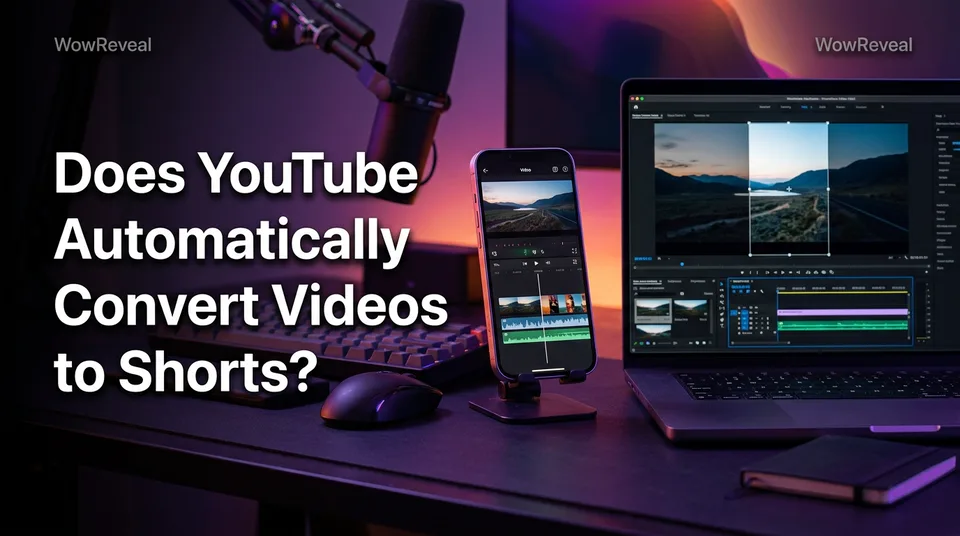
No. YouTube doesn't cut or convert your long landscape videos into Shorts by itself. It only labels an upload as a Short when the file is vertical or square and within the Shorts length limit, up to 3 minutes for uploads since Oct 15, 2024. Making a Short from an existing video is always a manual action.
The short answer: what YouTube does automatically and what it doesn't
YouTube makes exactly one automatic decision, at upload: it reads the shape and length of your file and picks a label. Choosing the segment, reframing to vertical and adding captions are all on you.
| Your file | What YouTube decides | What you do |
|---|---|---|
| 16:9 landscape, any length | Regular video | Nothing |
| Vertical (9:16), 3 minutes or less | Short | Nothing, or reframe if you didn't want a Short |
| Square, 3 minutes or less | Short | Same as above |
| Vertical, over 3 minutes | Regular video | Trim it if you want a Short |
| Long landscape video you want as Shorts | Nothing | Remix it or export a vertical cut |
The rule is identical on phone and PC. The upload screen doesn't matter, the file does.
Why YouTube sometimes labels your upload as a Short
YouTube labels an upload as a Short when two conditions are true at once: the video is vertical or square, and it's within the length limit. That's why creators keep asking why a clip "turned into" a Short. It didn't turn into anything, the file qualified.
The two triggers: vertical or square, and under the length limit
Up to 3 minutes is the current cap for new uploads. Before Oct 15, 2024 it was 60 seconds, so older advice online often quotes the old number. Limits change, so check the YouTube Help Center before you build a workflow around one.
And no, hashtags don't override this. Adding or removing #Shorts won't change how a file is classified.
How to upload a vertical video without it being a Short
Put the vertical footage on a 16:9 canvas before you export. In any editor, set the project to 1920×1080, place the vertical clip in the center and fill the sides with a blurred copy of the same clip or a solid color. YouTube then sees a landscape file and treats it as a normal video.
Don't pad a clip with silence to cross 3 minutes. Viewers notice, and watch time suffers.
If it's already uploaded, we'd re-export and re-upload rather than hunt for a toggle. And if you actually meant "how do I stop the app from jumping into the Shorts feed," that's a viewer-side setting, covered in YouTube Help.
How to make a Short from an existing YouTube video
You make a Short from an existing video by either using Remix in the mobile app or exporting a vertical cut yourself and uploading it. Either way, you pick the moment.
On your phone: Remix and Edit into a Short
Open the video in the YouTube app, tap Remix, then choose Edit into a Short. That opens the Shorts creator with a segment of the video loaded. Trim it, add text or captions, and publish. Menu names shift between app versions, so if you don't see it, check the current instructions in YouTube Help.
On a PC: export a vertical file and upload it
On a PC there's no one-click equivalent, so you export. Cut your segment, reframe to 9:16 vertical (1080×1920), keep it under the limit, and upload through YouTube Studio with Create > Upload videos. It'll be classified as a Short automatically. Check it in the Content tab's Shorts filter.
Using an AI clipper to find the segments
Reframing is easy. Finding the right 30 to 60 seconds in a 90-minute video is the slow part. We've watched creators burn more time scrubbing a timeline than editing anything.
That's the job of an AI Clipper. WowReveal's version scans a long video, picks the strongest moments, adds animated captions and a headline, and renders a 9:16 file you upload like any other. You still review every clip before it goes out.
YouTube Clips vs Shorts vs Remix
Clips, Shorts and Remix are three different things, and mixing them up causes most of the confusion.
- YouTube Clips are short shareable snippets of a video or live stream that link back to the original. They're a sharing feature, not a Shorts feed upload.
- YouTube Shorts are standalone vertical or square videos that live in the Shorts feed.
- Remix > Edit into a Short is a tool, not a format. It's one route to creating a Short from an existing video.
If you want reach in the Shorts feed, a Clip won't do it. Make a Short.
YouTube Shorts length and format limits
The maximum length for a Short is 3 minutes for uploads since Oct 15, 2024, and 60 seconds before that. Vertical 9:16 is the recommended shape, and square video is also allowed. Landscape 16:9 files are normal videos, whatever their length.
The maximum isn't the target, though. For most clips, tighter wins. Cut to the point where the payoff lands, not to the limit. And since YouTube can change these numbers, treat this section as a snapshot, not a rulebook.
What to check before you publish a repurposed Short
Before you publish a repurposed Short, confirm you have the rights to the footage and that the clip works on its own. Cutting from your own long video is fine. Cutting from someone else's without permission is how channels pick up reused-content problems or Content ID claims.
A quick pass:
- The clip has its own hook in the first second or two, not a mid-sentence start.
- Captions are on, because many people watch muted.
- You own or have permission for the video, music and any footage in it.
- The Short adds something: a new headline, tighter edit, or commentary.
One more thing on money. Shorts earn through Shorts revenue sharing under the YouTube Partner Program, not through the 8-minute mid-roll rule, which applies to long videos where you can place mid-roll ads. Eligibility is YouTube's call, rules can change, and we won't promise a figure.
Frequently asked questions
Can I convert a YouTube video to a YouTube Short?
Yes, but manually. In the mobile app use Remix > Edit into a Short, or export a vertical or square cut and upload it from a PC through YouTube Studio. YouTube won't do it for you.
What is the 8 minute rule on YouTube?
It's the length at which a long video can carry mid-roll ads. It doesn't apply to Shorts, which earn through Shorts revenue sharing. Check YouTube's current Partner Program terms, since rules change.
Why is my video uploading as a regular video instead of a Short?
Usually because the file is landscape 16:9, or it's longer than the current Shorts limit. Export it vertical or square and under the limit, then upload it again.
Where to go next
- How to Turn a YouTube Video into Shorts (Step by Step) — The full how-to for the manual step this page says is required.
- AI Video Clipper: How It Finds the Best Moments in Long Videos — Shows how to find Short-worthy segments at scale.
- What Is Best-Moment Clipping? Definition, Scoring and Clip Length — Explains how to choose which segment of a long video becomes a Short.
- Best Reel Length and Pacing for Completion Rate — Maximum length isn't the ideal length; helps you pick one.
- YouTube Shorts Monetization Requirements: Who Is Eligible and How to Check — Answers the earning questions that follow once a Short is made.
Turn any video into a ready-to-post Reel
Paste a link — WowReveal writes the story, voices it in 9 languages and adds captions, a headline and music. Start with free credits, no card.
Start free →