AI Video Clipper: How It Finds the Best Moments in Long Videos
An AI video clipper turns one long video into short vertical clips. Here's how it picks the moments, where it fails, and what to check before you post.
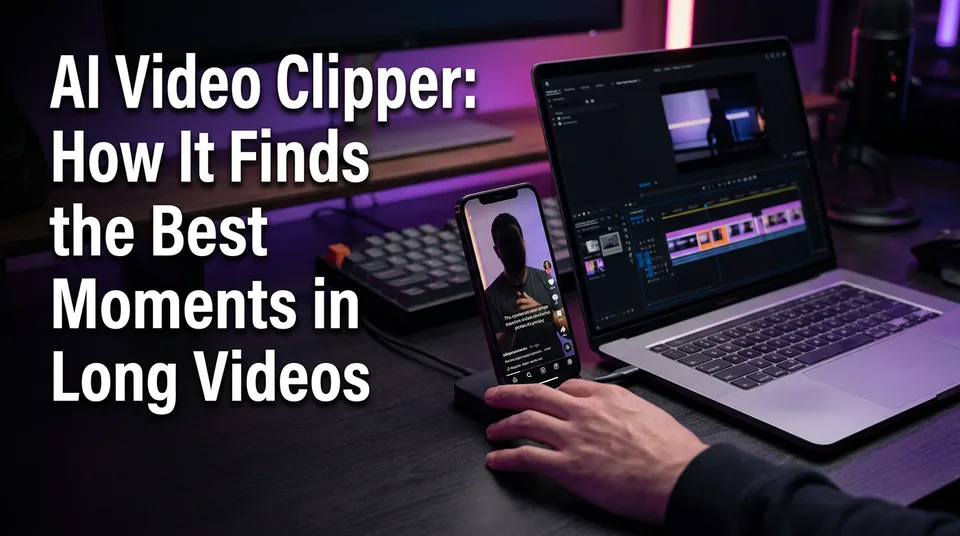
An AI video clipper is a tool that analyzes a long video (transcript, speakers, pacing, audio energy), scores segments for standalone interest, and cuts the top ones into short vertical clips with captions. So, can AI make you a video clip? Yes. Give it a link or a file and it will hand back candidates. But you should still review and trim every one before it goes live.
That last part is where most pages go wrong. The tool proposes. You decide.
Key takeaways
- An AI clipper finds and cuts highlights from footage that already exists. It doesn't invent new footage.
- It works in a fixed order: transcription, topic segmentation, speaker changes, pacing and audio energy, scoring, ranking, then reframing to 9:16 with captions.
- Talk-heavy formats (podcasts, interviews, talks, tutorials) clip best. Fast action and silent footage clip worst.
- From a 60-minute podcast, expect roughly 5-10 candidates and keep about 2-4 after review.
- Typical failures are mid-sentence cuts, lost context, wrong crops and misspelled names. All are fixable in a minute or two.
- Clip only footage you own or have permission to use. Reused content can be demonetized or removed.
What Is an AI Video Clipper?
An AI video clipper is software that watches a long video for you and proposes the short segments most likely to work on their own. It reads the words, listens to the audio and tracks who is speaking. Then it ranks segments and exports the best as vertical clips.
The "can AI make me a video clip" question has a practical answer: yes, in minutes, not hours. What it can't do is judge your audience, your brand or the legal status of your source video. That stays with you.
Clipper vs. video editor vs. AI video generator
These three tools get confused constantly, and they solve different problems.
| Tool type | Starts from | What it does | Best when |
|---|---|---|---|
| AI video clipper | Long footage you have rights to | Finds and cuts highlights, reframes to 9:16, adds captions | You have a podcast, interview, talk or tutorial |
| Video editor | Footage you pick yourself | Gives you manual control over every cut | You want precise, hand-made edits |
| AI video generator | A prompt or image | Creates new clips from scratch | You have no source footage |
A clipper is closer to a fast assistant editor than to a generator. If you have no long footage at all, a story-based or generated route makes more sense, and we'd say so plainly.
Inputs and Outputs: What You Put In and What You Get Back
You put in one long video, as a link or a file, and you get back several vertical clips ready to review. That's the whole contract. Everything between is the analysis.
Pasting a link vs. uploading a file
A link is faster. Paste a YouTube URL and the tool pulls the video, which is why people search for an "AI clip generator from YouTube" or "YouTube video to clips AI free." Uploading a file is better when you hold the original recording, because the source quality is higher and you avoid compression from a previous upload.
One rule applies to both: a link is not permission. Pasting a URL only makes the video available to the tool. Whether you're allowed to clip it is a separate question, covered below.
What a finished clip includes: 9:16, captions, headline, cover
A finished clip is a 9:16 vertical video (1080×1920) with animated captions burned in. Many tools also add a headline, a cover frame and background music. WowReveal's AI Clipper, for example, returns all of those from a pasted link or uploaded file, so you're reviewing a near-final video instead of raw cuts.
Raw cuts still need the checks later in this article. A clip that looks finished isn't automatically ready.
How an AI Clipper Picks Highlights, Step by Step
An AI clipper picks highlights by combining several signals into one score per segment, then ranking the segments. No single signal decides. Here's the pipeline in the order it usually runs.
Transcription and topic segmentation
First, speech-to-text turns the audio into a transcription with timestamps. The tool then splits the transcript into topic chunks, usually where the subject shifts or a question gets answered. This is why clean audio matters so much. A bad transcript poisons every later step, because the scoring reads those words.
Speaker changes and turn-taking
Next comes speaker diarization, which means working out who is speaking when. It marks each change of voice. Turn-taking is useful because a strong exchange (a question, a pushback, a short reply) often makes a better clip than a long monologue. It's also what lets the tool frame the right person on screen later.
Pacing, pauses and audio energy
Then the tool listens for how the audio behaves. Pauses suggest natural boundaries. Rising volume, laughter or fast back-and-forth suggest energy. A flat stretch of low-energy rambling usually scores low, and that's often a fair call.
Hook scoring and ranking candidates
Now the scoring. Each candidate segment is checked for two things: does the opening grab attention (a hook), and does it make sense without the rest of the video (standalone value)? A segment that starts with a clear claim or a surprising line beats one that starts with "so, as I was saying."
The tool then ranks everything and surfaces the top candidates, often with a score. Treat that score as a sorting aid, not a verdict.
Reframing to vertical and adding captions
Last, the tool crops the horizontal frame to 9:16, often tracking the active speaker, and generates animated captions from the transcript. This final step is where visible mistakes show up: a face cut off by a crop, a name spelled wrong in the captions. The analysis can be right and the output still need fixing.
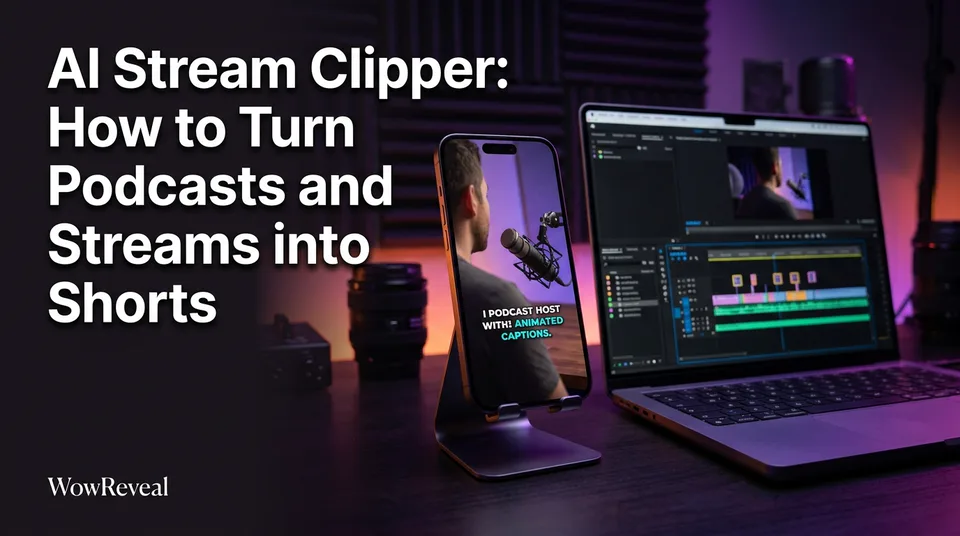
AI Clipper for Podcasts and Interviews
AI clippers work best on podcast clips, interviews, talks and tutorials, because those formats carry their value in speech. The transcript is the main signal, and the clipper reads it well.
Why talk formats clip well
Spoken content has built-in structure. Speakers state claims, tell short stories and answer questions, and each of those can stand alone. A good 60-minute conversation usually contains several 30-60 second moments that make sense in isolation.
Camera setups help too. Two or three fixed cameras make speaker-aware cropping easy. We've seen the same pattern repeatedly: the cleaner the audio and the simpler the framing, the less manual repair a clip needs.
Streams and gameplay: where it struggles
People also ask whether there's an AI stream clipper. Some tools target streams, but the honest answer is that streams and gameplay are harder. The best moments are visual (a clutch play, a funny reaction) and may involve little speech, so a transcript-driven scorer can miss them. Long silent stretches and overlapping game audio make things worse.
If your source is mostly action, expect a lower keep-rate and more manual selection. For sports or action footage, a template-based or manual approach often beats pure auto-detection.
How Accurate Is an AI Clipper?
An AI clipper is accurate enough to save you hours but not accurate enough to publish unreviewed. Think of it as a first-pass filter that gets you most of the way.
A realistic example: feed it a 60-minute podcast and it returns 5-10 candidate clips. After you watch them, you keep about 2-4. That's a rule of thumb from hands-on use, not a benchmark, and your ratio will shift with audio quality, format and how strict you are.
What 'accuracy' means for highlights
"Accuracy" is slippery here because "best moment" is partly subjective. It really covers three separate things:
- Boundary accuracy: do the cuts land on clean sentence starts and ends?
- Selection accuracy: is the chosen moment interesting to your audience?
- Output accuracy: are the crop, captions and names correct?
Tools tend to do better on boundaries and output than on selection. Whether a moment is actually good for your niche is a judgment the model can only approximate.
Common AI Clipper Mistakes and How to Fix Them
The most common AI clipper mistakes are bad cut points, missing context, wrong crops and caption errors. All four are easy to spot if you know where to look.
Cuts that start or end mid-sentence
The clip opens on "...and that's why it failed" or stops before the speaker finishes. Fix it by nudging the start and end handles to the nearest full sentence. If no clean start exists nearby, discard the clip.
Clips that lose context
A clip says "that was the worst decision" and never says what decision. Viewers who didn't see the full episode are lost. Either extend the start to include the setup, or drop it. A clip that needs the original to make sense isn't a standalone clip.
Wrong crop or speaker framing
In a two-person interview the crop sits on the listener while the guest talks. Or a face is clipped at the edge. Switch the framing or choose a split layout if the tool offers one. If the source is badly framed to begin with, no crop will save it.
Caption and name misspellings
Transcription stumbles on names, brands and jargon. A creator's name spelled three different ways in one clip looks careless. Read the captions with the sound off, because that's how many viewers will watch.
What to Review and Trim Manually Before Posting
Before posting, check the hook, the cuts, the context, the crop, the captions and the audio, in that order. It takes about a minute per clip once it's habit.
- First 3 seconds. Does it open on a claim, question or surprise? If not, trim the lead-in.
- Cut points. Start and end on full sentences.
- Context. Would a stranger understand it?
- Crop and framing. Faces fully in frame, right speaker on screen.
- Captions. Names, numbers and jargon spelled correctly.
- Audio. No clipped words, no sudden music clash, no dead air at the end.
Then trim hard. Cut dead air, filler openings and slow endings. Length decisions matter for completion rate, and tighter almost always wins. Discard anything that fails two or more checks. Keeping three strong clips beats posting seven mediocre ones.
Rights and Platform Rules: Clip Only What You Can Use
You should clip only footage you own or have written permission to use, because clipping someone else's video and posting it can get a monetized page demonetized or the clip removed. A clipper makes cutting easy. It does nothing about the rights.
Platforms treat reused content seriously. YouTube's monetization policies cover reused content under the YouTube Partner Program, and Meta publishes its own guidance on original content through the Meta Business Help Center. Rules change, so read the current versions before you build a workflow on them.
Safe sources are straightforward:
- Your own podcast, interviews, webinars and tutorials.
- Videos from clients or guests who gave you written permission.
- Footage you've properly licensed for this kind of reuse.
Adding captions or a headline doesn't turn someone else's video into your original work. And don't try to dodge Content ID or originality checks with flips, filters or speed changes. That's a policy violation, and we've watched pages lose reach for weeks after reposting a single unoriginal clip.
Free and Paid AI Clippers: What to Compare
Yes, free AI video clippers exist, but nearly all of them limit something: clip count, video length, export quality or watermarks. Whether a tool is "the best" depends on your format and volume, so compare features instead of trusting a landing page that claims viral results.
Free credits, watermarks and limits
Searches like "AI video clipper free" and "AI video clipper online free" usually lead to a free tier or a starter credit allowance. Check these before you commit:
- Is there a watermark on free exports?
- What's the maximum source length?
- How many clips or minutes do free credits cover?
- Are failed jobs refunded, or do you lose credits?
WowReveal, for instance, gives free credits to start with no card, offers monthly plans and one-time credit packs, and refunds failed jobs automatically. Tools such as OpusClip and Vizard are other well-known options in this category, each with its own limits, so test them against your own footage.
Languages, captions and export options
For non-English creators this is where tools differ most. Check which caption languages the transcription supports, whether you can edit captions, and whether captions are animated or static. Confirm the export is true 9:16 at 1080×1920 and that it works for Facebook Reels, YouTube Shorts, TikTok and Instagram Reels without re-cropping.
Software also matters less than workflow. A middling clipper with a tight review habit beats a great one used blindly.
A Simple Workflow: From One Long Video to a Week of Shorts
You can turn one long video you own into about a week of shorts in a single sitting, if you keep the steps simple. Here's the loop we'd use with the WowReveal AI Clipper, and it applies to any similar tool.
- Pick the source. Use a podcast, interview or tutorial you own, ideally 30-60 minutes with clean audio.
- Paste the link or upload the file. Let the tool analyze it and return its candidates.
- Watch every candidate. Expect to keep roughly 2-4 of 5-10 on a 60-minute episode.
- Fix and trim. Adjust cut points, check the crop, correct captions, and tighten the first 3 seconds.
- Add the finish. Choose a headline, cover and music, then run your pre-publish checks.
- Schedule. Spread the keepers across the week, one per day, and note which opening lines hold viewers longest.
Then repeat with the next episode. After a few rounds, your retention data tells you which kinds of moments your audience actually finishes, and you can steer the review toward those. That feedback loop is worth more than any score the tool gives you.
Frequently asked questions
Can AI make me a video clip?
Yes. Paste a link or upload a file and an AI video clipper will propose several short vertical clips with captions. You should still watch each one and trim cut points, context and captions before posting.
Is there a free AI video clipper?
Yes, many tools offer a free tier or starter credits, usually with limits such as watermarks, source-length caps or a small number of exports. Check those limits and the refund policy for failed jobs before choosing one.
What is the best AI clipper for video?
It depends on your content. Talk-heavy sources like podcasts and interviews suit most clippers, while action footage is harder. Test two or three tools on the same video and compare keep-rate, caption accuracy, language support and export quality.
Is there an AI stream clipper?
Some tools target live streams, but they struggle when the best moments are visual or silent. Transcript-based scoring works far better on conversation than on gameplay, so expect more manual selection with streams.
How many clips should I expect to keep from one video?
As a rule of thumb, a 60-minute podcast produces about 5-10 candidates and you keep roughly 2-4 after review. That's an experience-based estimate, not a guarantee, and it varies with audio quality and format.
Where to go next
- AI Short Video Creation for Reels and Shorts: The Complete Guide — the full workflow that places clipping alongside scripting, voiceover and posting.
- Reused Content Policies Compared: Facebook, YouTube and TikTok — the rights and reused-content risks to understand before you clip anything.
- Monetization-Safe Shorts: A Pre-Publish Checklist for Every Reel and Short — a final check to run on every AI-made clip.
- Best Reel Length and Pacing for Completion Rate — how to trim clips to the length and pace that keeps viewers watching.
- Niche Templates for Reels: Repeatable Formats for Daily Posting — repeatable formats such as podcast clips and best moments.
- AI Video Generator for Shorts: When to Use Images, When to Use Video — clarifies when to generate video instead of clipping existing footage.
- AI Story Video Generator: How to Turn a Story into a Short — the alternative route when you have no long footage to clip.
- Short-Form Video Monetization Across Platforms: Programs, Requirements and Rules Compared — what each platform expects from the clips you publish.
- Best AI Voiceover for Reels: What to Compare Before You Choose
- What Is Best-Moment Clipping? Definition, Scoring and Clip Length
- How to Turn a YouTube Video into Shorts (Step by Step)
- Does YouTube Automatically Convert Videos to Shorts?
Turn any video into a ready-to-post Reel
Paste a link — WowReveal writes the story, voices it in 9 languages and adds captions, a headline and music. Start with free credits, no card.
Start free →