AI Stream Clipper: How to Turn Podcasts and Streams into Shorts
Yes, an AI stream clipper exists. It shortlists the best moments from a long podcast or stream, but you decide what gets posted. Here's the full workflow, step by step.
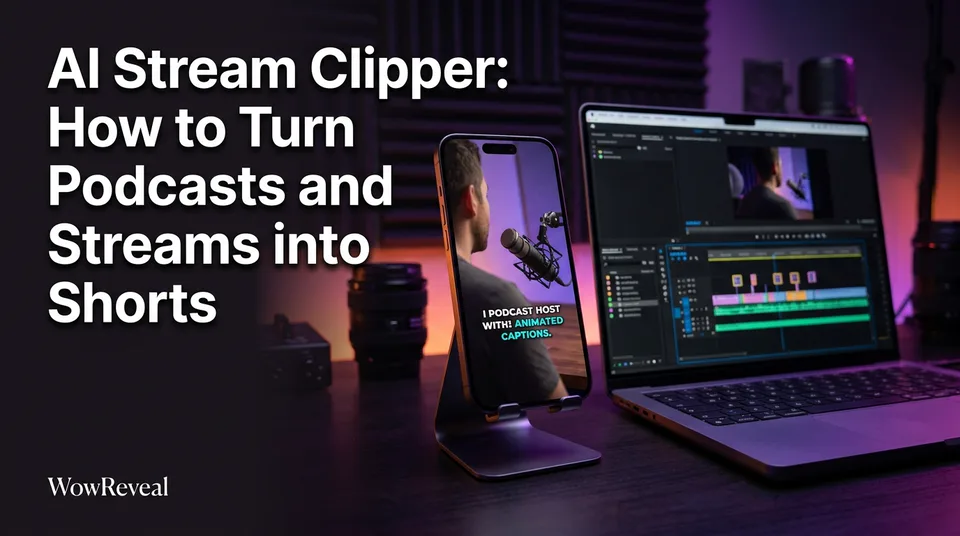
Yes, an AI stream clipper exists. These tools scan a long podcast or stream, suggest the strongest moments, and reframe them to vertical 9:16 with captions. You still choose which clips are worth posting, and that choice is where most of the quality comes from.
Is There an AI Stream Clipper?
There are several AI stream clippers, and WowReveal AI Clipper is one of them. Eklipse, OpusClip and StreamLadder are others, and most of those lean toward gaming highlights from Twitch, Kick and YouTube.
What an AI clipper does with a long recording
It transcribes the recording, scores segments for things like a clear point and a strong opening, and returns a shortlist. Then it handles the boring parts: cropping to 9:16, following the speaker, burning in animated captions.
A 1-hour episode gives you a shortlist of candidates. Not a stack of guaranteed hits.
Where AI picks still need a human
Does AI clipping actually work? For finding candidates fast, yes. For judging them, no. We've seen AI pick a funny-sounding moment that depends entirely on a joke from 20 minutes earlier. It also misses quiet moments that would have landed best.
Treat every suggestion as a draft. Watch each one with sound on, then once with sound off.
How to Clip a Podcast or Stream into Shorts, Step by Step
You can turn a podcast into Shorts and Reels in three steps: load the recording, review the suggested moments, and render. A full episode should take minutes, not an afternoon.
Paste a link or upload the file
In WowReveal you paste a YouTube or stream link, or upload a recorded file. If a stream link won't load, download your own VOD and upload it. Higher source quality gives cleaner crops later.
Review the AI-suggested moments
Scrub through the suggestions and discard at least half. Keep the ones that pass the test in the next section. Trim the start and end by hand if the AI cut a half-second too early.
Render a 9:16 clip
Export at 9:16 (1080×1920) so the same file works on YouTube Shorts, Facebook Reels, TikTok and Instagram Reels. Check YouTube's Shorts help page for current format and upload requirements, since limits change.
How to Choose Quotable, Self-Contained Moments
A good clip makes sense to someone who has never heard your show. It has one point, an opening line that grabs, and an ending that doesn't need earlier context.
Skip filler, in-jokes and half-finished stories. They feel great to the people in the room and meaningless to a stranger scrolling at 11pm.
A quick test for a clip that works without context
Run every candidate through these checks:
- Can you state the point in one sentence?
- Does the first line work as a hook with no setup?
- Does it end on a finished thought, not a trailing "anyway..."?
- Would a stranger understand who or what is being discussed?
- Is there a reason to watch to the end, like a payoff or a twist?
Fail two and you drop the clip. Be strict. Posting five strong clips beats posting 15 mediocre ones.
Vertical Reframing, Speaker Focus and Captions
Reframe to 9:16 with the active speaker centered, and add captions large enough to read on a phone. A wide two-person podcast shot cropped to the middle will often show nobody's face, which is why speaker focus matters.
In multi-person recordings, pick a tool that follows whoever is talking and cuts between them. Then check the result by eye, because crops fail when two people talk over each other.
For podcast clip captions, keep them to 2-4 words per line, high contrast, and clear of the bottom area where platform buttons sit. Many people watch muted. Captions aren't decoration, they're the clip.
Add a Headline That Explains the Clip in Seconds
A short on-screen headline should state what the clip is about, so a viewer understands it in the first two seconds. Think "Why most guests lie in interviews" rather than "Episode 47 highlight."
Keep it to one line, under about 8 words. Promise only what the clip delivers. A misleading headline raises early drops and hurts retention.
The test: mute the clip, read the headline and the first caption. If you can't tell what it's about, rewrite.
Best Length for Podcast and Stream Clips
Start with roughly 20-60 seconds and cut to the point instead of chasing a target length. A 28-second clip that ends the moment the idea lands will usually beat a padded 55-second one.
Then test against your own data. Look at watch time and retention in YouTube Studio, TikTok analytics and Meta Business Suite. If viewers leave at second 15 on every clip, your openings are the problem, not your length.
Free AI Clippers, Twitch and TikTok: What to Expect
Free AI clippers exist, but expect limits. Free tiers usually restrict minutes, exports or features, so check the details before building a routine around one. WowReveal gives free credits to start without a card, then monthly plans or one-time credit packs for volume. Failed jobs are refunded automatically.
For a Twitch or Kick AI clip maker, most options focus on gaming reactions. Podcasters and talk streamers need something different: selection by idea, not by volume spikes. The same logic applies to TikTok. An AI stream clipper app or web tool only helps if the output lands in 9:16 with readable captions.
Is Clipping Streamers Legal? Permission and Originality
Clipping your own streams and podcasts is fine. Clipping someone else's without permission can bring copyright claims and monetization problems. Whether it's illegal depends on the situation and country, so treat this as general information, not legal advice.
Our rule is simple: clip only content you own or have written permission to use. Platforms can demonstrate this on their side too. Rules around original content and Facebook content monetization change, so read the Meta Business Help Center before you scale.
If a guest or co-host is in the recording, get their okay as well. It takes one message and saves a takedown.
Frequently asked questions
Is there a free AI clipper?
Yes, several tools offer free tiers, though they usually limit minutes, exports or features. WowReveal gives free credits to start without a card, so you can test it on one real episode before paying.
Does AI clipping actually work?
It works for finding candidate moments quickly and handling the 9:16 crop and captions. It doesn't guarantee views, so review every clip before posting.
What's the best length for podcast clips?
Start around 20-60 seconds and cut to the point. Compare your own retention data per platform and adjust.
Where to go next
- AI Video Clipper: How It Finds the Best Moments in Long Videos — see the mechanics behind the suggestions you review.
- What Is Best-Moment Clipping? Definition, Scoring and Clip Length — go deeper on selection and clip length.
- How to Turn a YouTube Video into Shorts (Step by Step) — the link-based workflow for podcasts already on YouTube.
- Hooks for Reels and Shorts: How to Win the First 3 Seconds — sharpen the opening line and headline of each clip.
- Monetization-Safe Shorts: A Pre-Publish Checklist for Every Reel and Short — run these checks before you post clipped content.
Turn any video into a ready-to-post Reel
Paste a link — WowReveal writes the story, voices it in 9 languages and adds captions, a headline and music. Start with free credits, no card.
Start free →