Video API for Shorts: Automating Production with an API or AI Agent
Yes, AI can make a video clip. Here's how a production API turns a link into a 9:16 Short, how an AI agent can drive it, and where a human still has to approve.
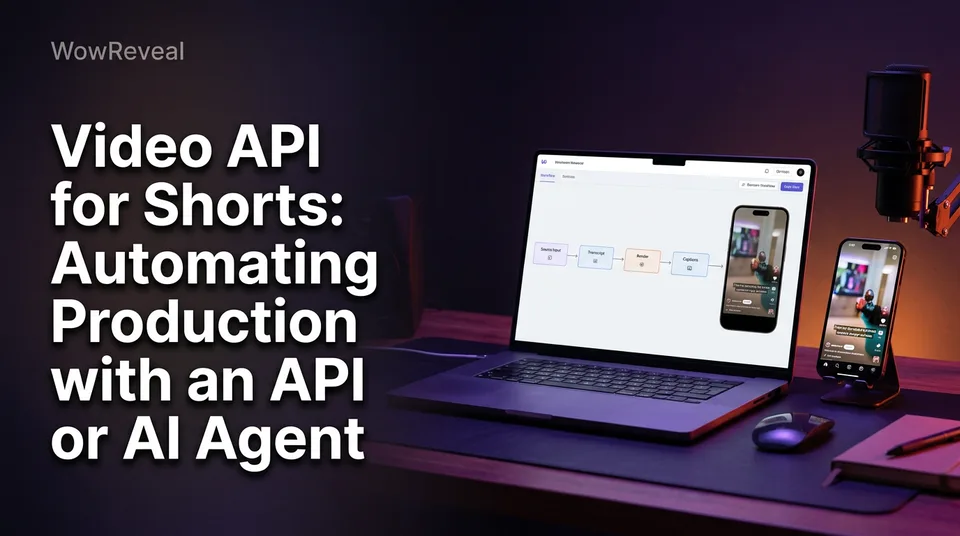
Yes, AI can make a video clip, and a video API for Shorts is how you request one from code or an AI agent: you send a source video (a link or a file) and get back a rendered vertical clip. That's a different job from the YouTube Data API, which only uploads and manages videos you've already finished.
If you already cut Shorts and Reels by hand, this is the next step. Below: what the term actually means, how the setup works, two use cases, and the one guardrail we'd never skip.
Production API vs publishing API: what "video API for Shorts" means
A video API is a set of web endpoints that lets your software ask another service to do work, instead of a person clicking through an app. For Shorts there are two very different kinds, and mixing them up is the most common mistake we see.
| Production API | Publishing API | |
|---|---|---|
| Job | Creates the clip | Posts the finished file |
| Input | Source link or file | A ready video file |
| Output | 9:16 video with captions, voiceover, headline, music, cover | A live post |
| Example | WowReveal API | YouTube Data API |
Why the YouTube Data API is not a clip maker
The YouTube Data API has no dedicated Shorts endpoint. YouTube classifies a video as a Short by its format, vertical and short enough, so you upload a normal video and the platform decides. Format limits can change, so check YouTube's current Shorts help.
The official upload guide walks through sending a finished file. It expects the file itself, so "upload video from URL" isn't something it does for you. And nothing in it cuts, captions or voices anything.
How an automated Shorts pipeline works: authentication, jobs and webhooks
An automated pipeline has four steps: authenticate, submit a job, wait for it to finish, download the result. We're keeping this high level on purpose. Exact endpoint names and fields belong in the docs of whichever API you use.
Authenticate with an API key
A production API normally authenticates with an API key sent with each request. Keep it on your server or in an environment variable, never in a public GitHub repo or browser code.
YouTube works differently. Per its getting-started guide, uploading needs OAuth consent from the channel owner, and the API has a daily quota. Two credentials, two jobs.
Submit a job and wait for the webhook
Rendering takes time, so jobs are asynchronous. You submit the source plus your options (voiceover language, template, brand settings) and get a job ID back. Then you either poll for status or register a webhook, a URL the service calls when the job finishes.
Polling is fine for a script. Webhooks are better for batches. When the job completes, you download the 9:16 file.
Failed jobs and retries
Some jobs fail: the source link is unavailable, the file is corrupt. Log the job ID, retry once, then flag it for a human. Don't build an infinite retry loop.
With the WowReveal API, failed jobs are refunded automatically in credits, so a retry doesn't quietly drain your balance. Confirm the same policy exists before running a big batch on any other service.
Use case 1: bulk rendering for many pages
Bulk rendering means submitting dozens of source videos in one batch and collecting finished clips while you do something else. It suits agencies feeding several pages on Facebook Reels, YouTube Shorts, TikTok and Instagram Reels.
A typical setup: a script reads a spreadsheet of links you own or have permission to use, submits one job per row with each page's brand settings, and a webhook drops the finished files into a review folder. That's how you turn long videos into Shorts at scale. The AI Clipper finds the best moments, so you aren't scrubbing timelines.
The reverse question, turning Shorts into one longer video, is a compilation job. Stick to your own clips or licensed footage.
Use case 2: agent-driven pipelines with an MCP server
An MCP server lets an AI agent call a service's tools directly, so it can request a clip without you writing integration code. WowReveal offers both an API and an MCP server for this.
You'd tell the agent something like "clip the three best moments from this episode and voice a story in Spanish." It calls the tools, tracks the jobs and hands back files. That beats a bare API when the task is fuzzy, like choosing which source gets which template.
The agent decides what to make. It doesn't decide what's safe to post. And if you grab an MCP or API client from GitHub, read the code before handing it your key.
Automated posting: what to automate and what to keep manual
Automate the rendering and file handling, and keep the approve-and-post decision with a human. Scheduling inside Meta Business Suite or a YouTube upload script is fine once a person has signed off.
Why API-uploaded Shorts can underperform
One creator on r/NewTubers reported that manually uploaded Shorts got 200-500 views while API-uploaded ones got zero. It's a single anecdote, and the cause isn't proven. It could be the content, the metadata, or something unrelated.
But we've watched pages lose reach for weeks after posting repetitive or unoriginal batches nobody looked at. Both the YouTube Partner Program and Facebook content monetization have originality rules, and rules change, so read the current versions.
A simple review checkpoint
Two minutes per clip is enough:
- Rights: Do you own or have permission to use the source?
- Originality: Does the clip add something, like a story, commentary or a clear edit, rather than just re-posting?
- Accuracy: Do the captions and AI voiceover match what's on screen?
- Packaging: Are the title, headline and cover honest and clean?
Is a video API for Shorts free? Costs and limits
The YouTube Data API is free to use within a daily quota, which the getting-started guide explains. Production APIs usually run on credits, because rendering video costs real compute.
So "video API for Shorts free" usually means free trial credits, not unlimited use. WowReveal gives free credits to start, no card needed, then monthly plans or one-time credit packs.
One caution: cheaper clips aren't income. Meta, YouTube and TikTok decide monetization eligibility, and nothing here promises earnings.
Getting started: a first automated run
Start with one video you own, one job and one review. Don't build the batch system first.
- Create an API key in your account.
- Submit a single source link or file with your voiceover language and template.
- Poll for the result, or set a webhook once polling works.
- Review the 9:16 output against the checklist above.
- Post it by hand.
- Only then loop over a list.
Most GitHub examples you'll find cover the upload side, which is the publishing half. Use them for posting, and keep production a separate step.
Frequently asked questions
What does video API mean?
It's a set of web endpoints that lets software request video work from a service. A production API creates clips from a source, while a publishing API like the YouTube Data API only uploads finished videos.
Is the YouTube API free?
The YouTube Data API is free within a daily quota, but it only handles uploading and managing videos. It doesn't create or edit clips, and its quota and terms can change.
Can I get a video API for free?
Not unlimited, usually. Production APIs run on credits, and WowReveal offers free credits to start without a card, so you can test a first job before paying.
Where to go next
- How to Turn a YouTube Video into Shorts (Step by Step) — the manual version of what the API automates, so you know what good output looks like.
- What Is a Brand Kit for Shorts? Definition, Contents and Setup — keeps automated output consistent across pages.
- Short-Video Workflow for Agencies: Managing Many Reels and Shorts Pages — shows the human workflow that bulk rendering plugs into.
- Monetization-Safe Shorts: A Pre-Publish Checklist for Every Reel and Short — a fuller review checklist for the step before auto-posting.
- What Is a Compilation Short, and Is It Safe to Post? — flags rights and originality risks in bulk output.
Turn any video into a ready-to-post Reel
Paste a link — WowReveal writes the story, voices it in 9 languages and adds captions, a headline and music. Start with free credits, no card.
Start free →