How to Post the Same Video on Reels, Shorts and TikTok Safely
One master file, four platforms, no flags. Here's how to cross-post a vertical video without watermarks, duplicate posts or recycled captions.
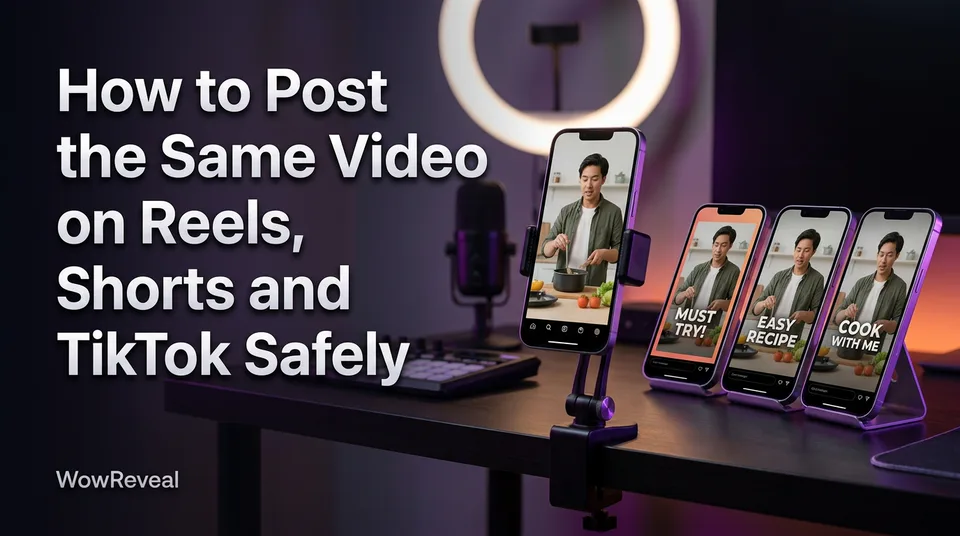
Yes, you can post the same video on Reels, Shorts and TikTok, as long as you upload a clean original file with no other app's watermark, adapt the title, description and cover for each platform, and never re-post the same video twice on the same account. That's also the short answer to getting more reach on Facebook with original content: post your own or properly licensed footage, add real transformation like a story, voiceover or commentary, and don't re-upload other people's clips as they are.
Can you post the same video on Reels, Shorts and TikTok?
Cross-posting one video to different platforms is generally fine, and none of the three platforms treats it as a violation by itself. What gets pages in trouble is how the file got there and how often it's repeated. Platform rules change, so check each program's current policy before you build a routine around it.
What actually gets flagged: watermarks and re-posting, not the cross-posting itself
Here's the risk ranking we'd use, highest first:
- A visible watermark from another app, especially the TikTok logo and username bouncing around the frame.
- The same video posted again on the same account.
- A video that isn't yours or licensed, with no real transformation added.
- Identical titles, captions and covers on every platform. This one is low risk, but it costs you performance.
We've watched pages lose reach for weeks after reposting a downloaded clip with someone else's logo burned in. The cross-posting wasn't the problem. The watermark was.
Same video on the same account twice
Posting the same video twice on one account, whether on YouTube Shorts or TikTok, can read as repetitive or unoriginal content. The YouTube Partner Program policies include a reused content policy aimed at repetitive and mass-produced uploads. The same logic shows up in Meta's guidance on originality, which you can find through the Meta Business Help Center.
Two TikTok accounts, both yours, with identical videos? Nobody outside the platform confirms how that's treated. We'd avoid it. If a video flopped, re-edit it with a new hook and a fresh cover instead of re-uploading it.
Start with one clean master file
The best format for every platform is a single 9:16 vertical file at 1080×1920, with nothing from another app baked into it. Make it once, in your own editor or generator, and treat it as the source for all four uploads.
9:16, 1080×1920, safe zones for captions
Keep captions and headlines inside the middle of the frame. Each app covers the bottom with its caption area and buttons, and the right edge with the like and share column. Leave roughly the top and bottom 10-15% clear of text, then test on your phone. If a word sits under a UI element on one app, it'll sit under one on another.
Why you should export from your editor, not download from TikTok
A TikTok download is a finished file with the logo already stamped on it. Every "remove the watermark" workaround is a patch on a file you shouldn't be reusing. Export a clean version from your editor instead, and that file exists from day one with nothing to remove.
Avoid visible watermarks from other apps
A visible third-party watermark is the one cross-posting mistake you can fully prevent. Instagram has said publicly that it doesn't favor Reels carrying watermarks from other apps, and we'd assume the same caution applies to Facebook Reels and Shorts.
So don't re-upload a downloaded copy anywhere. Keep the project file, export the master from it, and save that export in a folder named by date. If you generate videos in WowReveal, the 9:16 render comes out without another app's logo, so it's ready to use as that master.
Adapt the title, description and cover for each platform
Adapting the post kit means changing the title, description, hashtags and cover per platform, not just pasting one caption four times. The video stays the same. The wrapper doesn't.
Reels
Lead with a hook in the first line of the caption, because that's what shows before the "more" cut. Add three to five relevant hashtags, not 30. Pick a cover frame that still reads when cropped to the profile grid.
Shorts
Write a searchable title. Shorts get found through search and suggested feeds, so name the subject plainly ("How a 1970s radio got restored in 9 minutes") instead of a vague teaser. Keep the description short, and put one or two hashtags at the end.
TikTok
Use a short caption, one line if you can, with a few tags that match the topic. The first seconds of the video carry the weight on TikTok, so the caption is support, not the pitch.
WowReveal's post kit writes titles, descriptions and hashtags, and the cover maker builds covers, so you can generate a variant per platform instead of retyping it. Edit what it gives you. Your own phrasing is part of the originality.
Stagger your posts when it helps
Staggering is optional: you can post everywhere at once or offset by a few hours or a day, and nobody can promise either one wins. If your audiences are active at different hours, offsetting makes sense. If you manage many pages, posting all at once saves time.
Test it for two weeks, with one batch posted simultaneously and one staggered, and compare watch time and retention rather than raw views. And if you're on Instagram and TikTok together, just upload both in the same session. A reasonable default is TikTok first, then Reels and Shorts within a day.
A simple cross-posting workflow
The workflow is simple: one master, one post kit per platform, one upload each, and a log so you never repeat a video on the same account.
- Export the clean 9:16 master, 1080×1920, with captions inside the safe zone.
- Check there's no visible watermark and no unlicensed footage.
- Write the title, description, hashtags and cover for each platform.
- Upload natively to each app, or use a scheduler.
- Log the video and the date per account.
Native upload works fine on every platform. Third-party schedulers save time when you post daily, but they still need a different title and cover for each platform, so they don't remove step 3. For agency work, this is also how you keep many pages from drifting into duplicate posting.
Frequently asked questions
Is it okay to post the same video on TikTok and Instagram?
Yes, as long as the file is your own clean export with no TikTok watermark and you adapt the caption and cover for each app. Posting the same video on both platforms isn't treated as duplicate posting, because they're different accounts on different services.
Can you post the same video twice on YouTube Shorts?
You can, but you shouldn't. Re-posting the same video on one channel can look repetitive or unoriginal, and YouTube's reused content policy targets that kind of pattern. Check the current policy, and re-edit with a new hook if you want a second try.
How can I post original content on Facebook to get more reach?
Post your own or properly licensed video, add real transformation such as a story, voiceover or commentary, and avoid reposting other people's clips as-is. Reach is never guaranteed, but originality is what keeps you eligible for Facebook content monetization.
Where to go next
- Reused Content Policies Compared: Facebook, YouTube and TikTok — the originality rules behind cross-posting penalties.
- Post Kit for Reels and Shorts: How to Write Titles, Descriptions and Hashtags — how to write the per-platform wrapper in detail.
- Monetization-Safe Shorts: A Pre-Publish Checklist for Every Reel and Short — the checks to run before each upload.
- Content Calendar for Daily Reels and Shorts: A Weekly Posting Schedule — turn staggering into a weekly routine.
- Short-Video Workflow for Agencies: Managing Many Reels and Shorts Pages — scale the one-master workflow across many pages.
Turn any video into a ready-to-post Reel
Paste a link — WowReveal writes the story, voices it in 9 languages and adds captions, a headline and music. Start with free credits, no card.
Start free →