Content Calendar for Daily Reels and Shorts: A Weekly Posting Schedule
A reels posting schedule that works is 1 to 3 posts a day, batched once a week and tested against your own numbers. Here's the calendar, the grid and the review.
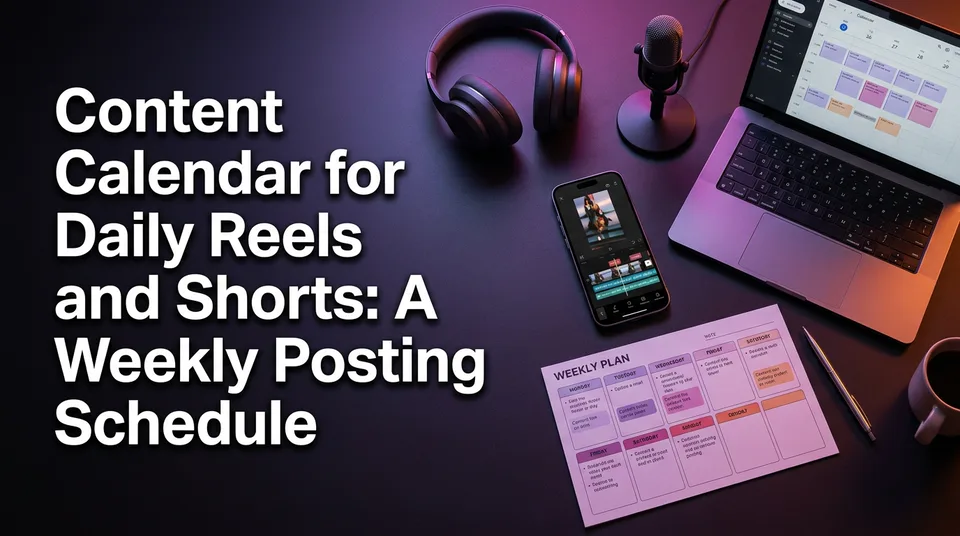
A workable reels posting schedule is 1 to 3 posts a day on a fixed weekly calendar, built in one batch session, with a mix of formats and posting times you test against your own metrics. Quality per post matters more than hitting a higher count. And that's the honest answer to "how do I increase my reel views": views follow retention, and retention follows having the time to make each video good, which a calendar buys you.
How often should you post Reels and Shorts?
Post 1 to 3 Reels or Shorts a day, or 5 to 7 a week at the absolute minimum, and raise the number only when quality holds. The same range works for Facebook Reels, Instagram Reels, YouTube Shorts and TikTok. A YouTube Shorts posting schedule needs no separate logic.
1 post a day vs 3 a day: the quality trade-off
One strong Reel a day on a single page beats three rushed ones. Three posts means three hooks, three voiceovers and three covers every day, and the third one is usually the weakest.
Here's the rule we use. Move from 1 to 2 posts a day only if the last 14 days of posts kept their average watch time. If it dips after the jump, drop back. More posts only help when each one still earns its attention.
A minimum viable schedule for a new page
Start with five posts a week, Monday to Friday, and add weekend posts once the batch session feels easy. A new page doesn't need volume yet. It needs enough posts to show you which format gets watched to the end.
A 7-day format mix you can copy
A good weekly mix rotates five formats so you can compare them fairly: story Reels, best-moment clips, a compilation, one experimental slot and one evergreen or recap post. Pages that post one format seven days straight can't tell what's working. They only know the total.
Sample weekly grid
| Day | Format | Job it does |
|---|---|---|
| Mon | Story Reel with AI voiceover | Your anchor format, highest effort |
| Tue | Best-moment clip | Fast to produce, tests hooks |
| Wed | Compilation | Longer watch time, more shares |
| Thu | Story Reel | Second shot at your anchor format |
| Fri | Trend-led or experimental | The one slot where you're allowed to miss |
| Sat | Best-moment clip from a niche template | Weekend audience, repeatable look |
| Sun | Recap or evergreen post | Best performer of the week, reframed |
If you run WowReveal niche templates and the AI Clipper, the Tuesday and Saturday slots take the least time, since the clipping and layout are mostly done for you. Fill those first.
Batch your week in one session
Batch production means one block, usually a Sunday, that outputs every script, voiceover, caption, cover and scheduled post for the next seven days. Making videos one at a time every morning is the habit that burns pages out by week three.
Work in passes, not videos. Write all seven scripts, then record or generate all seven voiceovers, then do all captions, then all covers. Switching tasks is what eats the hours.
What to prepare per video before scheduling
- A hook for the first 3 seconds, written as a sentence
- The story or clip, trimmed to roughly 30 to 60 seconds in 9:16
- AI voiceover or text-to-speech, plus animated captions
- A cover and a headline
- Title, description and hashtags (a post kit saves you from writing these seven times)
- An originality check: is this mine, or did I add real value to someone's permitted footage?
Best time to post Reels: treat it as a test
No best-time chart can tell you when your audience is awake, so treat every generic window as a starting hypothesis. Charts average millions of accounts. Your page serves one audience in specific time zones.
Do scheduled Reels get fewer views? We don't treat scheduling itself as a penalty, since a post scheduled through official tools is published by the platform natively. Reach differences come from the content and the slot. Be more careful with unofficial third-party tools, and check how they publish.
How to run a simple 2-week time test
- Pick 3 slots, such as morning, early evening and late evening in your audience's local time.
- Post the same format in each slot, rotating them across 14 days.
- Compare average watch time and views per post in Instagram Insights, Meta Business Suite or YouTube Studio analytics.
- Keep the winner for a month, then test again. Audiences drift.
How to schedule Reels and Shorts
Yes, you can schedule Reels. Per the Instagram Help Center, you can schedule posts and Reels up to 30 days ahead, and Meta Business Suite allows up to 25 scheduled posts a day. Platform limits change, so check the current numbers in your own account.
On mobile, start a new Reel in the Instagram app and look for the scheduling option on the final share screen or under advanced settings. On a PC, open Meta Business Suite in your browser, choose Create reel, add the file and caption, then pick a date and time. It's free either way. For Facebook, the Meta Business Help Center covers the Page side.
YouTube Shorts uses the visibility step in YouTube Studio, where you set a publish date. TikTok offers scheduling on some accounts, but availability varies.
Why scheduled Reels may not appear or the option is missing
If you can't schedule posts on Instagram, the cause is usually one of four things:
- Your account is personal, not a professional (creator or business) account
- The app is outdated
- The account isn't connected to the right Facebook Page
- The feature hasn't rolled out to your account yet
If a scheduled post seems to have vanished, look in the scheduled or planner section of Meta Business Suite before assuming it failed. Menu names move around, so search your own app rather than trusting a screenshot from last year.
Weekly review: what to measure and what to change
A 20-minute weekly review of four numbers tells you what to repeat, cut or test: average watch time (or retention), completion rate, shares and views per post. Open your analytics every Sunday before the batch session, not after.
Group posts by format, not by day. For each format, make one call:
- Keep if watch time is steady or rising
- Cut if it's weak for three weeks running
- Test if results are mixed, and change only the hook
Is 1,000 views on a Reel good? It depends on your niche, page size and page age. A page with 500 followers and a rising trend is in a better place than a large page sliding backward. Judge retention and the trend over weeks, not one number.
Want more views? Fix the hook first, since a weak first 3 seconds caps everything after it.
Keep daily posting safe for monetization
Daily posting is safe for monetization only if every post is original enough to be yours: your story, your edit, your voice, permitted footage. Volume is where originality problems usually creep in. We've watched pages lose reach for weeks after reposting one unoriginal clip.
Don't repost other people's videos without permission, and don't use tricks to dodge Content ID or originality checks. Vary your formats, openings and covers so the feed doesn't look like one template stamped out 30 times.
Eligibility for Facebook content monetization, the YouTube Partner Program and TikTok programs is decided by Meta, YouTube and TikTok, and the rules change. Check the current requirements, and treat any earnings figure, including RPM and CPM estimates, as an estimate.
Frequently asked questions
How many Reels should I post a day?
Start with 1 a day, or 5 to 7 a week. Go to 2 or 3 a day only if average watch time held for the last 14 days. More posts at lower quality usually cost you more than they gain.
What's the best time to post Reels?
There's no universal answer. Use a generic window as a hypothesis, then test 2 or 3 slots for 2 weeks and read your own audience insights.
Can I schedule Reels for free?
Yes. Instagram's native scheduling and Meta Business Suite are free, though availability varies by account and app version. Verify the option in your own account.
Where to go next
- Niche Templates for Reels: Repeatable Formats for Daily Posting — fills the weekly grid with formats you can repeat.
- Post Kit for Reels and Shorts: How to Write Titles, Descriptions and Hashtags — speeds up the metadata step of your batch session.
- Hooks for Reels and Shorts: How to Win the First 3 Seconds — the strongest lever for raising views once the calendar is running.
- Monetization-Safe Shorts: A Pre-Publish Checklist for Every Reel and Short — run it before you schedule a full week of posts.
- How to Post Reels Daily on Multiple Pages Without Burning Out — extends this calendar to several pages and a team.
Turn any video into a ready-to-post Reel
Paste a link — WowReveal writes the story, voices it in 9 languages and adds captions, a headline and music. Start with free credits, no card.
Start free →