What Is a Niche Template for Shorts?
A niche template is a repeatable format for one content niche: hook, beats, pacing, captions. Here's what it contains, how it differs from Canva or CapCut templates, and its limits.
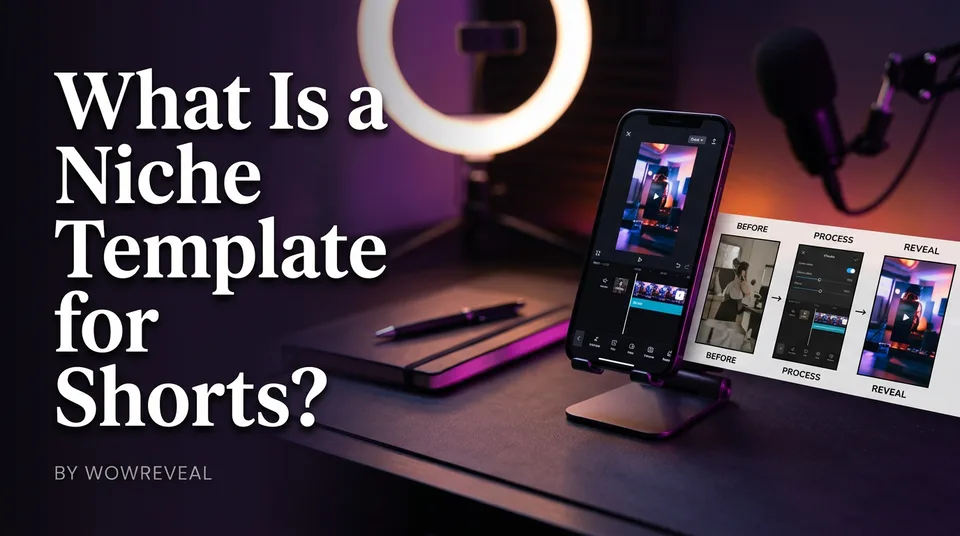
A niche template for Shorts is a repeatable structure for one content niche (hook, story beats, pacing, caption style) that you fill with new footage or stories each time. It's a format blueprint, not just a visual editing layout. The structure stays fixed; the material changes every post.
Key points:
- A niche template defines how a video is built, not only how it looks.
- It's tied to one niche, such as haircut transformations or animal rescue.
- It makes daily posting faster and more consistent.
- It doesn't make content original and doesn't guarantee views or earnings.
- Free and paid versions exist, from DIY checklists to tools with built-in templates.
Niche template for Shorts: the short definition
A niche template is a production blueprint for one type of video. Think of it as the answer to "what happens, in what order, and for how long?" so you stop reinventing the format every morning.
The same idea works as a repeatable format on YouTube Shorts, Facebook Reels, TikTok and Instagram Reels. The platform changes, the 9:16 vertical structure doesn't.
What a niche template contains
A good niche template fixes six things: the hook type, the story beats, the pacing, the caption style, the music mood and the cover look. Everything else, the actual footage and story, is what you swap in.
Example: a haircut transformation template in 5 parts
- Hook (0-3 seconds): the "after" look flashed first, with a one-line headline like "Nobody expected this cut."
- Beat one: the before state, short and honest.
- Beat two: the key cut or change, sped up.
- Beat three: the client's first reaction.
- Payoff: the full reveal with a closing line that invites a comment.
Pacing stays tight, around 20-40 seconds in total. Captions are large and animated, music is upbeat, and the cover always shows the reveal. Swap the haircut for a rescued puppy and you've got an animal rescue template with the same skeleton.
Niche template vs editing-app template
A niche template is format logic; an editing-app template is a visual layout. Canva, CapCut and Adobe Express ship thousands of Shorts templates, but they hand you placeholder slots, fonts and transitions. They don't tell you what the hook should say or which beat comes second.
You often need both. The editing-app layout decides the look, and the niche template decides the story. Confusing them is why people download 50 free templates and still stare at an empty timeline.
Why creators use niche templates
Niche templates buy speed and consistency. When you post daily, deciding the structure every time burns more energy than editing does, and we've watched pages stall simply because the workflow was too heavy to repeat.
A fixed format also makes several pages manageable, since one person can run the same pipeline across niches. Tools like WowReveal build this in: niche templates plus AI voiceover, animated captions and the AI Clipper that finds best moments in long footage. Free credits cover a first test, no card needed.
What a template cannot do
A template can't make a video original, and it can't promise views or earnings. It standardizes structure only. If you fill it with someone else's clip or the same footage repeated, you're building a originality problem, not a channel.
Platform rules decide monetization. The YouTube Partner Program overview lists the eligibility thresholds, and they can change. Meta's Facebook content monetization has its own originality expectations. Add your own commentary, story and footage you have rights to, every time.
How to choose a niche for a template
There's no single best niche for Facebook Reels or good niche for YouTube Shorts. The right one fits your interest, has a steady supply of footage you can legitimately use, leaves room for original storytelling, and stays safe for monetization.
Common starting points include talent shows, haircut transformations, animal rescue, satisfying restorations, sports moments, street food and podcast clips. Pick two, post 10-15 videos each, then check your retention and watch time before committing. Data beats guessing.
Where to go next
- Niche Templates for Reels: Repeatable Formats for Daily Posting — the deeper guide to running templates every day.
- Facebook Niche List: Categories Pages Commonly Use for Reels — niche examples to build your first template around.
- Best Niches for Facebook Reels: How to Choose One That Fits Your Page — a fuller answer on picking a niche.
- How to Validate a Facebook Niche With Data Before You Commit — the next step once you've picked a niche.
- Hooks for Reels and Shorts: How to Win the First 3 Seconds — the hook is the first part of every template.
- Monetization-Safe Shorts: A Pre-Publish Checklist for Every Reel and Short — keeps templated videos original and safe.
- Post Kit for Reels and Shorts: How to Write Titles, Descriptions and Hashtags — finish each templated post properly.
- Most Profitable Niche on Facebook? What Actually Decides Earnings — what really drives earnings beyond the niche label.
Turn any video into a ready-to-post Reel
Paste a link — WowReveal writes the story, voices it in 9 languages and adds captions, a headline and music. Start with free credits, no card.
Start free →