Podcast Clips for Reels and Shorts: How to Pick, Format and Post Them
Pick standalone 20-60 second moments, frame them 9:16, add captions and a headline, and let an AI clipper shortlist the picks. Here's the full workflow.
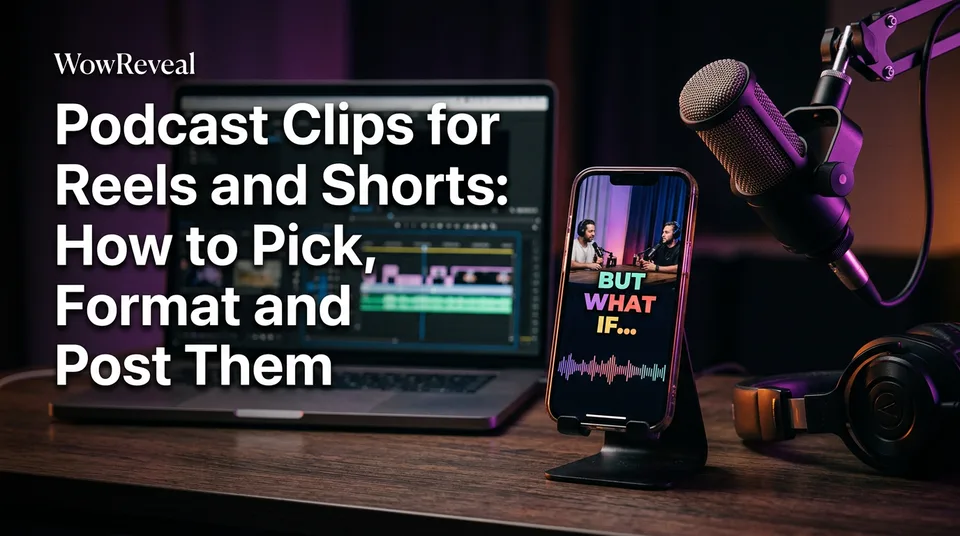
You make podcast clips for Reels and Shorts by choosing short, standalone quotable moments (roughly 20-60 seconds) from an episode, reframing them vertically in 9:16, and adding captions, a headline and a cover. Is there an AI stream clipper that does this? Yes. An AI clipper like the WowReveal AI Clipper can find and format those moments for you, and you approve the picks.
Selection comes first, tooling second. A perfect caption style can't save a clip that makes no sense to a stranger.
What makes a good podcast clip for Reels and Shorts
A good podcast clip is one complete idea that a stranger understands without hearing the rest of the episode. Everything else, the captions, the music, the cover, is packaging around that.
The standalone test: does it work with zero context?
Run every candidate through four checks before you edit anything:
- One idea. If you need "and another thing" to finish the thought, cut earlier.
- Zero context. No "as we said earlier", no unexplained names, no inside jokes.
- Clean start and end. It begins on the first word of a sentence and ends on a landed point, not mid-breath.
- A strong line in the first 3 seconds. That's your hook, and it can be the second sentence moved to the front.
If a clip fails one check, trim it. If it fails two, drop it.
Where to look in an episode: stories, strong opinions, surprising claims
Stories with a turn, blunt opinions and surprising numbers are where the best podcast clips for reels hide. Read the transcript before you listen, and search for "actually", "the problem is", "nobody tells you" and any sentence with a figure in it.
Disagreement between host and guest works well too. Tension keeps people watching. Pleasant agreement rarely does.
How long should a podcast clip be?
Aim for about 20-60 seconds, and go shorter whenever the idea lands faster. Trim dead air, "um" runs and slow intros, then judge by completion rate (the share of viewers who watch to the end), not by a fixed number.
We've seen a 25-second clip outperform a 55-second one from the same episode simply because the point arrived sooner. Test your own audience. Platform length limits also change, so check the YouTube Help page on creating Shorts before you assume a ceiling.
Can AI create podcast clips? Using an AI clipper to find the moments
AI can create podcast clips: it transcribes the episode, scores the moments with the most energy and the cleanest structure, and renders them as vertical videos. That's what "podcast to shorts AI" means in practice. With WowReveal you paste a link or upload the file, and the AI Clipper returns a shortlist, with animated captions, a headline, music and a cover applied. There's also a podcast template if you want the same look on every clip.
What AI does well and what you should still review by hand
| Task | AI clipper | You |
|---|---|---|
| Scanning 60+ minutes fast | Strong | Slow |
| Finding high-energy moments | Strong | Good |
| Judging context and tone | Weak | Essential |
| Spotting a misquote or cut qualifier | Weak | Essential |
| Checking guest names in captions | Often wrong | Quick fix |
This is why the "manual always wins" and "one click does it all" camps both miss. We recommend a hybrid: let the AI shortlist 8-10 moments, run the standalone test on each, keep the 3-5 that pass. It saves the hours of scrubbing and keeps your judgment where it matters.
Format the clip: vertical framing, captions and cover
Format means 9:16 vertical (1080×1920), burned-in captions inside safe zones, a headline overlay and a cover frame. Get those four right and the clip looks native on every platform.
Vertical 9:16 framing for audio-only and video podcasts
For a video podcast, crop to the active speaker and keep the face in the upper-middle of the frame. For two guests, stack them or cut between them on speaker changes.
For audio-only shows, don't ship a bare audiogram (a waveform over a static image). It looks like a placeholder. Put big animated captions in the center and let the waveform be a small accent, or use a still of the guest.
Animated captions and safe zones
Burned-in captions are essential because many viewers watch muted. Use animated captions that highlight the current word, 2-4 words per line, and keep them off the bottom edge and the right side where platform buttons and descriptions sit.
Then proofread. Transcription tools mangle names, brands and jargon. One wrong guest name in 48-point type is the kind of mistake that kills trust.
Headline ideas for podcast clips
A headline is a short line, claim or curiosity based, that matches what the clip actually says. If the clip doesn't deliver it, viewers leave and your retention suffers.
Patterns that work:
- The claim: "You don't need a niche on day one"
- The number: "She quit at 31 and tripled her income"
- The contrast: "Everyone says X. The data says Y."
- The open loop: "The one question he refused to answer"
Keep it under 8 words. Put the same line on the cover, built with a cover maker, so the feed thumbnail and the video agree. Our piece on hooks goes deeper, but the rule here is simple: promise only what the clip pays off.
Posting cadence across Reels, Shorts and TikTok
Post 3-5 clips per episode, spread across several days and across Facebook Reels, YouTube Shorts, TikTok and Instagram Reels. One episode then feeds a week of content instead of a single burst.
| Day | Clip | Where to lead |
|---|---|---|
| 1 | Strongest opinion | Facebook Reels, TikTok |
| 2 | Story with a turn | YouTube Shorts |
| 3 | Surprising claim | Instagram Reels |
| 5 | Best remaining clip | Whichever platform performed best |
Don't paste the same title everywhere. Rewrite the title, description and hashtags for each platform, which is what a post kit speeds up. Upload the clean render to each app instead of reposting a watermarked download.
Rights, free clips and staying monetization-safe
You can only clip content you own or have permission to use, and that includes guest material and any music under the audio. If it's your show, get a simple guest release that covers promotional clips.
On "free podcast video for editing" and "raw podcast clips download": use your own raw files, or files the host has explicitly licensed to you. Downloading someone else's episode and cutting it up is reposting, even with captions on top. If you want free sound clips, use a properly licensed library, or the royalty-safe music built into your editor. Commercial songs trigger Content ID claims.
For podcast clips for reels free, WowReveal offers free credits to start without a card, enough to test the workflow on one episode.
Originality matters for earnings too. Meta's creator resources describe the rules for Facebook content monetization, and eligibility is Meta's decision, so don't count on any payout. Rules change, so recheck them before you scale.
Frequently asked questions
How many clips should I make from one podcast episode?
Three to five is a sound target. Make 8-10 candidates, apply the standalone test, and keep the ones that pass. Spread them over several days instead of posting all at once.
Can I make clips from someone else's podcast?
Only with permission. Cutting up another creator's episode is reposting, which risks originality problems, takedowns and demonetization. Ask for written approval, or clip your own episodes and guests who've signed a release.
Is there a free way to make podcast clips for Reels?
Yes, start with free credits from an AI clipper, or do it by hand in a free editor. Use your own audio and licensed music either way. Expect the manual route to take noticeably longer per clip.
Where to go next
- Original Content on Facebook Reels: What Counts and What Doesn't — Read this first if you clip guests or reuse third-party audio.
- AI Stream Clipper: How to Turn Podcasts and Streams into Shorts — A deeper look at how AI clippers pick moments from long recordings.
- Hooks for Reels and Shorts: How to Win the First 3 Seconds — Sharpen the opening line of each clip.
- Best Reel Length and Pacing for Completion Rate — Back up your length choices with pacing rules.
- Post Kit for Reels and Shorts: How to Write Titles, Descriptions and Hashtags — Write the per-platform copy that goes out with each clip.
Turn any video into a ready-to-post Reel
Paste a link — WowReveal writes the story, voices it in 9 languages and adds captions, a headline and music. Start with free credits, no card.
Start free →