What Is a Brand Kit for Shorts? Definition, Contents and Setup
A brand kit for video saves your logo, colors, fonts and caption style and applies them to every short. Here's what goes in it, and what it can't do.
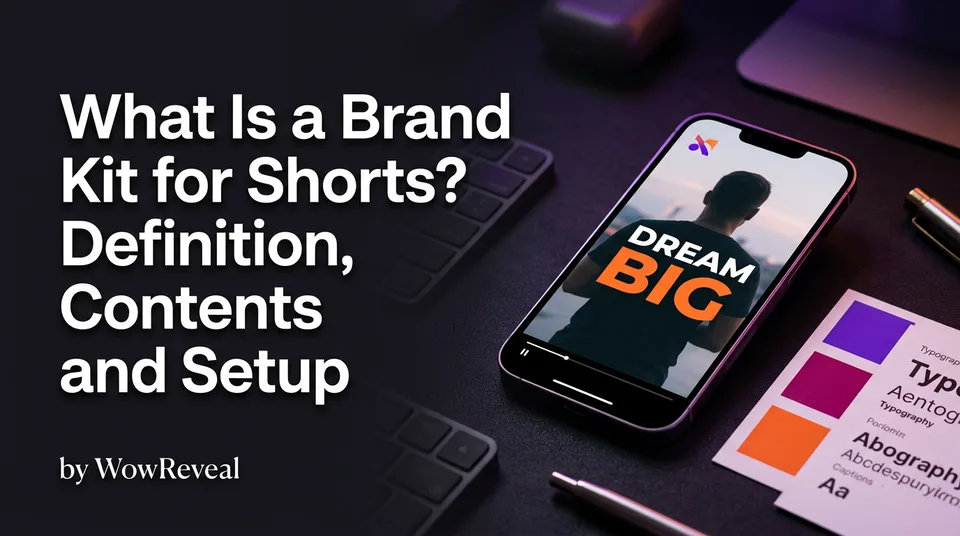
A brand kit for video is a saved set of your logo, colors, fonts and caption style that is applied automatically to every video, so all your Shorts and Reels look consistent and recognizable. You set it once and stop rebuilding the look on each clip. It won't raise your views on its own, because hooks and retention do that. What the kit does is make your page recognizable once people start watching.
Key points
- A kit has four core parts: logo, colors, fonts and caption style. Cover and music are optional extras.
- For 9:16 vertical video, the logo has to sit in safe zones and the captions have to read on a phone screen.
- It saves production time and keeps many pages consistent when each page gets its own kit.
- It gives you a look, not originality, and it doesn't guarantee views or monetization.
Brand kit for video: the definition
A brand kit is the saved style sheet your video tool applies for you. Instead of choosing a font, nudging a logo and recoloring captions on every clip, you define them once and each new short inherits them. Canva made the idea familiar for images. The video version adds motion elements like animated captions, a cover look and a music choice.
What to include in a brand kit for Shorts
Keep the kit small, because a kit with 12 fonts isn't a kit. Four to six items cover almost every page.
Logo and placement
Use a flat, simple logo or watermark, ideally a transparent PNG. Then place it inside the safe zones, the areas that platform interface elements don't cover. On Facebook Reels, YouTube Shorts, TikTok and Instagram Reels, buttons, usernames and descriptions crowd the bottom and the right edge. The upper area is usually safer. Interfaces change, so test one post on each platform before you lock the position.
Colors and fonts
Pick two or three colors: a main one, an accent and a text color with strong contrast. Choose one bold font with thick strokes. Thin fonts disappear at phone size.
Caption style
Caption style is the most visible brand element in 9:16. A logo is tiny, but captions fill the middle of every frame. Define the font, size, highlight color for the spoken word, outline and position. Animated captions that highlight each word as it's spoken can identify your page even when the logo is hidden by the interface.
Music, intro and cover look
These are optional. A consistent cover layout from a cover maker and one recurring music style give your grid a pattern. Skip long intros, because the first 3 seconds belong to the hook.
Why a brand kit helps pages at scale
A brand kit makes every video faster to produce and every page easier to recognize. At three posts a day, restyling each clip by hand eats hours every week. We've watched creators burn their energy on font choices that a saved kit would have settled once.
Agencies get the biggest win. Give each page its own kit, so one client's colors never leak onto another's. The same kit also carries across Reels, Shorts and TikTok, so viewers who find you on one platform recognize you on the next.
How to set up and update your brand kit
You can set up a usable kit in about 15 minutes.
- Upload the logo and check it against the safe zones.
- Set your two or three colors.
- Choose one font and build the caption style around it.
- Pick a cover layout and, if you want one, a music style.
- Render one test video and watch it on your phone at arm's length.
For a starting point, copy a niche template and adjust it. WowReveal's Brand Kit saves this look so your renders pick it up without rework.
On cost, many tools include brand kits in free or paid tiers. Canva's, for example, depends on the plan, so check the current plan instead of assuming it's free.
Update the kit at a rebrand, when you move to a new niche, or when readability slips. If viewers can't read your captions in bright light, fix the contrast first.
What a brand kit does not do
A brand kit gives you a consistent look, but it doesn't make content original. Platforms judge the video itself. YouTube's channel monetization policies cover reused content, and Meta and TikTok have their own rules. Policies change, so check the current versions. Putting your logo on someone else's clip doesn't fix a reuse problem.
And it doesn't answer the question of how to increase your Reel views. For that, work on the hook, the pacing and how long people watch. Use the kit to make good videos look like yours.
Where to go next
- What Is a Niche Template for Shorts? — Templates and brand kits work together to give a page a repeatable look.
- AI Short Video Creation for Reels and Shorts: The Complete Guide — See where branding fits in the full creation workflow.
- Reused Content Policies Compared: Facebook, YouTube and TikTok — Explains why a consistent look is not the same as original content.
- Monetization-Safe Shorts: A Pre-Publish Checklist for Every Reel and Short — Branding doesn't replace monetization-safe content, so run this check before you post.
- Hooks for Reels and Shorts: How to Win the First 3 Seconds — The real lever for view growth beyond branding.
- Post Kit for Reels and Shorts: How to Write Titles, Descriptions and Hashtags — The next step once the video is branded and ready to post.
- Content Calendar for Daily Reels and Shorts: A Weekly Posting Schedule
- Short-Video Workflow for Agencies: Managing Many Reels and Shorts Pages
Turn any video into a ready-to-post Reel
Paste a link — WowReveal writes the story, voices it in 9 languages and adds captions, a headline and music. Start with free credits, no card.
Start free →