Free AI Video Clipper: What You Get, What the Limits Are, and When to Pay
Free AI video clippers are real, but free rarely means unlimited. Here's what you actually get, which limits hurt a daily-posting page, and how to test one properly.
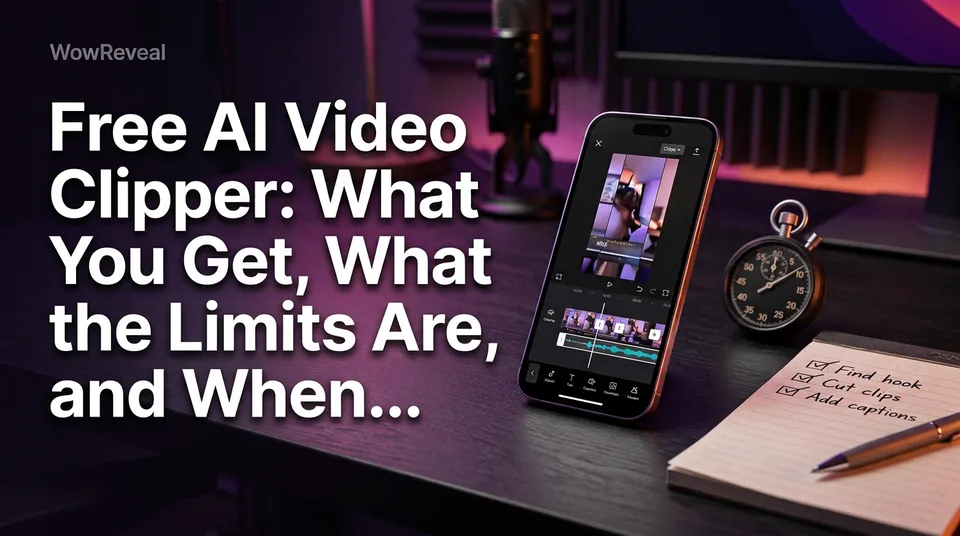
Yes, free AI video clippers exist, but "free" usually means a limited free plan, a one-time credit grant or a short trial, each with caps on processing minutes, watermark, length or resolution. WowReveal starts you with free credits and no card. That's enough to test a clipper properly, but rarely enough to run a page that posts every day. Searching "ai video clipper free" gets you all three models mixed together, so it pays to know which one you're looking at.
Is there a free AI video clipper?
Yes, and most run in the browser, so you can test one in minutes without installing anything. Paste a YouTube link or upload a file, and the tool picks candidate moments and cuts them into 9:16 vertical export clips for Facebook Reels, YouTube Shorts, TikTok and Instagram Reels.
Is there a free AI-powered YouTube clipper? Same answer: yes, with caps. Is there a 100% free AI video generator? Not in any sense that survives daily use. Analysis and rendering cost real compute, so someone pays, and the cap is where you find out who.
One warning on "free download" tools and no-signup offers that sound unlimited. They tend to trade away privacy, output quality or rule compliance. Test in a web app first.
Free credits vs free plan vs free trial
Free comes in three models, and they behave very differently once you post daily. Terms change often, so check each tool's current pricing page before you commit any time.
Free credits (one-time grant)
You get a fixed pile of credits at signup, and when it's gone, it's gone. That makes it ideal for evaluation and useless as a monthly plan. WowReveal works this way: free credits to start, no card, then monthly plans or one-time credit packs. Failed jobs are refunded automatically, which matters more than it sounds.
Permanent free plan (monthly allowance)
A free plan resets every month with a small allowance of processing minutes or exports. It sounds generous. In our experience it's built to get you posting a few clips a week, then nudge you up. Watermarks and lower resolution are common here.
Time-limited trial
A trial gives you a paid plan for a few days, sometimes with a card on file. OpusClip, for example, advertises a short Pro trial alongside its free tier. The clock is the catch: if your week is busy, you burn the trial before you've judged anything.
Typical limits of free AI clippers
Free tiers usually cap five things: watermark, clip length, export resolution, processing minutes and features like captions or music. Each one affects a monetized page differently.
Watermark and branding
A watermarked export is a poor fit for a monetized page. Platforms generally prefer original content without another app's logo burned in, and rules on this keep shifting, so read the current guidelines. Many free tiers remove the watermark only on paid plans. Treat any watermarked clip as a test file, never something you publish.
Length, resolution and export
Check three numbers: maximum source length, maximum clip length and export resolution. 720p is common on free tiers, while 1080×1920 is what you want for a clean 9:16 upload. If the tool also locks animated captions or music behind a paywall, you're editing by hand anyway.
Processing minutes and daily caps
This is the limit that actually decides things. Do the math before you sign up. Assume a 10-minute source gives you 3 usable clips (yours may be better or worse):
| Posts per day | Clips per month | Source minutes needed |
|---|---|---|
| 1 | 30 | about 100 |
| 2 | 60 | about 200 |
| 3 | 90 | about 300 |
Now multiply by the number of pages you run. If the free cap sits below your row, it can't carry the page, no matter how nice the interface looks.
How to test a free clipper on one real video
The best AI video clipper free of charge is simply the one that passes your own test, not the one with the loudest landing page. Use a single real video you own or have permission to use, ideally 10 to 20 minutes long. Then run these five checks:
- Watermark. Is it there, where, and does a paid plan remove it?
- Caption accuracy. Read every caption line. Names, numbers and accents are where errors cluster.
- Usable-clip rate. Out of all suggested clips, how many would you post without recutting? Under one in three is a warning.
- Export resolution. Check the file itself, not the promise. Is it 1080×1920?
- Failed jobs. Make one fail on purpose with a bad link. Are credits refunded, or quietly eaten?
Run the same video through two tools if you can. Tools like Adobe Express offer a free clip generator, and comparing outputs side by side shows differences fast. Whatever you test, only clip videos you're allowed to reuse. Pulling someone else's YouTube video into clips is the quickest way to lose reach.
When your page has outgrown free
Your page has outgrown free when working around the limits costs more time than editing does. Concretely, these are the signals we'd watch:
- You post 1 or more clips daily, or run multiple pages.
- You hit the cap before the month ends.
- You need clean 1080p without a watermark.
- You need a brand kit, voiceover or consistent captions.
- You're re-uploading and re-trimming just to stay under a length cap.
Paying doesn't buy results. No clipper, free or paid, guarantees views or income. Content monetization depends on platform eligibility and original, compliant content, and Meta, YouTube and TikTok make that call. The YouTube Partner Program overview is worth reading before you choose any tool, since eligibility rules can change.
So use free for what it's good at: proving a tool works on your footage. Then pay only when your posting volume says the numbers don't fit.
Frequently asked questions
Can I get a free AI clip maker with no watermark?
Sometimes, but most free tiers keep the watermark on exports and remove it only on paid plans. Test one clip first and check the file itself. A watermarked clip isn't suited to a monetized page.
Are free credits the same as a free plan?
No. Free credits are a one-time grant that runs out, while a free plan gives a smaller allowance that resets each month. A trial is a third thing: temporary access to a paid plan. Check the current pricing page, since terms change.
Does a free AI clipper guarantee views or earnings?
No tool can. Clips only help if the content is original, watchable and compliant, and the platform decides monetization eligibility.
Where to go next
- AI Video Clipper: How It Finds the Best Moments in Long Videos — Shows what the tool is doing, so you know what to judge in your free test.
- How to Turn a YouTube Video into Shorts (Step by Step) — The procedure for running your YouTube-link-to-clips test.
- Best AI Video Clipper: Features to Compare Before You Choose — The next step after free: compare features beyond price.
- How to Post Reels Daily on Multiple Pages Without Burning Out — Shows the volume that makes free caps run out.
- Monetization-Safe Shorts: A Pre-Publish Checklist for Every Reel and Short — Ties watermarks and reuse to monetization safety before you publish.
Turn any video into a ready-to-post Reel
Paste a link — WowReveal writes the story, voices it in 9 languages and adds captions, a headline and music. Start with free credits, no card.
Start free →