Why Shorts Get Demonetized and How to Appeal
Lost monetization on YouTube Shorts? Find out whether it's a channel removal, a limited-ads flag or missed thresholds, and what to do next for each.
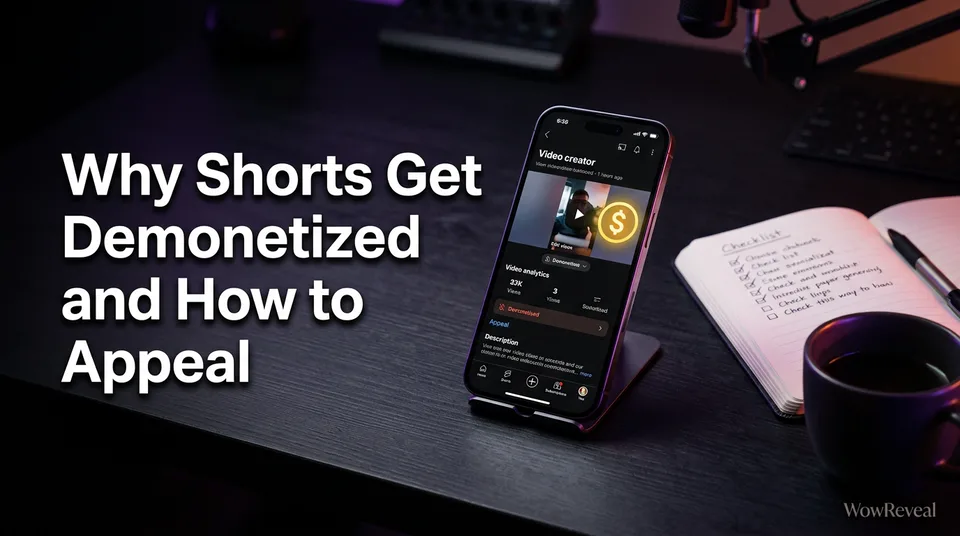
Shorts get demonetized for one of three reasons: reused or mass-produced content, a policy or advertiser-friendly flag or copyright claim, or a channel that no longer meets eligibility thresholds. You fix it by checking YouTube Studio for the exact notice, correcting the cause, then appealing or reapplying.
The order matters. Most creators panic, appeal the wrong thing, and wait weeks for an answer to a question they never asked. Diagnose first.
First, Work Out Which Kind of Demonetization You Have
There are three different situations, and each has a different fix. Treating them as one problem is the most common mistake we see in creator forums and Reddit threads about Shorts demonetized channels.
Channel removed from the YouTube Partner Program
Your whole channel lost earning access. In YouTube Studio, open the Earn tab and read the status and the notice. If it cites the reused content policy (YouTube's wording for repetitive, mass-produced or unoriginal material), this is a channel-level removal. You can't appeal your way out of a pattern. You fix the pattern, then request a review or reapply.
One video marked limited or no ads
A single Short shows the yellow dollar icon (limited or no ads) in Studio's Content list. That's a video-level flag tied to the advertiser-friendly content guidelines, and your channel is still in the YouTube Partner Program (YPP). Here you request a manual review of that video. Nothing else on the channel is affected.
Never eligible: thresholds not met
If the Earn tab shows you haven't reached the requirements, nothing was taken from you. You're just not there yet. No appeal exists for this, only growth, and the numbers are covered below.
| What you see | What it is | Right action |
|---|---|---|
| Earn tab shows removal, cites reused content | Channel-level YPP removal | Fix content, then follow the stated review or reapply path |
| Yellow icon on one video | Limited or no ads | Request review on that video |
| "Not eligible yet" progress bars | Thresholds not met | Keep publishing, reapply when you qualify |
The Most Common Causes: Reused Content, Policy Flags and Copyright
Nearly every demonetization traces back to originality, advertiser suitability or rights. YouTube's reused content policy lists the details, and it's worth reading in full because the wording gets updated.
Reused, repetitive or mass-produced Shorts
Reused content means material that's copied, or that's so templated it adds nothing new. Think 40 Shorts with the same stock footage, the same robotic voiceover and a different headline. We've watched pages get flagged for exactly that, even when every individual clip looked fine.
What helps: real commentary, a transformation of the source, your own story angle. Swapping a caption doesn't count. This applies to AI-made videos too. The tool isn't the issue, the lack of original input is.
Advertiser-friendly and community policy flags
Violence, harsh language, sensitive events and misleading thumbnails can trigger limited ads on a video. Repeated community guideline violations can threaten the whole channel. Check the specific video's monetization notice instead of guessing which second caused it.
Copyright and music claims
A Content ID match or a copyright claim can redirect revenue to the claimant or block monetization on that video. It's usually video-level, not channel-level. A claim is not the same as a strike, though repeated strikes are a serious channel problem. Use music you've licensed or that's cleared for monetized use, and don't try tricks to dodge matching.
How to Appeal a Demonetization Step by Step
You appeal by opening the notice in YouTube Studio, correcting what it names, and submitting the review request it offers. Timing and outcomes are YouTube's call, and nobody can promise reinstatement.
- Open YouTube Studio and check the Earn tab (channel) or the Content list (single video).
- Read the exact reason. Screenshot it.
- Fix first. For a video flag, edit or replace the video. For a channel removal, clean up the Shorts that match the policy.
- Use the review or appeal option in the notice. For one video, that's the "request review" action on the yellow icon.
- Write down the date. YouTube states the review time and any waiting period in the notice, so follow that instead of third-party estimates.
- Don't spam repeat requests. Wait for the answer.
If the answer is no, you've lost nothing but time. Move to the next section.
When to Reapply for Monetization Instead of Appealing
Reapply when the channel was removed or rejected and YouTube's stated waiting period has passed, or when you simply hadn't qualified before. Your thresholds must be met again at that point, and the current rules live on YouTube Help.
Thresholds that apply to Shorts
For the full YPP ad-revenue tier, the usual requirements are 1,000 subscribers plus either 10 million Shorts views in 90 days or 4,000 public watch hours in 12 months. Yes, Shorts views count toward monetization, but only through the Shorts route. Shorts watch time doesn't count toward the 4,000 hours.
YouTube also has a lower fan-funding tier with smaller numbers. Rules change, so check the page before you plan around any figure, including these. As for "will Shorts get monetized," they already are for eligible channels, but the revenue model and requirements have shifted before and may again.
Audit Your Shorts Before You Reapply
Reapplying without an audit is how people get rejected twice. Go through your last 30 to 50 Shorts and be honest.
- Are many of them near-identical in structure, footage or script?
- Is there original input, such as your own voice, commentary, edits or story?
- Is every piece of footage and music cleared for use?
- Do any thumbnails or titles mislead?
- Would a stranger say the channel has a point of view?
Delete or rework what fails. Then rebuild around a repeatable process that still adds something original each time. Tools like WowReveal can speed up the mechanical parts, such as clipping your own long videos, captions and voiceover. The story angle and the permission to use the footage still have to come from you.
Why Is My Facebook Page Not Eligible for Monetization?
A Facebook page is usually ineligible because it misses the eligibility requirements, violates the Meta Partner Monetization Policies, or posts unoriginal content. The same diagnose-then-fix logic applies.
Check your monetization status in Meta Business Suite and in Professional Mode under Facebook Content Monetization. It names the problem. Common causes: not meeting follower or watch-time minimums, reposted clips from other creators, or a past policy violation. Meta's rules and eligible countries change, so confirm on Meta's own pages.
Fix the cause, keep posting original Reels, and request a review when the tool allows it. Same as on YouTube, there's no guarantee, and Meta decides.
Frequently asked questions
Can 30 second YouTube Shorts be monetized?
Yes. Length isn't the deciding factor. Eligibility depends on your channel meeting YPP thresholds and your videos following the reused content and advertiser-friendly policies. Check YouTube Help for current rules.
How long does an appeal take?
YouTube sets the review time and any waiting period, and states it in your notice. We won't guess a number, because it changes. Follow the date in your Studio notice.
Does fixing my Shorts guarantee I get monetization back?
No. Fixing the cause improves your chances, but YouTube makes the final decision on every review and reapplication.
Where to go next
- YouTube Shorts Monetization Requirements: Who Is Eligible and How to Check — Verify the current thresholds before you reapply.
- Monetization-Safe Shorts: A Pre-Publish Checklist for Every Reel and Short — Use the audit steps so it doesn't happen again.
- Copyright and Music Rules for Reels and Shorts: What You Can Use and What to Do After a Claim — Go deeper if a claim caused the problem.
- Can You Monetize AI-Made or Faceless Shorts on YouTube? — Check reused-content risks for AI-made Shorts.
- How Many Views Do You Need to Get Paid on Facebook Reels? — Follow up on the Facebook eligibility side.
Turn any video into a ready-to-post Reel
Paste a link — WowReveal writes the story, voices it in 9 languages and adds captions, a headline and music. Start with free credits, no card.
Start free →