YouTube Shorts Monetization Requirements: Who Is Eligible and How to Check
Shorts monetization runs through the YouTube Partner Program. Here are the real thresholds, which views actually count, and how to check your progress in YouTube Studio.
Shorts monetization requires joining the YouTube Partner Program (YPP). The ad revenue sharing tier needs 1,000 subscribers plus either 4,000 valid public watch hours in 12 months or 10 million valid public Shorts views in 90 days. The fan funding tier starts at 500 subscribers, 3 public uploads in 90 days, and either 3,000 watch hours or 3 million Shorts views. Verify these numbers in YouTube Studio before you plan anything, because YouTube can change them.
So how many views do you need on YouTube Shorts to make money? For ad revenue, 10 million valid public Shorts views in 90 days, together with 1,000 subscribers. A single Short with 1,000 or 30,000 views doesn't unlock a payout on its own.
Key takeaways
- Shorts earnings come through the YouTube Partner Program. There's no separate "Shorts-only" application.
- Tier 1 (fan funding): 500 subscribers, 3 public uploads in 90 days, and 3,000 watch hours or 3 million Shorts views.
- Tier 2 (ad revenue sharing): 1,000 subscribers, and 4,000 watch hours or 10 million Shorts views in 90 days.
- Only valid public views and watch hours count. Raw totals on a dashboard can be misleading.
- Check progress in the Earn tab of YouTube Studio. You don't need a third-party "checker."
- No fixed pay per 1,000 views exists. Treat any number you see online as an estimate.
What YouTube Shorts monetization actually means
YouTube Shorts monetization means being accepted into the YouTube Partner Program, then earning through one or more of its revenue features. It isn't one switch. It's a ladder with two rungs.
The first rung is fan funding: channel memberships, Super Thanks and similar tools where viewers pay you directly. The second rung is ad revenue sharing, where ads shown in the Shorts feed (the vertical swipe experience) generate money that YouTube shares with eligible creators.
Plenty of creators confuse these. Getting accepted at 500 subscribers doesn't mean ads on your Shorts are paying you. That comes only after you reach the higher tier and accept the right terms.
And one more distinction. Shorts monetization is not the same as the long-form ad program. Different views, different pools, different math. We'll get to that.
The two YouTube Partner Program tiers and their thresholds
The YouTube Partner Program has two tiers: a lower one that unlocks fan funding, and a higher one that adds ad revenue sharing. Each tier offers two routes, watch hours or Shorts views.
Here's the comparison, based on YouTube's official YPP overview. Confirm the current figures there, since thresholds change.
| Tier 1: fan funding | Tier 2: ad revenue sharing | |
|---|---|---|
| Subscribers | 500 | 1,000 |
| Public uploads | 3 in the last 90 days | Not part of the tier requirement |
| Watch hours route | 3,000 valid public hours in 12 months | 4,000 valid public hours in 12 months |
| Shorts views route | 3 million valid public Shorts views in 90 days | 10 million valid public Shorts views in 90 days |
| What it unlocks | Fan funding features | Ad revenue sharing, plus fan funding |
You need only one route per tier. Hit the subscriber number and either the watch hours or the Shorts views.
Tier 1: fan funding (500 subscribers)
Tier 1 is the entry point, and it asks for 500 subscribers, 3 public uploads in the last 90 days, and either 3,000 valid public watch hours in 12 months or 3 million valid public Shorts views in 90 days.
This tier opens fan funding, such as memberships and Super Thanks. It doesn't open the Shorts ad pool. That's the part people skip when they read "500 subscribers" in a forum title and assume ads are on.
Tier 2: ad revenue sharing (1,000 subscribers)
Tier 2 needs 1,000 subscribers and either 4,000 valid public watch hours in 12 months or 10 million valid public Shorts views in 90 days. This is the tier that shares ad revenue.
The 10 million figure sounds brutal, and it is. But it's a 90-day rolling window, not a lifetime count. A channel posting daily can pass it with a few breakout Shorts rather than steady averages. Plenty of channels won't get there, and that's normal.
How many views do you need on YouTube Shorts to make money?
You need 10 million valid public Shorts views in 90 days, plus 1,000 subscribers, to qualify for ad revenue sharing through the Shorts views route. For fan funding, the bar is 3 million Shorts views in 90 days with 500 subscribers.
Those are eligibility numbers, not payout numbers. They decide whether you get in. Once you're in, your earnings depend on a separate system, covered below.
The watch hours route is the alternative. If you also make longer videos, 4,000 valid public watch hours in 12 months can get you to the ad tier without the 10 million Shorts views.
Why 1,000 or 30,000 views alone doesn't unlock payment
Does YouTube pay for 1,000 views on Shorts? Not on its own. If your channel isn't in the YPP, those views earn you nothing, however well the Short performed.
The same goes for a 30,000-view Short. It's a good result. It's also a tiny fraction of 10 million. And even once you're accepted, 1,000 views doesn't map to a set dollar amount, because YouTube doesn't pay a fixed rate per view.
We've watched creators celebrate a first 50,000-view Short and then ask where the money is. The honest answer is that it counted toward a threshold. It didn't count toward a payout yet.
Which views and watch hours count (and which don't)
Only valid public views and watch hours count toward YPP thresholds. That's the most common mistake we see: people read the total on a dashboard and assume all of it qualifies.
Valid public views vs. total views
Some views don't qualify. Typical exclusions include:
- Views on videos that are private, or were deleted
- Views on unlisted videos
- Artificial traffic, such as bots, view-buying and click farms
- Views on content that breaks YouTube's policies
The official wording lives in YouTube's Shorts monetization policies, which also explains how qualified Shorts views are handled. Read it once, in full. It's short.
The practical rule: if a view comes from a real person watching a public Short that follows the rules, it's a candidate. Anything else, assume it won't be counted.
Shorts views path vs. watch-hours path
Shorts views and long-form watch hours are two separate routes, and progress on one doesn't automatically transfer to the other. A channel with 8 million Shorts views isn't "partway" to 4,000 watch hours.
As of writing, YouTube's guidance is that Shorts watch time doesn't add to the watch-hours path, and long-form hours don't add to the Shorts views path. Check the Earn tab to see how your own numbers are tracked, since this can change.
So does YouTube Shorts watch time count for monetization? For the Shorts views route, YouTube counts valid public views, not hours. For the watch hours route, you need hours from eligible videos.
Other eligibility conditions beyond the numbers
Hitting the thresholds isn't enough. Your channel must also meet a few account and policy conditions, or the application stalls.
- 2-step verification turned on for the Google account that owns the channel
- No active Community Guidelines strikes
- A linked AdSense account, needed to get paid from ads
- Compliance with YouTube's monetization policies, including the reused content policy (content must be original or meaningfully transformed)
- Residence in a country or region where the YPP is available
The reused content rule matters more than most creators expect. Clip channels that reupload other people's footage with little change are exactly what it targets. If your channel is built on someone else's video, get permission and add real commentary, editing or story. Don't try to dodge Content ID or originality checks. It doesn't work for long, and it can cost you the channel.
AI-assisted channels face the same test. Using AI voiceover and automated editing isn't banned, but mass-produced, repetitive videos with no real value added can be flagged as inauthentic. Keep a human making creative decisions on every upload.
YouTube Shorts monetization countries
The YPP and each of its features are available only in certain countries and regions, and fan funding and ads can be available in different places. YouTube publishes the list on its YPP overview page, and we won't reproduce it here because it changes.
Check two things. First, whether your country is listed for the YPP at all. Second, whether the specific feature you want, ads or fan funding, is supported where you live.
If your country isn't supported yet, the thresholds still matter, since you can keep building toward them. But it may also be worth earning elsewhere in the meantime. Facebook content monetization, TikTok programs and Instagram Reels options each have their own country lists and rules.
How to check your eligibility in YouTube Studio
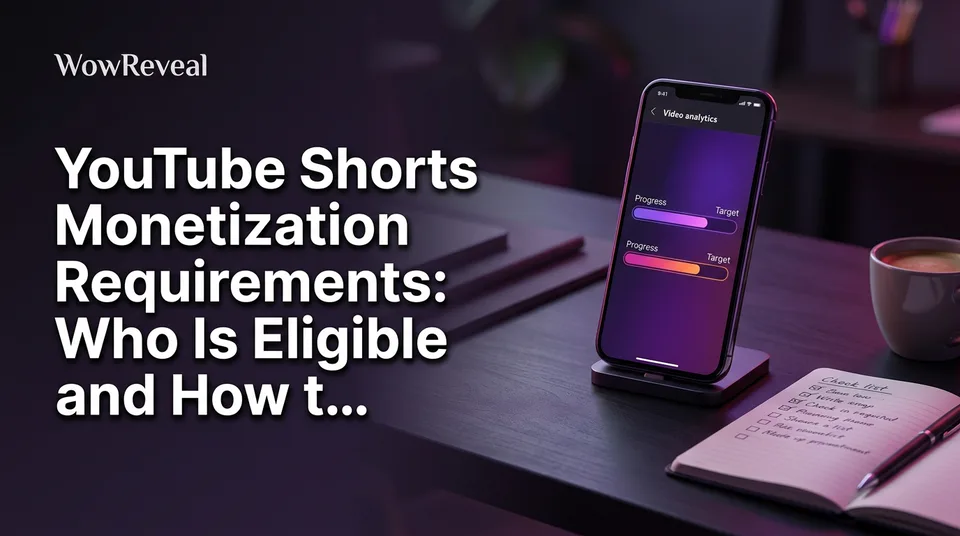
The fastest way to check is the Earn tab in YouTube Studio. You don't need a third-party "checker," and we'd treat external checker sites with suspicion. They ask for channel access or data, and they can't see anything YouTube doesn't already show you.
Here's the path on desktop:
- Open YouTube Studio and sign in to the right channel.
- Click Earn in the left menu.
- Find the eligibility card for the Partner Program.
- Read the progress bars: subscribers, public uploads, and watch hours or Shorts views.
The card shows how far you are toward each tier. If you're short on subscribers, you'll see it. If you've hit the numbers but haven't applied, you'll see an option to apply or be notified.
Statuses vary, but they generally mean one of three things: not yet eligible, eligible to apply, or in review. After you apply, YouTube reviews the channel against its policies. That can take a while, so don't assume anything is wrong in the first few days.
Use the Earn tab as your source of truth, and cross-check it against the official YPP page. If the two ever disagree, trust the official page for the rules and Studio for your own progress.
How Shorts revenue is shared
Shorts revenue comes from a shared pool, not from a rate per view. Ad revenue from the Shorts feed is collected, music licensing costs are deducted, and what remains forms the creator pool.
That creator pool is divided according to each creator's share of total eligible views. Creators then receive 45% of the revenue allocated to them. The official breakdown is on YouTube's Shorts monetization policies page, and the figure can change.
So what does 1,000 views pay? There's no fixed answer. Earnings vary with your audience's countries, the kind of content, ad demand at that time, and how much music you used. That's the difference between RPM (revenue per 1,000 views, after YouTube's share) and CPM (what advertisers pay per 1,000 ad impressions). Your RPM is always lower and moves around.
Here's an illustrative example, with made-up numbers and not a prediction. Suppose a channel's Shorts RPM happened to be $0.05. Then $100 would take 2 million views. At $0.02, it would take 5 million. Your real figure could be higher or lower, and the only way to know is to look at your own analytics after you're in the program.
Anyone quoting "$X per 1,000 Shorts views" as a rule is guessing. Plan around thresholds and your own RPM, not someone else's screenshot.
Can a 3-minute video be monetized?
Yes, a 3-minute video can be monetized, but whether it earns through the Shorts pool or through standard long-form ads depends on how YouTube classifies it. Shorts can now be up to 3 minutes long, but the rule applies to videos uploaded on or after a specific date, and the video must be square or vertical.
If your 3-minute video is classified as a Short, it earns through the Shorts revenue pool and its views count on the Shorts route. If it's classified as long-form, for example because it's horizontal, it follows the long-form rules and counts toward watch hours.
YouTube's help pages state the current length limit, the upload date that applies and the aspect-ratio rules. Check them, because this is exactly the kind of detail that gets updated. For most creators, a clean 9:16 vertical file at 1080×1920 is the safe default.
What creators on Reddit get wrong about Shorts monetization
Threads on Reddit about Shorts monetization repeat the same few misconceptions, and most come from outdated information. We're not quoting anyone here, just describing patterns that come up again and again.
- "Views equal money." They don't. Eligibility comes first, and then earnings depend on the revenue pool.
- "1,000 views is a payout." That's the confusion between 1,000 subscribers and 1,000 views.
- "The threshold is 1,000 subs and 10 million views, full stop." Close, but you also need the account conditions: 2-step verification, no strikes, AdSense.
- "Old numbers still apply." Posts from a couple of years ago often cite thresholds that have since changed. Always check the date.
- "Raw view counts all count." See the section on valid public views.
Forums are great for hearing what a review felt like. They're bad for rules. Use the official pages for the rules and the forums for the experience.
A pre-application checklist for Shorts creators
A short checklist before you apply will save you from most rejections. Run through it a week before you expect to hit the numbers.
- Confirm the thresholds for both tiers on YouTube's official pages today.
- Check the Earn tab and note which route (Shorts views or watch hours) you're closest to.
- Turn on 2-step verification for the channel's Google account.
- Clear any Community Guidelines strikes or wait out active ones.
- Confirm your country is supported for the feature you want.
- Set up AdSense so you can be paid once ads are active.
- Audit for reused content. Remove or rework clips you don't have the right to use.
- Review AI-assisted videos. Each should have a distinct story, real commentary or meaningful editing.
On that last point, repetitive, template-stamped uploads are the real risk. When we work with tools that generate story voiceover, captions and clips, the rule we follow is simple: the tool saves time on production, but the idea, angle and source footage must be yours or properly licensed. WowReveal, for example, handles the voiceover, best-moment clipping and captions, and you still decide what's worth posting.
If YouTube's thresholds feel far off, you aren't stuck. Facebook content monetization usually has lower entry requirements, and short clips can be posted on several platforms. Just don't repost someone else's work without permission anywhere.
Frequently asked questions
Does YouTube pay for 1,000 views on Shorts?
Not by itself. You must be accepted into the YouTube Partner Program first, and even then there's no fixed rate per 1,000 views. Payment comes from a shared revenue pool, so earnings vary with audience country, content and ad demand.
Who is eligible for YouTube Shorts monetization?
Channels in the YouTube Partner Program in a supported country. Ad revenue sharing needs 1,000 subscribers plus 4,000 valid public watch hours in 12 months or 10 million valid public Shorts views in 90 days. You also need 2-step verification, no active strikes and, for ads, an AdSense account.
How many views to make $100 on YouTube Shorts?
It depends on your RPM, which nobody can set for you. As a purely hypothetical example, a $0.05 RPM would mean 2 million views for $100, while $0.02 would mean 5 million. Check your own RPM in YouTube Studio once you're monetized.
Can a 3 minute video be monetized on YouTube?
Yes. Shorts can run up to 3 minutes, and how it earns depends on whether YouTube classifies it as a Short or as long-form. Confirm the length limit, upload date and aspect-ratio rules on YouTube's official help page, since they've changed before.
How do I check if my channel is eligible for the YouTube Partner Program?
Open YouTube Studio and go to the Earn tab. The eligibility card shows your progress on subscribers, uploads, and watch hours or Shorts views. You don't need a third-party checker.
Where to go next
- Short-Form Video Monetization Across Platforms: Programs, Requirements and Rules Compared — compare YouTube's thresholds with the other platforms' programs.
- What Is YouTube Shorts Revenue Sharing? How the Ad Pool Pays Creators — a deeper look at the 45% pool mechanics summarized above.
- What Is RPM for Creators, and How Is It Different From CPM? — explains why earnings per 1,000 views vary so much.
- Reused Content Policies Compared: Facebook, YouTube and TikTok — the originality rules that can block YPP approval.
- Are AI Story Videos Allowed on Facebook and YouTube? — the AI-content policy risk that affects eligibility.
- Monetization-Safe Shorts: A Pre-Publish Checklist for Every Reel and Short — a checklist to run before every upload.
- Facebook Content Monetization Requirements Explained: Who Qualifies and How Approval Works — a lower-threshold option if YouTube's numbers feel far away.
- Facebook Reels vs YouTube Shorts vs TikTok: Where to Post to Earn — helps you decide where to focus your posting.
- Instagram Reels Monetization: Bonuses, Gifts, Subscriptions and Brand Deals — another route to earn from vertical video.
- AI Short Video Creation for Reels and Shorts: The Complete Guide — the production workflow behind consistent posting.
- TikTok Monetization Requirements for Short-Video Creators: What You Need and How to Check
- How to Turn a YouTube Video into Shorts (Step by Step)
Turn any video into a ready-to-post Reel
Paste a link — WowReveal writes the story, voices it in 9 languages and adds captions, a headline and music. Start with free credits, no card.
Start free →