Best AI Video Clipper: Features to Compare Before You Choose
There's no one best AI video clipper, only the right one for your source video. Here are six features to compare, a 15-minute test and a decision rule.
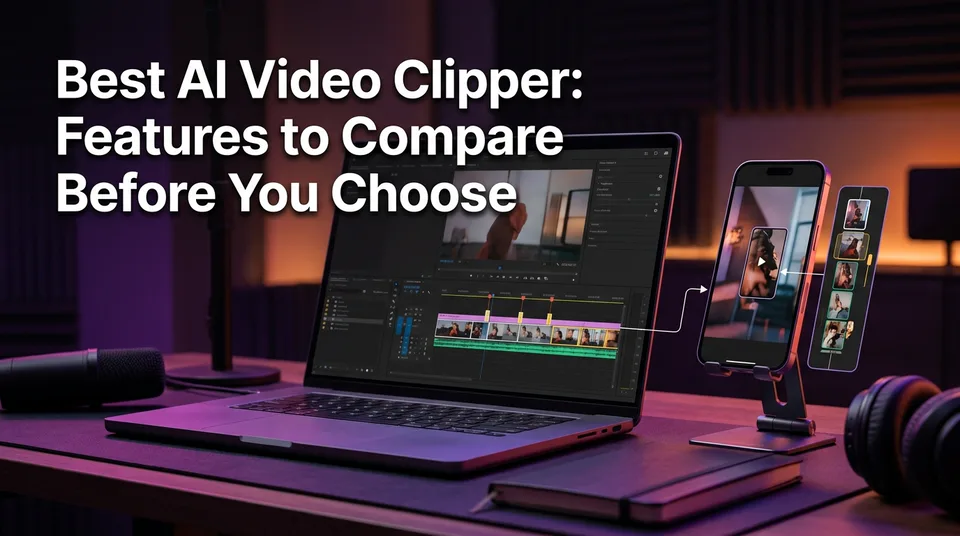
There is no single best AI video clipper. The right one depends on your source (podcast, stream or story content) and on six features: highlight accuracy, caption quality, languages, export format, pricing model and failed-job handling. Tools also split into two types, clip-only tools and tools that add a story with AI voiceover, and the decision rule near the end of this page tells you which type fits your page.
Key takeaways
- Podcasts and interviews: pick the clipper with the strongest transcript-based highlight detection and editable captions.
- Streams and gameplay: pick the one that handles long files quickly and gives you many clip candidates per upload.
- Story-style and faceless pages: pick a tool that writes the story, voices it and adds captions and a cover, not a raw cutter.
- Pricing: compare how failed or poor renders are handled before you compare the sticker price. Plans change, so check each vendor's site.
- Free plans exist, but they usually cap minutes, add watermarks or limit exports. Verify before you build a workflow on one.
- Monetization: a raw cut of someone else's video is a reused-content risk on every major platform. Clip only what you own or have rights to, and add something of your own.
What an AI Video Clipper Does (and What It Doesn't)
An AI video clipper takes a long video, finds the segments most likely to hold attention and cuts them into short vertical clips. You'll see it called an AI clip generator, an AI clip maker or just AI video clipping software. It's the same job under different names.
What it doesn't do is guarantee a good clip. We've watched people publish the first output of any tool and wonder why retention was flat. Treat every output as a draft that needs a human review.
The basic pipeline: transcript, moment scoring, reframing to 9:16, captions
Most clippers run four steps. First, they transcribe the audio. Second, they score segments, usually by reading the transcript for complete thoughts, questions, strong claims and emotional peaks. Third, they reframe the picture from 16:9 to 9:16 (1080×1920), often by tracking the speaker's face. Fourth, they add captions.
Weakness at any step shows up on screen. A bad transcript gives you wrong captions and bad scoring. Weak reframing crops the speaker's head. If you want the detection logic in more depth, the related reading below covers it.
Winner: no tool wins here, because the pipeline is the same. The differences are in how well each step runs, which is what the six features measure.
Two Types of Tools: Clip-Only vs Clip Plus Story and Voiceover
Clip-only tools cut your footage into pieces, while story-plus-voiceover tools build a new narrated video around the footage. That difference matters more for monetized pages than any feature on a spec sheet.
The table below is an orientation, not a ranking. It's based on how each vendor publicly positions its product, and anything we can't confirm is marked "not stated". Always check the vendor's own site.
| Tool | What it does | Input | Output | Pricing model | Best for |
|---|---|---|---|---|---|
| OpusClip | AI clipping of long video into short clips | Long video or link | Captioned vertical clips | Not stated, check vendor | Podcasts, interviews |
| Vizard | AI clipping and editing | Long video | Vertical clips | Not stated, check vendor | Talking-head content |
| Quso | AI clipping and social repurposing | Long video | Short clips | Not stated, check vendor | Social teams |
| Choppity | AI clip and shorts maker, advertises a free plan | Long video or podcast | Captioned clips | Free plan advertised, limits not stated | Testing on a budget |
| Adobe Express | AI clip generator inside a design suite | Uploaded video | Short clips | Free tier advertised, limits not stated | Light, occasional use |
| CapCut | Editor with manual and AI-assisted cuts | Any video | Edited vertical video | Not stated, check vendor | Hands-on editing |
| WowReveal | AI Clipper plus story writing, AI voiceover in 9 languages, animated captions, headline, music, cover | Link or file | Ready-to-post 9:16 video | Free credits, monthly plans, one-time credit packs | Story-style and faceless pages |
Clip-only tools
Clip-only tools are fast and faithful to the source. You upload, they cut, you post. For your own podcast or your own stream, that's often exactly right.
The catch: the output is still your footage with captions on top. For original material that's fine. For anything else, it's the riskiest format you can post.
Tools that also write and voice a story
These tools don't just cut. They write a narrative, voice it with text-to-speech, and lay it over selected moments with captions, a headline, music and a cover. WowReveal sits here. The trade-off is less literal fidelity to the source and more of your own framing, which is the point.
Why the difference matters for monetized pages
Facebook content monetization and the YouTube Partner Program both look for originality. A page that posts raw cuts of other people's footage looks like a reposting page, and we've seen pages lose reach for weeks after one unoriginal clip.
Winner: depends on whether the footage is yours. Your own long-form content suits clip-only tools. Footage you have rights to but didn't make yourself suits a story-plus-voiceover approach.
The Six Features to Compare
Six features decide whether a clipper saves you time or just moves the work somewhere else: highlight accuracy, caption quality, languages, export format, pricing and failed-job handling. Score each one on your own footage, not on the vendor's demo reel.
Highlight accuracy
Highlight accuracy is how often the tool picks a clip you'd actually post with little trimming. Check three things. Does the clip start on a complete thought, not mid-sentence? Is there a hook in the first 3 seconds? Does it end cleanly without you cutting the last line?
No tool is perfect. Expect to reject a share of suggestions and fix some of the rest, and be suspicious of any tool that claims otherwise. A tool that gives you more candidates to choose from beats one that gives you a few polished misses.
Caption quality and animated styles
Good captions have word-level timing, stay readable on a phone and let you edit the text. Animated captions (word-by-word highlights) help retention on muted autoplay, but only if the timing is tight.
Test the transcription on the hard stuff: accents, names, brand terms and numbers. If you have to fix 10 words per clip, the time saved disappears. Editable text is non-negotiable.
Languages for captions and voiceover
Caption languages and voiceover languages are two separate features, and vendors blur them. Transcription languages tell you what spoken language the tool can read. Voiceover languages tell you what language it can speak in the new video.
If you're repurposing content into another language, you need both. WowReveal voices stories in 9 languages. Check any other vendor's list for the exact languages you need, not just the headline number.
Export format, 9:16, length and cover
The export should be 9:16 vertical at 1080×1920, at a length that fits your platform. Short clips of 15 to 60 seconds are common for TikTok and Instagram Reels, while YouTube Shorts and Facebook Reels allow longer. Platform limits change, so check the current ones before you set defaults.
Then ask the practical question: is the file ready to post? That means headline, music, cover or thumbnail all included, with no second editor needed. Every extra app in your workflow is minutes you pay daily.
Pricing and failed-job handling
Pricing comes in three forms: credits, monthly subscriptions and one-time packs. Credits suit irregular posting, subscriptions suit daily volume, and one-time packs suit testing without commitment.
But the number that matters most is what happens when a job fails or the render is bad. Do you lose the credits or minutes? WowReveal refunds failed jobs automatically. Ask every vendor the same question.
Winner: depends on your volume and your source. If you post daily, weight failed-job handling and caption editing highest. If you post weekly, weight highlight accuracy.
How to Test a Clipper in 15 Minutes
You can judge a clipper in 15 minutes with one source video and a written scorecard. Reddit threads on this topic keep circling the same complaint: the tools struggle to find the genuinely good moments. So test exactly that, on your own footage.
Pick one 20 to 40 minute video you own. Run it through each tool's free plan or free credits. Set a timer: 5 minutes to upload and process, 10 minutes to review the output. Don't tweak settings between tools, or the comparison is meaningless.
A simple scorecard
Score each tool from 1 to 5 on these lines:
- Moment quality: how many of the top 5 clips would you post with under 10 seconds of trimming?
- Hook: does the first 3 seconds make you keep watching?
- Caption errors: count wrong words across three clips.
- Framing: is the speaker's face or the action properly in the 9:16 frame?
- Finish: is the file ready to post, with cover, headline and music?
- Cost of a miss: if a job failed or the output was poor, what would it have cost?
Add it up. A tool that scores 4 on moments but 2 on captions might still lose to a tool with 3 and 4, because caption fixes repeat every day.
Winner: your own scorecard. Anyone's published ranking, including ours, uses different footage than you do.
Popular AI Clippers Compared
The popular clippers fall into four groups: clip-only specialists, free-plan tools, a manual editor with AI help, and a story-plus-voiceover tool. We haven't invented rankings here, because rankings depend on your source and on plans that change often.
OpusClip and Vizard-style clip-only tools
OpusClip and Vizard are the names most people start with, and both are built around turning long videos into short clips. They suit podcasts, interviews and talking-head content, where the transcript carries the meaning. If you're looking for Vizard alternatives or comparing OpusClip against other clippers, run the 15-minute test on all of them with the same file.
Their limit is the one every clip-only tool shares: the output is your source, cut shorter. That's a strength for your own content and a liability for anything else.
Free-plan tools: Quso, Choppity, Adobe Express
Quso, Choppity and Adobe Express are the usual answers to a free AI video clipper search. Choppity and Adobe Express both advertise free plans or free tiers. Free plans like these commonly cap minutes, add watermarks or limit exports, and we haven't verified current limits for any of them. Check before you rely on them.
Good use: testing whether AI clipping suits your content at all. Poor use: running a daily posting workflow on a watermarked free tier.
CapCut for manual and AI-assisted cuts
CapCut is an editor first. Its AI features can help with captions and cuts, but you stay in control of every decision, which means more time per video. If you search for a CapCut AI clipper, expect assisted editing, not a one-click highlight finder.
That's a real advantage when you want precise control and a real disadvantage when you post 5 videos a day.
WowReveal: clipper plus story, voiceover, captions and cover
WowReveal's AI Clipper finds the best moments, but it also writes a story, voices it in 9 languages, and adds animated captions, a headline, music and a cover, then renders a 9:16 video. You paste a link or upload a file.
It's the better fit for faceless and story-style pages. It's not the right pick if you just want a literal 1:1 cut of a podcast with no narration. For that, a clip-only tool is simpler.
Winner: depends on the job. Clip-only for your own talk-heavy video, CapCut for hands-on editing, free tiers for testing, story-plus-voiceover for narrative pages.
AI Clipper Pricing: Credits, Subscriptions and Failed Jobs
AI clip maker pricing is easiest to compare by asking what you pay when a job goes wrong. Sticker prices are hard to compare because vendors count minutes, credits, exports or clips differently, and plans change. We don't quote vendor prices here for that reason.
Credits fit irregular posting, since you pay only when you render. A monthly subscription fits steady daily volume. One-time credit packs are good for a trial run. WowReveal offers all three: free credits to start without a card, monthly plans and one-time packs.
Is there a free AI video clipper?
Yes, several tools offer free plans or free credits, so a free AI video clipper does exist, but "free" usually has strings. Expect limited minutes, a watermark, capped exports or slower processing. This is also the honest answer for anyone searching for a free YouTube-video-to-clips tool.
Use free tiers to run the 15-minute test. Don't build a monetized page around a watermark.
What to check in the refund and failed-job policy
Ask three questions. Are failed jobs refunded automatically, or do you file a ticket? Are poor but technically successful renders treated differently? Do unused credits or minutes expire?
WowReveal refunds failed jobs automatically. For every other vendor, read the terms or ask support before you pay.
Winner: depends on volume, but automatic refunds beat a cheaper plan that quietly eats failed renders.
Which Clipper Fits Podcasts, Streams or Story-Style Pages?
Match the tool to the source: transcript strength for podcasts, long-file speed for streams, and story and voiceover for story-style pages. This is the decision rule, and it works for YouTube sources too, since the same logic applies when you turn a long YouTube video into Shorts.
Podcasts and interviews
Choose the clipper with the strongest transcript-based highlight detection and editable captions. In talk content the words are the product, so accuracy on names, accents and quotes is the whole game. Clip-only tools like OpusClip or Vizard are natural first tests here.
Live streams and gameplay
Choose the tool that handles long files fast and returns many candidates. Streams run for hours and most of it is dead air, so you want volume to sift through. Transcript scoring is less reliable when the best moment is a reaction or a play, not a sentence, so review everything by eye.
Story-style and faceless pages
Choose a tool that writes the story, voices it, and adds captions and a cover. Faceless pages live on narration and structure, and a raw clipper gives you neither. This is where WowReveal fits, and where clip-only tools need extra apps to do the same job.
Winner: podcasts go to transcript-first clippers, streams to fast many-clip tools, story pages to clipper-plus-story tools.
Staying Monetization-Safe When You Clip
Clipping is safe only when the footage is yours or you have clear rights, and when your video adds something beyond a cut. Platform rules change, so read the current versions yourself. YouTube explains its reused-content approach on the YouTube Partner Program help page, and Meta publishes its monetization policies in the Meta Business Help Center. TikTok and Instagram Reels have their own originality rules too.
A good captions-and-cover clipper reduces editing time, but it doesn't change who owns the footage. No tool can make a raw repost original.
Only clip content you own or have rights to
Your own podcast, your own streams and footage you've licensed or have written permission to use are fair game. Someone else's video isn't, whatever the tool's marketing says. And never use tricks to dodge Content ID or originality checks. They fail, and they can cost you the page.
Add commentary, voiceover or structure
Originality comes from what you add: commentary, a narrated story, a clear structure, a headline that frames the clip. That's the practical gap between the two tool types. A story-plus-voiceover workflow forces you to add your own layer, while a clip-only workflow lets you skip it, so you have to add it deliberately.
Winner: depends on whether you add something. A clip with your voice and your structure is safer than any raw cut, whichever tool made it. Earnings from any approach are estimates, and Meta, YouTube and TikTok decide eligibility.
Frequently asked questions
What is the best AI clipper for video?
There isn't one. The best choice depends on your source and on six features: highlight accuracy, caption quality, languages, export format, pricing model and failed-job handling. Run the same 20 to 40 minute video through two or three tools and score the results.
Is there a free AI video clipper?
Yes, several tools offer free plans or free credits, including Choppity and Adobe Express. They usually cap minutes, add watermarks or limit exports, so verify the current limits on each vendor's site. WowReveal gives free credits to start without a card.
What is the difference between a clip-only tool and a story clipper?
A clip-only tool cuts your footage into shorter vertical clips with captions. A story clipper like WowReveal also writes a story, voices it with AI voiceover and adds a headline, music and cover. The second type adds the original layer that monetized pages need.
Can I use an AI clipper on someone else's YouTube video?
Not without permission. A raw cut of another creator's video is a reused-content risk on YouTube, Facebook and TikTok, and tools can't fix that. Clip your own content or footage you have clear rights to, and add your own commentary or voiceover.
Is CapCut an AI video clipper?
CapCut is mainly an editor with AI-assisted features such as captions. It gives you manual control, but it's not a one-click highlight finder like clip-focused tools. It suits hands-on editing better than high-volume daily posting.
Where to go next
- AI Video Clipper: How It Finds the Best Moments in Long Videos — understand the detection method behind the highlight-accuracy score.
- What Is Best-Moment Clipping? Definition, Scoring and Clip Length — the scoring and clip-length terms used in this comparison.
- How to Turn a YouTube Video into Shorts (Step by Step) — the practical workflow once you've picked a tool.
- AI Story Video Generator: How to Turn a Story into a Short — how the story-plus-voiceover tool type works.
- Best AI Voiceover for Reels: What to Compare Before You Choose — compare the voiceover side of the languages criterion.
- Reused Content Policies Compared: Facebook, YouTube and TikTok — the rules behind the clipping risk.
- Monetization-Safe Shorts: A Pre-Publish Checklist for Every Reel and Short — check clipped output before you post.
- AI Short Video Creation for Reels and Shorts: The Complete Guide — the wider workflow around clipping.
- Free AI Video Clipper: What You Get, What the Limits Are, and When to Pay
- AI Stream Clipper: How to Turn Podcasts and Streams into Shorts
Turn any video into a ready-to-post Reel
Paste a link — WowReveal writes the story, voices it in 9 languages and adds captions, a headline and music. Start with free credits, no card.
Start free →