Best AI Voiceover for Reels: What to Compare Before You Choose
Pick an AI voiceover for Reels by five criteria: realism, languages, speed per video, commercial rights and price. Plus a quick test to run before you pay.
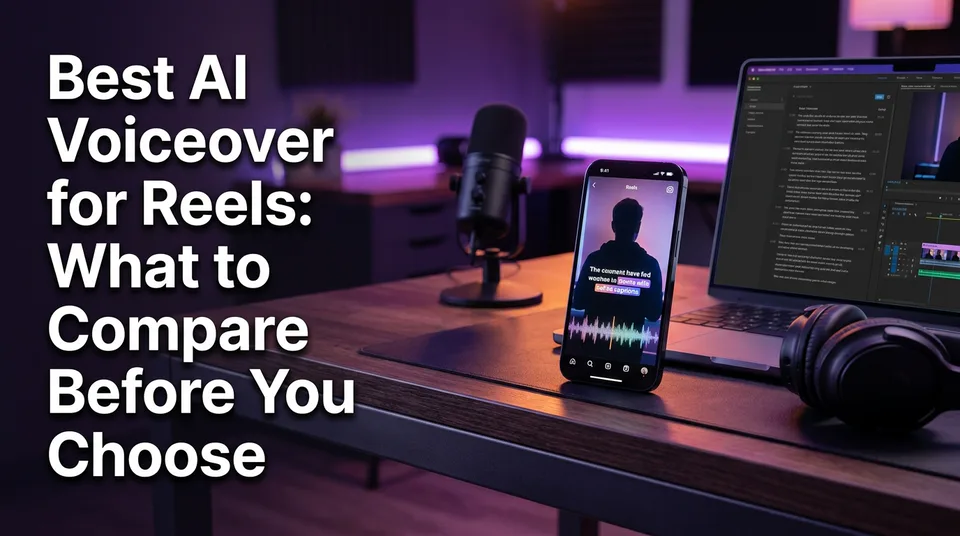
The best AI voiceover for Reels is the one that sounds natural in your language, lets you use the audio commercially on a monetized page, and fits your posting volume. For daily posting, a voiceover built into a full short builder usually saves more time than a standalone generator, while an occasional creator can get by with a free standalone tool. You can find voiceovers in four places: in-app editors, standalone generators, all-in-one builders and human voice actors.
Most "best AI voice" lists rank tools for audiobooks and corporate training. That's the wrong yardstick for a 30-second Reel. What matters here is how fast you get from script to a finished 9:16 video, and whether you're allowed to earn from it.
Key takeaways
- Judge realism by generating your own 30 to 60 second script, not by listening to the tool's demo clips.
- Check the languages and accents you actually publish in. A long language list means nothing if your language sounds robotic.
- Measure speed from script to finished video, including export, import and re-sync, not just audio generation time.
- Free tiers often restrict commercial use, add watermarks or cap credits. Read the license before you post on a monetized page.
- Posting daily or running several pages: pick an all-in-one builder with a predictable cost per video. Posting occasionally: a free standalone tool is usually enough.
What to Compare in an AI Voiceover Tool for Reels
Five criteria decide whether a voiceover tool survives daily use: voice realism, language coverage, speed per video, commercial-use rights and price model. Here's how the main option types stack up before we go through each one.
| Option | What it does | Input | Output | Pricing model | Best for |
|---|---|---|---|---|---|
| In-app text-to-speech (TikTok, Instagram editors) | Reads on-screen text in a preset voice | Typed text | Audio inside the app's editor | Free with the app | Quick, casual clips |
| ElevenLabs | Standalone voice generator with voice cloning | Script | Audio file | Free tier plus paid plans, limits in its help center | Realism and custom voices |
| Murf AI | Standalone studio-style voice generator | Script | Audio file | Not stated here | Polished, business-style narration |
| Clipchamp | Video editor with a text-to-speech option | Script typed in the editor | Voice on the editing timeline | Not stated here, a free option is advertised | Simple editing with built-in voice |
| WowReveal | Writes the story, voices it in 9 languages, adds animated captions, music and cover, renders 9:16 | Video link or file | Finished vertical video | Free credits, monthly plans, one-time credit packs, failed jobs refunded | Pages posting daily |
Features and plans change often, so confirm current details on each tool's own site.
Voice realism and pacing for short videos
Realism on a Reel means pacing, breath and emphasis, not studio polish. A voice that's flawless on a 10-minute audiobook can still sound flat over a 30-second hook, where the first 3 seconds decide whether anyone stays.
Paste your real script and listen for three things. Does it stress the right word in the hook? Does it pause where a human would? Does it mangle names, places or numbers? Demo clips are scripted to avoid exactly those failures.
Winner: whichever tool passes this test on your own script, whatever its marketing says.
Language and accent count
Language count only matters for the languages you publish in. A tool advertising 100 languages may have one excellent English voice and weak versions of everything else.
If you're a non-native English speaker posting in English, listen for accent and rhythm too. Many pages post the same story in several languages to reach more audiences. WowReveal voices in 9 languages, so it fits that workflow, but a tool with a longer list could be the better pick if your language isn't one of the 9.
Winner: depends on your language. Test it, don't count it.
Speed: time from script to finished Reel
Speed is the total time from script to a finished 9:16 video, not how quickly the audio generates. A voice that renders in 5 seconds still costs you minutes if you have to download it, import it, trim silence and re-sync it to the footage.
We've watched creators lose more time in that handoff than in any other step. Do the arithmetic on your own volume. If the detour costs 4 minutes per video and you post 10 a day, that's 40 minutes daily, roughly 20 hours a month. That figure is illustrative, so time your own process.
Winner: the tool with the fewest steps between script and render.
Commercial-use rights on monetized pages
Commercial-use rights decide whether you can legally post the audio on a page that earns from Facebook content monetization, YouTube Partner Program or TikTok. Free tiers often restrict commercial use or require attribution.
Read the commercial license in the terms, not the pricing page headline. ElevenLabs, for example, documents its plans and licensing in its official help center, which is the kind of page you should find and read for any tool you consider. Terms change, so check them again when you upgrade or renew.
Winner: any tool that states in writing that monetized posting is allowed on your plan.
Price model: credits, subscription or one-time packs
Price model matters less than cost per finished video at your volume. Subscriptions suit steady output, credits suit uneven weeks, and one-time packs suit people who post in bursts.
Divide the monthly price by the videos you actually make. Then ask what happens when a job fails. WowReveal refunds failed jobs automatically, and that's a feature worth demanding from any credit-based tool, because a wasted credit on a bad render is a real cost at 10 videos a day.
Winner: depends on volume. Daily posters want predictable per-video cost, occasional creators want no monthly commitment.
Where Can You Find Voiceovers for Reels?
You can find voiceovers for Reels in four places: in-app editors, standalone generators, all-in-one short builders and human voice actors. Each trades control against effort.
- In-app tools. TikTok and Instagram have built-in text-to-speech effects in their editors, and availability can vary by region and change over time. They're free and instant, but the voices are widely recognized and the choice is narrow.
- Standalone generators. ElevenLabs, Murf AI and similar tools give you realistic voices and sometimes voice cloning. You get an audio file, and the rest is your job.
- All-in-one builders. These write or take the script, voice it, add captions and render the video. WowReveal works this way, and Clipchamp offers text-to-speech inside a video editor.
- Human voice actors. Best for a signature brand voice. Slow and costly for 10 videos a day.
If you're searching on Android or for a "voice generator app", note that many strong tools are web apps that run in a phone browser, so you don't need a dedicated app. Reddit threads are useful for spotting complaints, but posters usually describe their own use case, often long YouTube videos, not daily Reels.
Winner: depends on volume. In-app for a one-off, all-in-one for a daily schedule, a human voice for a flagship brand.
Free vs Paid AI Voiceover: What Free Tiers Actually Limit
Free AI voiceover is fine for testing and light posting, but free tiers usually limit watermarks, credits, voice choice and, most importantly, commercial rights. That's why "free AI voice over generator" searches often end in a disappointing export.
Watermarks and character or credit limits
Typical free-tier limits are a watermark, a monthly character or credit cap, fewer voices and lower-quality exports. A cap of a few minutes of audio a month sounds fine until you realize that's maybe a handful of 60-second Reels.
Watermarks on the video are worse than caps. A watermark from another tool on a Reel can hurt reach and looks unprofessional to viewers. Check the exported file, not the preview.
Licensing: can you post it on a monetized page?
Many free plans allow personal or non-commercial use only. Posting on a page enrolled in Facebook content monetization is commercial use, even if you've earned nothing yet.
Look for a sentence that says outputs on your plan can be used commercially, and whether attribution is required. If you can't find that sentence, treat the answer as no. Free voice cloning of a real person's voice without their consent is a separate and bigger problem, and you should avoid it.
When free is enough and when it stops being enough
Free is enough when you post a few times a week, don't need a specific voice, and the license allows your use. It stops being enough when you hit credit caps mid-week, need captions and cover work on top, or run more than one page.
Winner: free for testing and occasional posting. Paid once licensing, caps or re-editing time start costing you more than the plan would.
All-in-One Short Builder vs Standalone Voice Generator
A standalone generator gives you the most control over the voice, while an all-in-one builder removes the manual steps between voice and finished video. At 1 video a week the gap is small. At 10 a day it's the whole game.
The standalone workflow: generate, download, import, re-time
With a standalone tool, each Reel takes the same chain of steps. You write or paste a script, generate audio, download the file, import it into an editor, cut the footage to match the timing, add captions, add music, export, and upload.
None of it is hard. It's the repetition that hurts. And every handoff is a place for a wrong file, a lost project or a caption that drifts out of sync with the voice.
The all-in-one workflow: script, voice, captions and render together
In an all-in-one builder, the script, voice, animated captions, music, headline, cover and render happen in one place. In WowReveal you paste a link or upload a file, it writes the story, voices it, finds the best moments with the AI Clipper and renders a 9:16 video.
You give up some fine control. If you need one very specific cloned voice or studio-grade audio mixing, a standalone tool plus an editor will beat it. For most story and clip pages, the saved steps matter more than the extra control.
Winner: all-in-one for daily or multi-page posting. Standalone when the voice itself is the product.
Which Voice Styles Work for Story and Motivational Reels
Story Reels work best with a warm, slightly slower voice that sounds like someone telling you something, while motivational Reels suit a deeper, steady voice with deliberate pauses. Neither wants a newsreader tone.
Mind the length. A 30-second Reel carries roughly 75 to 90 spoken words at a natural pace, and a 60-second one roughly 150 to 170. Write to that limit, then choose the voice. A script that's too long forces a faster voice, and fast AI voices sound synthetic quickly.
As for "what AI voice is everyone using" or "what do TikTokers use", the honest answer is the built-in TikTok text-to-speech voice for memes, and a mix of standalone generators for longer narration. Copying the most common voice is a weak strategy, because familiar voices make a page feel interchangeable. Pick a voice that fits your niche and keep it consistent across videos so viewers learn it.
Winner: a consistent, niche-fit voice beats the most popular one.
A 10-Minute Test to Run Before You Pay
You can judge any AI voiceover tool in 10 minutes with one real script and four checks. Do it before entering a card.
- Test script (2 minutes). Use a real 30 to 60 second script from your niche, including a few names, numbers and one emotional line.
- Listening check (3 minutes). Play it on your phone speaker, not studio headphones. That's how viewers hear it. Note pacing, stress on the hook and mispronunciations.
- License check (2 minutes). Find the commercial license for the plan you'd actually buy. Confirm monetized posting is allowed and whether credit or attribution is required.
- Timing check (3 minutes). Go all the way from script to a finished 9:16 video, including export, import and re-sync. Write down the total time.
If a tool fails any of the four, it's not your tool, however good its demo sounds. Then multiply the timing result by your daily volume and compare it with the plan price.
Decision Rule: Daily-Posting Page vs Occasional Creator
The decision comes down to volume: if you post daily or run several pages, choose an all-in-one builder, and if you post occasionally, a free or low-cost standalone tool is usually enough.
If you post daily or run several pages
Choose an all-in-one builder with a predictable per-video cost and automatic refunds on failed jobs. At 10 videos a day, every manual step is multiplied by 300 a month, and consistency across pages matters more than perfect audio.
Look for tools that cover the whole chain: story voiceover, best-moment clipping, animated captions, templates and a post kit with titles, descriptions and hashtags. That's the case WowReveal is built for, and it's where it earns its place.
If you post occasionally
Choose a free or low-cost standalone generator and a simple editor. If you post 2 or 3 Reels a week, the extra 4 or 5 minutes per video is tolerable, and you keep more voice control.
Just verify the license before you turn on monetization. And revisit the choice if your schedule changes. Many people who start occasionally end up posting daily within a few months.
Winner: all-in-one for volume, standalone for control and low frequency.
How to Add an AI Voice to a Reel and Stay Monetization-Safe
Add the AI voice to the video before you upload, then publish through Instagram or Facebook as usual. Synthetic voice is allowed, but the Reel still has to add original value to stay monetization-safe.
For Instagram Reels, the simplest path is baking the voiceover into the video file. Generate the voice, combine it with your footage and captions, export a 9:16 video at 1080×1920, then upload it in the Reels editor. You can use the in-app text-to-speech effect instead, but you get fewer voices. For Facebook Reels, the same file works, and you can schedule it in Meta Business Suite.
The monetization side is about originality. A narrated story with your own script, edit and commentary is original work. A reposted clip with a robot reading a caption over it isn't. Meta publishes its rules in the Meta business help center, and they change, so check the current monetization and content policies for your page.
Three habits keep you safer:
- Write or substantially edit the script yourself.
- Use only music and footage you have the rights to, since Content ID and similar systems flag the rest.
- Avoid unlicensed voice cloning of real people.
Eligibility and earnings are decided by Meta, YouTube and TikTok, not by your tooling, and any earnings figure is only an estimate.
Frequently asked questions
Where can I find voice overs for Reels?
You can find them in four places: in-app text-to-speech effects on TikTok and Instagram, standalone AI voice generators like ElevenLabs and Murf AI, all-in-one short builders such as WowReveal or Clipchamp, and human voice actors. For daily posting, an all-in-one builder usually saves the most time.
How do I add an AI voice to Instagram Reels?
Generate the voice in a tool, combine it with your footage and captions into a 9:16 video, export it at 1080×1920 and upload it in the Reels editor. You can also use Instagram's built-in text-to-speech effect, though it offers fewer voices.
Can I monetize a Reel with an AI voiceover?
Synthetic voice is generally allowed, but the Reel still has to be original and add value through your story, edit or commentary. Check your tool's commercial license and Meta's current policies, since rules change and Meta decides eligibility.
Is a free AI voice over generator good enough for Reels?
It's fine for testing and occasional posting, as long as the license allows commercial use. Free tiers often add watermarks, cap credits or restrict commercial use, so confirm those limits before posting on a monetized page.
Which AI voice generator is best for voice over?
It depends on your language, volume and license needs. Test your own 30 to 60 second script on two or three tools, check the commercial license, and time the full path to a finished video before you pick one.
Where to go next
- What Is AI Voiceover? Definition and How It Works — background if you're new to how text-to-speech voices work.
- How to Add AI Voiceover to Reels, Step by Step — the how-to once you've picked a tool.
- AI Story Video Generator: How to Turn a Story into a Short — see the all-in-one story-to-voiceover workflow in action.
- Faceless Shorts with AI: How to Make Them Step by Step — voiceover is the core of faceless formats.
- Original Content on Facebook Reels: What Counts and What Doesn't — the originality rules behind narrated content.
- Monetization-Safe Shorts: A Pre-Publish Checklist for Every Reel and Short — what to check before you publish with a synthetic voice.
- How to Post Reels Daily on Multiple Pages Without Burning Out — puts the daily-posting decision rule into practice.
- AI Short Video Creation for Reels and Shorts: The Complete Guide — the pillar guide for the wider workflow.
- How to Turn a YouTube Video into Shorts (Step by Step)
- Best AI Video Clipper: Features to Compare Before You Choose
Turn any video into a ready-to-post Reel
Paste a link — WowReveal writes the story, voices it in 9 languages and adds captions, a headline and music. Start with free credits, no card.
Start free →