How to Add AI Voiceover to Reels, Step by Step
No mic, no problem. Here's the five-step workflow for narrated Reels: script budget, voice choice, sync and export, plus the two mistakes that kill retention.
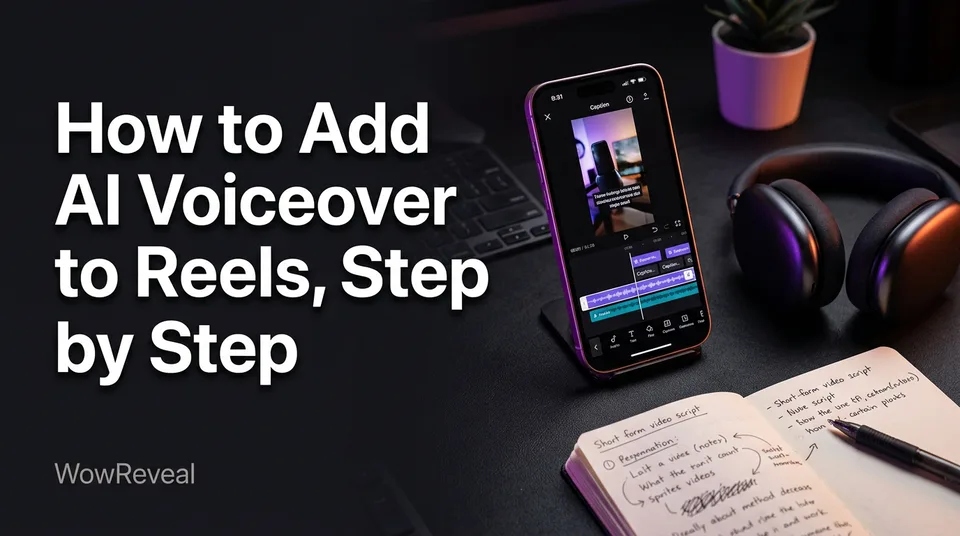
To add an AI voiceover to a Reel, write a short script meant to be spoken, generate it with an AI voice, sync it to your visuals and captions, then export in 9:16. A tool like WowReveal runs those steps in one flow, from story script to voice to captions to render. The five steps are: script, voice and speed, generate, sync, export.
Quick Answer: The 5 Steps to AI Voiceover on a Reel
The workflow has five steps, and the order matters because fixing a script costs seconds while fixing a finished video costs an evening.
- Write a spoken-style script sized to your Reel length.
- Choose the voice, language and speed that fit your niche.
- Generate the audio and listen to it once, fully.
- Sync each sentence to a cut or caption line.
- Export at 9:16, check the audio level, and post.
Most of the real work happens in steps 1 and 4. The voice generation itself takes seconds.
Step 1: Write a Script Meant to Be Heard
A good voiceover script is written for the ear: short sentences, plain words, and a hook in the very first line. If you stumble when you read it aloud, the AI voice will sound stiff too.
How many words fit a 30-second Reel
Plan on about 2.5 spoken words per second, so roughly 75 words for 30 seconds and 85 to 90 for 35 seconds. Treat these as approximations, since voice and speed setting change the pace. A 60-second Reel lands near 150 words.
Your hook line has to be spoken inside the first 3 seconds, which means about 7 or 8 words. Write that line first, then the rest.
Can ChatGPT do voiceovers?
ChatGPT can draft your script and has its own voice features, but it isn't a Reels voiceover workflow. It doesn't sync audio to your video, add captions or export a vertical file. Use it for drafting, then move the script into a tool that builds the video. Editors like Canva and Clipchamp also offer text-to-speech if you're assembling the Reel by hand.
Step 2: Choose the Voice, Language and Speed
Pick the voice by niche before anything else, because the wrong tone makes a good script sound fake. Test one or two voices on the hook line only. If the first 8 words don't work, the rest won't save them.
Match the voice to your niche
| Niche | Voice style | Speed |
|---|---|---|
| Wholesome or kindness stories | Calm, warm | Normal to slightly slower |
| Dramatic or motivational | Deeper, steady | Slower, with pauses |
| Facts, sports, trends | Brisk, clear | Slightly faster |
| Animal rescue, kids | Gentle, friendly | Normal |
That deep motivational voice people ask about on Reddit is just a low, slow male text-to-speech voice with music underneath. Any decent generator has one. Don't clone or imitate a real person's voice, though. It's a legal and platform headache you don't need.
Voiceover in other languages for Shorts and Reels
AI voiceover works in other languages, and WowReveal voices stories in 9 of them. But the voice matters less than the script. A machine-translated script read by an excellent voice still sounds off to a native listener. Write in the target language, or have a native speaker read the script once before you generate.
Step 3: Generate the Voiceover (Free Options and Limits)
You can generate an AI voiceover for free, but free nearly always comes with limits. Know them before you build a daily posting habit on one tool.
Where to find voiceovers for Reels
There are three realistic sources. Text-to-speech inside an editor (Canva, Clipchamp) suits one-off edits. Standalone voice generators give you more voices but leave the video work to you. All-in-one short-video tools, WowReveal included, write the story, voice it and render the Reel together.
Which is "best" depends on whether you need only audio or a finished video. For daily posting, fewer handoffs means fewer mistakes.
What free usually means
Free tiers typically cap length, lock premium voices, add a watermark, or exclude commercial use. For a monetized page, that last one matters most. Read the licence before you post, because terms change. WowReveal starts you with free credits and no card, and refunds failed jobs automatically.
Step 4: Sync Narration to Captions and Cuts
Every spoken sentence should land on a visual change or a caption line, because that's what keeps eyes on the screen. Here's the routine we use:
- Put the hook line in the first 3 seconds, over your strongest frame.
- Cut on the end of each sentence, not in the middle.
- Remove dead air. A pause longer than about half a second reads as a glitch, unless it's a deliberate beat.
- Make animated captions mirror the speech, a few words at a time.
- After posting, open the retention graph in Meta Business Suite or YouTube Studio and look at where viewers drop. Fix that exact moment next time.
Step 5: Export and Post the Reel
Export at 9:16, 1080×1920, with the voice clearly louder than the music. Play the file on your phone speaker, not headphones, because that's how most people watch.
Then finish the packaging: a cover frame that reads at thumbnail size, a clear title, a short description and a few relevant hashtags. WowReveal's post kit drafts those, but write them by hand if you prefer. Just don't skip them.
Two Common Mistakes: Flat Delivery and Mismatched Pacing
Flat delivery and mismatched pacing hurt retention more than any other mistakes we see in narrated Reels. Both are fixable in the script.
Fixing a flat voice
AI voices read punctuation as instructions. Use that.
- Cut sentences to 8 to 12 words.
- Use commas for breath and full stops for beats.
- Use a question mark where the voice should lift.
- Spell out numbers and awkward names the way they sound.
- Nudge the speed setting rather than accepting the default.
Fixing pacing that doesn't match the visuals
When voice and picture drift apart, trim the script or re-cut the visuals to the voice. Don't stretch clips to fill silence. The voice is your master timeline, so cut to it. If a sentence runs long over one shot, split it in two or shorten it.
Keeping AI Voiceover Reels Monetization-Safe
An AI voice is fine as a narrator, but the Reel still has to be original and meet each platform's rules. Narration over someone else's clip doesn't make it yours, and we've watched pages lose reach for weeks after reposting unoriginal footage.
Use footage you own, have permission to use, or generate yourself, and add real value with your own story and edit. Facebook content monetization and the YouTube Partner Program both publish policies on unoriginal or reused content, and they change. Check Meta's business help centre and YouTube's monetization policies before you rely on any workflow. Nobody can promise eligibility or earnings. Meta and YouTube decide that.
Frequently asked questions
Can I use AI to create voiceovers for videos on TikTok and Instagram Reels too?
Yes. The same script, voice and sync routine works for TikTok, Instagram Reels, Facebook Reels and YouTube Shorts. Export at 9:16 and check each platform's current rules on synthetic and reused content.
Is there a free AI voiceover generator for Reels?
Several exist, and many offer free tiers or trial credits. Expect limits on length, voices, watermarks or commercial use, so read the licence before using the audio on a monetized page.
How long should an AI voiceover Reel be?
Between 30 and 35 seconds works well for most narrated stories, which is roughly 75 to 90 words. Longer is fine if the story holds attention, but check your retention graph rather than guessing.
Where to go next
- What Is AI Voiceover? Definition and How It Works — Background on the technology before you follow the steps.
- Hooks for Reels and Shorts: How to Win the First 3 Seconds — Write the opening line your voice delivers first.
- Best Reel Length and Pacing for Completion Rate — Sets the script length and pacing for your next Reel.
- Original Content on Facebook Reels: What Counts and What Doesn't — Shows how narration relates to originality on monetized pages.
- Faceless Shorts with AI: How to Make Them Step by Step — The broader faceless workflow that voiceover plugs into.
Turn any video into a ready-to-post Reel
Paste a link — WowReveal writes the story, voices it in 9 languages and adds captions, a headline and music. Start with free credits, no card.
Start free →