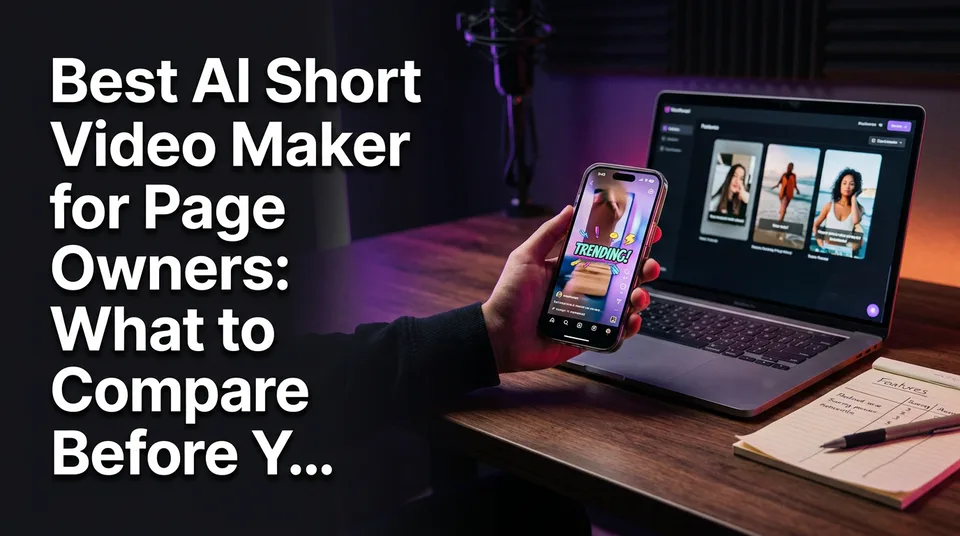
Best AI Short Video Maker for Page Owners: What to Compare Before You Pay
Clippers, story-to-video tools and prompt generators solve different jobs. Here's how page owners compare them on seven criteria and pricing before paying.
There is no single best AI short video maker. The right one depends on whether you turn long videos into clips, generate stories with voiceover, or create footage from prompts, and you should pick it by seven criteria (story, voice, clipper, captions, cover, post kit, languages) plus the pricing model, then confirm with a free test on your own video. As for the best AI clipper for video, it's the one that picks the moments you'd have picked yourself, and only your own footage can tell you that.
Here's the short verdict. If you own long recordings, a clipper such as OpusClip or Vizard is the natural fit. If you post daily from existing videos and want a narrated story, captions and a cover in one pass, a story-to-video tool like WowReveal fits. If you need footage that doesn't exist yet, a prompt-based generator such as Veo is the right category.
Key takeaways
- Three tool types solve three different jobs: long-to-short clippers, story-to-video tools with voiceover, and prompt-based AI video generators. Don't rank them against each other.
- Judge every tool on seven page-owner criteria: story, AI voiceover, clipper, captions, cover, post kit and number of languages.
- Pricing model matters as much as features: free credits, monthly plans and one-time credit packs fit different posting volumes. Ask about refunds on failed jobs.
- No tool makes content automatically original or monetization-safe, and none guarantees views or earnings.
- Shortlist 2-3 tools, run the same source video through each on free credits, and score the results before paying.
What Is the Best AI Tool to Make Short Videos? It Depends on the Tool Type
The best AI tool to make short videos is the one built for your input: long recordings, a story idea, or a text prompt. Most "best of" lists mix these together and rank them by visual quality, which is like ranking a delivery van against a sports car. Compare within a type first.
| Tool type | Examples | What it does | Typical input | Output | Pricing model | Best for |
|---|---|---|---|---|---|---|
| Long-to-short clipper | OpusClip, Vizard | Finds highlights in long video and cuts them | Long video, link or upload | Short clips, usually 9:16 | Not stated here, check each vendor's page | Podcasts, interviews, streams |
| Story-to-video with voiceover | WowReveal | Writes a story, voices it, finds best moments, adds captions, headline, music, cover | Video link or file | Ready-to-post 9:16 video | Free credits (no card), monthly plans, one-time credit packs | Daily page posting |
| Prompt-based generator | Veo, other text-to-video models | Generates new footage from text | Text prompt or image | New video clips | Not stated here, check each vendor's page | Footage you can't film or source |
| Template and design editor | Canva, InVideo | Assembles videos from templates and stock | Your assets or prompts | Edited video | Not stated here, check each vendor's page | Branded, hand-tuned edits |
| Presenter and recording tools | HeyGen, Riverside | Avatar presenters, or recording with clip tools | Script or live recording | Presenter video or clips | Not stated here, check each vendor's page | Talking-head content |
Prices change often, so we don't quote them. Open each vendor's current pricing page before deciding.
Long-to-short clippers
A long-to-short clipper takes a long video and cuts the strongest moments into vertical clips. It's the right type when your raw material already has good moments, like a podcast, a talent show or a livestream. It doesn't write a new narrative around them, so what you get is mostly what you filmed.
Story-to-video tools with voiceover
A story-to-video tool writes a narrative about a video and voices it with AI voiceover (text-to-speech), then packages the result with captions and a cover. This is the type that suits faceless pages and non-native English speakers, because the writing and the voice are handled for you. WowReveal sits here, with its AI Clipper working alongside the story writer.
Prompt-based AI video generators
A prompt-based generator creates footage from a text description, with no source video. Veo is a frequent pick for prompt-to-video quality, but a generator gives you raw clips, not a finished short with story, captions and a post kit. So what's the #1 AI video generator? It depends on the job, and for daily page posting the generator is often the wrong category.
The Seven Criteria That Matter for Page Owners
Seven criteria decide whether an AI tool saves you time every day: story, voice, clipper, captions, cover, post kit and languages. Visual polish on a demo reel doesn't predict whether the tool survives 30 posts a month. Test each criterion on your own video, with a specific "good" in mind.
Story and script
Good story output opens with a hook in the first 2 seconds and builds toward a payoff the viewer wants to see. Test it by reading the script aloud without the video. If it sounds like a product description, the tool will cost you retention (the share of the video people actually watch). Also check that you can edit the script before rendering.
AI voiceover and languages
Good voiceover has natural pacing, correct stress on names, and doesn't read like a navigation system. Test it in the language you'll actually publish in, not the demo language. WowReveal voices in 9 languages, which matters if you run pages for different audiences. Count the languages any tool offers, then listen to two or three of them.
Clipper quality
A good clipper cuts at natural boundaries, picks moments with a clear beginning and end, and doesn't clip mid-sentence. Test it by choosing your own 5 favorite moments in a source video before running the tool, then compare. If it hits 3 of 5, it's earning its keep. Our deeper dive on clipper features covers this in detail.
Captions, headline and cover
Good animated captions are readable on a phone at arm's length, timed to speech, and sit clear of the platform's interface. A headline should add context, not repeat the voiceover. The cover (thumbnail) is the part viewers see before pressing play, so check that it's generated, not left to a random frame.
Post kit: titles, descriptions, hashtags
A post kit bundles the title, description and hashtags so you aren't writing them separately for every upload. It's a small feature that saves several minutes per video. Test whether the text matches your video's actual content and fits the platform, then edit freely. Generic output you must rewrite every time isn't a saving.
Pricing Models: Free Credits vs Subscription vs Credit Packs
Three pricing models dominate: free credits to try, monthly plans for steady use, and one-time credit packs for uneven use. The cheapest model is the one that matches how often you actually render videos, not the one with the lowest headline price. Check each vendor's current page, because plans and limits change.
What free really means
"Free" can mean a few different things: a limited number of credits, watermarked output, capped video length, or a trial that asks for a card. Read exactly what's included before you test. WowReveal gives free credits to start without a card, which is enough to run one real test video through the full pipeline. Our look at free AI video clipper limits spells out what free tiers usually cover.
When monthly plans make sense
A monthly plan fits you when you post every day and can predict volume. Posting daily means roughly 30 videos a month, so a plan with a set number of credits or renders is easier to budget. The risk is paying for capacity you don't use in slow months.
When one-time credit packs fit better
Credit packs fit irregular posting: seasonal pages, test batches, or a new page you're still experimenting with. You pay once and use credits when you need them, with no recurring charge. If your volume spikes before a campaign and then drops, a pack usually beats a plan.
Refund Policy: What Happens When a Job Fails
Ask every vendor what happens when a render fails, because failed jobs that still burn credits are a real, recurring cost. Long videos, bad links and server hiccups all cause failures, and with daily posting you'll hit one eventually.
WowReveal refunds failed jobs automatically, so the credits come back without a support ticket. For other tools, don't assume: look for a refund or credit-return line in the terms, or test with one deliberately awkward file and see what happens to your balance. A tool with no stated policy deserves a cautious plan. And note that a refund covers technical failures, not a result you simply didn't like.
OpusClip vs Vizard vs Other Tools: How to Compare Them Fairly
OpusClip and Vizard are direct competitors in the long-to-short clipper category, and they should be compared with each other on clip selection, captions and workflow, not against story or prompt tools. The fair method is to feed the same source video to each and judge the same criteria.
Riverside is mainly a recording studio, so its value shows up when you also record the source content. Canva and InVideo are editors with templates and AI assistance, better for hand-tuned, branded edits than for hands-off daily output. HeyGen focuses on presenter-style video, which is a different job again.
So the question isn't "OpusClip vs Vizard vs everything." It's: do I already have long video worth clipping? If yes, compare clippers. If I need a narrated story built around a video, compare story-to-video tools. If I need footage from nothing, compare generators. Most of the confusion in "best tool" threads on Reddit comes from people comparing across types.
Best Tool for Facebook Reels, YouTube Shorts and TikTok
The best tool for Facebook Reels is one that outputs clean 9:16 video with readable captions and helps keep your content original, since Facebook's monetization programs care about originality. Meta publishes its guidance on the Meta creators hub, and rules can change, so check it directly.
For YouTube Shorts, yes, there are AI tools that create Shorts: clippers cut them from long videos, and story tools build them from scratch. Remember that monetizing Shorts depends on the YouTube Partner Program, whose current eligibility is on YouTube Help. A tool can make you a video, but it can't make you eligible.
TikTok and Instagram Reels accept the same 9:16 format, so the video itself is portable. What differs is pacing and the text around it. A post kit helps here because titles and hashtags differ by platform. If you publish to all four, prefer a tool that exports once and doesn't force reformatting.
Choosing by Volume: One Page, Several Pages, an Agency
Volume decides which features matter: a single page needs speed, several pages need consistency, and an agency needs automation. Match the tool to where you'll be in six months, not where you are today.
One page. Prioritize rendering speed, a good free tier and a post kit. You don't need anything else yet.
Several pages. A brand kit (saved logo, colors and style) keeps each page consistent without rebuilding settings every time. Batch workflows start to matter here, because doing 10 videos one by one wastes an afternoon.
An agency. API or MCP access lets you plug production into your own pipeline or an AI agent, so a small team can run many pages without a person clicking through each render. WowReveal offers an API and MCP server for that. Our guides on agency workflows and video APIs for Shorts go deeper.
Monetization Safety: Can AI Tools Keep You Within the Rules?
No AI tool makes content automatically compliant, because platform rules about originality and repurposed content apply to what you publish, not to how you made it. We've watched pages lose reach for weeks after posting unmodified reposts of clips they didn't have rights to.
So can AI generate a short video? Yes, from prompts, from stories, or from your own footage. Whether you can monetize it is a separate question that Meta, YouTube and TikTok decide. A tool helps most when it adds something real: new narration, commentary, structure. It helps least when it just re-cuts someone else's work.
Use a pre-publish checklist:
- Do I own the source or have permission to use it?
- Does the video add original narration, commentary or editing?
- Are music and visuals cleared for use?
- Does it match the platform's current originality guidance?
If an answer is no, don't post. And never trust a tool that promises to get around Content ID or originality checks. No tool guarantees views or earnings, and any earnings figure you see is an estimate, not a promise.
A Shortlist Method With a Free Test
The most reliable way to choose is to shortlist 2-3 tools, run the same source video through each on free credits, and score the output. A demo is built to impress. Your video is the actual test. The whole process takes about an hour.
Step-by-step test with one source video
- Define your volume (videos per week) and main platform.
- Shortlist 2-3 tools from the right tool type.
- Pick one source video that represents your typical content, 5 to 10 minutes long.
- Before running anything, note your 5 favorite moments and your preferred language.
- Run the same video through each tool using its free credits.
- Render in 9:16 and watch each result on your phone, not on a laptop.
- Check what happened to credits, and whether any job failed.
A simple scoring sheet
Score each tool from 1 to 5 on these lines, then add them up:
| Criterion | Tool A | Tool B | Tool C |
|---|---|---|---|
| Story and script | |||
| AI voiceover quality | |||
| Languages you need | |||
| Clipper accuracy | |||
| Captions and headline | |||
| Cover | |||
| Post kit | |||
| Editing time saved |
Choose the pricing model last, after you know which tool wins. If two tools tie, pick the one whose model matches your volume.
Where WowReveal Fits and Where It Does Not
WowReveal fits page owners who post Reels and Shorts daily from existing videos and want story writing, AI voiceover, clipping, captions, a cover and a post kit in one workflow. You paste a link or upload a file, and it renders a 9:16 video with a story voiced in 9 languages. There are also niche templates, compilations, an AI Studio for image and video generation, and a brand kit.
On pricing, you start with free credits and no card, then choose monthly plans or one-time credit packs, and failed jobs are refunded automatically.
It's not the right pick for everything. If you need a recording studio, Riverside is built for that. If you want fully hand-designed, template-driven branded edits, Canva or InVideo are closer to that job. If your content is long interviews and you only want clips with no narration, a dedicated clipper may be all you need. Run the free test, and let your own video decide.
Frequently asked questions
What is the best AI tool to make short videos?
There isn't one winner. Clippers like OpusClip and Vizard suit long recordings, story-to-video tools like WowReveal suit narrated daily posts, and prompt generators like Veo suit new footage. Pick by tool type first, then test on your own video.
Is there a YouTube Shorts maker that uses AI to create shorts?
Yes. Some AI tools cut Shorts from long videos, and others build them from a story with voiceover and captions. Making the video doesn't make it monetizable, since YouTube Partner Program eligibility is decided by YouTube.
Can I find a free AI short video maker?
Most tools offer free credits or a limited free tier rather than unlimited free use. Check what's capped: video length, watermarks, number of renders. WowReveal gives free credits to start with no card.
Do AI short video makers guarantee views or earnings?
No. No tool can promise views, monetization or income, and platforms decide eligibility. Treat any earnings figure as an estimate, and check the platform's current rules.
What should I check about refunds before paying?
Find out whether failed renders still use credits and whether refunds are automatic or need a support request. WowReveal refunds failed jobs automatically. For other tools, read the terms or test with one awkward file.
Where to go next
- AI Short Video Creation for Reels and Shorts: The Complete Guide — Broader how-to once you've picked a tool.
- Best AI Video Clipper: Features to Compare Before You Choose — Deeper dive on the clipper criterion.
- Best AI Voiceover for Reels: What to Compare Before You Choose — Deeper dive on voice and languages.
- AI Story Video Generator: How to Turn a Story into a Short — Shows how the story-to-video type works.
- Free AI Video Clipper: What You Get, What the Limits Are, and When to Pay — Explains what free tiers really include.
- Faceless Shorts Generator: Free vs Paid (What You Really Get) — Extends the free vs paid discussion.
- Can You Post AI or Repurposed Video on Facebook Without Breaking Originality Rules? — Backs the monetization-safety checklist.
- Short-Video Workflow for Agencies: Managing Many Reels and Shorts Pages — For choosing tools by volume.
- Video API for Shorts: Automating Production with an API or AI Agent — For automation at scale.
- What Are Watch Time and Retention Rate on Short Videos?
Turn any video into a ready-to-post Reel
Paste a link — WowReveal writes the story, voices it in 9 languages and adds captions, a headline and music. Start with free credits, no card.
Start free →