Animated Captions for Reels: Do They Help Retention?
Animated captions often help Reels hold viewers, but not by magic. Here's which style fits which video, where to place text, and how to test it on your own page.
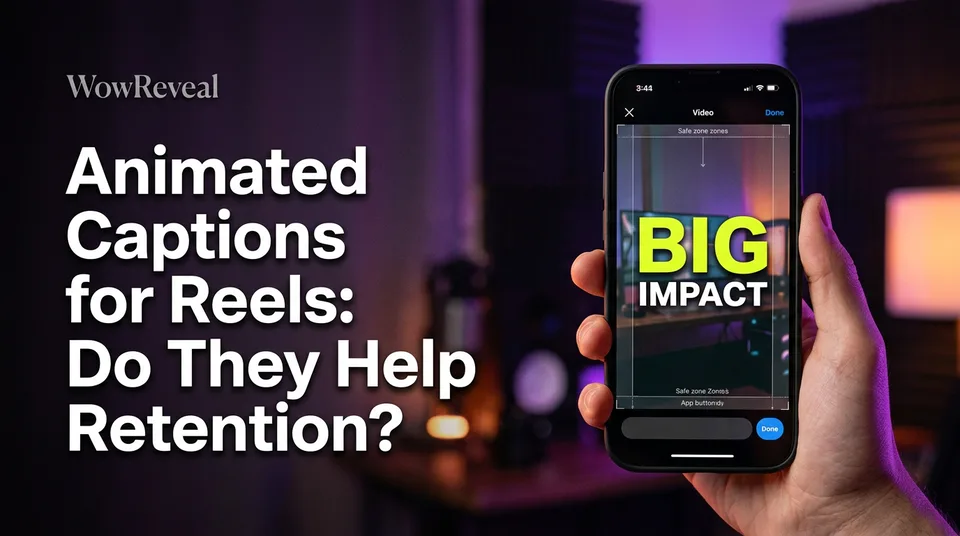
Animated captions for reels often help retention because they make a video understandable with the sound off and give the eye something to follow. The effect isn't guaranteed: it depends on readable styling, accurate text and safe placement, and you should test it on your own videos. If you're asking how to increase reel views, captions are one lever among several, and the only honest way to know if it works for you is to measure it.
Do animated captions help retention?
Animated captions plausibly help retention, but no platform has published a figure that proves a specific lift. Treat them as a sensible default, not a growth hack.
What animated captions are
Animated captions are on-screen words synced to speech, with motion added: the active word changes colour or scale, lines pop in, or short phrases bounce onto the frame. Plain subtitles just sit there. Animated ones move with the voice.
Why they plausibly help
Many people watch with sound off, on a bus, in bed, at work. Captions let them follow the story anyway. And even with sound on, reading along keeps attention on the screen, which is exactly what average watch time rewards.
What is not proven
Instagram, Meta, YouTube and TikTok don't publish retention numbers for caption styles. Any tool promising "viral" captions or quoting a precise lift is selling, not measuring. We've watched pages add flashy captions to weak videos and see nothing change, because the hook was the problem.
Caption styles compared: word highlight, two-line and big text
The three caption styles that matter for Reels and Shorts are word-highlight, two-line and big-text, and each suits a different kind of video.
| Style | What it looks like | Best for |
|---|---|---|
| Word highlight | Active word changes colour or scale | Fast speech, storytelling, commentary |
| Two-line | Stable block, 1-2 lines at a time | Longer sentences, explainers, calm narration |
| Big text | 1-3 words, huge | Punchy hooks, first seconds, reveals |
Word-highlight captions
Word-highlight captions are the best match for fast talkers and story voiceovers. The moving highlight pulls the eye along. Keep it to a few words per frame, otherwise the animation becomes noise.
Two-line captions
Two-line captions win when sentences run long. They're stable, so viewers read at their own pace instead of chasing motion. For slower, calmer videos this is usually the safest pick.
Big-text captions
Big-text captions work for hooks: one to three words, huge, gone in a beat. They're weak for sustained narration because you can't read a story three words at a time.
Which style fits which video
Tone matters too. Funny videos tolerate bouncy, high-energy word highlighting. Cute or wholesome clips look better with softer two-line text and gentle motion. Short clips under 15 seconds can use big text throughout. Whatever you pick, use high contrast, an outline or shadow, and a font size you can read on a phone at arm's length.
Where to place captions in 9:16 safe zones
Captions belong in the middle to lower-middle of the 9:16 frame, inside the safe zone that the app interface doesn't cover. On a 1080×1920 canvas, the bottom area gets covered by the caption and description, the right side by the like, comment and share buttons, and the top by the app bar.
Keep text away from those edges, with a visible margin on both sides. Then preview in the app before posting. Interfaces on Instagram Reels, Facebook Reels, YouTube Shorts and TikTok differ and change, so a layout that's clean today can clash after an update. The Instagram Help Center is the place to check current caption features.
How accurate are auto-captions, and how to proof them
Auto-captions are fast but they make mistakes, especially with names, slang, accents and background noise. Don't trust any fixed accuracy percentage a tool advertises; your audio isn't their test file.
The 60-second proofing checklist
- Watch once with sound off and read every line.
- Check names, places and brand words first. They break most often.
- Check numbers, prices and dates.
- Fix awkward line breaks so a phrase isn't split mid-thought.
- Scan for slang or accent errors that change the meaning.
- Confirm nothing sits outside the safe zone.
One wrong word in a hook costs more than a boring caption. Spend the minute.
Caption languages and multilingual pages
Captions should match the language of the audio, whether you spoke it or generated it with an AI voiceover. A mismatch confuses viewers and can look sloppy to your audience.
Check that the tool supports your page's language before committing. Then test non-Latin scripts and accented characters, since broken glyphs and missing diacritics are common. If you run pages in several languages, build a proofing step per language rather than assuming one pass covers all. Captions on YouTube also follow their own rules, which YouTube Help documents, and those can change.
How to add animated captions to a Reel
You can add animated text to a Reel inside the app or with an outside generator that exports a finished 9:16 file.
In Instagram's editor, the captions sticker generates text from speech, and you can restyle it and fix errors by hand. Availability and styles vary by language and region, so check the current options. The text tool lets you time words manually, which is slow but precise.
Outside tools give you more styles. Free animated caption generators exist, but they may add watermarks, cap video length, limit styles or export at lower quality. Test an export on a phone before relying on one.
WowReveal animated captions are added automatically when it renders a vertical short, alongside the voiceover, headline and cover, so the text already matches the spoken language. You still proof it. Every time.
How to test whether captions raise your views
The only reliable way to know if captions raise your views is a simple A/B test on your own page. Skip the guesswork.
Take one video. Publish it twice, a few days apart, in two caption styles, say word highlight versus two-line. Keep the hook, length, audio and posting time as close as you can. Then compare average watch time and completion rate in the app's insights, such as Meta Business Suite for Facebook.
One pair proves little, since reach varies for reasons you can't control. Repeat it across five or six videos before you trust a pattern. If one style wins most of the time, make it your default. If neither moves anything, work on the hook instead.
Frequently asked questions
What is the best caption for reels?
There's no single best one. Use high-contrast text, one to two lines at a time, inside the safe zone, and match the style to the video: word highlight for fast stories, two-line for calm explainers, big text for hooks.
Are free animated caption generators good enough?
Often yes for testing, but check for watermarks, length limits, restricted styles and export quality before you build a posting routine around one.
Do animated captions guarantee more views?
No. They can improve how well people follow a video, but platforms don't publish a guaranteed lift. Run an A/B test on your own page and compare average watch time and completion rate.
Where to go next
- What Are Watch Time and Retention Rate on Short Videos? — defines the metrics you'll compare in the caption A/B test.
- Hooks for Reels and Shorts: How to Win the First 3 Seconds — big-text captions are a hook tool for the opening seconds.
- Best Reel Length and Pacing for Completion Rate — caption timing should follow the pacing of the whole Reel.
- How to Add AI Voiceover to Reels, Step by Step — captions need to match the voiceover's language and timing.
- How to Make Reels Go Viral: The Practical Guide — the broader answer to increasing your reel views.
Turn any video into a ready-to-post Reel
Paste a link — WowReveal writes the story, voices it in 9 languages and adds captions, a headline and music. Start with free credits, no card.
Start free →