Copyright Claim vs Copyright Strike: What's the Difference?
Got a notice on a Short or Reel? Here's how a claim differs from a strike, what each costs your channel, and what to do before you hit dispute.
In this article
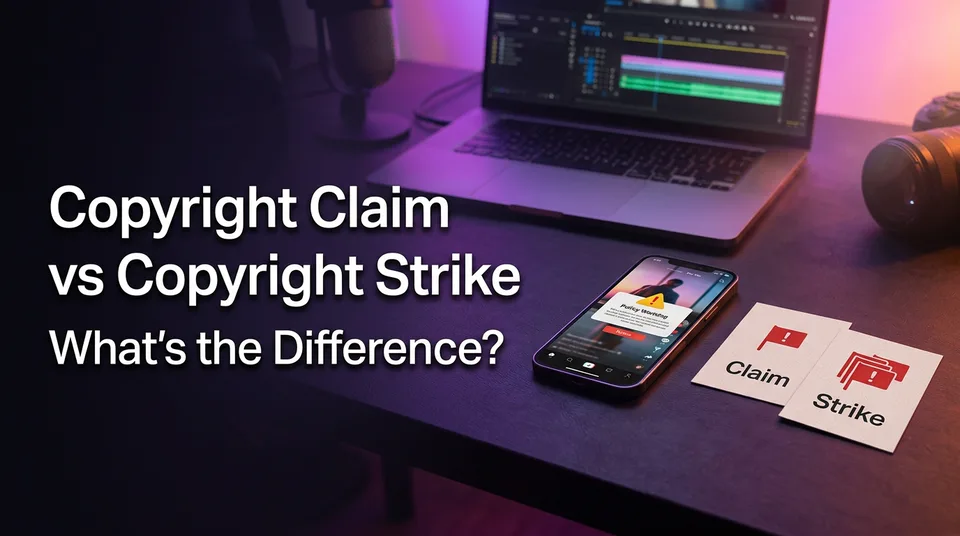
A copyright claim (for example, a YouTube Content ID match) lets the rights holder monetize, restrict or track your video without penalizing your channel. A copyright strike is a formal takedown that adds a penalty to your channel and can lead to termination at three strikes. Same cause, very different stakes.
Key points
- A claim is about the video. A strike is about your channel's standing.
- Claims are mostly automated. Strikes follow a formal copyright removal request.
- A YouTube strike expires after 90 days, once you complete Copyright School.
- Deleting the video does not remove a strike.
- Facebook runs its own system, so don't assume YouTube's numbers apply.
Copyright claim vs copyright strike in one table
The table below shows the split at a glance. Platform rules change, so check the official help pages before you act.
| Copyright claim | Copyright strike | |
|---|---|---|
| Who issues it | Automated Content ID match, or a manual claim by the rights holder | A formal removal request from the rights owner, or the platform |
| What happens | Revenue redirected, ads limited, video blocked or tracked | Video removed, channel penalized |
| Channel standing | Unchanged | Counts toward termination |
| Duration | Lasts while the claim stands | 90 days on YouTube |
| Fix | Dispute, trim, replace audio, accept | Retraction, counter-notification, or wait |
What is a copyright claim?
A copyright claim is a flag that a video contains someone else's protected material, and it does not add a strike to your channel. YouTube's Content ID system scans uploads against files that rights holders supply. A match triggers whatever action the owner chose.
Do claims affect views? Sometimes. If the owner blocks the video in certain countries, reach drops there. If they only monetize or track, views may not change at all. The effect depends on the claim action, so nobody can promise you a fixed number.
Content ID claim outcomes: monetize, block, track
Monetize means the ad revenue goes to the claimant, not you. Block means the video is unavailable, sometimes worldwide, sometimes in specific regions. Track means nothing changes except the owner gets viewing stats. Your channel keeps its standing in all three.
What is a copyright strike?
A copyright strike is a formal penalty that follows a legal copyright removal request, and it counts against your channel. The video comes down, and monetization or feature access can be limited. We've seen creators confuse a claim with a strike for weeks because both arrive as "copyright" emails. Read the notice type first.
What happens with 1, 2 or 3 copyright strikes on YouTube?
Three active strikes get a YouTube channel terminated, and each strike lasts 90 days. According to YouTube's copyright strike help page, your first strike requires Copyright School, a short course on copyright basics. The 90-day clock starts once you pass it.
With two strikes you're one away from termination, and you should treat every upload as a risk. At three, the channel and its videos are removed. Five strikes isn't a realistic scenario, since termination hits first.
How a claim or strike is cleared
You clear a claim by disputing it, trimming the matched section, replacing the audio, or accepting it. You clear a strike by asking the claimant for a retraction, filing a counter-notification if you believe the takedown was a mistake or fair use, or waiting out the 90 days. Deleting the video does not remove the strike.
Counter-notifications are legal statements, so don't file one casually. Check the details in YouTube Studio first.
Claim vs strike on Facebook
Facebook handles copyright through Rights Manager claims and a repeat-infringer policy, not YouTube's three-strike model. Rights owners can use Rights Manager to match and act on content in Facebook Reels and other videos. Meta's repeat infringer policy can lead to restrictions or removal of accounts and pages that infringe repeatedly. Thresholds differ from YouTube's, and Meta decides how they apply, so check Meta's current terms.
What to do first when you get a notice
Start by reading the notice type, because that decides everything else. Then check which platform sent it.
- Claim: decide whether to dispute, trim or replace the audio, or accept it.
- Strike: don't delete in a panic. Compare retraction, counter-notification and waiting.
- Unsure: pause new uploads that use the same source until you know.
The dispute and prevention guides below cover each path in detail.
Where to go next
- Copyright Claim on YouTube Shorts: How to Prevent and Dispute It — the next step if you already have a claim and want to contest or avoid one.
- Copyright and Music Rules for Reels and Shorts: What You Can Use and What to Do After a Claim — safe music use, so claims and strikes don't happen.
- What Is Transformative Content? Definition and Examples for Reels and Shorts — the originality concept behind fair-use-style defenses.
- Reused Content Rules: How to Stay Monetization-Safe on Every Platform — separates copyright enforcement from reused-content monetization flags.
- Talent Show Shorts: How to Clip the Best Moments (and Stay Rights-Safe) — a practical example of clipping third-party footage with rights risk.
Generate your reel right now
Paste a link to any video — WowReveal writes the story, voices it and adds captions, a headline and music. Ready for Reels, Shorts and TikTok.



No link? Upload a file
- 30 free credits
- No card needed
- Voiceover in 9 languages
- Failed jobs refunded