Facebook Strike System Explained: Strikes, Restrictions and Monetization
A strike, a restriction and a monetization change are three different things. Here's how they connect, where to check your page, and what to do after each notice.

In this article
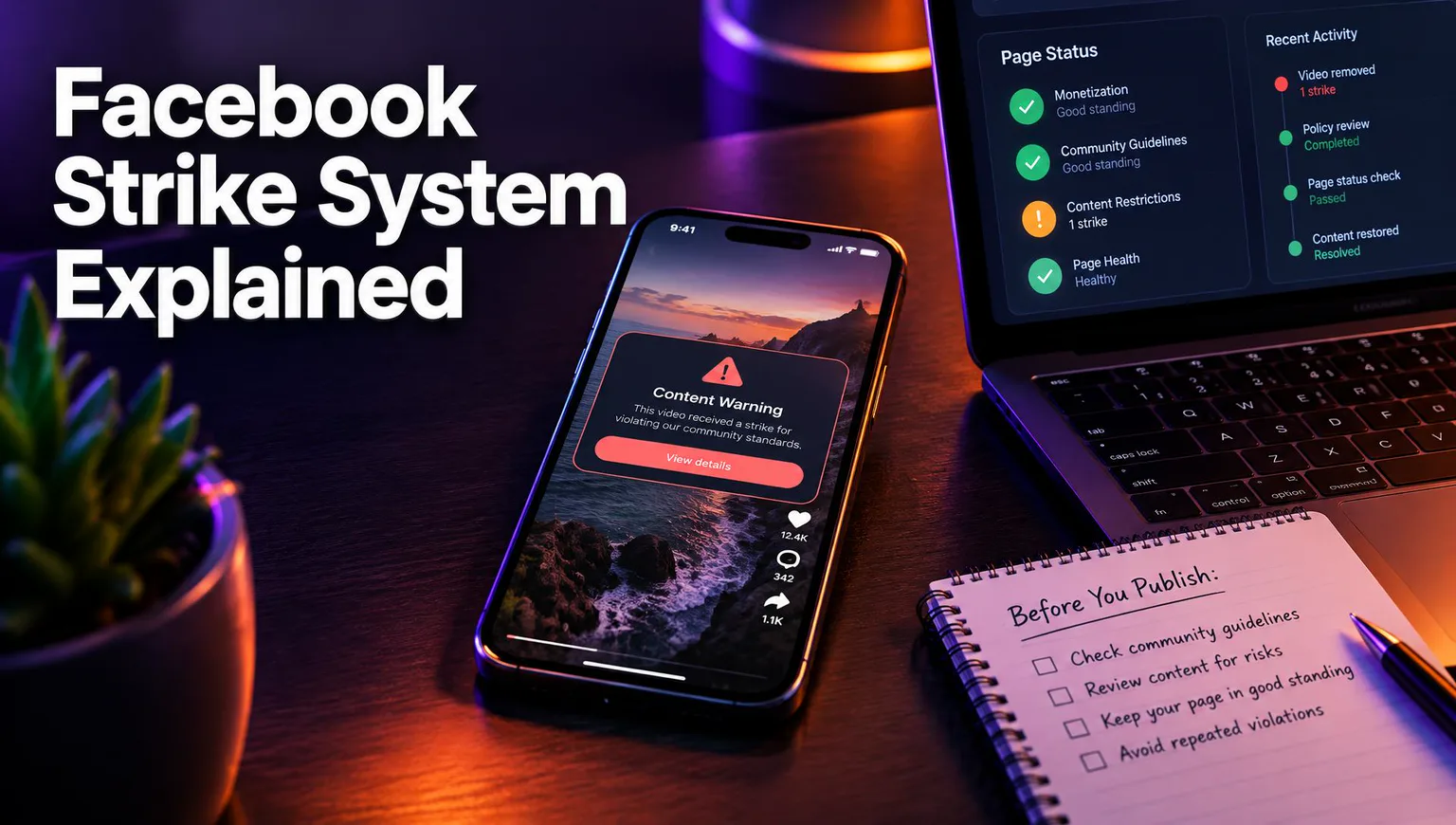
A Facebook strike is a recorded violation of the Facebook Community Standards or Meta's monetization policies. Repeated strikes bring escalating restrictions, and those can end with your page losing access to Facebook content monetization. The exact thresholds and durations are set by Meta and vary by violation type, so the notice on your page is the only reliable source for your case.
This guide splits the system into three layers and maps each notice to the right next step.
What a Facebook strike is (and what it is not)
A strike is a record of a violation, not the penalty itself. Most confusion comes from mixing up three separate layers:
- Strike: a violation counted against your page or profile, usually after Meta removes a post under the Community Standards.
- Restriction: the consequence of strikes adding up, such as lower distribution, blocked features or a pause on posting.
- Monetization status: a separate check under the Partner Monetization Policies and Content Monetization Policies.
A post can break the monetization rules without breaking the Community Standards. A reposted clip you didn't make may stay online but still count against your eligibility for earnings.
And a warning is not the same as a restriction. According to Meta's Transparency Center, a first strike usually brings a warning with no further limits. The penalties start as strikes add up.
How strikes escalate into restrictions
Strikes stack, and each new one can bring a longer or wider restriction. Meta describes an escalating ladder, but severe violations can skip steps. Some single violations can lead straight to a page being disabled.
Typical restrictions you may see
- Reels and posts shown to fewer people, including fewer non-followers
- Limits on features such as going live or running ads
- A temporary block on posting or commenting
- Removal of the page from recommendations
- Loss of monetization access, covered below
How long strikes and restrictions last
Meta doesn't publish one fixed duration that applies to every case. Its Transparency Center explains that strikes expire after a set period. But how long each restriction lasts depends on the violation and how many strikes you already have. Your notice states the end date, so trust it over any number you read in a creator group. Meta can change these rules at any time.
How strikes affect monetization
Strikes affect monetization in two ways. The direct route is a violation of the monetization policies themselves: unoriginal content, misleading content or engagement bait. That can remove the page's eligibility or its access to earnings. The indirect route is a pile-up of Community Standards strikes, which can make the page fail the eligibility checks.
Is it permanent? Not always. Eligibility can be reviewed again after an appeal, after violations expire or after the page fixes the problem. Some repeated or serious cases end for good, though, and Meta makes that decision, not the creator.
How to check your page for violations
Check Page Quality first, then the Support Inbox, both in Meta Business Suite. Page Quality lists removed content, the policy it broke and any active restrictions. The Support Inbox holds the original notices, often with a link to appeal. Menu labels can differ between accounts, and the Meta Business Help Center shows the current paths.
Then open the monetization section of your professional dashboard. It shows whether your eligibility has changed.
| Notice you see | What it means | Next action |
|---|---|---|
| Warning, no limits | A strike was recorded | Review the post and fix the pattern behind it |
| Restriction with an end date | Strikes have added up | Wait it out, appeal if the strike is wrong |
| Content not eligible for monetization | Monetization policy issue on one post | Check the post for originality and fix future uploads |
| Page no longer eligible | Page-level monetization loss | Remove the violating content, then request a review where offered |
How to appeal and recover
You appeal from the notice itself, and only when Meta offers that option there. A clear recovery path:
- Read the exact policy named in the notice.
- Appeal within the window shown if you believe the decision is wrong.
- Delete other posts that break the same rule, especially reposted footage.
- Reread the original content rules before you post again.
- Request a monetization review once the issues are fixed, if your dashboard offers it.
Appeals don't always succeed. Meta decides the outcome and the timing.
How to avoid new strikes
Most monetization strikes on Reels pages come from footage the page didn't create or license. So add original value to every post with narration, commentary or real editing. Don't repost other people's videos without permission.
Tools can help with the work but not with the rights. WowReveal can write and voice a story over a clip with an AI voiceover in 27 languages and add captions, but you still need permission to use the footage. With a free music finder that includes the credit line, the soundtrack stays clean too.
Frequently asked questions
Does a Facebook strike remove monetization permanently?
Not necessarily. Eligibility can be reviewed again after a successful appeal, after strikes expire or after the page fixes the violation. Serious or repeated cases can end monetization for good, and Meta makes the final decision.
What's the difference between a Facebook strike and a warning?
A strike is the recorded violation. For a first strike, Meta usually sends only a warning with no restrictions. The limits start when more strikes add up.
How long do Facebook strikes last?
Meta says strikes expire after a set period. The length of each restriction depends on the violation type and your strike count, and the notice in Page Quality or the Support Inbox shows the actual end date.
Where to go next
- Facebook Strikes and Warnings: How Monetization Penalties Escalate — the full escalation ladder in more detail.
- How to Recover Facebook Monetization After a Violation or Rejection — step-by-step recovery once you've appealed.
- Why Facebook Says 'Criteria Not Met' for Content Monetization (and What to Check) — for an eligibility message rather than a strike.
- Is AI Voiceover Allowed on Monetized Channels? — keep AI-narrated Reels within the originality rules.
- Facebook Page Monetization with Reels: The Complete Roadmap — where violations fit in the whole monetization path.
Generate your reel right now
Paste a link to any video — WowReveal writes the story, voices it and adds captions, a headline and music. Ready for Reels, Shorts and TikTok.

No link? Upload a file
- 30 free credits
- No card needed
- Voiceover in 27 languages
- Failed jobs refunded
Hrant Melkonyan
Founder of WowReveal. Makes AI videos himself: one of his TikTok videos passed 2 million views. Builds the AI pipelines behind WowReveal and ReelForge that turn long videos into vertical Reels and Shorts with voiceover, dubbing and animated captions. Based in Yerevan, Armenia.
About WowReveal →