Facebook Page Monetization with Reels: The Complete Roadmap
One map for page owners: how Facebook Content Monetization works for Reels, what you decide at each of five stages, and where pages usually stall before they earn.
In this article
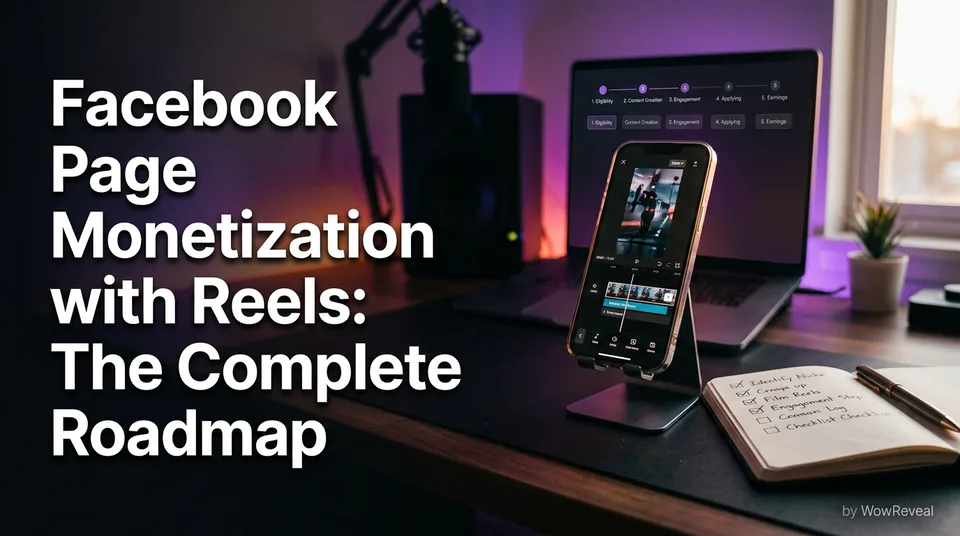
Facebook pages earn from Reels through the Facebook Content Monetization program, and the path runs in five stages: set up the page, meet the requirements, post original Reels, review monetization status, then get paid. Meta decides who is eligible, when, and under which terms, so no amount of effort guarantees earnings. What you control is how clean and repeatable each stage is.
This guide is the full map. For each stage it tells you what you decide, which rule governs it, how to read your status, and where the common stall happens.
Key takeaways
- Facebook Content Monetization is the current invite-only program. It covers public Reels, photos, stories and text posts, and pays based on the performance of eligible content.
- The five stages are: set up the page, meet the requirements, post original Reels, review status, get paid. Skipping the order is how pages waste months.
- The most common stall is reused or unoriginal content, followed by restricted categories and ignoring the status panel.
- There is no fixed rate per 1,000 views. Anyone quoting one is guessing, and only views after monetization starts count.
- Meta's policies and your Professional dashboard are the source of truth. This guide, and every Reddit thread, is secondary.
- Posting daily is realistic only with a workflow. Build one before you chase volume.
How Facebook page monetization with Reels works today
Facebook page monetization with Reels works through Facebook Content Monetization, an invite-only program where eligible creators earn from the performance of their public content. Per Meta's official creator page, the program covers Reels, photos, stories and text posts, so Reels are one format inside a wider system, not a separate program.
That answers the central question, how do you make money on Facebook Reels. You publish eligible, original content on a page that Meta has invited into the program, and you earn when that content performs. Each part of that sentence is a gate.
"Invite-only" is the part newcomers resist. You can't pay, trick or hustle your way past it. Your job is to make the page look, and actually be, the kind of account the program wants.
What replaced older Reels bonuses and in-stream programs
Older tutorials still describe Reels Play bonuses, in-stream ads and the Facebook Creator Bonus programs, and most of that advice is stale. Meta has been consolidating its creator payouts into Facebook Content Monetization, so the old names mostly point to programs you can no longer join as described.
This is why so many videos titled "how to get the bonus" lead nowhere. They describe a door that has been bricked over, then sell you a course on opening it.
Platform rules change, and the specific labels in your dashboard may differ from this article by the time you read it. When a tutorial's screenshots don't match your Professional dashboard, trust your dashboard.
What you can and cannot expect to earn
You can expect variable income that depends on views, content type, audience and your eligibility status. You cannot expect a rate, a timeline or a guarantee.
Two things people miss. First, only views that happen after monetization starts count toward earnings, so your old viral Reel from last spring earns nothing retroactively. Second, being eligible doesn't mean every post earns. Content that breaks the rules can be limited or excluded while the page stays in the program.
We'll come back to the numbers in Stage 5. For now, treat monetization as a business with a long, uneven ramp, not a switch.
The five-stage roadmap at a glance
The roadmap has five ordered stages, and each one has a single question you must answer before moving on. The order matters because later stages punish mistakes made earlier: you can't fix originality at Stage 4 if you built the whole page on reused clips at Stage 3.
- Set up the page. Page type, Professional mode, one clear niche.
- Meet the requirements. Check the current eligibility, followers, views and invite status.
- Post original Reels. Original format, commentary, safe categories, safe music.
- Review monetization status. Read notices, understand restrictions, respond.
- Get paid. Understand variable income, estimate without promises, decide where to spend effort.
Decision map: what you decide at each stage and where to read more
Every stage has one governing source and one decision. This table is the shortest version of the whole article.
| Stage | What you decide | What governs it | How to check it | Read next |
|---|---|---|---|---|
| 1. Set up | Niche and page type | Facebook Community Standards, page basics | Professional dashboard setup | Niche guides |
| 2. Requirements | Wait for an invite, or fix what's missing | Meta's Content Monetization eligibility | Monetization tab and Meta's creator page | Requirements guide |
| 3. Post originals | Original format and commentary | Originality / unoriginal content policy, Partner Monetization Policies | Your own pre-publish check | Originality guide |
| 4. Review status | How to respond to a restriction | Meta Partner Monetization Policies | Status and notices in the dashboard | Criteria-not-met guide |
| 5. Get paid | How to estimate income, where to spend effort | Program terms, payout settings | Earnings and payout views | Earnings calculator guide |
Print it, screenshot it, pin it above your desk. The related reading list at the end of this page maps one deeper article to each row.
Stage 1: Set up the page for monetization
Stage 1 means a public Facebook page in Professional mode with one clear niche, a consistent look and nothing that already breaks Community Standards. It sounds dull, and it is. It's also where agencies running 10 or 20 pages save the most time, because a clean template here gets copied everywhere.
The checklist for a new page:
- A Facebook page, not a personal profile, with a real name, profile image and cover.
- Professional mode turned on, so you can see the Professional dashboard and monetization tools.
- Page details filled in: category, description, contact info.
- A niche you can describe in one sentence.
- Content that is public, since the program rewards eligible public content.
- Meta Business Suite connected, for scheduling and insights.
Page type, professional mode and a clear niche
A page, not a profile, is the right container because monetization tools, scheduling and insights live there. Professional mode on a profile exists too, but pages are cleaner for teams, handoffs and agency work. If you're unsure which setup Meta expects for your account, check the Meta Business Help Center rather than a tutorial video.
Use Meta Business Suite for scheduling and insights from day one. You'll want to see which Reels hold viewers past the first few seconds, and you'll want a posting log you can audit later when something stalls.
And pick a name that matches the niche. A page called "Daily Wow Videos" is a page about nothing. A page about street food reactions, or satisfying restorations, tells both viewers and the algorithm what to expect.
Choosing a niche that fits your page
The best niche is the one you can produce original, repeatable Reels for, daily, without running out of material or breaking rules. Not the niche someone said earns the most. That claim is almost always unverifiable, because earnings vary by audience, content and account.
We've seen the same pattern across many pages: the niche that wins is the one with a visible format. Talent shows, haircut transformations, animal rescue, satisfying restorations, sports moments, wholesome kindness, kids' talent, street food, podcast clips. Each has a recognizable shape viewers understand in two seconds.
Run three tests before committing:
- Can you describe a typical Reel in one line?
- Can you source or make 30 of them without reposting other people's work?
- Does the niche touch a restricted category you'd have to avoid constantly?
If any answer is shaky, change niche now. Changing at Stage 4 costs months.
Stage 2: Meet the eligibility requirements
Stage 2 is checking the current eligibility conditions for Facebook Content Monetization and finding out whether your page is invited, and the only reliable source is Meta. Requirements have changed several times, and blog posts (including this one) lag behind. So we won't quote a follower number as if it were law.
The honest version: Meta looks at the account's compliance history, how original the content is, whether the page is in a supported location, and whether you meet the program's own criteria. Which of those bite hardest changes by account.
Where to check the current requirements
Check two places: Meta's Facebook Content Monetization creator page for the public description, and the monetization section of your own Professional dashboard for your account's real status.
The dashboard is the one that counts. It can show you whether you're eligible, whether you've been invited, or what is blocking you. A public article can't see any of that.
Some searchers type "Facebook Content Monetization apply online" and expect a form. Depending on your account and region, there may be an invitation or an in-dashboard sign-up step rather than a public application form. If a site charges you to "apply" for you, walk away. Nobody sells a legitimate shortcut.
Followers, views and invite status
Follower counts and view thresholds have been part of Facebook's creator programs historically, but the numbers have varied across programs and over time, and invite status can matter more than either. A page with fewer followers but strong, original, policy-clean content can be in a better position than a bigger page full of reposts.
Two honest points about "beta". Facebook Content Monetization rolled out in phases and has been described as invite-only, so you may see people with identical pages get different results. That isn't a conspiracy. It's staged access.
While you wait, don't stall. Build a posting record, watch retention in Meta Business Suite, and keep every Reel clean enough that you'd be comfortable if Meta reviewed it tomorrow.
What 'criteria not met' means
"Criteria not met" means one or more specific eligibility conditions aren't satisfied, and the message by itself rarely tells you which. It's the most common search among stuck owners, usually phrased "why is my page not monetized on Facebook".
Work through it in order:
- Is the content original, or is it mostly reposted or lightly edited clips?
- Has the page had Community Standards or monetization violations?
- Is the page in Professional mode, public and in a supported location?
- Are you checking the dashboard notice itself, not a screenshot someone posted?
In our experience building tools for page owners, the answer to the first question is "reused content" far more often than anyone wants to admit. That's the next stage.
Stage 3: Post original Reels that stay monetization-safe
Stage 3 is publishing Reels that are original enough, in categories that are allowed, with music you're permitted to use. It is where most pages quietly fail, because the failure doesn't announce itself. Reach just thins out, or the monetization tab stays empty.
Meta's rules here sit across its Partner Monetization Policies, its originality or unoriginal content guidance, and the Facebook Community Standards. Read all three at least once in Meta's own help pages instead of relying on summaries.
What counts as original
Original content is content you created, or substantially transformed with your own creative contribution, and not simply someone else's video with a logo cropped. That's the principle. Meta's precise lines are in its policy pages, and they change, so verify there.
Here's the practical split we use:
| Usually safe | Usually risky |
|---|---|
| Footage you filmed yourself | Re-uploading a clip you didn't make |
| Your own story, narration and edit of material you have rights to | Screen-recording someone else's Reel |
| Licensed or permissioned footage with real commentary | Stitching three viral clips with no added value |
| AI-generated visuals with your own script | Mirror-flipping or speeding up to dodge detection |
That last row is the line. Never try to evade originality checks or Content ID with tricks. Even when it works for a week, the page's history is what Meta keeps. We've watched pages lose reach for weeks after reposting a single unoriginal clip, and recovery is slower than the damage.
Music has its own rule. Eligible Reels can generally use licensed or royalty-free music per Meta's guidance, but popular chart tracks used casually are a different story. Verify in the official guidance and prefer licensed or royalty-free tracks by default.
Adding commentary to reused video
Reused video can be fine when you hold the rights or permission and add genuine commentary, analysis or narration that changes what the viewer gets. "Genuine" is the key word. A caption saying "wow!" is not commentary.
A workable standard: if you removed your contribution, would the Reel still make sense on its own? If yes, you added nothing.
What commentary looks like in practice:
- A voiceover that tells a story the raw clip doesn't tell by itself.
- A clear point of view, explanation or context for the viewer.
- Your own structure: hook, build, payoff, rather than the source's order.
- Permission or a license for the underlying footage, kept on file.
Permission is non-negotiable. We never recommend reposting other people's videos without it, and no editing style replaces that.
Categories that can block monetization
Some content categories can limit or block monetization even when the video is original, and Meta lists them in its monetization policies. They typically involve things like sensitive or graphic content, misinformation, and other areas flagged in Partner Monetization Policies and Community Standards.
Don't memorize a list from a blog. Read Meta's current one, then run each niche idea against it. A "shocking rescue" niche can be wholesome or can cross into graphic territory depending on how you cut it, and the cut is yours.
Quick rule: if you'd hesitate to show the Reel to an advertiser, assume it's a risk and rework it.
Using AI-made story videos responsibly
AI-made story videos are allowed to be monetization-safe when the story, script and edit are genuinely yours and the output isn't a repackaged copy of someone else's work. The tool isn't the issue. The originality is.
A responsible workflow looks like this:
- Start from material you own, have permission for, or generated yourself.
- Write or approve the story. Don't publish unreviewed machine output.
- Use AI voiceover (text-to-speech) to narrate your script, not to mask a copied video.
- Add captions so the Reel works with sound off.
- Check the finished Reel against the policies before posting.
This is where a tool like WowReveal fits naturally. Paste a link or upload a file and it writes a story, voices it in 9 languages, finds the best moments with its AI Clipper, adds animated captions, a headline, music and a cover, and renders in 9:16. It saves hours. It doesn't replace the originality check, which stays your job. Meta's policies still apply to whatever you publish.
Stage 4: Review your monetization status and fix violations
Stage 4 is reading your monetization status in the Professional dashboard, understanding any restriction notice, and fixing the cause before posting more of the same. The status panel is the only place Meta tells you what it thinks of your account, so ignoring it is the third most common stall.
Timing is Meta's call. Eligibility reviews and status changes happen on Meta's schedule, so don't trust any blog that promises "approval in 7 days". Check in-product, and check regularly, not once a month.
Where to read Meta's monetization policies
Read three sources: Meta's Facebook Content Monetization creator page for program scope, the Partner Monetization Policies for content rules, and the Facebook Community Standards for what's allowed on the platform at all. The Meta Business Help Center is the route into the official guidance on the Professional dashboard.
Skim them once a quarter. They change, and an updated rule can turn a Reel format that worked last month into a risk.
Keep a one-page note per page listing the policies that apply to your niche. When you onboard a team member, that note is their first reading, ahead of any editing tutorial.
Reading the status and restriction notices
A status or restriction notice tells you what Meta flagged and, usually, which policy area it falls under, though not always which exact post. Treat it as a diagnosis to be investigated, not a verdict to argue with.
A calm response sequence:
- Read the notice in full, in the dashboard.
- Open the named policy and read the actual text.
- Audit your last 20 to 30 Reels against it.
- Remove or fix what breaks the rule.
- Stop publishing that format until you understand it.
- Use any official review or appeal option if you believe it was a mistake.
Don't spin up a new page to bypass a restriction. That's ban evasion territory, and it turns a recoverable problem into a permanent one.
Stage 5: Get paid and decide what to do next
Stage 5 is the point where eligible, original content turns into earnings, and the honest summary is that Meta pays variable amounts based on performance, with no fixed rate and no guarantee. It also includes the decision most owners avoid: whether this effort is worth it compared with other platforms.
Payout settings, thresholds and methods are handled inside Meta's tools, and they vary by region and account. Set up your payout details early and check the official guidance for the current terms.
Why there is no fixed pay per 1,000 views
There is no fixed pay per 1,000 views on Facebook Reels because earnings depend on the content, the audience, the account's eligibility, and how Meta's systems value that performance at the time. Two Reels with 10,000 views each can earn very different amounts.
That answers two of the most searched questions directly. "How much does FB pay for 1,000 views on Reels?" has no single number. "How much for 10,000 views?" has none either. Any post that gives one flat figure is repeating an anecdote.
Things that move the number:
- Whether the views happened after monetization started (earlier views don't count).
- Where your audience is located.
- Content type and whether it's eligible.
- Whether the Reel complies with policies.
- Watch time and retention, which affect how widely a Reel is shown.
Check the numbers in your own dashboard after a few weeks. Your own data beats every forum average.
Estimating income without promises
You can estimate income by multiplying your realistic monthly views by a conservative RPM range, then comparing three scenarios (low, middle, high) and planning around the low one. RPM is revenue per 1,000 views, and CPM is what advertisers pay per 1,000 impressions. They're related, but they're not the same number.
Your own dashboard numbers should replace any assumed RPM as soon as you have them. WowReveal has a free Facebook earnings calculator for exactly this kind of scenario planning, and it's an estimate tool, not a prediction.
Then there's the "$500 a day" question. Could a page earn that? Possibly, for some pages, with large and consistent views. Is it a reasonable target for a new page? No, and anyone presenting it as a routine outcome is selling something. Plan on slow, variable growth and treat any good month as a bonus.
And "will Meta pay established creators up to $3,000 to post on Facebook?" Meta has at times run targeted, invite-only creator offers. Those come with terms, aren't open to everyone, and you can't apply to a headline number you saw in a video. Believe it only if it appears in your own dashboard or on Meta's official pages.
Is it worth it? Reels vs Shorts vs TikTok
Facebook Reels is worth it when your content suits an audience that watches on Facebook and you can produce volume without breaking rules. It isn't worth it as a get-rich shortcut, because no platform is.
The same 9:16 video can often be adapted for several platforms, but each has its own program and its own gate.
| Platform | Main earning route | Gate to know | Good fit when |
|---|---|---|---|
| Facebook Reels | Facebook Content Monetization | Invite-only, originality rules | Your audience skews toward Facebook |
| YouTube Shorts | YouTube Partner Program | Partner Program eligibility, Content ID | You want a searchable library |
| TikTok | Creator programs and other options | Program eligibility varies by region | You want fast discovery |
| Instagram Reels | Bonuses, gifts, brand deals | Availability varies | Your audience already follows you there |
Eligibility and payout structures differ per platform and change, so verify each in its official help center. Our general view: pick one primary platform, get it earning, then repurpose the same original content outward. Spreading thin across four platforms before one works is the usual way people burn out.
How often to post and how to scale across pages
Post consistently at a pace you can sustain without dropping quality, and for most pages that means daily or near-daily Reels once a repeatable workflow exists. Volume without originality hurts you. Originality without volume is slow. You need both, which is a systems problem.
There's no magic number of posts that triggers approval. What matters is a track record of clean, original content that viewers watch to the end. Retention and watch time, meaning how long people actually keep watching, shape distribution. A 60 to 90 second Reel that people abandon at second three is worse than a tight 20 second one they finish.
A daily workflow that holds up:
- Source or write: pick one story or clip you have rights to.
- Hook: decide the first 2 seconds before anything else.
- Cut: keep only the best moments. A clipper helps here.
- Voice and captions: AI voiceover plus animated captions, since many people watch muted.
- Package: headline, cover, title, description, hashtags.
- Check: run the pre-publish checklist against policy.
- Schedule: queue in Meta Business Suite.
For agencies running many pages, batch by niche, not by day. Producing 15 Reels in one niche in one sitting is faster than mixing niches, and templates make each page look consistent. WowReveal's niche templates (talent shows, haircut transformations, animal rescue, street food and others), plus a brand kit and post kit for titles and descriptions, cut the repetitive parts so the creative judgment gets your time.
But scale is where quality slips. Don't run 10 pages with the same Reels. Duplicated content across pages is exactly the pattern that originality rules target.
Facebook Reels monetization mistakes that stall pages
The most common Facebook Reels monetization mistake is posting reused or unoriginal content, followed by ignoring restricted categories and never opening the status panel. We've seen that ordering hold across the kinds of pages that use our tools, and it matches what people complain about on Reddit.
Reddit threads about Facebook page monetization with Reels tend to split in two: "I got approved, here's what I did" and "my reels are monetized but I'm not paid". Both are real, and neither tells you your account's status. Read them for patterns, not promises. One frequent point is that earnings begin only from views after monetization starts, and that's consistent with how the program is described.
The ranked list of stall points:
- Reused or unoriginal content. Reposted clips with a filter, a crop or a caption.
- Restricted categories. Content in areas Meta limits, never checked against policy.
- Ignoring the status panel. Notices sit unread while the owner keeps posting the same thing.
- Chasing guaranteed-approval services. Paying someone who can't deliver.
- Inconsistent posting. Three Reels one week, nothing the next.
- No niche. A feed of random viral clips tells viewers nothing.
- Weak hooks. Strong content lost in the first 2 seconds.
- Copyrighted music. Using tracks you're not licensed to use.
Which stage are you stuck at? A quick diagnostic
Match your symptom to a stage, fix that stage, then move on. Don't skip around.
| Symptom | Likely stage | First thing to check |
|---|---|---|
| Can't find monetization tools at all | Stage 1 | Page vs profile, Professional mode |
| "Criteria not met" or no invite | Stage 2 | Dashboard status, Meta's current requirements |
| Reach drops, content flagged as unoriginal | Stage 3 | Your last 30 Reels against the originality policy |
| Restriction or violation notice | Stage 4 | Full notice text and the named policy |
| Monetized but earnings look tiny | Stage 5 | Views since monetization started, content eligibility |
If two rows fit, fix the lower-numbered stage first. It usually causes the later one.
Your next step
Your next step is to open your Professional dashboard today and find out which stage you're actually at. Everything else follows from that one honest look.
A short plan for this week:
- Confirm the page is in Professional mode with one clear niche.
- Read Meta's current monetization page and note what applies to you.
- Audit your last 30 Reels for reused content and restricted categories.
- Build a daily workflow you can repeat, with captions and a hook for every Reel.
- Check your status, set a weekly review, and estimate income with a low-case number.
Start there, and use the guides below for the stage you're on. Earnings are never guaranteed, and Meta decides eligibility. But a page with a clean record, a clear niche and a working daily routine is the page best placed when the invitation arrives.
Frequently asked questions
How do I make money on Facebook Reels?
Post original, policy-compliant public Reels on a Facebook page that Meta has included in Facebook Content Monetization, then earn based on how that content performs. Meta decides eligibility, and no earnings are guaranteed.
How much does Facebook pay for 1,000 views on Reels?
There's no fixed rate. Income varies with the content, audience, location, eligibility and when the views happened, since only views after monetization starts count. Check your own dashboard for real numbers.
How much does Facebook pay for 10,000 views?
No single figure applies. Two Reels with 10,000 views each can earn very differently. Use your own data and a calculator to estimate scenarios, and treat any flat number you see online as an anecdote.
Can I make $500 a day on Facebook?
Some large pages may earn that, but it's not a realistic expectation for a new page, and it's never guaranteed. Plan around a conservative low-case estimate and treat higher months as upside.
Will Meta pay established creators up to $3,000 to post on Facebook?
Meta has run targeted, invite-only creator offers at times, with their own terms. You can't apply to a headline number from a video. Trust only what appears in your own dashboard or on Meta's official pages.
Why is my page not monetized on Facebook?
Common causes are unoriginal or reused content, restricted categories, past policy violations, missing Professional mode, or simply not having an invite yet. Read the notice in your Professional dashboard and compare it with Meta's current policies.
Is Facebook Content Monetization free to join, and can I apply online?
Meta doesn't present it as something you buy, and access is invite-only, with the route depending on your account and region. Check the monetization section of your dashboard, and avoid anyone who charges to get you approved.
Is Facebook page monetization with Reels worth it?
It can be, if you can produce original Reels at a steady pace and accept variable income. It isn't a shortcut. Compare it with YouTube Shorts and TikTok for your audience and focus on one platform first.
Where to go next
- What Is Facebook Content Monetization? Definition, Eligible Content and How It Differs From Older Programs — start here if you want the definition before the roadmap.
- Facebook Reels Monetization: How It Works, Who Can Earn and What to Expect — a deeper look at how the program mechanics work.
- Best Niches for Facebook Reels: How to Choose One That Fits Your Page — the Stage 1 niche decision in detail.
- Facebook Niche List: Categories Pages Commonly Use for Reels — a browsable list to compare niche ideas.
- Facebook Content Monetization Requirements Explained: Who Qualifies and How Approval Works — the Stage 2 detail on requirements and approval.
- How Many Followers Do You Need to Monetize Facebook Reels? — what follower counts do and don't mean for eligibility.
- How Many Views Do You Need to Get Paid on Facebook Reels? — how views relate to payout.
- Original Content on Facebook Reels: What Counts and What Doesn't — the Stage 3 detail on the top stall cause.
- How to Add Commentary to Reused Video for Facebook Reels — how to add real value to permitted source footage.
- Content Categories That Can Block Monetization on Facebook — check your niche against restricted categories.
- Monetization-Safe Shorts: A Pre-Publish Checklist for Every Reel and Short — a checklist to run before every post.
- Why Facebook Says 'Criteria Not Met' for Content Monetization (and What to Check) — Stage 4 troubleshooting of status messages.
- Facebook Reels Earnings Calculator: How to Estimate Your Reels Income — Stage 5 income estimation without promises.
- How to Make Money on Facebook Reels: A Step-by-Step Path From New Page to Earning Page — the step-by-step companion to this roadmap.
- How to Make Your Reels Go Viral on Facebook: Signals, Tactics and Fixes — improve hooks and retention once the basics are clean.
- AI Short Video Creation for Reels and Shorts: The Complete Guide — build a faster daily workflow with AI.
- Facebook Reels vs YouTube Shorts vs TikTok: Where to Post to Earn — decide where to focus your effort.
- Instagram Reels Monetization: Bonuses, Gifts, Subscriptions and Brand Deals — see how the Instagram options compare.
Generate your reel right now
Paste a link to any video — WowReveal writes the story, voices it and adds captions, a headline and music. Ready for Reels, Shorts and TikTok.



No link? Upload a file
- 30 free credits
- No card needed
- Voiceover in 9 languages
- Failed jobs refunded