How to Add Commentary to Reused Video for Facebook Reels
A filter isn't commentary. Here's a rights-first, five-step workflow for turning footage you're allowed to use into a Facebook Reel with a real voice and a real point.
In this article
To add commentary to reused video for Facebook Reels, you write an original script or analysis and record your own voiceover over footage you have the right to use, so the video's meaning changes instead of just its look. That helps you meet Facebook's originality rules. It does not guarantee Facebook content monetization approval, because Meta decides eligibility and its rules can change.
The workflow below takes about 20 to 30 minutes per Reel once you've done it a few times.
Why commentary matters for reused video on Facebook
Commentary matters because Facebook's monetization policies ask for original content, and a reused clip with nothing added is the most common way pages end up with a limited originality notice. The idea behind "transformative content" is simple: your version should give viewers something the source clip didn't.
We've watched pages lose reach for weeks after reposting one unoriginal clip. The clip itself wasn't always the problem. It was that nothing in the Reel proved a person made a decision about it.
Original content on Facebook isn't about how much footage you shot. It's about what you contributed: a story, an explanation, an opinion, a sharper edit. Check Meta's current monetization policies in Meta Business Suite and the Professional dashboard, since wording and enforcement shift.
YouTube is a separate case. The YouTube Partner Program has its own reused content policy, described in YouTube's Partner Program policies, and it doesn't map one-to-one onto Facebook. Don't assume a rule you read for Shorts applies to Reels.
What counts as commentary and what does not
Commentary is anything that adds information, story or opinion the footage alone doesn't contain. Cosmetic changes to the picture don't count.
What qualifies
- An original voiceover that tells a story or explains what's happening
- Analysis: why a play worked, why a rescue was risky, why a restoration step matters
- Meaningful editing: cutting 90 seconds down to the three beats that carry a narrative, reordering for a twist
- Context the viewer can't see: background, stakes, a before-and-after setup
What does not qualify
- Filters, color grading or a trendy overlay
- A watermark or logo in the corner
- Minor crops, mirroring or flipping the frame
- Speed tweaks used alone
- Music swapped in with no narration or point of view
Here's the commentary test: mute your voiceover and ask whether the Reel still says the same thing. If it does, you added nothing. If the footage becomes a different video without your voice, you've added commentary.
Step 0: Check you have the right to use the footage
You need to own the footage, or have permission or a licence to use it, before you add a single word. Commentary doesn't replace permission, and it won't protect you from a Content ID-style claim or a takedown from the owner.
Get permission in writing where you can, even a short message from the creator saying you may use the clip. Keep a note of the source, the date and the terms. For licensed stock, read what the licence allows on social platforms.
Skip the "I credited them in the caption" shortcut. A credit isn't a licence.
How to add commentary to a video, step by step
You add commentary by choosing one angle, writing a tight script, recording a voiceover, and editing the footage to serve the narration.
Pick one angle for the footage
Choose a single point per Reel: the surprising reason, the hidden skill, the emotional turn. If you can't say your angle in one sentence, the Reel will drift and viewers will leave.
Write a short script
A 30 to 60 second Reel works with four beats: a hook line in the first 2 seconds, one or two lines of context, the insight or twist, and a closing line. Your voiceover should cover most of the runtime, which is what makes the Reel yours.
Write for the ear. Short sentences. About 2 to 2.5 spoken words per second is a comfortable pace, so a 45-second Reel needs roughly 90 to 110 words.
Record or generate an AI voiceover
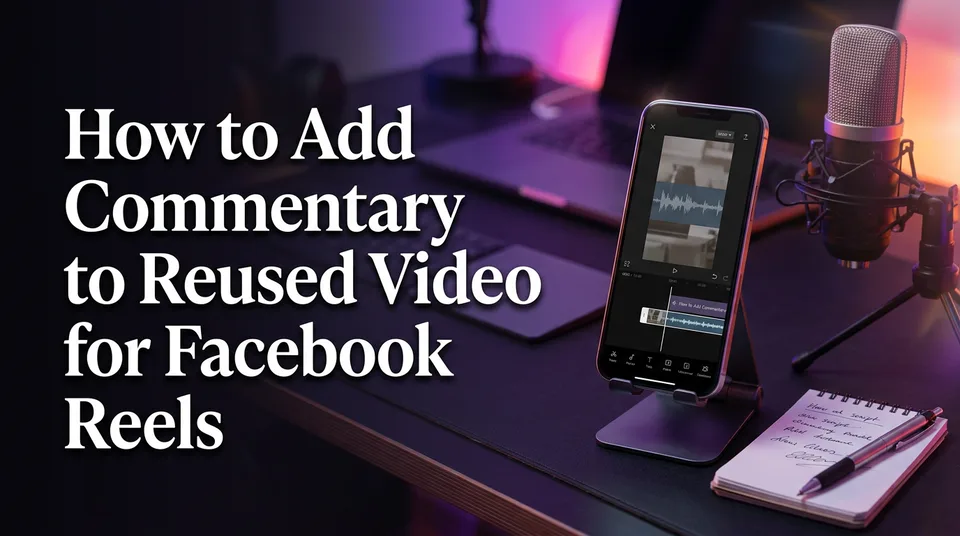
Record yourself, or use an AI voiceover (text-to-speech) if you don't want to be on mic or aren't comfortable in English. WowReveal's AI voiceover can write the story and voice it in 9 languages, which helps non-native speakers publish daily without re-recording takes.
Always listen to the full track once. Fix any mispronounced names before you render.
Edit so the commentary changes the meaning
Cut the footage to match your sentences, not the other way round. Trim dead seconds, hold on the moment you're talking about, and add animated captions so the Reel works with sound off. Use 9:16 at 1080×1920.
Then run the test again. Does the voiceover add information, story or opinion the footage lacks?
Commentary examples by niche
Each niche needs a different kind of commentary, and these three work well for 30 to 60 second Reels.
| Niche | What your commentary adds | Script shape |
|---|---|---|
| Animal rescue (permitted footage) | The backstory and the stakes: how long the animal was trapped, what the rescuers risked | Hook with the outcome, context, the hardest moment, a closing line about what happened next |
| Sports moments | Analysis: why the play worked, what the defender missed, how rare it is | Hook with the result, setup, the tactical insight, a one-line verdict |
| Satisfying restorations | Process knowledge: why each step is done, what separates a good restoration from a rushed one | Hook on the end result, the starting condition, the key technique, the payoff |
Other ideas: a podcast clip with your take on the argument, a kindness moment with the story of how it came together, a street food clip explaining why the technique matters. In each case the footage is the evidence and your voice is the point.
Pre-publish check and what to do if you get a limited originality notice
Reused content can sometimes be monetized, but nobody can promise it. Eligibility depends on Meta's current rules, your page's history and whether your content is judged original, so treat commentary as improving your odds, not buying approval.
Before you publish, check these:
- You own the footage or hold written permission
- The voiceover is your script, not a paraphrase of the source's captions
- The Reel fails the muted test (it needs your voice to make sense)
- Captions, headline and cover are your own
- The post is cleanly set up in Meta Business Suite, with a title and description that reflect your angle
If you already have a limited originality notice, stop posting similar reused clips, and review the notice in your Professional dashboard. Rework the next few Reels with stronger commentary, and keep records of your rights. Don't try to dodge detection with mirroring or pitch shifts. That's the opposite of what originality means, and it can make things worse.
Frequently asked questions
How do I put commentary over a video for Facebook Reels?
Write a 90 to 110 word script with a hook, context, an insight and a closing line, record or generate a voiceover, then cut the footage to match your narration. Add captions and export at 9:16.
Can you get monetized with reused content?
Possibly, but nothing is guaranteed. Meta decides eligibility under its current originality rules, so you need rights to the footage plus real commentary, story or analysis that the original clip doesn't contain.
Is Facebook's reused content rule the same as YouTube's?
No. The YouTube Partner Program has its own reused content policy with its own wording and review process. Read each platform's current rules rather than assuming they match.
Where to go next
- Original Content on Facebook Reels: What Counts and What Doesn't — a deeper definition of the originality standard you're writing commentary to meet.
- How to Add AI Voiceover to Reels, Step by Step — the practical walkthrough for the voiceover step of this workflow.
- Reused Content Policies Compared: Facebook, YouTube and TikTok — see how the rules differ before you apply advice from another platform.
- How to Fix Limited Originality of Content on Facebook — your next step if your page already has a notice.
- Monetization-Safe Shorts: A Pre-Publish Checklist for Every Reel and Short — a checklist to run before every post.
Generate your reel right now
Paste a link to any video — WowReveal writes the story, voices it and adds captions, a headline and music. Ready for Reels, Shorts and TikTok.



No link? Upload a file
- 30 free credits
- No card needed
- Voiceover in 9 languages
- Failed jobs refunded