Reused Content Checker: How to Self-Audit a Video Before Posting
No tool can tell you what YouTube or Facebook will call reused. A 12-question self-audit on source, commentary, edits and structure gives you a clear post, rework or skip decision.
In this article
There is no official reused content checker, and no tool can tell you what YouTube or Facebook will treat as reused. What you can do is self-audit a finished video before posting by answering four groups of questions: source, added commentary, edits and structure. This article gives you 12 of them, a simple scoring rule, and two worked examples.
Key takeaways
- No platform offers a reused content checker, and third-party scores can't predict a reviewer's decision.
- Reviewers ask one thing: what role did you play, and what did you add that's original?
- The 12-question audit covers source, commentary, edits and structure, three questions each.
- Music swaps, flips, crops, speed-ups and filters add no original value on their own.
- Outcome is one of three: post, rework, or do not post. Keep source links and edit notes either way.
Is there a reused content checker?
No. YouTube, Meta and TikTok don't publish a tool that scores a video for reused content, and anything labeled a "reused content checker online" or "reused content checker free" is a third-party guess, not a platform verdict.
Why no official tool exists
Reused content is a judgment about value, not a match against a database. The YouTube Partner Program policies describe it in terms of whether you added significant original commentary, modification, or educational or entertainment value. That's a question about what a viewer gets, and software can't answer it from a file alone.
There's also a practical reason. A public pass/fail tool would be a target to tune against. And the decision isn't made on one video in isolation: reviewers look at a channel or page as a whole. Platform rules change, so check the current policy text before you rely on any summary, including ours.
What unofficial checkers and similarity scores actually measure
Unofficial tools measure similarity, and similarity is only one input to originality. Here's what each type can and can't tell you.
| Tool type | What it measures | What it can't tell you |
|---|---|---|
| Video similarity scorer | How close your edit is to a source file | Whether you added commentary or value |
| Text duplicate checker | Matching text on the web | Anything about video or audio |
| Content ID-style matching | Audio or video matching against rights holders' reference files | Whether a reviewer calls it reused |
| Forum advice (Reddit threads) | Other people's anecdotes | Your channel's history or current policy |
Reddit threads about this are worth reading for patterns, not rules. One creator's demonetization story doesn't tell you why it happened, and the person posting often doesn't know either.
What platforms mean by reused content
Reused content means material you didn't make, or have already published, posted without meaningful original contribution. YouTube's wording centers on significant original commentary, modification or educational or entertainment value, and the same idea runs through every platform's originality rules.
The question reviewers ask: what role did you play?
A reviewer needs to be able to tell what you did in the video. If they watch it and can't answer that, the video looks reused, however clean it is technically.
Think of it as the one-sentence test. Complete this: "In this video, I _, which the source doesn't do." If the blank is "added music" or "made it vertical," you've failed it. If it's "told the backstory in my own voice and rearranged the moments into a story," you've got something.
How Facebook and TikTok frame the same issue
Facebook content monetization requires original content, and Meta's originality rules target pages that mostly repost other people's videos with little added. The official starting point is Meta's creator site, where the current monetization policies live. TikTok Creator Rewards likewise expects original content, and its eligibility terms are in TikTok's own help center.
The wording differs. The test doesn't. Each platform wants to pay for something a viewer can't get by watching the original. Policies get updated, so read the live versions before you build a workflow on them.
The pre-publish self-audit checklist
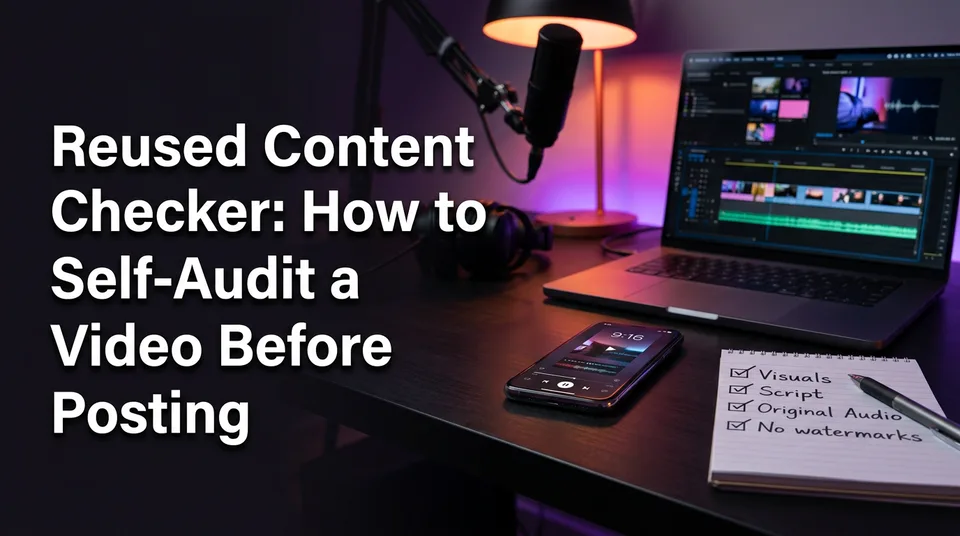
The self-audit is 12 yes/no questions on a finished video, scored one point per yes. It's our own working method built from what the policies say, not a platform tool, and it only works if you answer honestly with the exported file open in front of you.
Source questions
Q1. Do you know exactly whose footage this is, and can you link to it? If you can't name the owner, stop here.
Q2. Do you have written permission or a license that covers a monetized post? A screenshot of a message or a license page counts. "It was on a public page" doesn't.
Q3. Are you using a short excerpt rather than the whole clip or a long stretch of it? Borrowed footage should be supporting material, not the video.
Added commentary questions
Q4. Is there original voiceover or narration that you wrote? An AI voiceover counts only if the script is yours. Text-to-speech reading the source's own transcript adds nothing.
Q5. Does the narration add analysis, story or context that the source doesn't contain?
Q6. Does the video have a point of view? A story, a lesson, an opinion. Describing what's on screen isn't one.
Edit questions
Q7. Did you cut and reorder the footage rather than keeping the original sequence?
Q8. Do your captions and graphics add information, such as names, dates or labels, beyond transcribing speech? Animated captions help retention, but they pass this question only when they carry something new.
Q9. If you strip out the music, filter, crop and speed change, is something original still left? This is the cosmetic-change test, and it's the one most people fail.
Structure questions
Q10. Does the video open with a hook that isn't the source's own opening?
Q11. Is there an arc of your own, with a setup, a turn and a payoff, rather than a straight copy of the source's flow?
Q12. Can you write your one-sentence reviewer test in plain words? Be specific. "I improved it" doesn't count.
How to read your answers
Add up your yeses, then apply the rule below. The thresholds are ours, a rule of thumb for decisions, not a guarantee of anything.
- Post (10-12 points, and yes on Q1 and Q2): the role you played is clear. Publish, and log it.
- Rework (7-9 points): find the group with the fewest yeses and fix that first. Commentary gaps are the most common.
- Do not post (6 or fewer, or no on Q2, or no on both Q4 and Q5): no permission or no added voice means no amount of editing rescues it.
A 12 doesn't mean approval. It means you've given a reviewer the best chance to see your contribution.
Example: a video that passes and one that fails
The same source clip can fail or pass depending entirely on what you build around it. Here's one talent-show audition, handled two ways.
Fail case: re-uploaded clip with new music
A page downloads a 45-second audition from another account, mirrors the frame, swaps the audio for a trending track and posts it with a caption. Walk it through the audit:
- Source: Q1 yes (they know the account), Q2 no, Q3 no, because it's the whole clip.
- Commentary: Q4, Q5 and Q6 all no. No voice, no context, no point of view.
- Edits: Q7 no, Q8 no. Q9 no, because strip the music and flip and nothing remains.
- Structure: Q10, Q11 and Q12 no. It opens where the source opens, and the one-sentence test comes out as "I changed the music."
Score: 1 out of 12. It's a do-not-post, and the fix isn't more effects. It's a different video.
Pass case: same source, rebuilt with narration and structure
Now the page gets written permission from the owner and keeps the source link. It pulls three excerpts of about 8 seconds each from a longer recording. It writes a 40-second story about the performer's journey, voices it, and opens on the reveal rather than the start of the audition. Captions add the performer's name and the year, and the excerpts are reordered to follow the story.
- Source: Q1, Q2 and Q3 all yes.
- Commentary: Q4, Q5 and Q6 all yes.
- Edits: Q7 yes, Q8 yes, Q9 yes.
- Structure: Q10 and Q11 yes. Q12 reads "I told the performer's story in my own words, built from three moments."
Score: 11 or 12 depending on how honestly you grade Q12. That's a post. It still isn't a promise of eligibility or earnings, because Meta and YouTube make that call.
The common mistake: changing only the music or flipping the video
Cosmetic changes don't add original value, and they're the most common reason a video fails the audit. Swapping the soundtrack, mirroring the frame, cropping, speeding the clip up by 5 to 10 percent or laying a filter over it changes how the file looks, not what the viewer gets.
We've watched pages run this routine for weeks, posting daily, and then lose reach or monetization on content they were sure was "edited enough." The edit was real. The contribution wasn't. And several of these tricks read as attempts to dodge matching, which is the opposite of the impression you want to give a reviewer.
Question 9 is built to catch this. Remove every cosmetic layer in your head. If nothing is left, the video has no original content, and adding another layer won't create any.
What duplicate content checkers and similarity tools cannot tell you
No score or online checker decides what platforms treat as reused. YouTube and Facebook reviewers and systems make the call, and most free tools weren't built for video in the first place.
Text duplicate checkers vs video reuse
A duplicate content checker online free compares text against web pages. It reads your script, caption or description, not your footage. Google's own approach to duplicate content is a search-ranking matter for web pages, and there's no Google tool that judges whether a YouTube Short is reused.
They're still useful for one thing: running your narration script through one catches accidentally copied wording, like lines lifted from an article or the source's own transcript. Treat that as hygiene, not a verdict. And a YouTube Shorts reused content checker, if one claims to exist, is working from the same similarity logic as any other third party.
Why a good score is not approval
A low similarity score tells you your file differs from another file. It doesn't tell you a reviewer sees value. A mirrored, sped-up clip can score as "unique" and still fail the one-sentence test.
Content ID adds another wrinkle. It matches audio and video against reference files that rights holders supply, and a claim or no claim is a copyright question. Reused content under the monetization policy is a separate question about value. Passing one doesn't settle the other.
How to fix a video that fails the audit
You fix a failing video by adding original value in this order: commentary, structure, then edits. Commentary moves your score most, and the polish comes last. As for how to reuse content properly, the answer is to use a licensed or permitted excerpt as raw material for something that's clearly yours.
- Get permission or switch the source. If Q2 is a no, nothing below matters.
- Write your own script. A story, an analysis or a comparison, in your words, 30 to 45 seconds for a Short or Reel.
- Record or generate the voiceover. An AI voiceover from your script is fine, and it's useful if you're not comfortable speaking English yourself.
- Cut to excerpts and reorder them to follow your story rather than the source's timeline.
- Add captions that carry information: names, dates, places, the number that makes the point.
- Rewrite the opening so the hook is yours.
- Re-run the 12 questions on the new export.
This is where tooling saves real time, not judgment. WowReveal writes a story from a source and voices it in 9 languages, its AI Clipper finds the best moments, and it adds animated captions and a headline in 9:16. But the tool only speeds up the build. You still need the permission and a point of view, and the script still has to say something the source doesn't.
For pages already flagged for limited originality, the same fixes apply, but recovery takes longer than prevention. Expect weeks, not days, and no promised outcome.
Make the audit a routine for daily posting
Run the audit on every export, and keep a record, because it takes under 5 minutes once you've done it a few times. If you post daily or manage many pages, a shared spreadsheet beats memory every time.
Log these for each video:
- the source link and the owner's name
- a screenshot or file of the permission or license
- the date you got it and any terms (monetized use, time limits)
- a short note on your edits: what you cut, what you wrote, what you added
- your audit score and the post, rework or skip decision
That log is your evidence if you ever appeal a decision, and appeals go better with specifics than with arguments. For agencies, one sheet per page keeps different clients' permissions from mixing.
Fold the audit into your normal posting schedule rather than treating it as an extra step. A routine that catches a failing video before it goes live is cheaper than any recovery after.
Frequently asked questions
Is there an official reused content checker?
No. YouTube, Meta and TikTok don't offer a tool that scores a video for reused content. Reviewers and automated systems decide, so the practical option is a self-audit against the questions they care about: source, added commentary, edits and structure.
How do I check reused content on YouTube before I upload?
Answer the 12 audit questions on your exported video, then apply the post, rework or do not post rule. Compare your honest answers against the wording of the YouTube Partner Program policy, which looks for significant original commentary, modification, or educational or entertainment value.
What does YouTube mean by reused content?
It means content taken from other creators, or your own earlier uploads, without significant original commentary, modification or educational or entertainment value. The simplest test is whether a reviewer can tell what you added that's original. Policy wording can change, so check the current YouTube Help page.
Can a free duplicate content checker tell me if my video is reused?
No. A duplicate content checker online free compares text, not video, so it can only check your script or caption. It's useful for catching copied wording, but it can't say whether YouTube or Facebook will treat your video as reused.
Does changing the music or flipping the video make it original?
No. Music swaps, mirroring, cropping, speed changes and filters don't add original value, and they can look like attempts to avoid detection. Original narration, a new structure and added context are what change the answer.
Where to go next
- What Is Reused Content on YouTube? Meaning, Examples and What Counts as Original — start here if you still need the plain definition before auditing.
- Reused Content Rules: How to Stay Monetization-Safe on Every Platform — the broader rules overview behind the audit questions.
- Reused Content Policies Compared: Facebook, YouTube and TikTok — see how each platform words the same rule.
- How to Add Commentary to Reused Video for Facebook Reels — the next step when your video fails the commentary questions.
- Can You Post AI or Repurposed Video on Facebook Without Breaking Originality Rules? — covers repurposed and AI-built video for Facebook pages.
- How to Fix Limited Originality of Content on Facebook — the recovery path if your page is already flagged.
- Monetization-Safe Shorts: A Pre-Publish Checklist for Every Reel and Short — a wider checklist that goes beyond reused content.
- Content Calendar for Daily Reels and Shorts: A Weekly Posting Schedule — fit the audit into a daily posting routine.
- How to Label AI-Generated Content on Reels, Shorts and TikTok
- What Is Text-to-Video AI? A Plain-English Definition
- Best Free Image-to-Video AI Generators: What Free Really Includes
- AI Video Prompts for Shorts: How to Write Prompts That Work in 9:16
Generate your reel right now
Paste a link to any video — WowReveal writes the story, voices it and adds captions, a headline and music. Ready for Reels, Shorts and TikTok.



No link? Upload a file
- 30 free credits
- No card needed
- Voiceover in 9 languages
- Failed jobs refunded