What Is Text-to-Video AI? A Plain-English Definition
Text-to-video AI generates a short clip from a written prompt. Here's how it works, where it falls short, and what to check before you post it.
In this article
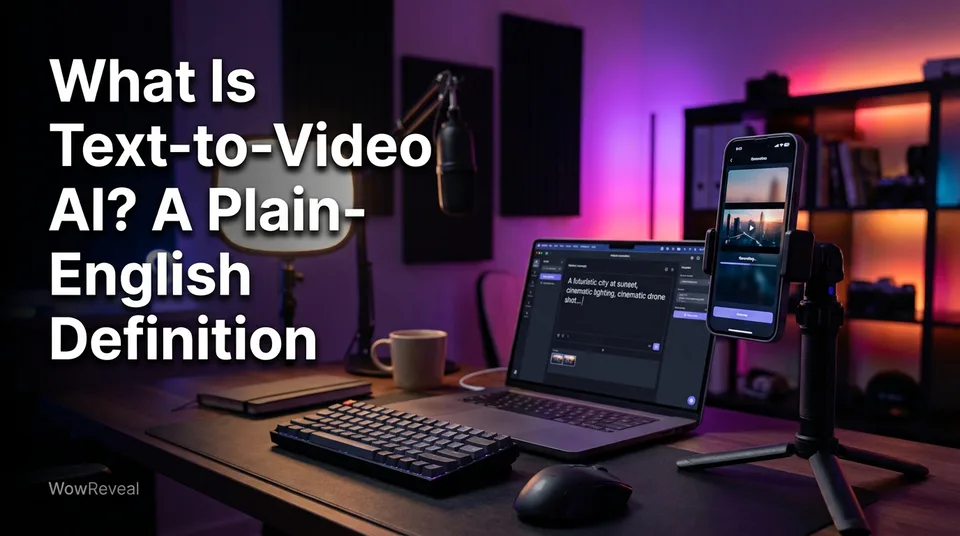
Text-to-video AI is software that generates a short video clip from a written text prompt, with no camera or source footage. The system underneath is called a text-to-video model. You describe a scene in words, and it returns moving images.
Key points
- Input is a prompt (text). Output is a short clip, usually a few seconds to about 10.
- Nothing is filmed and nothing is cut from existing footage.
- It's good for fast ideas and bad at exact control.
- A model makes raw clips. A short-video workflow adds script, voice, captions and a 9:16 render.
- Free tiers often cap length or resolution and add a watermark.
Text-to-video AI in one definition
Text-to-video means video made from words alone. You type "a golden retriever running through shallow surf at sunset" and the tool invents the footage.
That's the whole idea. The "online" and "app" versions you see in search results are just different front doors to the same kind of model: a browser page, a phone app or an API.
What is a text-to-video model?
A text-to-video model is an AI system trained on large amounts of video so it can turn a prompt into a sequence of frames. It's the engine. Tools wrap it with an interface, credits and export options.
Examples of text-to-video models
Sora, Veo, Kling and Runway are well-known examples. They differ in clip length, motion style and access. We're not ranking them here, because quality shifts with every release and it depends on your prompt.
How text-to-video AI works
Text-to-video AI works in five steps, and you only control the first.
- You write a prompt describing subject, action, setting and camera feel.
- The model interprets the text.
- It generates frames that match the description.
- It adds motion so the frames flow as one clip.
- Some models also generate sound or speech.
You get a short clip back. Rarely the first try, in our experience.
What text-to-video is good at
Its main strength is speed with no source assets. You can test 10 visual ideas in an afternoon without filming, licensing or searching for stock. For faceless pages, it also fills gaps where you simply have no footage of a scene.
Limits to know before you rely on it
Text-to-video gives you less control over the exact look than most people expect. Clips are short, characters often change face or clothing between shots, and hands, text and physics still produce visible artifacts.
The related term is image-to-video: you start from a still image and the model animates it. That gives you more say over the look, which is why many creators prefer it for consistent characters.
Is AI video safe? The tool is usually fine. The risks sit in what you post: real people's likenesses, misleading scenes, or a tool whose terms don't allow commercial use.
Text-to-video vs a full short-video maker
A text-to-video model makes raw clips, while a short-video workflow turns material into a postable video. The workflow covers the script, AI voiceover, captions, music, a hook and the 9:16 vertical video render. A model gives you none of that.
ChatGPT is mainly a text assistant. It can write your script and your prompts, but a finished video needs a video model or editing tool, and which video features sit inside ChatGPT changes, so check the current product.
Free tools exist, but free tiers often limit length, limit resolution or stamp a watermark on the export. Check current terms. In WowReveal, AI Studio generates image and video clips, and the rest of the workflow (story voiceover, animated captions, 9:16 render) handles the finishing.
Using text-to-video on monetized pages
Posting AI clips on monetized pages is allowed on the main platforms, but originality and disclosure rules apply. Facebook Reels, YouTube Shorts, TikTok and Instagram Reels all push back on reposted, low-effort or misleading content. We've watched pages lose reach for weeks after leaning on unoriginal clips.
Before you post, check three things:
- The tool's commercial-use terms.
- Whether the platform requires an AI label. YouTube, for one, has a disclosure policy for altered or synthetic content.
- That the export has no watermark from another tool.
Platform rules change, and Meta, YouTube and TikTok decide eligibility, not you and not the tool.
Where to go next
- Text-to-Video vs Image-to-Video: Which to Use for Shorts — The natural next step: choosing between the two approaches.
- Can ChatGPT Make an AI Video? What It Can and Can't Do — Answers the ChatGPT question in full.
- AI Video Generator for Shorts: When to Use Images, When to Use Video — Practical guidance on when generated video is worth it.
- AI Short Video Creation for Reels and Shorts: The Complete Guide — Places text-to-video inside the full AI short-video workflow.
- AI Story Video Generator: How to Turn a Story into a Short — Shows a finished-video workflow built from text.
- Can You Post AI or Repurposed Video on Facebook Without Breaking Originality Rules? — Covers the rules before you post AI clips.
- Animated Captions for Reels: Do They Help Retention? — Captions are the finishing step a raw model clip lacks.
- What Is Image-to-Video AI? A Plain-English Definition
Generate your reel right now
Paste a link to a long video — AI finds the best moments and turns them into ready Shorts with captions.

No link? Upload a file
- 30 free credits
- No card needed
- Voiceover in 9 languages
- Failed jobs refunded