What Is an MCP Server for Video Creation?
An MCP server lets an AI agent create shorts, find clips and check renders by itself. Here's the plain definition, how it differs from an API, and what to check first.
In this article
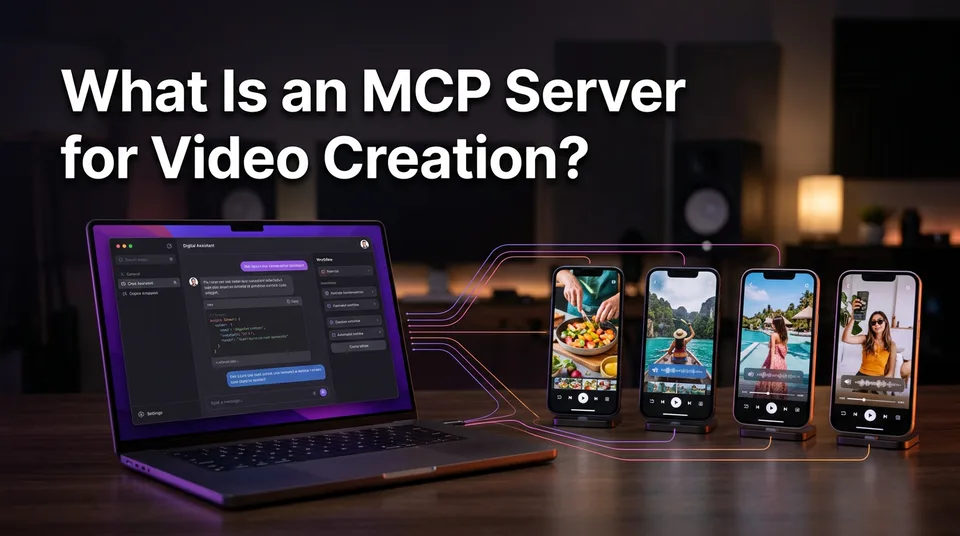
An MCP server for video creation is a service that exposes video tools (such as creating a short, finding clips or checking a render) through the Model Context Protocol, so an AI agent can call them on its own without custom integration code. The agent reads what the tools do, picks one, and runs it. You describe the goal in plain language.
Key points
- MCP is an open standard, not a product. Many providers can offer an MCP server.
- It usually sits on top of a normal API and makes it agent-readable.
- Typical tools: create a short from a link, find the best moments, check job status, fetch the finished file.
- It doesn't guarantee originality, monetization or views.
- You usually need an account, an API key and credits.
MCP server for video creation: the definition
An MCP server is a standard way for an AI agent to discover and call a tool, and in this case the tool is a video service. Instead of a developer hard-coding every request, the agent asks the server what it can do and gets a described list back.
What MCP stands for
MCP stands for Model Context Protocol, an open standard first introduced by Anthropic in 2024 to connect AI assistants to outside tools and data. The official Model Context Protocol site holds the specification, and Wikipedia gives neutral background on where it came from.
What the "server" part means
The server is the program or hosted endpoint that lists the available tools and runs them when asked. The agent, running inside something like Claude or Cursor, is the client. Hosted means the provider runs it for you. Self-hosted means you do.
What an MCP video server lets an agent do
An MCP video server lets an agent run the same steps you'd click through in a video app, but from a chat or a script. The exact tool list varies by provider. A shorts-focused one typically exposes four or five actions:
- Create a vertical video from a link or uploaded file.
- Find the best moments in a longer video.
- Check the status of a render job.
- Fetch or download the finished 9:16 file.
- Sometimes: add captions, pick a voiceover language, or generate a title and hashtags.
And that's the whole idea. No magic, just tools with labels the agent can read.
MCP server vs a plain video API
An MCP server usually sits on top of an API; the API is built for developer-written code, while MCP describes the tools so an agent can find and use them itself. A REST API still does the work underneath.
| Plain REST API | MCP server | |
|---|---|---|
| Who calls it | Code a developer writes | An AI agent |
| How tools are found | Developer reads the docs | Agent reads tool descriptions |
| Setup effort | Write and maintain integration code | Connect once, then instruct in plain language |
| Best for | Fixed, repeatable pipelines | Flexible, conversational or multi-step tasks |
If your workflow never changes, a plain API call is simpler. If you want an agent to decide which step comes next, MCP fits better.
Use case: agents producing shorts at volume
Agents earn their keep when you run many pages and need volume. Picture an agency agent given 10 source links in the morning. It creates a vertical short from each, checks job status, collects the files and drafts titles, ready for Facebook Reels, YouTube Shorts, TikTok and Instagram Reels across several pages.
We've seen pages stall because one unreviewed, unoriginal clip went out in a batch. Volume amplifies mistakes as fast as it amplifies output. So the agent produces drafts, and a person approves them.
What to check before connecting an agent
Before connecting an agent, check cost, failure handling and the rules your pages already live under. Platform rules change, so confirm eligibility details in Meta's and YouTube's official help centers.
- Access and cost: you'll typically need an account and an API key, with usage billed in credits or a plan. Look for free starting credits and automatic refunds on failed jobs. WowReveal's API / MCP server works this way, with free credits and no card to start.
- Free vs GitHub: open-source MCP video servers on GitHub cost nothing to download, but you host, update and pay for the rendering yourself.
- Setting one up: connecting a hosted server is usually adding a URL and key to your agent's settings. Building your own means writing and running the server.
- What to compare: the tool list, render quality, caption and voiceover languages, pricing per video and rate limits.
- Human review: an agent can't judge originality. Reposting someone else's video without permission can cost a page its reach or its monetization, whatever tool made the file.
Can ChatGPT make an AI video? A chat model alone writes scripts, not rendered video; it needs a connected tool. And yes, AI that creates video exists, but earnings and eligibility stay with Meta, YouTube and TikTok.
A solo page owner doesn't need any of this. The regular web app covers it. MCP pays off for developers and agencies who already work through agents.
Where to go next
- What Is Text-to-Video AI? A Plain-English Definition — the neighboring term, if AI video generation itself is still new to you.
- Can ChatGPT Make an AI Video? What It Can and Can't Do — explains why an assistant needs connected tools to produce video.
- Video API for Shorts: Automating Production with an API or AI Agent — the hands-on next step for the API and agent side.
- Short-Video Workflow for Agencies: Managing Many Reels and Shorts Pages — shows where an agent fits across many pages.
- Can You Post AI or Repurposed Video on Facebook Without Breaking Originality Rules? — the originality limits that still apply to agent-made videos.
- Best AI Short Video Maker for Page Owners: What to Compare Before You Pay — what to weigh on cost and features before connecting an agent.
- AI Video Generator for Shorts: When to Use Images, When to Use Video — helps choose the right generation approach for your shorts.
- AI Short Video Creation for Reels and Shorts: The Complete Guide — the full AI shorts workflow, start to finish.
Generate your reel right now
Paste a link to any video — WowReveal writes the story, voices it and adds captions, a headline and music. Ready for Reels, Shorts and TikTok.



No link? Upload a file
- 30 free credits
- No card needed
- Voiceover in 9 languages
- Failed jobs refunded