AI Video Prompts for Shorts: How to Write Prompts That Work in 9:16
A model-agnostic formula for AI video prompts for Shorts: five parts, 9:16 framing, one action per clip. Includes a before/after, camera phrases and templates.
In this article
A good AI video prompt describes one subject doing one action in one setting, adds a camera instruction and a style, and says the video is vertical 9:16. That's the whole formula behind working AI video prompts for Shorts. Below you'll get a weak prompt rewritten into a strong one, copy-and-adapt templates, and the mistakes that burn most credits.
The 5-part structure of a good AI video prompt
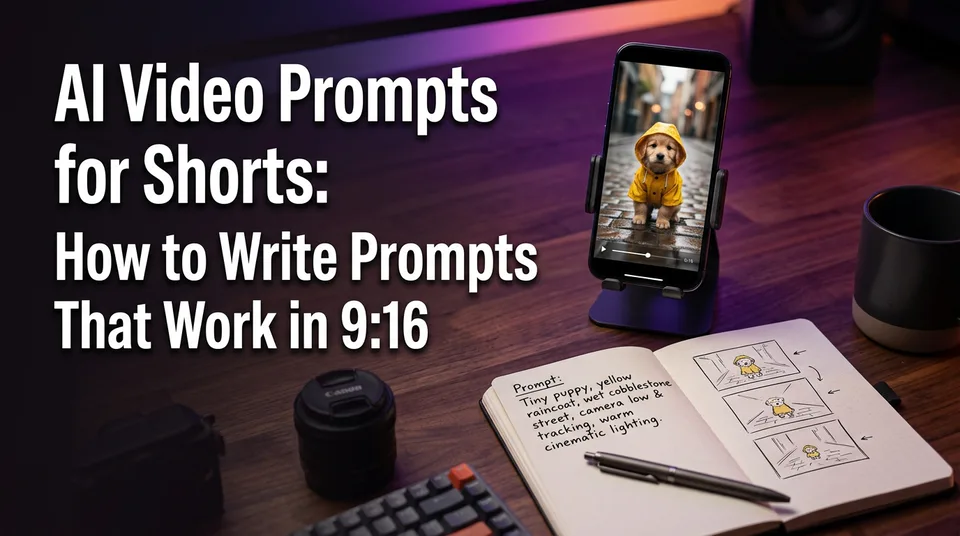
A usable prompt has five parts in a fixed order: subject, action, setting, camera, style. Write them in one to three plain sentences. Specifics beat adjectives every time, because "golden retriever puppy in a yellow raincoat" gives the model something to draw, and "cute adorable dog" doesn't.
Subject and action
The subject is who or what is on screen, with two concrete visual details. The action is one verb phrase describing what that subject does. "A barista in a green apron pours milk into a latte" works. "A barista making coffee, serving customers and smiling" doesn't, because it hides three actions inside one.
Setting, camera and style
Setting is where the shot happens plus the light: "narrow alley at dusk, wet pavement." Camera is the movement and framing. Style is one short reference, like "handheld phone-footage look" or "soft cinematic lighting."
If your tool has a negative prompt field, use it for things you don't want, like text, watermarks or extra fingers. Not every tool offers one.
How to prompt for vertical 9:16 video
To get vertical video, write "vertical 9:16" in the prompt and also set the aspect ratio in the tool if it has a setting for it. Doing both costs nothing. Some models ignore the text and obey the setting, others do the reverse.
Then place the subject. Ask for it centered, with empty space above and below. That space becomes your caption safe zone, the area where captions, the username, buttons and the description overlay sit on Facebook Reels, Instagram Reels, TikTok and YouTube Shorts. Our rule of thumb is to keep the key action in the middle of the frame, because the bottom and the right edge get covered first.
For the vertical format itself, see YouTube's help page on creating Shorts. Platform specs change, so check it before you build a workflow around any number.
One more trick. With image-to-video, start from a 9:16 image that's already framed the way you want. The model inherits the composition, so the prompt only has to describe the motion.
A weak prompt vs an improved prompt
A weak prompt stacks adjectives and leaves every decision to the model. Here's a typical one:
Weak: A cool cinematic video of a dog in the rain, epic, amazing quality.
And here's the same idea rewritten with the five parts:
Improved: Vertical 9:16. A golden retriever puppy in a yellow raincoat splashes through a puddle on an empty cobblestone street at dusk. Slow push-in, subject centered with empty space above and below. Soft natural light, handheld phone-footage look.
What changed:
- Format stated. "Vertical 9:16" plus centered framing protects the caption zone.
- One action. Splashing through a puddle, nothing else.
- Specifics replaced adjectives. "Epic, amazing quality" told the model nothing. Raincoat, cobblestones and dusk did.
- One camera move. A slow push-in, not a vague "cinematic" feel.
Models read prompts differently. Run this prompt on your own model before you trust it, and don't expect identical output from another tool.
Camera movement prompts that work in short clips
Pick one camera movement per clip, because a 5-10 second clip duration has no room for more. These phrases are the ones we reach for most:
| Phrase | Effect |
|---|---|
| Static shot, locked camera | Calm, clean; the safest choice for text-heavy Shorts |
| Slow push-in | Builds tension or focus on the subject |
| Handheld follow | Feels like phone footage; good for walking or running subjects |
| Orbit around the subject | Shows a product or character from every side |
| Low-angle tilt-up | Makes the subject look big or heroic |
| Slow pull-back reveal | Opens on a detail, then shows the full scene |
Don't combine opposites. "Static shot" and "sweeping orbit" in one prompt gives the model a coin flip.
Copy-and-adapt prompt templates for common Short scenes
You don't need 100 viral prompts. You need four templates and the habit of swapping the variables. Copy these and fill the brackets:
- Character moment: Vertical 9:16. [Subject with two details] [one action] in [setting, time of day]. [Camera move], subject centered with space above and below. [One style phrase].
- Funny animal: Vertical 9:16. A [animal] wearing [absurd item] [one silly action] in [ordinary place]. Static shot, subject centered. Bright, natural phone-footage look.
- Product close-up: Vertical 9:16. A [product] on [surface], [one motion, like rotating or being poured over]. Slow orbit, soft studio light, clean background.
- Scenic establishing shot: Vertical 9:16. [Landscape or street] at [time of day], [one natural motion like drifting fog]. Slow pull-back reveal, soft cinematic lighting.
On "trending" prompts: trends change weekly, so copying someone's list puts you behind. Take the trending idea and run it through the five parts. For free options, most tools give starter credits, and the WowReveal AI Studio starts with free credits and no card.
Common AI video prompt mistakes
The biggest mistake is stacking too many actions into one clip. A 5-10 second clip carries one action. If your prompt says "she opens the door, walks in, sits down and smiles," you'll get a melted blur. Generate each action as its own clip.
The rest are quick to fix:
- Vague style words. "Epic," "stunning" and "high quality" don't steer anything. Name a lighting or footage look instead.
- Contradictory instructions. Static camera plus orbit, or "dark moody" plus "bright sunny."
- No format stated. You get a 16:9 clip you then have to crop, and the subject ends up off-center.
- Changing everything between tries. Change one element per generation, such as the camera or the light, so you learn what the model responds to.
When a clip comes out wrong, fix in this order: action count, then format and framing, then camera, then style.
From prompt to finished Short
You get a finished Short by chaining single-action clips, then adding story, voice, captions and a cover. Generate three to five clips, each with one action and the same subject description, and cut them in sequence. Repeating the subject wording keeps the character reasonably consistent, though no model guarantees it.
On the "best AI for short videos" question, there's no single answer. Test one prompt on two models and keep the one that handles your scenes better.
After the clips, the work is the same as any Short: a hook in the first second or two, AI voiceover or text-to-speech, captions, and a cover. The WowReveal AI Studio generates image and video with leading models and viral presets, and the rest of the toolkit handles voiceover and captions. Check each platform's current rules on AI-generated content before posting, since they change.
Frequently asked questions
How long should an AI video prompt be?
One to three sentences. Cover subject, action, setting, camera and style with concrete details. Long, adjective-heavy prompts tend to produce muddier clips than short specific ones.
Can I use the same prompt on every AI video model?
You can start with it, but models interpret prompts differently. Test on your chosen model and adjust one element at a time. Don't expect identical results across tools.
Do I need to write "9:16" if the tool has an aspect-ratio setting?
Set it in both places. Some tools follow the setting, others follow the text, and stating it twice avoids a wrong-format clip.
Where to go next
- What Is Text-to-Video AI? A Plain-English Definition — Start here if you want the technology behind these prompts explained.
- Text-to-Video vs Image-to-Video: Which to Use for Shorts — Decide whether to prompt from text or from a starting image.
- Which Text-to-Video Model Is Best? How to Compare Models for Shorts — Test your prompts across models and pick one.
- How to Write a Short-Video Script with AI (Hook, Body, Payoff) — Break a script into the one-action scenes your prompts describe.
- AI-Generated Scenes for Shorts: A Step-by-Step Workflow Without Footage — Assemble your generated clips into a full Short.
Generate your reel right now
Paste a link to a long video — AI finds the best moments and turns them into ready Shorts with captions.

No link? Upload a file
- 30 free credits
- No card needed
- Voiceover in 9 languages
- Failed jobs refunded