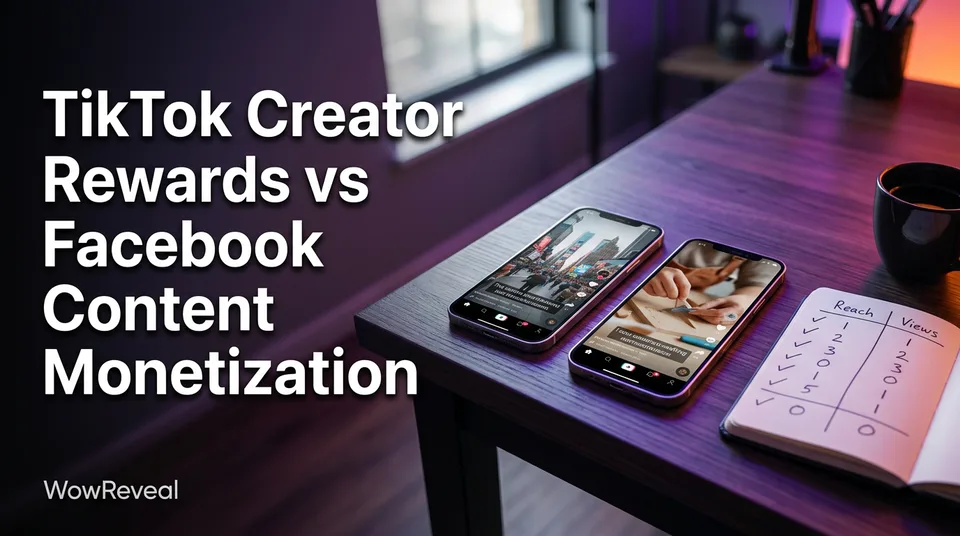
Which Text-to-Video Model Is Best? How to Compare Models for Shorts
Rankings of named models go stale in weeks. Here's a repeatable 5-second test for 9:16 Shorts that scores motion, prompt adherence, speed and cost per usable clip.
In this article
No single text-to-video model is best for every short. The best one is the model that scores highest on motion quality, prompt adherence, clip length, speed and cost per usable clip for your kind of video. This page gives you a same-prompt test to find it.
We're not going to hand you a ranked list. Any list of named models is a snapshot, and the snapshot is often out of date before you finish reading it. A method lasts longer. If you post to Facebook Reels, YouTube Shorts, TikTok or Instagram Reels every day and your credits are limited, the method matters more than the leaderboard.
Key takeaways
- There is no universal winner. The best text to video model depends on the kind of short you make and what you can afford per postable clip.
- Score five things: motion quality, prompt adherence, clip length, speed and cost per usable clip.
- Test with 3 prompts, 3-4 models, 2-3 runs each, identical settings, and a 1-5 score sheet.
- Judge cost per usable clip, not cost per generation. A cheap model that gives you one good clip in six is not cheap.
- Image-to-video, or no generation at all, is sometimes the better choice. Say so to yourself honestly after the test.
- Check native 9:16 output, current pricing and current platform labeling rules before you commit. All of them change.
Is there one best text-to-video model?
No, and anyone who names one without asking what you're making is selling something. A text-to-video model is a generative AI system that turns a written description into a short video clip, as the Wikipedia overview explains. Beyond that definition, "best" depends entirely on the job.
Here's the rough map of model types we'll use through the rest of this page.
| Model type | What it does | Input | Output | Pricing model | Best for |
|---|---|---|---|---|---|
| Closed-source cinematic | High-fidelity, realistic motion and lighting | Text prompt, sometimes an image | Short clips, usually a few seconds | Credits or subscription, varies by provider, check current | Hero shots, realistic scenes |
| Fast and cheap | Quick, lower-cost generations | Text prompt, often an image | Short clips, lower fidelity | Credits or free tier, varies by provider | Volume posting, B-roll, testing ideas |
| Open-source | Models you run yourself or via hosted inference | Text prompt | Short clips, quality varies by model | Free weights, but you pay for GPU or hosting | Control, privacy, tinkering |
| Image-to-video | Animates a still you supply or generate | Image plus a motion prompt | Short clip from the still | Credits or subscription, varies by provider | Consistent characters, product shots |
Specific prices are "not stated" here on purpose. They change too often to print.
Why 'best' depends on the kind of short
A model that makes gorgeous slow cinematic landscapes can be a poor pick for a fast comedy cutaway. A model that handles animals well may fumble human hands. Shorts are a mix of formats, so one model rarely covers all of them. Many daily posters end up running two models, one for quality moments and one for cheap filler.
Why model names and versions change quickly
Names like Veo, Kling and Sora dominate the arguments, and any of them may have shipped a new version, changed limits or repriced since this was written. Treat every named model as a snapshot. Check the current version, pricing, clip length cap and aspect ratio support on the provider's own page before deciding.
Reddit threads asking for the best model are useful for recent hands-on reports, but they date quickly too. Read the thread date first.
Verdict for this section: depends on your format, and the answer expires. Test, don't trust lists.
The five criteria that matter for Shorts
Five criteria decide whether a generated clip is worth posting: motion quality, prompt adherence, clip length, speed and cost per usable clip. Judge all of them on a 5-second vertical clip, because that's close to the unit you'll actually use.
Motion quality
Motion quality is how believable the movement looks across 5 seconds. Watch for limbs that melt, faces that drift, objects that appear from nowhere, and physics that fail, like water that doesn't fall or hair that doesn't move. Pause on frames 1, 3 and 5. If frame 5 looks like a different subject than frame 1, the model fails.
Prompt adherence
Prompt adherence is how closely the clip matches what you wrote. If you asked for a golden retriever puppy walking toward the camera on a wet street and got a different breed standing still, that's a miss. Check subject, action, setting and camera direction as four separate points.
Clip length and aspect ratio (9:16)
Clip length is the maximum seconds per generation, and many models cap it at a few seconds, so a 30-second short means stitching several clips. Also check for native 9:16 output. Cropping a 16:9 clip to vertical throws away more than half the frame and often cuts off your subject. Native 1080×1920 framing keeps composition intact.
Speed
Speed is the time from pressing generate to a playable clip, including queue time. If you post daily, a model that takes 10 minutes per clip with 2-3 retries eats your whole editing window. Free tiers often queue you behind paying users.
Cost per usable clip
Cost per usable clip is the generation cost divided by the share of clips good enough to post. It's the number that matters most to a page owner with limited credits.
Here's a made-up example. Say a generation costs 10 credits and you'd post 1 in 4 results. That's 40 credits per usable clip. A model charging 6 credits but giving you a usable clip 1 in 8 times costs 48. The cheaper sticker price lost.
Winner: none outright. Cost per usable clip is the tiebreaker once motion and adherence clear your bar.
How to test models with the same prompt
The only fair way to compare models is to give each one the same prompts under the same settings and score the results blind to the brand name. It takes about an hour and saves weeks of burning credits on the wrong tool.
Pick 3 prompts: a people shot, an animal or object shot, a scene with camera movement
Choose prompts that match what you actually post. We suggest three types:
- A people shot, such as a person laughing while pouring coffee, because faces and hands are where models break.
- An animal or object shot, such as a kitten stretching on a windowsill.
- A scene with camera movement, such as a slow push-in through a market street at dusk.
Write them once, with subject, action, setting and camera in each. Don't tweak per model. That ruins the comparison.
Keep settings identical and run each prompt 2-3 times
Use 9:16, the same duration (5 seconds is a good standard) and the same resolution wherever the tool allows. Run each prompt 2-3 times per model, because a single generation is luck, not evidence. With 3 prompts, 3-4 models and 2-3 runs, you're looking at roughly 18-36 clips. That's the cost of testing, so start with free tiers or small credit packs.
Score each clip on a simple 1-5 sheet
Make a sheet with one row per clip and columns for motion, adherence, framing, and "would I post this?" yes or no. Add the seconds it took and what it cost. Then compute your usable rate per model: yes votes divided by total clips.
Multiply that logic out: cost per generation divided by usable rate equals cost per usable clip. Rank by that, then use motion score as the tiebreaker.
Verdict for this section: the test wins over any opinion, including ours.
Model types compared: closed-source, open-source and fast low-cost
Closed-source cinematic models usually give the best raw visuals, open-source models give the most control, and fast low-cost models give the cheapest volume. Each one fits a different page. None is free of trade-offs.
Closed-source cinematic models
These are the headline names people compare, and they tend to lead on realism, lighting and physics. The trade-offs are higher cost per generation, usage limits and queue time at busy hours. Pick this type when a few strong clips carry the short and the rest is voiceover or captions.
Open-source models (Hugging Face)
Open-source text-to-video models are published as downloadable weights, and the Hugging Face text-to-video directory is the main place to browse them. They suit people who want control or privacy, or who run many tests. But "free" is misleading: you need a capable GPU or paid hosted inference, plus setup time. Quality varies a lot between models, and some are built for horizontal video, so check 9:16 behavior in your own test.
Fast and cheap models
Fast models trade fidelity for speed and price. They're good for B-roll, idea testing and high-volume pages where a clip sits under captions for 3 seconds. If your usable rate is decent, they often win on cost per usable clip.
Free tiers and their limits
Free tiers exist, but they commonly limit resolution, clip length, watermark or queue time. A watermark on a clip makes it a poor choice for a monetized page, and a 480p cap looks soft on a phone. Use free tiers for the test, then decide. If you're hunting for the best text to video model free, the honest answer is the free tier that survives your 3-prompt test without a watermark.
Winner: depends on whether quality, control or volume matters most to you.
Text-to-video vs image-to-video: which gives better Shorts?
Image-to-video often gives more consistent Shorts than text-to-video, because you control the first frame and the model only has to add motion. Text-to-video gives you more freedom but less control over how a subject looks from clip to clip.
If your short needs the same character or product across several clips, start from a still. Generate the image first with a text-to-image model, check it, then animate it. That also answers the common question about the best model for text to image: use the same test method, scoring the still for detail and consistency before you spend credits animating it.
Text-to-video wins when you need a new scene fast and the exact look doesn't matter. Image-to-video wins when consistency matters. And sometimes neither is right. If the story is strong, a stock-style B-roll clip under a good voiceover can beat a flashy but glitchy generation.
Winner: image-to-video for consistency, text-to-video for speed of ideation.
Which model type fits which kind of short
Match the model type to the format, not the other way around. The right pairing depends on how much of the screen time the generated clip carries.
Story and narrated Shorts
For narrated stories, motion quality matters less than coherence across clips. Image-to-video from consistent stills usually works, and a fast model is enough for filler between key beats. The voiceover and captions carry retention.
Animal, kids and wholesome scenes
These live or die on believable motion and faces. Run your animal prompt through every model, because results vary widely here. A closed-source model often earns its price on this format, but your own test should confirm it.
Product or satirical clips
Products need exact shape and logo accuracy, so image-to-video from a real photo is safer than pure text prompts. Satire and absurd comedy tolerate glitches, so a fast, cheap model can be the winner.
Background B-roll for voiceover
B-roll only needs to look decent for 2-4 seconds under captions. This is where fast and low-cost models shine, and where cost per usable clip is the only score that matters.
Winner: depends on the format. Cinematic for faces and animals, image-to-video for consistency, fast models for B-roll.
Best AI video generator for Shorts: a practical shortlist process
The best AI video generator for Shorts is the one that survives your own test and still looks good at 9:16. Build a shortlist in three steps: filter by native vertical support, filter by price you can sustain daily, then run the 3-prompt test on the survivors.
Drop anything that only outputs 16:9, caps clips too short for your format, or watermarks free output. That usually leaves 3-4 candidates. Then test.
For readers asking which app is best for converting text to video, or which is the best text script to video generator, the question hides a second one: do you want a raw model or a finished short?
Where a script-to-video app fits versus a raw model
A raw model gives you clips. It doesn't write the story, record the voice, time the captions or build the cover. A script-to-video app handles those steps around the clips.
WowReveal sits on the app side. It turns a video or link into a vertical short with a written story, AI voiceover in 9 languages, animated captions, a headline, music and a cover. Its AI Studio is where you can generate images and video with leading AI models, which makes it a handy place to run part of the comparison. If you only need a raw clip, a model alone is the more direct tool.
Verdict for this section: a raw model if you edit yourself, an app if you want the finished short.
Platform rules to check before you post AI clips
Generated clips can be posted on all four platforms, but you need to follow current labeling rules and add something original, so your page stays monetization-safe. Rules change, so check each platform's official help page before you publish.
YouTube asks creators to disclose realistic altered or synthetic content, as described on its altered or synthetic content help page. Meta and TikTok also have labeling tools and policies for AI-generated content, and details shift. Don't treat a label as optional where it's required.
Then there's originality. Facebook content monetization and the YouTube Partner Program both look for original work, not mass-produced or repetitive content. We've watched pages lose reach for weeks after posting near-identical clips at volume. A generated clip plus your own script, voiceover and edit is a stronger position than a raw clip posted untouched.
Nothing here promises eligibility or earnings. Meta, YouTube and TikTok decide.
Winner: no model wins here. The rules apply to all of them.
From test to routine: using the winning model in your workflow
Once you've picked a model, build it into a fixed daily routine so you don't re-decide every morning. Consistency saves more time than any single model upgrade.
A workable loop looks like this. Write the script first. Generate clips for the 3-5 beats that need visuals, using your saved prompts. Add an AI voiceover or text-to-speech track, then animated captions, then a cover. Export at 9:16 and 1080×1920, add the platform's AI label if it applies, and post.
Re-run your 3-prompt test every few months, or whenever a provider announces a new version or pricing change. Keep your score sheet. It's the only record that tells you whether the model you picked last quarter still deserves your credits.
Verdict for this section: a boring routine beats a perfect model.
Frequently asked questions
What is the best text-to-video model?
There isn't one for every short. The best model is the one that scores highest on motion quality, prompt adherence, clip length, speed and cost per usable clip for your format. Run the same 3 prompts across 3-4 models and score the results.
What is the best text-to-video model that's free or open-source?
Free tiers are usually limited by resolution, length, watermark or queue time, so test whether the output is postable. Open-source models, browsable on Hugging Face, have free weights but need a GPU or paid hosted inference, and quality varies by model.
Which app is best for converting text to video for Shorts?
It depends on whether you need a raw clip or a finished short. A raw model gives you clips only. A script-to-video app also handles story writing, voiceover, captions and the cover. Check native 9:16 export and watermark rules either way.
Is text-to-video or image-to-video better for Shorts?
Image-to-video is usually more consistent because you control the first frame. Text-to-video is faster for new ideas but less predictable. Use image-to-video for recurring characters and products, and text-to-video for one-off scenes.
How do I calculate cost per usable clip?
Divide the cost per generation by the share of clips you'd actually post. If a generation costs 10 credits and 1 in 4 clips is good enough, the cost per usable clip is 40 credits. That's an example, not a price list.
Where to go next
- What Is Text-to-Video AI? A Plain-English Definition — Start here if the term is new and you want the basics first.
- What Is Image-to-Video AI? A Plain-English Definition — Explains the alternative method used in the comparison above.
- Text-to-Video vs Image-to-Video: Which to Use for Shorts — A deeper look at the choice that most affects consistency.
- AI Video Generator for Shorts: When to Use Images, When to Use Video — Helps you decide when generated video is worth the credits.
- How to Label AI-Generated Content on Reels, Shorts and TikTok — The labeling steps to check before you post generated clips.
- Best AI Short Video Maker for Page Owners: What to Compare Before You Pay — The next step if you want a finished short rather than a raw model.
- AI Short Video Creation for Reels and Shorts: The Complete Guide — The full workflow around your chosen model.
- AI Video Prompts for Shorts: How to Write Prompts That Work in 9:16
- Viral Presets in an AI Studio: What They Are and When to Use Them
- AI Shorts Maker Pricing: Credits, Plans and Credit Packs Explained
Generate your reel right now
Paste a link to a long video — AI finds the best moments and turns them into ready Shorts with captions.


No link? Upload a file
- 30 free credits
- No card needed
- Voiceover in 9 languages
- Failed jobs refunded