AI Shorts Maker Pricing: Credits, Plans and Credit Packs Explained
Three pricing models, one number that matters. Here's how credits, monthly plans and credit packs work, and how to turn any of them into cost per finished short.
In this article
AI shorts maker pricing comes in three forms: a monthly plan with a credit allowance, one-time credit packs, or free starter credits. A credit is a unit you spend each time the tool renders a video or runs an AI generation, so the number that matters is cost per finished short, not the monthly price.
Most buyers compare headline prices. That's how people end up paying for 2,000 credits and using 300.
How credit-based pricing works for AI video tools
Credit-based pricing means you hold a balance of credits and the tool deducts from it whenever you use a feature that costs real computing power. It's closer to a prepaid phone card than to a flat subscription.
What a credit actually buys
A credit is an internal unit, not a universal currency. One vendor's credit can cover a full render, while another's covers a single AI image. You can't compare "400 credits" across tools until you know what one finished short costs in each.
Why credits per video vary by length and AI generation
Credits per video depend on four things: clip length, AI generation, voiceover and extra features. A 30-second clip cut from your own footage is cheap. A 90-second story with AI voiceover, animated captions and generated visuals costs more.
Generated images or video clips (the kind you'd make in an AI Studio-style tool) usually cost the most. Read the cost-per-action table before you buy, not after.
Monthly plans vs one-time credit packs vs free credits
The three models differ in who carries the risk of unused credits. Here's the short version:
| Model | How it works | Best for | Watch out for |
|---|---|---|---|
| Monthly plan | Recurring credit allowance | Steady, high volume | Credits that reset or expire monthly |
| One-time pack | Pay once, spend at your pace | Irregular posting | Higher cost per credit, validity window |
| Free credits | Trial balance, usually no card | Testing output quality | Watermarks, caps, length limits |
Monthly plans
A monthly plan gives you a recurring credit allowance, usually at a lower cost per credit. The catch is that unused credits may reset or expire at month end. You're paying for capacity, whether or not you use it.
One-time credit packs
A one-time pack means you pay once and spend credits when you need them, often with a longer validity period. Per-credit cost tends to be higher. But if you post in bursts, you never pay for a month you didn't use.
Free starter credits
Free credits exist so you can judge output quality before paying. Use them on a real video from your niche, not a demo clip. WowReveal, for example, gives free credits to start with no card, then offers monthly plans and credit packs.
How to calculate cost per finished short
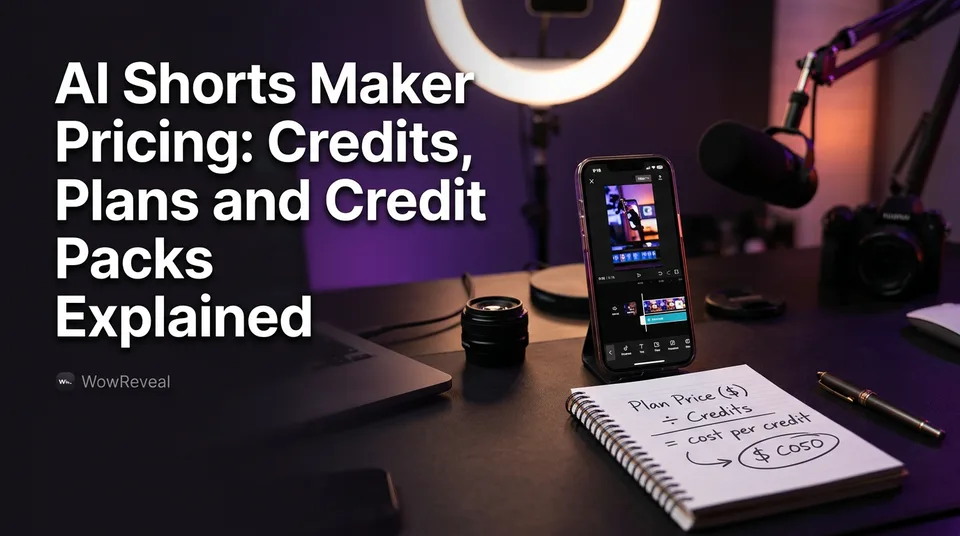
To get cost per finished short, divide the plan price by its credits, then multiply by the credits one typical short uses. Do this for your own typical video, not the vendor's sample.
Then add a second step most people skip: divide by how many shorts you'll realistically make, not how many the plan allows.
A worked example with two plan sizes
These numbers are hypothetical, chosen to keep the math visible. Plan A costs $20 for 400 credits ($0.05 per credit). Plan B costs $60 for 2,000 credits ($0.03 per credit).
| Plan A (400 credits) | Plan B (2,000 credits) | |
|---|---|---|
| 10-credit short | $0.50 each, 40 shorts max | $0.30 each, 200 shorts max |
| 25-credit short | $1.25 each, 16 shorts max | $0.75 each, 80 shorts max |
Now the part that changes the answer. Say you post 30 shorts a month at 10 credits each. That's 300 credits. On Plan A you pay $20 for 30 shorts, so $0.67 each. On Plan B you'd pay $60, or $2.00 each, unless the unused credits roll over.
At 25 credits per short, the same 30 shorts need 750 credits. Plan A runs dry after 16, and Plan B covers it with room to spare. The cheapest per-credit plan isn't the cheapest for you.
What to check before you pay: expiry, refunds and watermarks
Before paying, check four things on the vendor's live pricing page: expiry, refund policy, free-tier limits and watermarks. Prices and terms change often, so note the date you checked. Don't trust a comparison article, including this one, for current numbers.
- Expiry: do credits roll over, reset monthly, or expire after a set period? Plans and packs usually differ.
- Refunds: are failed or broken renders refunded in credits automatically? WowReveal refunds failed jobs automatically, and that's a question to put to any tool.
- Free-tier limits: exports capped, length limited, or a watermark burned in.
- Credit cost per feature: voiceover, captions and generation often cost separately.
We've watched people burn a third of a month's credits on re-renders because one setting was wrong. Automatic refunds on failures help, but bad creative choices still cost you.
Is an AI shorts generator really free?
A free AI shorts generator is usually free to try, not free to run a page on. Free tiers typically limit exports, cap video length or add a watermark, and a watermark on a monetized page is a real problem.
Watermarked output can hurt you on Facebook Reels, TikTok and YouTube Shorts. Another brand's logo on your video looks like reposted content, and originality is exactly what Meta's and YouTube's monetization reviews look at. Platform rules change, so check the current ones.
So where does "free without watermark" actually exist? Sometimes as a one-off trial export, sometimes not at all. Test it with your first free render and look at the file before you commit.
Use free credits to test three things: caption quality, voice quality and how well the tool picks moments. If the output needs heavy manual fixing, the price doesn't matter.
Which pricing model fits how often you post
The right model follows your posting frequency, and most people overbuy by sizing for their best week.
Daily posters
If you post every day, a monthly plan sized to your real volume is usually cheaper per short. Count your credits for 30 shorts, add 20% for re-renders, and buy that tier. Not the next one up.
Occasional posters
If you post a few times a month or in bursts, a one-time pack avoids paying for idle months. Check the validity window so the credits don't lapse before you use them.
Agencies running many pages
Agencies need higher-volume plans, and ideally programmatic access. WowReveal offers an API / MCP server for AI agents, which matters when you're producing across many pages and want to automate it. Do the cost-per-short math per page, not per account.
Beginners should start on free credits with no card. Buy nothing until you've rendered a real video.
Does the price pay off? A realistic view
Whether a paid tool pays off depends on monetization you can't predict, so treat it as a cost to control, not an investment with a promised return. Nobody can honestly tell you what your shorts will earn.
Monetization is also gated. Eligibility for the YouTube Partner Program has fixed thresholds, listed in YouTube Help, and Meta's Facebook content monetization has its own requirements. Both platforms decide eligibility, and rules can change.
A sensible approach: keep your cost per short low and steady, then use the free Facebook earnings calculator to sanity-check what reach might be worth. That's an estimate, not a forecast.
Cheap output that gets skipped in 2 seconds earns nothing. Spend credits where retention is built: the hook, the story, the captions.
Frequently asked questions
Is Shorts generator AI free?
Usually only to try. Free tiers tend to cap exports or length and may add a watermark. Test a real render on free credits and check the file before relying on it for a monetized page.
Is a credit pack better than a subscription?
It depends on how often you post. A monthly plan is usually cheaper per short for daily posters. A one-time pack suits irregular posting because you don't pay for unused months. Check expiry on both.
What's the cheapest AI shorts maker?
The one with the lowest cost per finished short for your video type, not the lowest monthly price. Divide price by credits, multiply by credits per short, then check the vendor's live pricing page.
Where to go next
- How to Budget for an AI Shorts Workflow: Cost per Short, Plans and Credits — the deeper budgeting method once you understand the pricing models.
- Faceless Shorts Generator: Free vs Paid (What You Really Get) — expands on free-tier limits and watermarks.
- Best AI Short Video Maker for Page Owners: What to Compare Before You Pay — the next step for comparing tools beyond price.
- How to Batch Create a Week of Shorts and Reels in One Sitting — shows how daily posters spend credits efficiently.
- Is Making AI Shorts Profitable? Costs, Effort and Realistic Expectations — a realistic look at costs against uncertain earnings.
Generate your reel right now
Paste a link to any video — WowReveal writes the story, voices it and adds captions, a headline and music. Ready for Reels, Shorts and TikTok.



No link? Upload a file
- 30 free credits
- No card needed
- Voiceover in 9 languages
- Failed jobs refunded