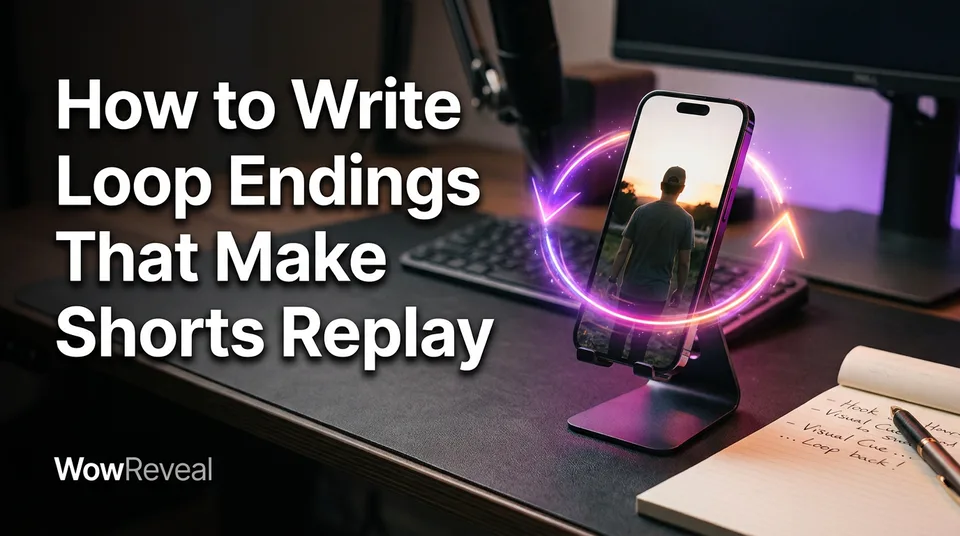
How to Write Loop Endings That Make Shorts Replay
A loop ending hands the last line and last frame straight back to the first. Here's the seam test, three examples to copy, and the mistake that makes viewers swipe.
In this article
You make a short loop by writing the last line and last frame so they flow straight into the first line and first frame, so the replay starts before the viewer notices the video ended. No hard stop, cut or fade should mark the end. That's what separates loop ending shorts that get rewatched from ones that simply stop.
What Is a Loop Ending (and Can You Loop a Short?)
A loop short is a vertical video whose ending leads back into its opening, so the replay feels like a continuation instead of a restart. And yes, you can loop a short on YouTube: YouTube Shorts, Facebook Reels, Instagram Reels and TikTok all replay a video automatically while the viewer stays on it.
So the ending decides whether that automatic replay feels seamless or jarring. How does the loop end? Ideally it doesn't. The last second is the first second of the next play.
Length matters too. Videos of roughly 10 to 30 seconds loop most naturally because the replay arrives quickly. That's a rule of thumb from experience, not a platform requirement.
One side note: if you landed here wanting to stop YouTube videos from looping, that's a viewer-side player setting, not a creator topic.
How to Make a Short Loop: Match the Last Line and Frame to the First
The technique is to make the end of the video the beginning of the next play, in script, picture, audio and captions at once. One test covers all four: the seam test. Read your final line, then your opening line, aloud as one continuous sentence. If it sounds like two separate videos, rewrite the ending.
Script: end on a line that leads into your opening line
End the voiceover script on an unfinished thought that your first line completes. Don't write a conclusion and then a hook. Write one sentence and cut it in the middle.
Draft the opening first, then write the last line backwards from it. Most people do it the other way round and end up with a closing line that can't connect to anything.
Picture: end on the same framing, pose or colour the video starts on
The last frame should match the first in framing, subject position and colour. If the video opens on a close-up of a hand on a door handle, finish on that hand, same angle, same light. In a manual editor like CapCut, this means trimming until the final frame sits where the first one does.
Audio and captions: no silence, fade or caption gap at the seam
Music and voiceover should run through the very end with no silent tail. The last animated captions line should not hang on screen alone either, because a lone caption is a visual full stop. Let the final words end mid-phrase, and let the first caption of the next play pick up the sentence.
Three Loop Ending Examples You Can Copy
The three loops that work most reliably are the mid-sentence story loop, the answer-is-the-hook loop and the visual match loop. Each one passes the seam test differently.
- Mid-sentence story loop. The final line is "And the reason the whole room went quiet was that" and the opening line is "nobody expected her to sing." Read together, it's one sentence. This suits a voiceover script for talent shows, rescues and kindness stories.
- Answer-is-the-hook loop. Open with the payoff: "It was the quiet kid in the back row." Spend the video on how it happened, then end on the question that line answers: "So who finally fixed the broken amp?"
- Visual match loop. Open on the finished object centred in a 9:16 frame, rewind into the process, and land back on that exact frame, position and light. It works well for restorations and transformations.
The Mistake That Makes a Loop Obvious
A hard stop gives the loop away: a visible cut, a fade-out, a beat of silence, or a closing line like "thanks for watching." Reddit threads about loop ending shorts keep landing on the same tell, the tiny cut at the end, and viewers who spot it either swipe or start finding Shorts loops annoying.
The fix is to remove the full stop, not to disguise it. If the final second has a different sound level, a different shot or a closing phrase, the viewer reads it as an ending.
And sometimes the right call is no loop at all. If the story needs a real conclusion, forcing a loop feels cheap. A rescue that ends with the animal safe doesn't need a cliffhanger bolted on.
Do Replays Help Retention? What Each Platform Says
Replays can raise the total watch time per viewer, but each platform counts replays and views by its own rules, so a loop doesn't guarantee any uplift. On YouTube, for example, average percentage viewed can climb above 100% when people watch a Short more than once. But how Shorts views are counted has changed before and may change again.
Read the current definitions in the YouTube Help Center and the guidance on the YouTube Creators hub. For Facebook Reels, Instagram Reels and TikTok, check how their insights label plays, replays and watch time, since the wording differs.
The honest approach is to compare. Post a looped ending and a normal ending of similar videos, then look at retention and watch-through in your own analytics. A loop only helps if the video is worth seeing twice.
A 60-Second Loop Check Before You Post
Before you post, run four quick checks, and the whole thing takes about a minute.
- Seam test. Read the last line, then the first line, aloud as one sentence.
- Length. Aim for roughly 10 to 30 seconds if the loop is the point.
- Replay the export twice. Watch the exported file, not the editor preview. Listen for silence, a cut or a caption that lingers.
- Check drop-off afterwards. Open your analytics and see whether viewers leave at the seam or earlier.
If you generate the story in WowReveal, edit the final line of the voiceover script by hand before rendering the 9:16 video. It's one sentence, and it's the one that decides the loop.
Frequently asked questions
What is a loop short?
A loop short is a vertical video whose last line and last frame lead straight into its first line and first frame. The automatic replay then feels like one continuous video rather than a restart.
How long should a looping Short be?
Roughly 10 to 30 seconds is a practical rule of thumb, because the replay starts quickly. It's not a platform rule, and longer videos can still loop if the seam is clean.
Does a loop ending guarantee more views?
No. Platforms count replays differently, and an obvious or forced loop can make viewers swipe. Compare looped and non-looped videos in your own analytics before assuming it helps.
Where to go next
- What Is Completion Rate on Reels and Shorts? — The metric your replays and loops actually move, explained first.
- How to Write a Short-Video Script with AI (Hook, Body, Payoff) — Loop endings are written at script stage, so start with the hook and payoff structure.
- Story Voiceover Shorts: Structure, Voice and Pacing — Pacing decides how smoothly the last spoken line leads into the first.
- How to Find Where Viewers Drop Off in Your Shorts (and What to Fix) — Check whether your loop ending worked or viewers left at the seam.
- Short Video Retention: How to Get Reels and Shorts Watched to the End — The parent guide that puts loop endings inside the wider retention system.
Generate your reel right now
Paste a link to any video — WowReveal writes the story, voices it and adds captions, a headline and music. Ready for Reels, Shorts and TikTok.



No link? Upload a file
- 30 free credits
- No card needed
- Voiceover in 9 languages
- Failed jobs refunded