How to Budget for an AI Shorts Workflow: Cost per Short, Plans and Credits
Credits, retries, voice and plan type decide what an AI short really costs. Here's a repeatable way to price it per published short before you pay.
In this article
An AI short video tool costs whatever its credits per video add up to, and that depends on clip length, AI voiceover and generation usage. The reliable way to set an ai shorts tool budget is to calculate the cost per published short, then multiply by the number of shorts you post per month. Most tools offer free credits, subscriptions or one-time credit packs, so the sticker price alone tells you very little.
This guide gives you the method, not a price list. Prices change monthly and every tool counts credits differently. A formula doesn't go out of date.
Key takeaways
- Budget per published short, not per render. Retries and rejected versions are part of the cost.
- Credits per video rise with clip length, AI voiceover and especially AI image or video generation.
- Use free credits to test a format, a subscription for steady daily posting, and a credit pack for uneven output.
- Spend a small test allowance for 1-2 weeks before you pay for volume.
- Earnings are never guaranteed. Treat the budget as a cost of testing, not an investment with a promised return.
How much does an AI short video tool cost?
An AI short video tool costs anywhere from nothing, for a limited free allowance, to a few hundred dollars a month for agency-scale output, and the number that matters is your cost per published short. Searches like "ai video tool cost" or "ai shorts maker price" return sticker prices. Those are the least useful figure on the page.
Typical pricing models at a glance
Almost every AI shorts generator sells in one of three ways. The differences matter more than the numbers.
| Plan type | How you pay | Best for | Main weakness |
|---|---|---|---|
| Free credits | Nothing, usually no card | Testing a format or a tool | Runs out fast, may add a watermark |
| Subscription | Monthly fee, credits renew | Daily, predictable posting | Unused credits may expire |
| Credit pack | One-time purchase | Seasonal or uneven output | Higher unit price, planning needed |
Some tools also charge per seat, which matters a lot once you have a team.
Why a sticker price is not your real cost
A tool advertised at a low monthly price can cost more per short than a pricier one. Credits per video, retries and add-ons decide that. A plan with 500 credits sounds generous until one short with voice and generation burns 40 of them.
And then there's your time. A cheap tool that needs 25 minutes of cleanup per video isn't cheap.
What drives the cost of an AI short
Four things drive the cost of an AI short: how many credits a render uses, whether voice is added, whether you generate new visuals, and how many attempts it takes to get a version worth posting. Know these and you can estimate credits per video for any tool in minutes.
Credits per video and clip length
Longer clips use more credits, usually in steps. A 20-second clip and a 60-second clip are rarely priced the same, and a 90-second story costs more again. For Facebook Reels and YouTube Shorts, the length that holds viewers is the one to price, not the longest one the tool allows.
Check how your tool charges: per render, per minute of output, or per feature used. Write that down before you compare anything.
AI voiceover and languages
An AI voiceover (text-to-speech narration) is often a separate credit line, and it scales with script length. Voicing the same story in a second language usually means paying again. If you run pages in several languages, multiply the voice cost by the number of language versions.
WowReveal, for example, voices stories in 9 languages. That's useful, but each extra version is still an extra render to budget for.
AI image or video generation vs. editing existing footage
Generating new visuals costs far more than cutting footage you already have. Editing or clipping existing video, which is what an AI Clipper does, is the cheap end. Generating images or video clips with a tool like AI Studio is the expensive end, because each generated clip is a heavy job.
Our rule of thumb: if a format works with real footage, don't pay for generation. Use generation where footage doesn't exist.
Retries and re-renders
Retries are the hidden multiplier. You'll re-render when a hook is weak, a caption breaks, or a generated clip looks wrong. We've seen creators budget for one attempt per short and end up paying for two or three.
Check whether failed jobs are refunded automatically. If they are, a crashed render costs nothing. If they aren't, add that loss to your retry estimate.
Free credits, subscriptions and credit packs: which plan type fits
Free credits suit testing, subscriptions suit daily posting, and credit packs suit uneven output. Pick by how regular your production is, not by which plan looks cheapest on the pricing page.
Free credits: use them to test, not to run a page
An ai shorts tool budget can start at zero. Plenty of AI Shorts makers, including free YouTube Shorts maker options, give a starter allowance, and WowReveal gives free credits without a card. That's enough to run your real workflow end to end on a few videos.
It's not enough to run a page. Free tiers often add a watermark, which can hurt reach and look unprofessional, so don't judge a format on watermarked output you'd never post.
Subscription: predictable daily posting
A subscription fits when you publish on a fixed schedule and know your monthly volume. You get a known cost and credits that renew. The downside is waste: if your output dips, unused credits may expire.
Size the plan to your average month, not your best week.
Credit packs: uneven or seasonal output
A one-time credit pack fits page owners who post in bursts, such as sports seasons, holidays or a batch of clipped events. You pay only when you produce. The unit price is often higher, and you must watch the expiry date.
Agencies sometimes pair a subscription for baseline output with a pack for spikes.
What to check before paying
Read these four points before you enter a card number:
- Refunds on failed jobs: automatic, manual or none.
- Credit expiry: monthly reset, rollover or never.
- Watermark: on free output only, or on paid plans too.
- Commercial use: whether you can post on monetized pages.
Platform and tool terms change, so check the current rules on the pricing page, not in a review from last year.
The budget method: cost per published short
Cost per published short is the credits per attempt times the price per credit times the attempts needed to get one postable version, plus extras. Once you have that figure, the monthly cost is simple multiplication.
The formula
Cost per published short = (credits per attempt × price per credit × attempts per published short) + extras
Extras are paid add-ons such as a premium music track, a second language version or a separate image generation. Divide your plan price by its credits to get the price per credit. Count attempts honestly by looking at your last 20 renders and dividing by the number you actually posted.
Worked example: a solo page posting 3 shorts a day
These numbers are placeholders to show the math. They aren't WowReveal prices or anyone's results. Say a plan works out at $0.05 per credit, and one short built from existing footage with captions and AI voiceover uses 10 credits per attempt.
You need 1.5 attempts on average to get a version you're happy with. So: 10 × $0.05 × 1.5 = $0.75 per published short. At 3 shorts a day for 30 days, that's 90 shorts, or $67.50 a month.
Now swap in AI-generated clips: 30 credits per attempt and 2 attempts. That's 30 × $0.05 × 2 = $3.00 per short, or $270 a month for the same 90 shorts. Same page, four times the bill.
Adding your time and other tools
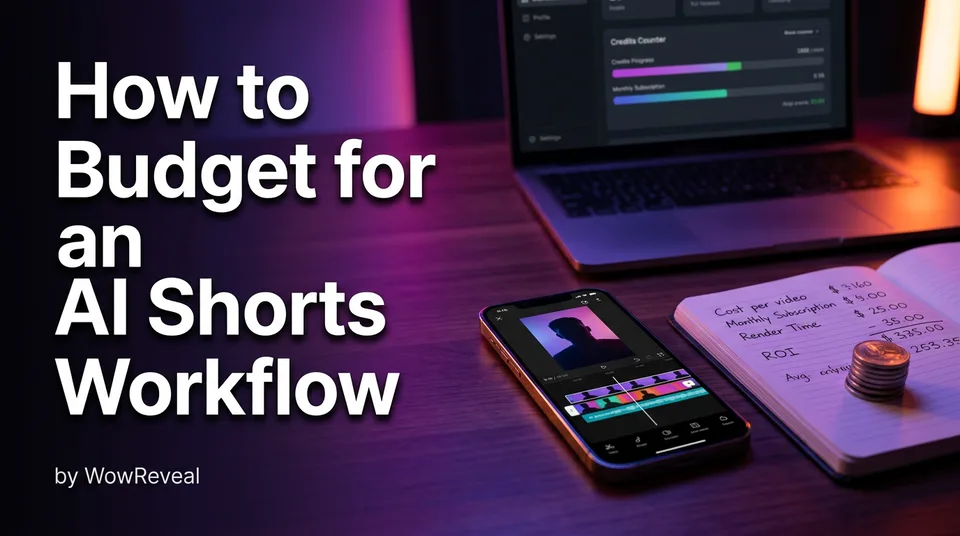
Add your time as a line, even if you're paying yourself nothing. At 10 minutes of review and posting per short, 90 shorts is 15 hours a month. If that time costs more than the credits, optimize the time first.
Then add the tools around the render: a script writer, a trend finder, a scheduler such as Meta Business Suite, stock music. Many of these are bundled in all-in-one tools. Count them once, not twice.
Monthly cost of an AI shorts workflow by team size
Monthly cost scales with shorts per month times cost per published short, so a solo page and a 10-page agency differ mainly in volume and in how credits are shared. The table uses the same placeholder rates as above.
| Scenario | Shorts per month | Cost per short (illustrative) | Monthly credits cost |
|---|---|---|---|
| Solo, existing footage | 90 | $0.75 | $67.50 |
| Solo, AI-generated clips | 90 | $3.00 | $270 |
| Agency, 10 pages, 3 per day each | 900 | $0.65 | $585 |
Solo creator
A solo creator should aim for the first row and keep generation for special cases. Roughly 90 shorts a month is one page. If you run two pages with the same volume, your costs double, but your review time doubles too, and that's often the real limit.
Agency running many pages
An agency pays for pages, not just shorts. The agency row assumes 1.3 attempts per short because templates and a consistent format cut retries. That's a guess, and your numbers will differ.
Ask how the tool prices team use. Shared credits across all pages are easier to manage than per-seat pricing, where five editors means five subscriptions. Track cost per page monthly, so a weak page doesn't quietly eat the budget of a strong one.
Using an API or automation at scale
Automation changes who clicks the button, not the credit cost. If you plan to generate shorts programmatically, for example with an API / MCP server driven by an AI agent, budget for the same credits per render plus engineering time. It also makes runaway spend easy.
Set a hard monthly credit cap and a rule that failed jobs stop rather than loop. Automate only a format you've already proven by hand.
The common mistake: paying for volume before a format works
The most expensive mistake in an AI shorts budget is paying for volume before a format has shown it holds viewers to the end. Posting 3 shorts a day of something that loses viewers in 2 seconds just produces 90 mediocre videos a month, faster.
We've watched pages burn a full month of credits on a story style that never held attention, then switch niches and start over. The credits weren't the loss. The month was.
A test-then-scale rule
Run a small test batch before you commit to a plan:
- Pick one format and one niche. Don't mix.
- Make 15-20 shorts from it over 1-2 weeks, using free credits or a small pack.
- Keep hook, length and posting time consistent so results are comparable.
- Review the numbers. Only then choose a subscription.
If the test batch costs, say, 20 × $0.75 = $15 in the illustrative example, that's cheap insurance against a $270 month.
Which metrics tell you a format is ready to scale
Look at retention, not views alone. Check average percentage viewed, how many viewers stay past the first 3 seconds, shares and follows per video. Platform dashboards show these in different places, but all four platforms report some form of them.
Scale when most of the batch beats your page's usual average viewing time, not when one video spikes. A single hit can be luck. A pattern isn't.
Ways to lower your cost per short without lowering quality
The fastest ways to lower cost per short are to reuse long video, use templates, keep clips short and cut retries. Each one reduces credits per attempt or attempts per published short, which are the two levers in the formula.
- Reuse long video. Clipping the best moments from a podcast, stream or interview costs far less than generating visuals. This is where an AI Clipper pays for itself.
- Use templates. A fixed layout for captions, headline and cover means fewer failed experiments. Niche templates exist for formats like talent shows, animal rescue or street food.
- Keep clips as short as the story allows. Shorter output uses fewer credits and usually holds viewers better.
- Fix the script before rendering. Rewriting text is free. Re-rendering is not.
- Batch your voice. Write scripts for the week, then voice them in one sitting so you catch tone problems together.
For readers hunting a best-value ai shorts tool budget, this is the honest answer: your workflow matters more than the tool's price tag. And use only footage you own or have permission to use. Reposting other people's videos is a different problem that no budget solves.
Does the budget pay back? Linking spend to earnings
Nobody can promise that AI Shorts spending will earn money, because monetization depends on platform eligibility, audience and content quality. So the answer to "can you make money with AI Shorts" is: some pages do, many don't, and you should budget as if yours might not.
Eligibility is decided by the platforms, not by your tool. For YouTube, the YouTube Partner Program overview lists current requirements. For Facebook, the Meta Business Help Center covers content monetization and content rules. Both can change, so check them before you plan around them.
Originality matters here too. Both platforms push back on unoriginal or mass-produced content, and a cheap workflow that produces repetitive videos can cost you reach.
To sanity-check the return, use a simple loop. Take your monthly cost, estimate earnings from your real RPM (revenue per 1,000 views) and monthly views, and compare. A free Facebook earnings calculator, like the one WowReveal offers, gives an estimate for Facebook Reels monetization. It's an estimate, never a forecast.
Decide in advance how many months of cost you'll accept before changing the plan. Three months is a reasonable test window for most pages.
A simple checklist before you pay
The best AI for creating Shorts is the one that meets your format, language and volume needs at a cost per published short you can sustain, so judge on criteria rather than rankings. Run through these before you pay:
- Have you tested your format with free credits first?
- Do you know credits per video for your usual length, voice and generation use?
- Have you calculated cost per published short, including retries?
- Does the tool refund failed jobs automatically?
- Is there a watermark, and does it apply to paid plans?
- Does the plan allow commercial use on monetized pages?
- Do credits expire, and does your output match that rhythm?
- For teams: are credits shared, or priced per seat?
- Does it cover your platforms: Facebook Reels, YouTube Shorts, TikTok and Instagram Reels in 9:16?
If you can answer all nine, you're ready to choose a plan. If you can't, keep testing on free credits.
Frequently asked questions
How much does an AI short video tool cost per month?
It depends on credits per video and how many shorts you post. As an illustration only, a solo page posting 90 shorts a month from existing footage might spend tens of dollars, while heavy AI generation or a 10-page agency can run into hundreds. Calculate your own cost per published short first.
Are there free AI Shorts makers worth using?
Free tiers are good for testing your workflow on a few videos, and WowReveal offers free credits with no card. They're rarely enough to run a daily page, and some add a watermark. Check watermark and commercial-use terms before posting.
Is a subscription or a credit pack cheaper?
A subscription usually gives a lower price per credit if you post daily and use the credits. A credit pack suits irregular output, but the unit price is often higher. Match the plan to your real monthly volume, not your best month.
Can you actually make money with AI Shorts?
Some creators earn from AI-assisted Shorts and Reels, but no tool can guarantee it. Meta and YouTube decide monetization eligibility, and unoriginal content can limit reach. Treat your AI shorts tool budget as a testing cost, not a promised return.
How should an agency budget an AI shorts tool across many pages?
Work out cost per published short, multiply by shorts per page per month, then by the number of pages. Check whether credits are shared or priced per seat, and set a monthly cap if you use an API.
Where to go next
- AI Short Video Creation for Reels and Shorts: The Complete Guide — the full workflow behind the budget, so you know what each step costs.
- How to Make Shorts with AI: A Step-by-Step Workflow — shows the steps that each consume credits.
- AI Video Generator for Shorts: When to Use Images, When to Use Video — image vs. video generation is a major cost driver.
- How to Add AI Voiceover to Reels, Step by Step — voice usage is one of the biggest line items.
- Repurposing Long Video into Shorts: The Complete Workflow — a cheaper way to lower cost per short.
- AI Stream Clipper: How to Turn Podcasts and Streams into Shorts — low-cost clipping for long recordings.
- Faceless Shorts with AI: How to Make Them Step by Step — a format to run your test batch on.
- AI Story Shorts: The Idea-to-Reel Production System — a repeatable system that cuts retries.
- Short-Video Workflow for Agencies: Managing Many Reels and Shorts Pages — scale the budget across pages.
- Video API for Shorts: Automating Production with an API or AI Agent — for agencies budgeting high-volume automated production.
- YouTube Shorts Monetization Requirements: Who Is Eligible and How to Check — clarifies what must be true before spend can earn anything.
- Is Making AI Shorts Profitable? Costs, Effort and Realistic Expectations
Generate your reel right now
Paste a link to any video — WowReveal writes the story, voices it and adds captions, a headline and music. Ready for Reels, Shorts and TikTok.



No link? Upload a file
- 30 free credits
- No card needed
- Voiceover in 9 languages
- Failed jobs refunded