AI Story Shorts: The Idea-to-Reel Production System
One repeatable system for AI story shorts: five stages, a quality gate at each, a realistic time budget and the platform rules that decide whether you can earn.
In this article
AI story shorts are short vertical videos where AI writes the story, voices it and assembles the captions, visuals and music around it. To make one, pick a source, write a story with a hook and a turn, voice it, caption it, render it in 9:16, then check platform rules before you post.
That's the whole system. The rest of this page is the detail behind each step, plus the part most tutorials skip: a quality gate at every stage, so a weak short gets caught on your desk instead of in your analytics. We build tools for people who post Reels and Shorts every day, and the pattern we see is simple. Pages don't fail because the AI was bad. They fail because nobody checked the story.
Key takeaways
- Five stages, one gate each. Source, story, voice, captions, render. Don't move to the next stage until the current one passes its gate question.
- The story is the product. A hook in the first 3 seconds, an escalation, a turn and a payoff. Flat narration with no hook or turn is the most common reason AI story shorts get swiped away.
- Plan about 2.5 words per second of narration. A 45-second short needs roughly 110 words, not 200.
- Rules matter more than tools. Facebook, YouTube and TikTok each judge originality and AI disclosure differently, and policies change. Check the official pages before you scale.
- Budget honestly. Expect roughly 30 to 50 minutes for your first short and 15 to 25 once the system is routine. Nobody can promise earnings; originality, retention and program eligibility decide them.
What AI story shorts are (and what they are not)
An AI story short is a narrated vertical video of roughly 30 to 60 seconds where a script, an AI voiceover and automated captions carry a complete mini-story with a beginning, a turn and an ending. The AI handles production. You still own the idea, the edit and the decision to publish.
Is there an AI that can write short stories? Yes. General chatbots, dedicated script writer tools and the story writers built into video apps all produce a draft in seconds. But a draft is not a story. Left to defaults, they write summaries ("A man found a dog, and it turned out well"), and summaries make flat shorts.
It also helps to know what this format is not. It isn't a slideshow with text over stock photos. It isn't a raw clip with a trending sound. And it isn't a repost with a new filter. Those are the formats platforms increasingly treat as low-effort, which we'll get to in the rules section.
Three common formats: narrated story, Reddit-style story, AI-generated visual story
Narrated story over real footage. You take footage you have the right to use, such as your own video, a licensed clip or a long recording you made, and write a story that gives it meaning. This is the safest format and the easiest to make original, because your commentary and structure add real value.
Reddit-style story. A first-person text story voiced by AI over background gameplay or satisfying footage. It's everywhere, which is both its strength (proven demand) and its weakness (your short looks like 500 others). The source text also needs permission; public posts aren't automatically free to reuse.
AI-generated visual story. Images or video clips generated by AI models illustrate an original script. It's the closest thing to a fully faceless pipeline. Quality depends on keeping characters and style consistent across scenes, and realistic output may trigger disclosure rules.
The idea-to-reel workflow at a glance
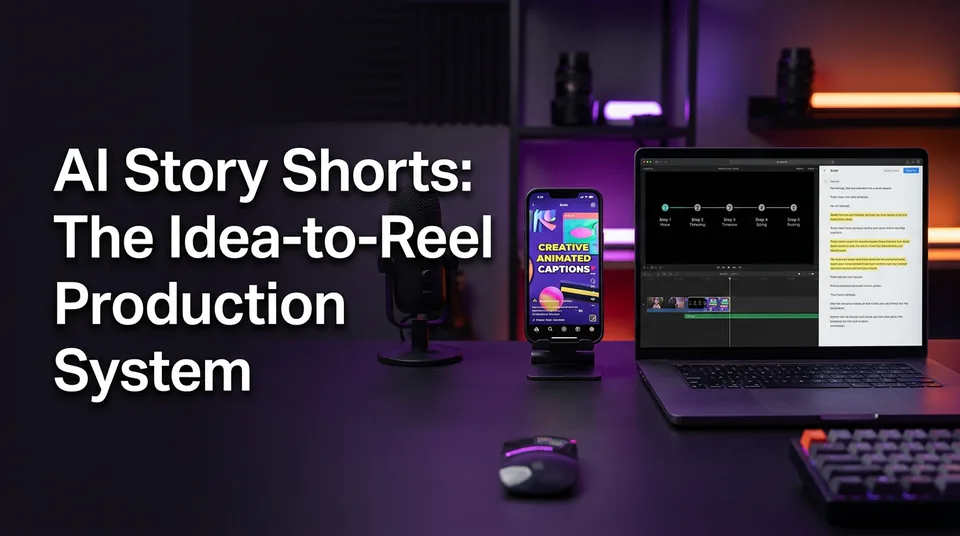
The workflow has five stages, and each one produces a specific output you can check before moving on. Here is the full map.
- Source. Choose material you have the right to retell. Gate: can I show where this came from and why I'm allowed to use it?
- Story. Write 75 to 150 words with a hook, escalation, turn and payoff. Gate: would a stranger stay past second 3?
- Voice. Generate the AI voiceover and set pace. Gate: does it sound like a person telling this, and are all names pronounced right?
- Captions and packaging. Animated captions, headline, music, cover. Gate: can I follow it on mute, and is the music cleared?
- Render. Export 9:16 and watch the whole file once on a phone. Gate: any caption clipped by the interface, any glitch, any claim I can't back up?
After stage 5 comes a pre-publish check against platform rules: originality, disclosure, music. That's a sixth gate, and it's the one that protects your account rather than your views.
Most of this can be done in one web app. WowReveal, for example, takes a pasted link or an uploaded file, writes the story, voices it in 9 languages, adds animated captions, a headline, music and a cover, and renders the 9:16 file. But the system works with any set of tools. The gates are what make it a system.
Stage 1: Pick a source worth retelling
A good source is one you have the right to use and one that already contains a surprise. Everything downstream, from the hook to the payoff, gets easier when the raw material has a real turn in it.
You have four realistic options:
- Your own footage. Phone clips, screen recordings, event videos, interviews. Best for originality.
- Licensed or public-domain material. Stock libraries, Creative Commons with the right terms, public-domain texts and old stories. Check the exact license, because some require credit or forbid commercial use.
- Original ideas. Fiction you write, anecdotes, "what would you do" scenarios, explainers. These pair naturally with AI-generated visuals.
- Permissioned material. Someone else's video or story used with their written okay. Keep the message or email.
One thing worth saying plainly: pasting a link into a tool doesn't give you rights to the video behind it. Tools can process almost any file. The permission question is yours.
Source checklist: do you have the right to use it?
Run this before you spend a minute on the script.
- [ ] I made it, or I have written permission, or the license clearly allows commercial reuse.
- [ ] The footage doesn't include music or logos I can't clear.
- [ ] People who are identifiable in it wouldn't be harmed or embarrassed by the story I'm telling.
- [ ] My version adds something: a new structure, commentary, translation with real editing, or a different angle.
- [ ] I can explain in one sentence why this isn't just a re-upload.
If you can't tick all five, pick another source. It's cheaper than losing a page.
Finding formats that are trending before they peak
Trends help you choose a format and a topic angle, not content to copy. A trend finder shows what's gaining traction in a niche, so you can bring your own version while demand is still rising.
The timing rule we use: a format is worth entering when you see it appear on several different pages with different stories, not the same story. Same story everywhere means saturation. Different stories in one shape means the shape itself is working, and that's what you borrow.
Spend 10 minutes on this, no more. Open the niche you post in, note three formats rising and one saturated, and move on to writing.
Stage 2: Write the story with a hook and a turn
A story short works when the first 3 seconds make a promise and the last 10 seconds keep it. Most AI scripts fail because they do neither: they open with context and end with a lesson.
If you remember one failure from this page, make it this one. Flat narration with no hook or turn. It's easy to spot once you know the pattern: the voice describes events in order, at one energy level, and the viewer sees no reason to wait for the ending.
Here is a before and after. Same source, a short clip of a rescued dog.
Before (flat): "This is a story about a man who found a dog near his house. The dog looked sick and was very thin. He took the dog home and gave it food. Later he found the owner and they were happy."
After (hook and turn): "He almost drove past the dog. Then he saw what it was carrying. The dog was thin, shaking, and refused to leave the ditch. Every time he stepped closer, it backed away but never dropped what was in its mouth. He sat down and waited 20 minutes. Then the dog walked up, set a child's shoe at his feet, and looked toward the woods."
Same facts. The second version opens with a decision and a question (what was it carrying?), escalates with a physical detail, and turns when the object appears. The viewer now needs the ending.
The 4-beat structure: hook, escalation, turn, payoff
For a 45-second short, think of four beats with rough timing.
- Hook (0 to 3 seconds). One or two lines that raise a question, show a contradiction or start mid-action. Skip greetings and setup.
- Escalation (3 to 25 seconds). Add stakes in small steps. Each sentence should either raise tension or add a concrete detail. If a sentence does neither, cut it.
- Turn (25 to 38 seconds). The moment the story changes direction: a reveal, a reversal, a decision. This is what viewers stay for.
- Payoff (38 to 45 seconds). Deliver the emotional or informational answer to the hook. End quickly. A long moral after the payoff costs you retention at the exact moment people decide whether to replay.
Gate: read only the first line and the last line aloud. Does the last line answer the first? If so, the structure holds.
Script length and word count by video duration
AI narration runs at roughly 2.5 words per second at a natural pace. That gives you a quick way to size the script before you generate anything.
| Video length | Words of narration | Best for |
|---|---|---|
| 20 seconds | about 50 | Single-twist micro stories |
| 30 seconds | about 75 | Fast reveals, animal and kindness clips |
| 45 seconds | about 110 | Most story shorts, full four-beat arc |
| 60 seconds | about 150 | Stories that need real escalation |
| 90 seconds | about 225 | Only if every sentence earns its place |
Typical story shorts land between 30 and 60 seconds. Don't stretch to fill a limit. If the story works in 38 seconds, publish 38 seconds. Watch time as a share of the video matters more than the raw length, and a short that finishes fully tends to look stronger than a longer one people abandon at half.
Prompting an AI script writer and editing its draft
Give the script writer constraints, not a topic. A prompt that works looks like this:
Write a 110-word narration for a 45-second vertical video. Source facts: [paste]. Start with a hook that raises a question in under 12 words. Use short sentences. One turn at about 60% of the way through. End with a one-line payoff, no moral. Plain spoken English, no adjectives like "incredible" or "amazing".
Then edit like it's someone else's draft, because it is.
- Cut the first sentence of the draft. It's usually throat-clearing.
- Replace abstract words with specific ones. "A large amount of money" becomes "$4,000".
- Read it aloud. Anywhere you stumble, the voice will too.
- Check every fact against your source. AI scripts invent details, and an invented detail in a "true story" is a trust problem.
If you write in a second language, generate in your own language first if that's easier, then adapt. Don't ship text you can't judge.
Stage 3: Voice the story with AI
A good AI voiceover sounds like one person telling one story to one listener, with pauses where a human would breathe. A bad one reads every sentence at the same speed and pitch, and viewers hear that within two seconds.
Voice is also the stage where tools differ most, so test. Generate the same 30 words in three voices and choose by ear, not by label.
Choosing a voice and pace
Match the voice to the story's emotional temperature. Warm and slower for kindness and rescue stories. Tighter and lower for mystery. Brighter for sports and talent moments. A mismatch (an upbeat voice on a sad turn) breaks the story faster than any visual flaw.
Pace guidance:
- Target about 2.5 words per second overall, but vary it: slightly faster in escalation, noticeably slower right before the turn.
- Add a pause before the turn. A half-second of silence works harder than any sound effect. If your tool supports punctuation control, use a period or an ellipsis; if not, split the line into two sentences.
- Check numbers, names and abbreviations. Text-to-speech often misreads "1,500", "St.", brand names and place names. Respell phonetically where the tool allows, or rewrite the sentence.
Gate: listen once with eyes closed. If you can't tell where the turn is, the voice isn't doing its job.
Voicing in other languages
Voicing the same story in a second language can open a new audience, but only if the translation is edited, not just generated. WowReveal voices stories in 9 languages, and the practical advice is the same for any tool: have a fluent speaker check the script, because idioms, humor and tone don't transfer word for word.
Two rules we follow. First, adapt the hook, not just translate it. A hook that works in English may be flat in Spanish or Hindi. Second, check pronunciation of names and places in the target language. A mispronounced name is the most noticeable error in a voiced short.
Post each language on its own page or channel when you can. Mixed-language feeds confuse recommendation systems and audiences.
Stage 4: Captions, headline, music and cover
Captions, headline, music and cover turn a voiced script into something that works with the sound off and stands out in a feed. Treat them as part of the story, not decoration.
Animated captions. Most people scroll with sound off or low, so captions often carry the hook. Keep lines to roughly 3 to 5 words, highlight the key word in each line, and keep the highlight consistent. Auto-generated captions still mishear names and numbers, so read them once against the script.
Headline. A short on-screen line in the first 3 seconds that frames the hook. It shouldn't repeat the narration word for word; it should add the question. "He almost drove past this dog" works better than "A story about a dog".
Music. Quiet and underneath the voice. Use tracks that come with your tool's license, or the platform's own audio library for that platform. Don't use a popular song because it's popular. Content ID matches audio automatically and claims can limit monetization or block the video. More on that in the rules section.
Cover. The cover frame is what shows on your profile grid and, on some surfaces, in feeds. A cover maker helps, but the rule is simple: one clear subject, a few words of text, no clutter. Pick a frame from the turn, not the opening.
Gate: watch the short on mute. If you still understand it, the captions are doing their job.
Stage 5: Render in 9:16 and check the output
Render at 9:16, 1080×1920, then watch the whole exported file on a real phone before you post. Previews inside editors lie about crop, color and caption position. The export doesn't.
It sounds basic. We've still seen pages post files with a caption cut off by the interface for weeks because nobody checked the final render on a phone.
Final review list:
- Does the hook appear in the first 3 seconds, including text?
- Is every caption inside the safe zone?
- Is audio level even, with music under the voice?
- Is the ending clean, with no dead air or awkward cut?
- Is the file free of watermarks from other platforms?
- Does the file match the length you planned in stage 2?
Safe zones for captions
Each platform overlays its own interface on the video: username and description at the bottom, action buttons on the right side, and sometimes a title or search bar at the top. Roughly speaking, keep text in the central band, away from the bottom fifth, the right edge and the top 10 to 15 percent of the frame. Exact margins vary by platform and change with app updates, so test one export on each platform before you build a template around it.
Put a mid-frame placement in your caption template once, then reuse it across every short. That single decision removes the most common caption error.
Ideal length for Reels and Shorts
For story shorts, 30 to 60 seconds is the practical range. Under 30 seconds, you rarely have room for a real turn. Over 60, you need escalation strong enough that retention doesn't sag. Platforms allow longer videos than that, and limits have changed over time, so check current maximums, but allowed length isn't recommended length.
A useful habit: after posting, look at where viewers drop off. If most leave before 5 seconds, fix the hook. If they leave around the middle, the escalation is thin. If they stay to the end but don't replay, the payoff is weak.
Platform rules: originality, AI disclosure and music
Publishing an AI-written story is generally not illegal, but platform policies, copyright in your source material and disclosure expectations can all cost you reach or monetization. This is general information, not legal advice, and rules change, so always check the official pages before building a business on them.
So the legal question breaks into three real risks:
- Source copyright. If your story retells someone else's video or text without permission, the copyright problem comes from the source, not from the AI.
- Platform policy. Platforms decide who can monetize. Mass-produced, repetitive or reused content can be refused regardless of legality.
- Disclosure. Realistic AI-generated or altered visuals may need a label.
Do faceless channels get monetized? Yes, a face isn't a requirement. What platforms look at is whether the content is original and adds value. A narrated story with your own script and edit is a faceless format that can qualify. A template with the words swapped on every video often can't.
| Platform | What it checks | What to do |
|---|---|---|
| Facebook Reels | Originality for Content Monetization; reposted or lightly edited others' content can be ineligible | Use your own or licensed material, add real commentary and structure, review your eligibility status in Meta Business Suite |
| YouTube Shorts | YouTube Partner Program policies on inauthentic (mass-produced or repetitive) content; disclosure of realistic altered or synthetic content | Vary your stories, add original narration and edits, use the disclosure toggle when visuals look real |
| TikTok | Labeling of realistic AI-generated content; community and music rules | Use the AI-generated content label when it applies; use licensed sounds |
Facebook Reels originality and Content Monetization
Facebook Content Monetization is built around original content. Meta's published monetization policies say, in essence, that you need to make or have rights to what you post, and that content which mostly repackages other people's work isn't eligible. Eligibility, thresholds and payout programs vary by region and change, and Meta decides, so read the current Meta help center pages and check the status in Meta Business Suite.
What this means for story shorts: your script, your voiceover choices, your structure and your editing are the originality. Taking a stranger's video, adding a voice and posting it is the exact pattern that gets pages flagged.
YouTube Shorts: inauthentic content and altered or synthetic disclosure
YouTube Partner Program rules require original content and penalize mass-produced or repetitive uploads. The YouTube Partner Program monetization policies explain how originality and reused content are assessed. The relevant question for AI story shorts is whether each video has its own substance, or whether you're stamping out the same template with new nouns.
Disclosure is a separate matter. YouTube asks creators to disclose realistic content that is altered or synthetic, such as an AI-generated scene a viewer could mistake for real footage. The details are in YouTube Help on disclosing altered or synthetic content. Clearly stylized animation or an obviously synthetic narrator is treated differently from a photorealistic fake event, but read the current wording yourself; it has been updated before.
TikTok: AI-generated content labeling
TikTok asks creators to label realistic AI-generated content, and it provides a label option when you post. TikTok has also tightened rules around misleading synthetic media. Check the current guidance in TikTok's Help Center and Community Guidelines, and when in doubt, label. A label costs you nothing; an unlabeled, convincing fake can cost you the video or the account.
Copyright and music
Music is the easiest way to lose monetization on an otherwise original short. Content ID on YouTube, and similar rights-matching on Meta and TikTok, detects copyrighted audio automatically. The fix is prevention: use the platform's own licensed audio, royalty-free tracks with clear commercial terms, or music that comes with your tool's license.
Don't try to evade detection by pitch-shifting, speeding up or layering tracks. It's against the rules, it often doesn't even work, and it puts you in a worse position than an honest claim.
Story shorts for Facebook Reels
Story shorts suit Facebook Reels because the format rewards a clear emotional arc and a payoff people want to share. The adjustment isn't the story, it's the packaging and the posting.
What we'd tune for Facebook:
- Length. Stay in the 30 to 60 second range. Facebook allows longer Reels, but most story arcs don't need it.
- Clean files. Export without another platform's watermark. Reposting a TikTok-watermarked file is a common way to waste a good short.
- Caption copy. Write a first line in the post description that doesn't repeat the hook but adds a reason to watch. Use a post kit approach: a title, a description and a small set of relevant hashtags, written once and checked.
- Niche fit. Facebook audiences respond to clear niches: animal rescue, wholesome kindness, kids' talent, satisfying restorations, street food, sports moments. Pick two or three and stay there for a few weeks before judging.
- Scheduling. Use Meta Business Suite to schedule posts so a daily plan doesn't depend on you being at your phone at the same hour.
If you also post to YouTube Shorts, TikTok and Instagram Reels, re-export per platform when you can, and keep descriptions platform-specific. Identical uploads everywhere is how pages end up looking like spam.
Time and cost: what one short really takes
A single AI story short takes roughly 30 to 50 minutes on your first attempts and 15 to 25 minutes once the system is routine, and costs a small number of credits depending on length and options. These are estimates; they vary with your skill, your tool and how much you edit.
Time per stage
| Stage | First attempts | Routine |
|---|---|---|
| 1. Source and rights check | 8 to 12 min | 3 to 5 min |
| 2. Story writing and editing | 12 to 18 min | 5 to 8 min |
| 3. Voice and pronunciation check | 4 to 6 min | 2 to 3 min |
| 4. Captions, headline, music, cover | 6 to 10 min | 3 to 5 min |
| 5. Render, phone review, pre-publish check | 5 to 8 min | 3 to 4 min |
| Total | 35 to 54 min | 16 to 25 min |
The two stages that save the most time when systemized are 2 and 4. A prompt that works gets reused. A caption and cover template gets reused. Everything else compresses naturally.
Credits per short and free credits
Most AI video tools charge in credits, and the cost per short rises with video length, voice and visual options, and any AI-generated clips or images. Check your tool's current pricing for real numbers rather than trusting a blog post, ours included.
Can you do this for free? Partly. WowReveal gives free credits to start without a card, enough to run a few shorts through the full flow and judge the output. Other tools offer free tiers too, but they often come with limits such as watermarks, capped lengths or fewer exports. Read the limits, and never post a watermarked file expecting it to monetize. Failed jobs, at least in WowReveal, are refunded automatically, which matters when you're testing.
Use free credits to test the system, not to build a posting schedule you can't sustain.
Cost of a daily posting plan
Here's the arithmetic, with your own numbers in it:
- Decide shorts per day. Say three.
- Multiply by posting days per month. Three a day for 30 days is 90 shorts.
- Multiply by your credit cost per short (from your tool's pricing page).
- Add a 10 to 15 percent margin for retakes.
- Compare that to the plan or credit pack you'd need.
Do this before choosing a plan. Many page owners over-buy volume and under-invest in story quality, when fewer, better shorts usually do more for a page than a higher count of weak ones.
Common AI story short mistakes and how to fix them
Most AI story shorts that underperform share the same handful of faults, and nearly all of them are fixable at the script or review stage. Here they are in the order we see them most.
- Flat narration with no hook or turn. The voice summarizes events in order. Fix: rewrite the first line as a question or mid-action moment, mark the turn in the script, then re-read using the before/after example above.
- Slow opening. Greetings, context, "Have you ever wondered". Fix: delete everything before the first interesting fact.
- Robotic voice. Even pace, no pauses, wrong stress. Fix: test three voices, add a pause before the turn, speed up escalation lines.
- Caption errors. Wrong names, mistimed words, text under the interface. Fix: proofread captions against the script and keep text in the safe zone.
- Repetitive templates. Same structure, same intro, same payoff every day. Fix: keep the system but vary the story shape and the angle. Platforms and audiences both notice sameness.
- Reused material. Someone else's footage with your voice on top. Fix: go back to the source checklist, and either get permission or change the source.
- Invented facts. The script adds details your source doesn't support. Fix: check each claim against the source before voicing.
If your shorts are failing and you can only fix one thing, fix the first 3 seconds. Almost every other repair is less valuable.
Do AI story shorts make money?
AI story shorts can earn, but nobody can promise it, and the content that earns isn't "AI content", it's original content with strong retention that happens to be produced with AI. Income depends on your eligibility for a monetization program, your niche, your audience's location and how many people actually watch.
Do AI Shorts make money in practice? Some pages do earn from them, often modestly, and many never do because they don't meet originality or eligibility requirements. Be wary of anyone showing a single huge month as typical.
Two metrics worth knowing: CPM is what advertisers pay per 1,000 ad impressions, and RPM is what a creator actually earns per 1,000 views after the platform's share. Short-form RPM is generally lower than long-form, so volume and retention matter more than any one video. A free earnings calculator for Facebook, including WowReveal's, can give a rough estimate, but treat it as a planning range, not a forecast.
What the platforms pay for and what they do not
Platforms pay for original content that holds attention and fits their rules. They don't pay for reposted clips, mass-produced duplicates or videos that break copyright, and they can remove monetization at any time.
In practice, that means:
- They pay for: original scripts and edits, consistent niche focus, strong watch time, content that meets their policies.
- They don't pay for: reused footage without value added, repetitive uploads, copyright violations, misleading content.
- They decide: eligibility, thresholds, payouts and policy changes, not you and not your tool.
Check eligibility in the platform's creator tools, such as Meta Business Suite for Facebook and YouTube Studio for the YouTube Partner Program, rather than assuming.
Scaling the system: daily posting and many pages
Scaling AI story shorts means batching the stages, not rushing them. The quality gates still apply at 3 shorts a day or 30.
What helps most:
- Batch by stage. Do all your source checks in one session, all your scripts in another, then voice and render in a block. Switching stages costs more time than the work itself.
- Use a weekly calendar. Assign each day a niche or format so you're never staring at a blank page. A simple 7-day grid with a few story themes is enough.
- Reuse templates. Caption style, headline position, cover layout and brand kit settings should be set once per page. Niche templates for formats like animal rescue, talent shows or street food save the setup time.
- Write a post kit per short. Title, description and hashtags written in one pass, instead of improvising at the moment of posting.
- Use AI Clipper for long sources. If you have your own long videos or podcast episodes, find the best moments first, then wrap each in a story, instead of starting from scratch.
- Automate carefully. Agencies running many pages can connect an API or an AI agent to the pipeline, but keep a human check at the source and pre-publish gates. Automation that skips those is how a whole network gets flagged at once.
Last, keep a short log per page: what you posted, hook type, length and where retention dropped. After 20 to 30 shorts, patterns show up that no tutorial can tell you, because they're specific to your niche and your audience. That's the real advantage of a system: it makes your own data readable.
Frequently asked questions
How to generate short videos using AI?
Pick a source you have the right to use, write a short script with a hook and a turn, generate an AI voiceover, add animated captions, headline, music and cover, then render in 9:16 and check platform rules before posting. Tools like WowReveal run most of these steps in one place, but the quality checks are still yours.
Is there an AI that can write short stories?
Yes, general chatbots and dedicated script writer tools can draft short stories in seconds. The draft is usually flat, so give it a word count, a hook requirement and a turn, then edit it and check every fact against your source.
Do AI Shorts make money?
Some do, but it isn't guaranteed. Earnings depend on program eligibility, originality, watch time, niche and audience location. Platforms such as Meta and YouTube decide eligibility and can change rules, so treat any income figure as an estimate.
Is it illegal to publish a story written by AI?
Generally no. The real risks are copyright in the source material you retell, platform policies on originality and reused content, and disclosure rules for realistic synthetic visuals. This is general information, not legal advice, and rules vary by country and platform.
How long should an AI story short be?
Most land between 30 and 60 seconds. At about 2.5 words per second, that's roughly 75 to 150 words of narration. Match the length to the story, not the platform maximum.
Can I make AI story shorts for free?
You can test the whole flow for free. WowReveal offers free credits to start without a card, and other tools have free tiers, though those often carry watermarks, length caps or limited exports. Check the limits before you plan a daily schedule.
Do I need to disclose AI use on YouTube, TikTok or Facebook?
YouTube asks you to disclose realistic altered or synthetic content, and TikTok asks you to label realistic AI-generated content. Facebook has its own AI labeling approach. Policies change, so read the current official pages, and label when a viewer could mistake the visuals for real footage.
Can I use AI story shorts on a faceless channel and still monetize?
Yes, a face isn't required. Platforms look at originality and value, so a faceless channel with original scripts, edits and varied stories can qualify, while one that reuses others' footage or repeats a template usually can't.
Where to go next
- AI Short Video Creation for Reels and Shorts: The Complete Guide — the wider parent guide that places this story system in the full short-video picture.
- How to Make Shorts with AI: A Step-by-Step Workflow — the general Shorts workflow if you want the same process for non-story formats.
- Hooks for Reels and Shorts: How to Win the First 3 Seconds — goes deeper on the hook, the beat that decides most retention.
- How to Add AI Voiceover to Reels, Step by Step — a detailed walkthrough of stage 3, voice and pacing.
- How Long Should a Clip Be for Shorts and Reels? — helps you pick the right length for your story's pacing.
- Post Kit for Reels and Shorts: How to Write Titles, Descriptions and Hashtags — finishes the packaging once the video is rendered.
- Original Content on Facebook Reels: What Counts and What Doesn't — spells out the originality rules behind Facebook Content Monetization.
- Copyright and Music Rules for Reels and Shorts: What You Can Use and What to Do After a Claim — covers music licensing and what to do if a claim hits.
- Monetization-Safe Shorts: A Pre-Publish Checklist for Every Reel and Short — the final quality gate before you post.
- Faceless Shorts with AI: How to Make Them Step by Step — a related format for creators who never show their face.
- Are Faceless Channels Allowed to Monetize? What the Platforms Actually Check — digs into what platforms review on faceless pages.
- How to Post the Same Video on Reels, Shorts and TikTok Safely — shows how to publish one story across platforms without looking like spam.
- Facebook Reels vs YouTube Shorts vs TikTok: Where to Post to Earn — helps you decide which platform deserves your effort first.
- Content Calendar for Daily Reels and Shorts: A Weekly Posting Schedule — turns the system into a weekly rhythm.
- Short-Video Workflow for Agencies: Managing Many Reels and Shorts Pages — scaling the system across many pages.
- Video API for Shorts: Automating Production with an API or AI Agent — for teams ready to automate parts of the pipeline.
- Repurposing Long Video into Shorts: The Complete Workflow
- Short Video Retention: How to Get Reels and Shorts Watched to the End
Generate your reel right now
Paste a link to any video — WowReveal writes the story, voices it and adds captions, a headline and music. Ready for Reels, Shorts and TikTok.



No link? Upload a file
- 30 free credits
- No card needed
- Voiceover in 9 languages
- Failed jobs refunded