What Is a Post Kit for Reels and Shorts?
A post kit is the title, description and hashtags prepared for one short video. Here's what each part does, how it changes per platform, and what it can't do.
In this article
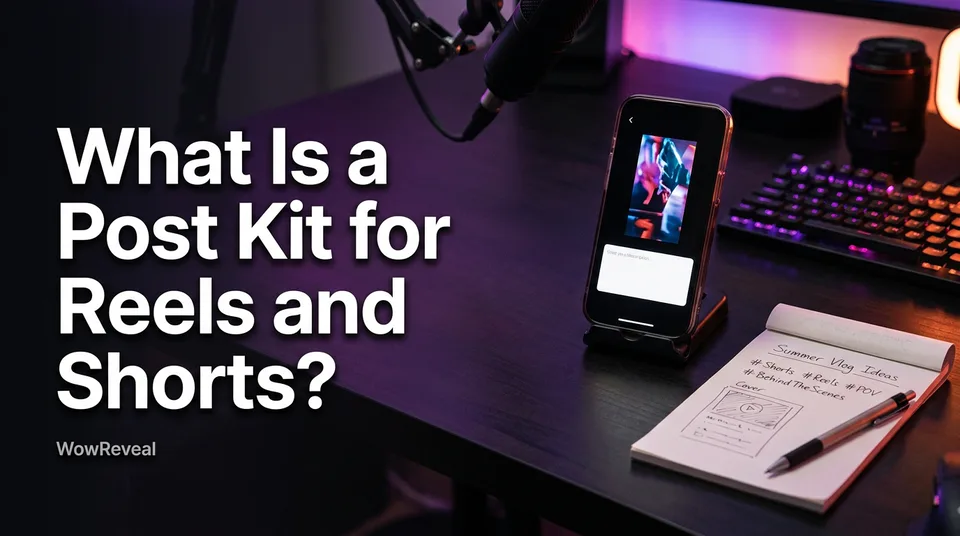
A post kit is the bundle of title, description and hashtags (plus a cover suggestion) prepared for one short video, so it's ready to paste and post on Reels, Shorts or TikTok. If you searched "what is a post kit" and landed on deck railings, this is the social-media meaning, not the hardware one.
Key points
- A post kit is the text package for one video: title, description, hashtags, and optionally a cover suggestion.
- You write or generate it per video, then adapt it for each platform.
- Its job is speed and consistency. It removes the blank-page step.
- It doesn't create reach or earnings, and it can't rescue a weak hook.
Post kit definition
A post kit is a ready-to-paste text package built for a single finished video. Some people call it a social post package. The idea is simple: everything you type at the posting screen is prepared before you open the app.
The WowReveal post kit generates exactly this set: titles, descriptions and hashtags for the video you made. The cover is a separate asset, so in a kit it usually shows up as a suggestion, such as which frame or headline text to use.
What a post kit contains and what each part does
A post kit for video has four parts, and each one has a single job. Here's what a good Reels post should include.
Title or headline
The title is your hook in the feed. It's the one line people read before deciding to watch, so it should state the payoff or the curiosity in a few words, and match what the video delivers.
Description or caption
The description gives context and natural keywords. Two or three plain sentences are enough. It should describe the video honestly, not repeat the title, and not stuff in terms.
Hashtags
Hashtags are topic signals. Use a few relevant ones, roughly three to five, not a wall of 30. They help platforms categorize the video, nothing more.
Cover suggestion
The cover is the frame or text card shown on your profile grid and in some feeds. A kit suggests which moment or headline to use, so you aren't deciding at the last second.
The same kit changes shape depending on where you post:
| Platform | Where the kit goes |
|---|---|
| Facebook Reels | One caption, with a few hashtags |
| YouTube Shorts | A title plus a separate description |
| TikTok | A caption with hashtags |
| Instagram Reels | A caption with hashtags |
YouTube treats the title and description as separate fields, and its limits can change, so check the YouTube Help page on Shorts before assuming a length.
How a post kit speeds up daily posting
A post kit speeds up posting by removing the decision-making at the last step. We've seen pages lose hours a week staring at an empty caption box after the video was already done.
With a ready-to-post kit, the video and its text arrive together. That keeps your style consistent and makes batch work easy: make seven videos, prepare seven kits, schedule them in one sitting. For anyone running several pages, it's the difference between posting daily and posting when you have energy.
What a post kit does not do
A post kit doesn't guarantee views, followers or earnings. Hashtags don't make a video spread. The first 3 seconds of the video and its retention do far more than any caption.
There's also an originality trap. If you paste the same text across many pages, your pages start to look repetitive. Edit each kit so it fits the page and the video. And a kit can't make reused or unoriginal footage safe: Facebook content monetization and the YouTube Partner Program both have originality rules, and Meta and YouTube decide eligibility. Those rules change, so check the current official versions.
Where to go next
Once you know what a kit is, the next step is writing each element well and packaging the whole Reel, cover included. The links below cover both, plus how kits fit into batch and multi-page workflows.
Where to go next
- Post Kit for Reels and Shorts: How to Write Titles, Descriptions and Hashtags — The how-to follow-up for writing each element.
- Packaging a Reel: Cover, Title, Description and Hashtags Before You Post — The full pre-post checklist, cover included.
- How to Post the Same Video on Reels, Shorts and TikTok Safely — How to adapt one kit across platforms.
- How to Batch Create a Week of Shorts and Reels in One Sitting — Kits in a batch workflow.
- How to Post Reels Daily on Multiple Pages Without Burning Out — Kits as a time-saver for multi-page owners.
- Hooks for Reels and Shorts: How to Win the First 3 Seconds — The video hook matters more than the text.
- What Is Transformative Content? Definition and Examples for Reels and Shorts
- Copyright Claim on YouTube Shorts: How to Prevent and Dispute It
Generate your reel right now
Paste a link to any video — WowReveal writes the story, voices it and adds captions, a headline and music. Ready for Reels, Shorts and TikTok.



No link? Upload a file
- 30 free credits
- No card needed
- Voiceover in 9 languages
- Failed jobs refunded