Packaging a Reel: Cover, Title, Description and Hashtags Before You Post
Cover, headline, description, hashtags: four things to add before every Reel, in the right order. A repeatable pre-post routine with before/after examples and a per-platform map.
In this article
Before you post a Reel, add four things: a cover, a short on-screen title (headline), a description (caption) and a few relevant hashtags, decided in that order. Each one should add information the video doesn't already say, because text that repeats the footage wastes the only places where a viewer decides to tap, stay or follow.
That's the short answer to what to add before posting a reel. The rest is the workflow: what each element does, the order that saves time, weak versus specific examples, where each element lives on Facebook Reels, Instagram Reels, TikTok and YouTube Shorts, and a checklist you can copy.
Key takeaways
- Four elements, four jobs: the cover earns the tap, the headline sets the promise, the description adds context, hashtags help categorize.
- Decide the video's one-line promise first. Everything else is a rewording of it for a different spot.
- The most common mistake is generic text that just describes what the viewer is about to see.
- Use a few relevant hashtags in the description, not in the on-screen headline. No hashtag makes a Reel go viral.
- Cover and text must match the video. Misleading packaging can cost you reach and, on monetized pages, trouble with eligibility.
The four elements of a packaged Reel
A packaged Reel has four separate elements, and each one answers a different question for a different moment in the viewer's scroll. Treating them as one blob of "text to add" is why so much packaging ends up repetitive.
Cover
The cover (thumbnail) is the still image people see in your profile grid, on your page's Reels tab and sometimes in search or suggestions. Its job is to earn the tap from someone who isn't yet watching. It's a 9:16 vertical video frame, so it needs to stay readable when the platform crops it.
Title or on-screen headline
The headline is the short line of text burned into the first seconds of the video, and often onto the cover too. Its job is to state the promise in under 8 words so a muted viewer gets it instantly. Not every platform has a separate title field, so on most of them this is text you add to the video itself.
Description (caption)
The description is the written text under or beside the video. Its job is context: the detail, the stakes, the question that the video leaves open. It's where you add what 15 seconds of footage can't carry, and where you invite a comment.
Hashtags and tags
Hashtags are searchable labels written with a # inside the description. YouTube tags are a hidden metadata field in YouTube Studio. Their job is small and specific: telling the platform what topic the video belongs to. They don't create reach by themselves.
What to decide first: the order that saves time
Decide the promise of the video first, then the cover and headline, then the description, and hashtags last. Working in this order means each step is a rewording of a decision you've already made, not a fresh blank page.
Start with the one-line promise of the video
Write one sentence: what does the viewer get if they watch to the end? "A stray dog gets rescued from a flooded drain" is a promise. "Cute animal video" isn't. If you can't write the sentence, the problem is the video, not the packaging, and no cover will fix it.
We've seen this go wrong on pages that post daily: the text gets written after the render, on a phone, in 20 seconds, and it shows. Writing the promise before you finalize the edit also tells you what the first 3 seconds need to show.
Then cover and headline, then description, then tags last
The headline is the promise compressed. The cover is the promise as an image. The description is the promise plus one new detail. Hashtags come last because they're simply the topic words that fall out of the sentences you've already written.
Reverse this and you end up choosing hashtags first, then bending the text around them. That's how you get captions that read like a keyword list.
How to write a cover and headline that earn the tap
A good cover shows the most curious frame of the video with 2 to 5 words of text, and the headline says the same promise in slightly different words. They should work as a pair, not as two copies of each other.
Pick the frame with the most unresolved tension: the moment before the reveal, not the reveal itself. A cleaned-up restoration photo gives the viewer nothing to wonder about. The half-cleaned one does.
For headline wording, use a concrete noun and a hint of outcome. "Nobody expected this dog's reaction" is vague. "The dog that waited 3 days by the door" is specific enough to be a story. And keep it honest: if the video doesn't deliver what the headline implies, viewers leave early and your watch time and retention suffer.
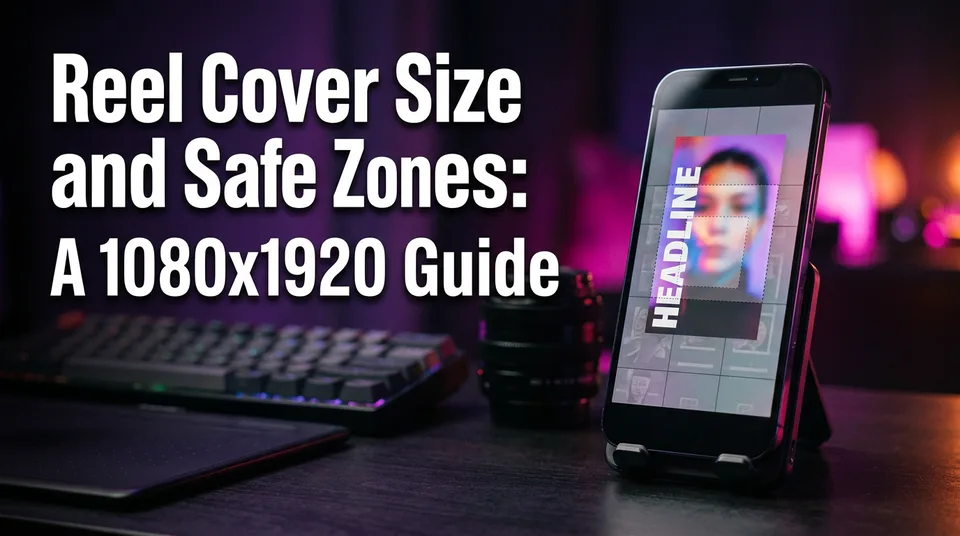
Cover rules: one focal point, readable text, safe zone for the feed grid
Platforms crop covers differently in the feed, the profile grid and search, and grid shapes have changed more than once, so check the current preview in the app.
- One focal point. A face, an object, one action. Not a collage.
- Short text, large enough to read on a phone at thumbnail size.
- Keep text and the main subject near the center, away from the edges and the bottom area where the platform overlays its own interface.
- High contrast between text and background. White text with a dark outline beats thin colored fonts.
- No fake play buttons, arrows or "before/after" labels that the video doesn't show.
How to write the description without repeating the video
The description should add what the video doesn't show: background, a detail, a reason to care or a question. If a viewer could guess your caption from watching the first 5 seconds, delete it and write something else. That's the "don't repeat the video" test, and it catches most weak captions.
Weak vs specific: before and after examples
Take one story Reel: a rescued dog reunited with the family that lost it after a flood.
| Element | Weak (repeats the video) | Specific (adds information) |
|---|---|---|
| Headline | Dog reunited with family | Lost in the flood, found 11 days later |
| Description | Amazing reunion between a dog and his family. Watch till the end! | Rex slipped his collar when the water rose. A neighbor recognized the scar on his ear. Would you have stopped to check? |
| Hashtags | #dog #viral #fyp #love #reels #amazing | #doglovers #animalrescue #reunion |
The weak column isn't wrong. It's empty. The specific column gives a reason to watch, a reason to comment and clear topic signals. Don't invent details you can't support, though: if you're re-telling a real event, keep the facts accurate.
Where to put a question or call to action
Put the question at the end of the description, after the context, so it reads as a natural next thought. "Would you have stopped to check?" invites an opinion. "Like, share and follow for more" invites nothing, and it's the line most pages already use. One clear prompt is enough.
Hashtags and tags: how many, where, and which
Use a few relevant hashtags, put them in the description, and expect them to help categorize the Reel, not to push it. The commonly quoted "3 hashtag rule" is a practical starting point, not a rule or a guarantee.
Hashtags in the description, not in the on-screen title
Put hashtags at the end of the description, and keep them out of the on-screen headline. Burned into the video, a hashtag is just ugly text that nobody can tap, and it eats the space your promise needs. On YouTube Shorts, hashtags can also go in the title, but a title stuffed with them reads badly and hurts clicks.
Three to five specific ones is plenty: one broad topic, one narrower niche, one for the format or theme. Skip the ones that describe nothing, like #viral or #fyp.
Why no hashtag makes a Reel go viral
No hashtag makes a Reel go viral, and any list that claims otherwise is selling you something. What gets a Reel distributed is how people respond: whether they watch to the end, rewatch, share and comment. Hashtags only help the system understand the topic.
That's why chasing "top hashtags" is a poor use of 10 minutes. Spend them on the hook instead.
Facebook Reels, Instagram, TikTok and YouTube Shorts differences
Each platform treats hashtags a little differently, and the details change, so check the current help pages before you build a habit.
- Facebook Reels: hashtags go in the description. Meta's creator hub is the place to confirm current guidance, including for Facebook content monetization.
- Instagram Reels: hashtags go in the caption. Instagram has been tightening how many hashtags it wants per post, so fewer is safer.
- TikTok: hashtags go in the caption. Relevance matters more than volume.
- YouTube Shorts: hashtags go in the title or description, and the first few appear above the title. Per the YouTube Help Center, going past 15 hashtags can cause all of them to be ignored. Tags in YouTube Studio are separate, a hidden field that plays a minor role.
Where each element lives on each platform
Every platform has the same four elements, but they sit in different places, and some have no separate title field. Knowing where they live keeps you from typing a caption into the wrong box. Menus change, so treat this as a map and confirm in the app.
| Platform | Cover | Headline | Description | Hashtags/tags |
|---|---|---|---|---|
| Facebook Reels | Pick a frame or upload an image at the final posting step | Burned into the video | Description field | In the description |
| Instagram Reels | Choose a frame or upload from your camera roll; also shapes the grid look | Burned into the video | Caption field | In the caption |
| TikTok | Select a frame on the post screen | Burned into the video | Caption field | In the caption |
| YouTube Shorts | Frame selection, or upload where available | Title field (also on-screen text) | Description field | In title or description; tags in YouTube Studio |
One more question people ask: are hashtags helpful on covers or for music? No. Hashtags on a cover image can't be tapped or indexed. Put them in the description. Music or sound choices are attached separately, and the cover shouldn't try to carry them.
Pre-post checklist for Reels
Before you post, you should have a one-line promise, a cover, an on-screen headline, a description that adds new information and three to five relevant hashtags. Anything less is a Reel that's only half-packaged.
- Write the one-line promise.
- Pick a cover frame with one focal point and 2 to 5 words of text.
- Check the on-screen headline matches the promise and is under 8 words.
- Write the description: one new detail plus one question.
- Add three to five relevant hashtags at the end.
The 60-second check before you tap Post
Read the headline and the first line of the description back to back. If they say the same thing, rewrite the description. Then look at the cover at thumbnail size on your own phone. If the text is hard to read at that size, it's too small or too busy.
Last, ask whether a stranger would feel misled after watching. If yes, fix the packaging, not the video.
Common packaging mistakes to avoid
The most common mistake is generic text that repeats the video. The second most common is treating the packaging as an afterthought.
- Generic captions. "Watch till the end" and "Amazing video" give no information.
- Hashtag stuffing. Twenty hashtags look spammy and, on YouTube Shorts, can be ignored entirely.
- A misleading cover. A cover or headline that promises something the video doesn't show tanks retention and goes against platform rules about misleading content. Both Meta and YouTube publish those rules, and they can change.
- Cover text near the edges. It gets cropped in the grid and covered by interface elements.
- Packaging after the edit is final. If the promise isn't clear, the hook usually isn't either.
Speed up packaging with a post kit
If you post every day, the packaging step needs to take minutes, not 20 minutes per video, and a template for the thinking helps more than a template for the words. Write the promise yourself, then let a tool draft the variants.
The WowReveal post kit generates titles, descriptions and hashtags from your video so you start from a draft and edit it against the "don't repeat the video" test. The WowReveal cover maker builds the 9:16 cover with readable text. Neither replaces the judgment of a one-line promise, but they remove the typing.
Run the checklist, edit the draft and post. That's the entire routine.
Frequently asked questions
Should I add hashtags in the title or the description?
Put them in the description (caption) on Facebook Reels, Instagram Reels and TikTok, and keep them out of the on-screen headline. On YouTube Shorts they can go in the title or description, but the description is usually cleaner. Rules change, so check each platform's help page.
Which hashtags make Reels go viral?
None do. Hashtags help a platform categorize your video, but distribution depends mainly on viewer behavior such as watch time, rewatches, shares and comments. Pick a few relevant ones and spend your effort on the hook.
What is the 3 hashtag rule?
It's a popular guideline to use about three relevant hashtags instead of dozens. It's a practical starting point, not an official rule or a guarantee. Three to five specific hashtags is a sensible range, and stuffing is worth avoiding.
Are hashtags helpful on a Reel cover?
No. Text on a cover image can't be tapped or indexed as a hashtag. Keep the cover to one focal point and 2 to 5 words, and put hashtags in the description.
What should I decide first when packaging a Reel?
Decide the video's one-line promise first. Then write the cover and headline, then the description, and choose hashtags last. This order keeps all four elements consistent and stops you from writing generic text that repeats the video.
Where to go next
- Short Video Retention: How to Get Reels and Shorts Watched to the End — the wider system that packaging sits inside.
- What Is a Reel Cover (Thumbnail) and Why It Matters — defines the cover if the term is new to you.
- How to Create a Cover for Reels (And What It's Called) — step-by-step cover setting on each platform.
- How to Make a Reel Cover That Gets Taps (Cover Maker Guide) — the practical next step for building the cover.
- Post Kit for Reels and Shorts: How to Write Titles, Descriptions and Hashtags — a deeper guide to writing the text elements fast.
- Hashtags for Reels: How Many to Use and Which Ones Actually Help — detailed hashtag count and selection.
- Do Hashtags Help Reels Go Viral? What Actually Works — expands the hashtag myth section.
- Animated Captions for Shorts and Reels: Styles, Settings and Mistakes to Avoid — on-screen text inside the video itself.
- How to Find Where Viewers Drop Off in Your Shorts (and What to Fix) — check whether your packaging promise holds up.
- Best Time to Post Reels on Facebook (and How Often to Post)
- How to Add a Headline, Music and Cover to a Clip Automatically
- What Is a Hook in Short Video? Definition, Types and Examples
Generate your reel right now
Paste a link to any video — WowReveal writes the story, voices it and adds captions, a headline and music. Ready for Reels, Shorts and TikTok.



No link? Upload a file
- 30 free credits
- No card needed
- Voiceover in 9 languages
- Failed jobs refunded