How to Create a Cover for Reels (And What It's Called)
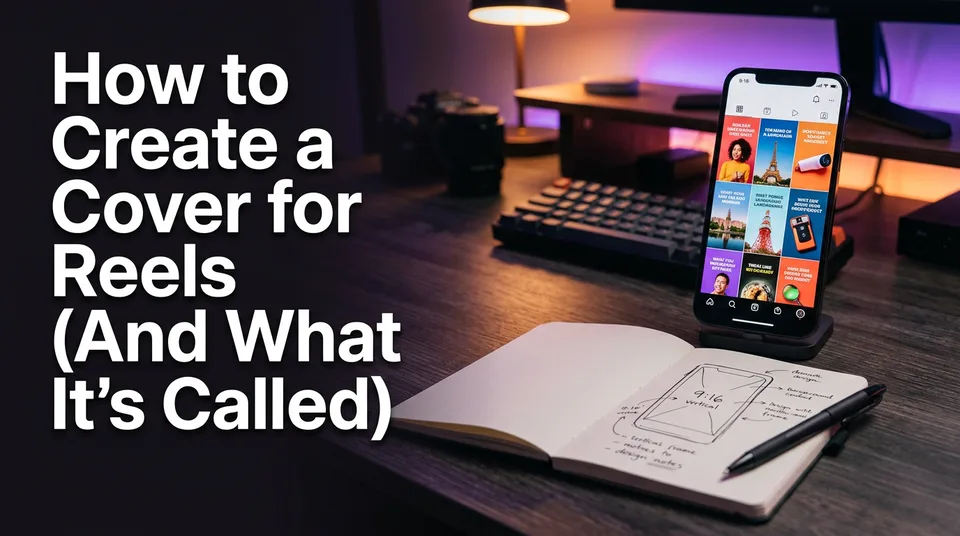
The cover of a Reel is called the cover image, or thumbnail. Here's how to set it in under a minute, size it for the grid crop, and design it so it earns taps.
In this article
The cover of a Reel is called the cover image, also known as the thumbnail, and you create it on the publishing screen by choosing a frame from the video or uploading a custom 9:16 image before you share. Then add a short headline in the center of the frame, inside the safe area, so nothing gets cropped on your profile.
That's the whole job. The rest of this page is about doing it fast and not getting it wrong.
What the cover of a Reel is called
The cover of a Reel is officially the cover image, and most people simply call it the thumbnail. It's the still picture people see on your profile grid, in some feed placements and in search results, before anyone presses play.
Why care? Because that still is often the only thing a stranger judges. The video can have a perfect hook, but if the cover looks like a random blurry frame, the tap never happens. The cover earns the tap, the hook keeps the viewer. Both matter.
Reel cover size and the safe area
Design your Reel cover at 1080x1920 pixels (9:16), and keep every important element in the middle of the frame. The reason is the profile grid, which doesn't show the full vertical image.
1080x1920 and the grid crop
Your full cover is 9:16, but Instagram's profile grid now displays a 3:4 crop. Older grids used a 1:1 square, and plenty of older profiles still look that way. A cover designed only for the full-screen view will lose the top and bottom edges on the grid.
So build one safe area: a centered block roughly the width of the frame, with text and the main subject sitting well away from the top and bottom. If it survives the 1:1 crop, it survives everything. We've seen pages put a headline in the lower fifth of the frame, and on the grid it simply vanished.
How to add a cover to a Reel on Instagram, step by step
To put a cover on an Instagram Reel, open the Share screen, tap the cover preview, choose "Edit cover," then pick a frame or add an image from your camera roll. The labels shift a little between app versions, so check the Instagram Help Center if your screen looks different.
Pick a frame from the video
- Record or upload your Reel and tap Next until you reach the Share screen.
- Tap the cover preview image.
- Choose "Edit cover" and drag the slider to a frame with a clear subject.
- Save, then share.
Pick a frame where the face or object is sharp and large. Avoid mid-blink faces and motion blur.
Upload a custom cover
Same screen, same "Edit cover" button, but choose the option to add from your camera roll. Upload a 1080x1920 image with your headline already on it. This is the better route for pages, because a designed cover looks consistent across the grid while a raw frame rarely does.
Change the cover after posting
You can change a cover after the Reel is live. Open the Reel, tap the three-dot menu, choose Edit, then change the cover and save. Instagram may not let every account swap it instantly, and options change over time, so treat this as a fix, not a plan.
Cover design rules that get taps
A cover that gets taps follows three rules: large text, high contrast and one clear subject. Everything else is decoration.
- Large text. Aim for about 3-5 words. If you need to squint on a phone, it's too small.
- High contrast. Light text with a dark outline or shadow beats thin colored fonts every time.
- One subject. One face, one animal, one object. Two competing focal points read as noise.
Keep fonts and colors the same across the page. That consistency is what makes a grid look like a brand rather than a pile of clips.
The common mistakes are predictable: tiny text, words pushed to the edges where the crop eats them, low-contrast fonts, and covers that promise something the video doesn't deliver. That last one costs you more than a lost tap. It hurts watch time and trust.
Text ideas for headlines
Short and specific wins. Try a curiosity gap ("He never saw this coming"), a payoff ("Fixed in 10 minutes"), a number ("3 mistakes"), or a plain label of the moment ("The final twist"). Skip full sentences. If the headline can't be read in one glance, cut words.
How covers work on Facebook, TikTok and YouTube Shorts
Each platform lets you set a cover at publishing, but the controls differ, so one safe-area design works everywhere while the steps change. Platform rules and menus change, so confirm in each app.
| Platform | Where you set it | Notes |
|---|---|---|
| Instagram Reels | Share screen, "Edit cover" | Frame picker or camera roll upload |
| Facebook Reels | Reel composer, thumbnail selection | Choose a frame or upload an image |
| TikTok | Post screen, cover | Choose a frame or upload from the gallery |
| YouTube Shorts | Mobile flow, frame selection | Custom thumbnails are limited and vary by account and device |
Our rule: design one 1080x1920 cover with a centered headline, and reuse it. Because the text sits in the middle, it works in the full 9:16 feed view and in the grid crop.
Make covers faster with a cover maker
A cover maker saves the most time when you post many Reels a day, because designing each cover by hand stops being realistic around the third video. A Canva-style template is fine for a single custom design: you set your fonts once and swap the image.
For volume, the WowReveal cover maker generates a cover with a headline taken from the video itself, so you aren't retyping and repositioning text for every upload. It's also part of the flow that renders the 9:16 video with captions, headline and music. Check what's included in your plan, since free credits and limits apply.
Whatever tool you pick, test the result at thumbnail size on your actual profile grid before you commit to a style.
Frequently asked questions
What is the cover of a Reel called?
It's called the cover image, and most people say thumbnail. It's the still shown on your profile grid and in some feeds and search results.
What size should a Reel cover be?
Use 1080x1920 pixels (9:16). Keep text and the main subject centered, because the profile grid crops to 3:4, and older grids used 1:1.
Can I change a Reel cover after posting?
Usually yes. Open the Reel, choose Edit, then change the cover and save. Availability can vary by account and app version.
Where to go next
- What Is a Reel Cover (Thumbnail) and Why It Matters — The deeper why behind covers, if you want the definition and impact.
- How to Make a Reel Cover That Gets Taps (Cover Maker Guide) — The full walkthrough of the cover maker, the natural next step.
- Hooks for Reels and Shorts: How to Win the First 3 Seconds — The cover earns the tap, the hook keeps the viewer.
- Animated Captions for Reels: Do They Help Retention? — Another packaging element that lives inside the video.
- How to Post Reels Daily on Multiple Pages Without Burning Out — A batch workflow so covers don't eat your day.
Generate your reel right now
Paste a link to any video — WowReveal writes the story, voices it and adds captions, a headline and music. Ready for Reels, Shorts and TikTok.



No link? Upload a file
- 30 free credits
- No card needed
- Voiceover in 9 languages
- Failed jobs refunded