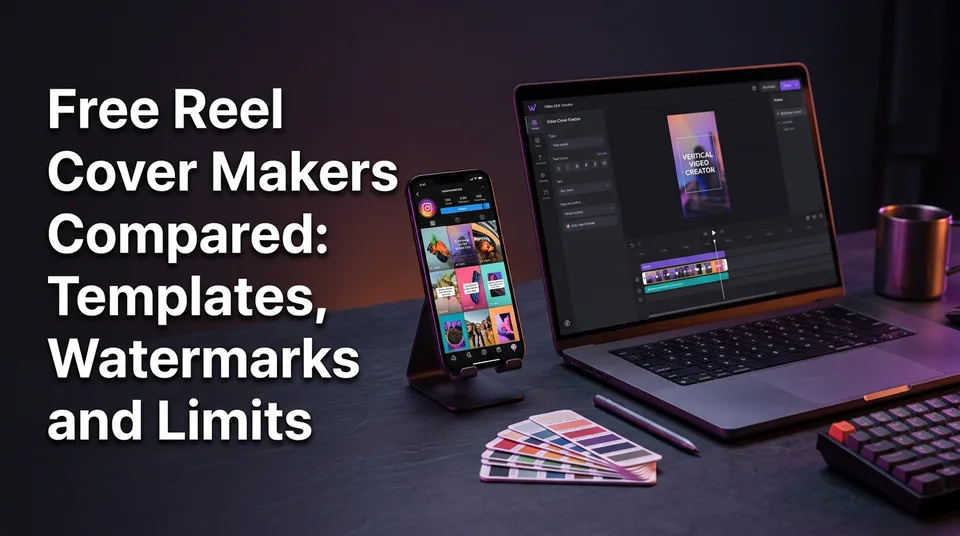
Free Reel Cover Makers Compared: Templates, Watermarks and Limits
Seven free Reel cover makers tested on the same checklist: watermark, brand colors, 1080x1920 export and how fast you can ship 10 covers a day.
In this article
The best free reel cover maker depends on how you post: Canva or Adobe Express for hand-designed one-off covers with free templates, and a tool with automatic covers, such as WowReveal, when you post daily in batches. Three checks decide it: watermark-free export, brand colors and fonts that stay saved, and the minutes each cover costs you.
No cover guarantees views. A cover earns the tap on your profile grid and in the Reels tab, nothing more. The hook and the first seconds still decide whether people watch.
Key takeaways
- Canva has the biggest free template library for Instagram Reels covers, but its Brand Kit is mostly a paid feature.
- Adobe Express and Figma Community give you editable 1080x1920 templates. They're best when someone on your team likes designing.
- Pixgrid, Sivi and TryMyPost are fast online and AI generators. Free tiers change often, so check watermark and credit limits on the day you use them.
- WowReveal builds the cover with the video, so there's no separate design step per Reel. That's the point for 10+ covers a day.
- Keep text in the center. The profile grid crops the edges of a 9:16 cover.
What a Reel cover is and what a free maker must do
A Reel cover is the still image people see for your Reel on your profile grid and in the Reels tab before they press play. It's often called a thumbnail. Instagram lets you pick a frame from the video or upload your own image before you publish, as described in the Instagram Help Center.
So what must a free maker do? Four things. Export a clean 1080x1920 file with no watermark, give you Reel-shaped templates so you don't start from a blank page, remember your colors and fonts, and finish fast. Everything else is decoration.
Cover size and safe zone for the profile grid
The Reel cover size is 1080x1920 pixels at 9:16, exported as PNG or JPG. The catch is the profile grid, which shows a cropped center of that tall image, so edge text gets cut.
Instagram has changed the grid shape over the years, and it may change again. So don't trust a rule of thumb. Put your headline in the middle band, leave generous margins on all four sides, then open your own profile and check the preview before you publish.
Winner here: no tool wins on size, since they all offer 9:16. The winner is whoever shows a grid-crop guide, and that's a short list.
How we compared the free reel cover makers
We compared every tool on the same five checks, because a pretty template page tells you nothing about day 30 of daily posting. The checks: template variety, saved brand colors and fonts, export format, watermark, and time per cover.
We've watched page owners pick a cover tool on template looks, then quit it within a week because every cover meant re-uploading a logo and retyping hex codes. That's the failure we're testing for.
One caveat. Free plans, credits and watermark rules change without notice, and we state only what the vendors publicly describe. Where a detail isn't clearly stated, the table says "not stated". Verify on the day you use the tool.
Canva: the biggest free template library
Canva has the largest free pool of Instagram Reel cover templates in this comparison, and its template page advertises 170+ Reel-specific covers at the time of writing. They're already 1080x1920, so you pick one, swap the text and image, and export.
Export is PNG or JPG, and free designs generally download without a watermark. The catch is premium elements: templates and stock items marked as Pro can require an upgrade to use or download cleanly. Check Canva's pricing page for what the free plan includes today.
Brand colors are the weak spot for batch work. The full Brand Kit, with saved palettes, fonts and logos, is mostly a paid feature. On the free plan you can still duplicate one finished cover and edit the text each time, which works, but it's manual.
Speed: about 2 to 4 minutes per cover once you have a duplicated master design. That's fine for three Reels a day and painful for 15.
Winner for template variety: Canva. For batch speed: it depends on how disciplined your master template is.
Adobe Express and Figma: editable templates for designers
Adobe Express and Figma both give you free, fully editable Reel cover templates, but they serve different people. Express suits creators who want a Canva-like editor. Figma suits anyone who already works in design files.
Adobe Express
Adobe Express offers dozens of editable Reel cover templates in its free plan, with text, photo, layer and filter controls. Export to PNG or JPG at the Reel size is straightforward.
Premium templates, some assets and parts of the brand features sit behind the paid plan. The free plan's exact watermark and download rules are worth checking in the app before you build a workflow on them, because we can't state them as fixed.
Speed lands close to Canva, around 2 to 4 minutes per cover. Pick it if you like Adobe's fonts or already have an account.
Figma Community templates
Figma Community hosts free Reel and Story cover templates made by other designers. You duplicate a file into your own drafts and edit the frames. Export covers PNG, JPG, SVG and PDF.
The upside is control. A single file can hold 30 cover variants side by side, with shared color styles and fonts, so brand consistency is genuinely strong. The downside is the learning curve, and template quality varies because each file comes from an individual author. Check the license on every file you duplicate.
Winner for design control: Figma. For fast onboarding: Adobe Express.
Pixgrid, Sivi and TryMyPost: quick online and AI cover generators
Pixgrid, Sivi and TryMyPost are the fastest ways to get a cover with no account-heavy workflow, and they're the closest answer to "reels cover maker online" with no install. They work differently, so don't treat them as one category.
Pixgrid offers a 1080x1920 Reel cover template where you add text, photos, layers and filters. It exports PNG and also SVG or PDF. Which exports and elements are free versus paid isn't something we'd state firmly, so confirm before you commit.
Sivi is an AI generator. You upload a logo, pick brand colors and fonts, and it applies them to generated covers automatically. That auto-applied branding is the feature batch posters actually want. Free generation credits exist but their size isn't stated in the sources we used.
TryMyPost is another AI generator. You describe the idea, and it returns a 9:16 cover with title text. It's quick for a single idea, though you'll want to look closely at the free tier's output and any watermark before using it for a client.
With AI generators, read every generated headline. Misspelled or garbled words still slip through, and a typo on a cover is a trust problem.
Winner for automatic branding: Sivi. For one-off speed with no design skill: depends on whether you want to describe the cover (TryMyPost) or tweak a template (Pixgrid).
WowReveal: covers generated with the video
WowReveal is the one tool here where the cover isn't a separate job: it's built while the Reel is rendered. You paste a link or upload a file, and it writes the story, voices it, finds the best moments, adds animated captions, a headline, music and a cover, then renders the 9:16 video.
For daily posting, that removes the repeated step. The cover and headline come out of the same run as the video, and the brand kit holds your colors and style so each Reel doesn't need a fresh setup. There's also a standalone cover maker if you want a cover for a video you edited elsewhere.
Where it's weaker: it isn't a layout playground. If you want a hand-crafted editorial cover with custom illustration, Canva, Express or Figma give you more manual control. WowReveal is built for speed and consistency, not one perfect poster.
Pricing: free credits to start with no card, monthly plans and one-time credit packs, and failed jobs are refunded automatically. Free credits are limited, so test one real Reel, not a demo.
Winner for 10+ covers a day: WowReveal. For a single handcrafted cover: not WowReveal.
Side-by-side comparison table
The table below puts all seven tools on the same criteria. "Not stated" means we couldn't confirm it from the vendor's public descriptions, so check it yourself before relying on it.
| Tool | Templates | Brand colors and fonts (free) | Export | Watermark on free export | Main free limit | Batch fit |
|---|---|---|---|---|---|---|
| Canva | 170+ Reel covers advertised | Brand Kit mostly paid; duplicate a master design | PNG, JPG at 1080x1920 | Generally none; Pro elements need upgrade, verify | Premium templates and elements | Good with a master template |
| Adobe Express | Dozens of editable templates | Brand features mostly paid, not stated in detail | PNG, JPG | Not stated, verify | Premium templates and assets | Good if you already use Adobe |
| Figma Community | Varies by author | Shared styles inside your own file | PNG, JPG, SVG, PDF | None from Figma itself | Learning curve, template quality | Strong for designers |
| Pixgrid | 1080x1920 Reel template | Not stated | PNG, SVG, PDF | Not stated, verify | Paid vs free exports not stated | Fair |
| Sivi | AI-generated | Auto-applies uploaded logo, colors, fonts | Not stated | Not stated, verify | Free generation credits | Good for branded batches |
| TryMyPost | AI-generated from a prompt | Not stated | Not stated | Not stated, verify | Free try, limits not stated | Fair for single ideas |
| WowReveal | Cover generated with the video | Brand kit | Cover rendered with the 9:16 video | Check on your plan | Free credits, then plans or packs | Best for daily batches |
What free plans restrict
Free plans restrict five things: premium templates and elements, AI generation credits, download or export options, the brand kit, and resizing. Almost every tool in this list gives away the basic cover and keeps the workflow features behind a plan.
Premium elements are the sneaky one. You design a cover around a fancy font or stock photo, hit download, and find it needs an upgrade. Stick to elements without a premium mark and you avoid the trap.
Credits are the second one. AI generators count generations, so a bad first result costs you a credit. Budget two tries per cover.
And the brand kit is where free ends for most teams. Saved colors, fonts and logos are exactly what makes batch work fast, which is why vendors charge for it. That's fair. Just know it before you commit to a tool.
Verdict: if a tool's brand kit is paid, you're paying with minutes instead. Decide which you have more of.
Which free cover maker fits daily batch posting
For daily batch posting, the deciding factor is minutes per cover multiplied by Reels per day, not template beauty. Three minutes times 12 Reels is 36 minutes a day on covers alone.
Solo creator posting 1-3 Reels a day
Use Canva or Adobe Express with one master template. Build one cover layout with your colors, fonts and a safe center zone, duplicate it for each Reel, and swap only the headline and image. That's 2 to 3 minutes each, with no cost.
If you'd rather skip the step entirely, WowReveal's generated cover and headline come with the video, which suits creators already using it to make the Reels.
Agency running many pages
Agencies need consistent branding per page and a low per-cover time, so pick a brand-kit-driven workflow. Sivi's automatic application of logo, colors and fonts fits, and so does WowReveal's brand kit with covers generated alongside the video. Figma works if a designer maintains the master files.
Free plans rarely cover multi-page branding for long. Expect to move to a paid plan, so compare per-page cost against the hours saved.
Verdict: one-off cover, Canva. Brand page with a designer, Figma or Adobe Express. Daily batches or many pages, an automatic tool such as WowReveal or Sivi.
Reel cover design ideas that get taps
Good Reel covers use one short headline, one clear image and strong contrast. Three to five words is the practical ceiling, because the grid shows a small thumbnail.
A few patterns that hold up:
- A close-up face or subject filling most of the frame, with a short headline over a darkened band.
- A before and after split, labeled in one word each.
- A number or result in large type, for example "30 days" or "3 steps".
- One accent color from your brand, repeated on every cover so the grid looks designed.
Pick a cover photo with a clear subject. A blurry mid-motion frame looks bad small. Keep text away from the edges, and test legibility by shrinking the design to thumbnail size on your phone.
Don't promise things the Reel doesn't deliver. A cover that overpromises can raise taps and lower watch time, and watch time is what the algorithm keeps weighing.
Next step: pair the cover with title, caption and hashtags
The cover is one part of the post package, and it works best when it matches the on-screen hook, the caption and the hashtags. Apply it by choosing "Edit cover" or "Cover" before you publish, then uploading your PNG or JPG from your camera roll, as the Instagram Help Center describes. Menu names can change, so look for the cover option on the final share screen.
Then finish the package. Write the first line of the caption to repeat the cover's promise, add a short list of relevant hashtags, and post. The guides below cover each of those steps.
Frequently asked questions
What is the best free Instagram Reel cover creator?
It depends on your volume. Canva and Adobe Express are best for hand-designed one-off covers with free templates. For daily batches, pick a tool with automatic covers and saved brand settings, such as WowReveal or Sivi. Check watermark, brand colors and time per cover.
Is there a free reel maker?
Yes. Several tools offer free tiers or free credits to make Reels or Reel covers. Limits vary: credits, watermarks, premium assets and export caps. WowReveal starts with free credits and no card, but the free amount is limited, so test one real Reel first.
How do I create a cover for Reels?
Design a 1080x1920 (9:16) image in a cover maker, export it as PNG or JPG, then upload it through "Edit cover" or "Cover" before you publish. Keep your headline in the center so the profile grid crop doesn't cut it.
Where can I get free templates for Reels covers?
Canva, Adobe Express and Figma Community all offer free editable Reel cover templates, and Pixgrid has a 1080x1920 template. Some elements within them may be paid, so check the template before you download.
Do free reel cover makers add a watermark?
Many don't on basic exports, but premium elements, AI credits or certain download formats may require an upgrade. Policies change, so export one test cover and inspect it before building a workflow.
Where to go next
- What Is a Reel Cover (Thumbnail) and Why It Matters — start here if the term is still new to you.
- How to Create a Cover for Reels (And What It's Called) — the step-by-step version of picking and uploading a cover.
- How to Make a Reel Cover That Gets Taps (Cover Maker Guide) — design guidance once you've picked a tool.
- Canva vs a Dedicated AI Shorts Maker for Reels: Which One Fits Your Workflow? — a deeper look at the manual versus automated tradeoff.
- Free AI Shorts Maker: What You Actually Get Without a Card — what free tiers really include for making the Reel itself.
- Packaging a Reel: Cover, Title, Description and Hashtags Before You Post — how the cover fits into the full post.
- Free Animated Caption Generators Compared: Accuracy, Limits and Watermarks — the next element to compare after the cover.
- Hashtags for Reels: How Many to Use and Which Ones Actually Help — the last step before you publish.
- How to Make Reels Go Viral: The Practical Guide — the bigger picture beyond the cover.
- Instagram Reels Hashtag Limit: How Many Tags You Can Use and How to Pick Them
Generate your reel right now
Paste a link to any video — WowReveal writes the story, voices it and adds captions, a headline and music. Ready for Reels, Shorts and TikTok.



No link? Upload a file
- 30 free credits
- No card needed
- Voiceover in 9 languages
- Failed jobs refunded