What Is a Reel Cover (Thumbnail) and Why It Matters
A reel cover is the still image people see before they press play. Here's what it is, how big to make it, what to put on it, and where its power stops.
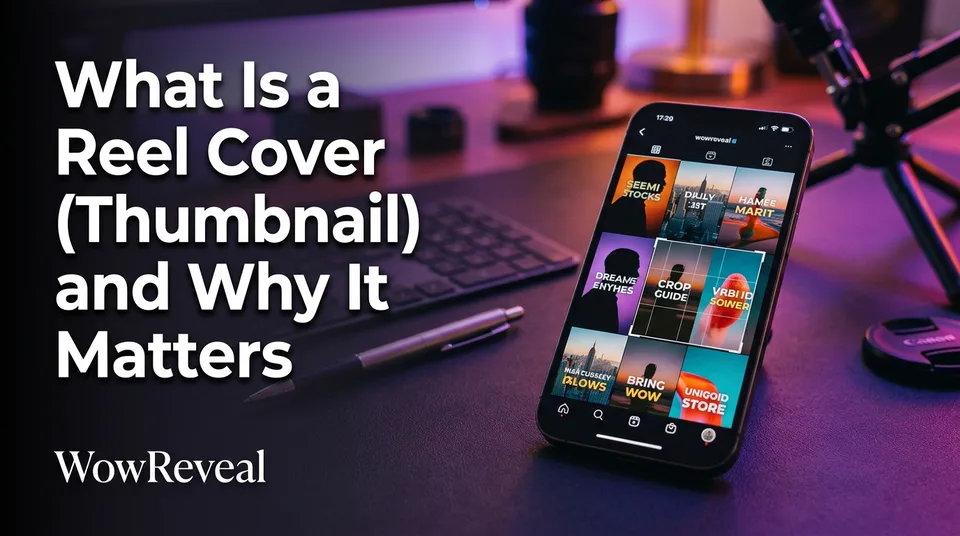
A reel cover is the still image that represents a Reel in the profile grid, the feed preview and search. It's also called the thumbnail. It matters because it's often the first thing a viewer sees before deciding whether to watch.
Key points
- A reel cover is one still image, chosen from the video or uploaded separately.
- "Cover" and "thumbnail" mean the same thing, and the name changes by platform.
- Design it at 9:16 (1080×1920 px), but keep the important content in the centre.
- Use one clear subject and three to five words of large text.
- A cover earns clicks from the grid. It does not fix weak retention.
What a reel cover is
A reel cover is the frame or custom image that stands in for your video until someone taps it. If you've ever asked what the cover of a reel is called, that's the answer: the cover, the cover photo or the thumbnail.
Think of it as packaging. The video is the product, and the cover is the box on the shelf.
Cover vs thumbnail: same thing, different names by platform
Instagram Reels leans on "cover," YouTube Shorts says "thumbnail," and Facebook Reels and TikTok use either word depending on the menu. The function is identical. Don't waste time hunting for a difference.
Where viewers see your cover
Viewers see your cover mainly in the profile grid, in feed previews and in search or Explore results. On YouTube Shorts and TikTok it shows in channel and profile views.
In the main swipe feed the video usually autoplays, so the cover matters less there. The grid is where it works hardest. That's where a new visitor decides if your page is worth following.
Why the cover matters
A cover matters because it's packaging that influences taps from the grid, feed and search, not a trick that raises views by itself. So if you're asking how to increase your reel views, the cover is one lever among several.
We've watched pages polish covers for weeks while the real problem was a weak first second. The cover earns the click, and the hook and retention decide what happens next. A pretty cover on a slow video just disappoints people faster.
Reel cover size and safe zones
Design the cover at 9:16 (1080×1920 px), the same as the video, and keep key content in the centre. Instagram's grid crops each tile to a vertical rectangle, about 3:4 at the time of writing. Check the Instagram Help Center for the current display, because platforms change this.
Your safe zone is the middle of the frame:
- Keep faces and text away from the left and right edges.
- Leave the top and bottom clear of platform buttons, captions and usernames.
- Preview your cover in the grid crop before posting.
What makes a good reel cover
A good reel cover has one clear subject and about three to five words of large, high-contrast cover text. Anything more turns into noise at thumbnail size, which is about the width of your thumb.
The same rule holds for cover text on Shorts. Pick a close-up face, an object or the payoff moment, not a wide shot where everything is small. Then keep the fonts and colours consistent across the page, so your grid reads as one brand.
How to get or make a reel cover
You get a reel cover one of three ways: pick a frame from the video, upload a custom image, or build one in a cover maker. All the main platforms offer the first two when you post.
- Pick a frame. Scrub the video and choose a sharp, well-lit moment. It's fast, but you can't add text.
- Upload an image. Make a 1080×1920 image in any design app and upload it in the cover step.
- Use a cover maker. A template-based tool gets you consistent text, size and safe zones every time. The WowReveal cover maker does this, and WowReveal also adds a cover when it renders a 9:16 short.
A reel cover template saves time on daily posting. Just change the words and the subject, and leave the layout alone.
Where to go next
- Hooks for Reels and Shorts: How to Win the First 3 Seconds — The cover earns the click, the hook keeps the viewer after it.
- Best Reel Length and Pacing for Completion Rate — Shows that retention, not the cover, decides the outcome after the click.
- Animated Captions for Reels: Do They Help Retention? — Another text-on-video design decision.
- Post Kit for Reels and Shorts: How to Write Titles, Descriptions and Hashtags — Covers work together with titles and descriptions as packaging.
- How to Make Reels Go Viral: The Practical Guide — Answers the wider question of increasing reel views.
- Is 1,000 Views on a Reel a Lot? How to Judge Your Number — Helps you judge whether your numbers need fixing.
- How to Make a Reel Cover That Gets Taps (Cover Maker Guide)
- Hashtags for Reels: How Many to Use and Which Ones Actually Help
Turn any video into a ready-to-post Reel
Paste a link — WowReveal writes the story, voices it in 9 languages and adds captions, a headline and music. Start with free credits, no card.
Start free →