What to Do After You Post a Reel to Boost Views
Replying, pinning, sharing to Stories and a careful cross-post can help a Reel in its first hours. Here's the timeline, and what to leave alone.
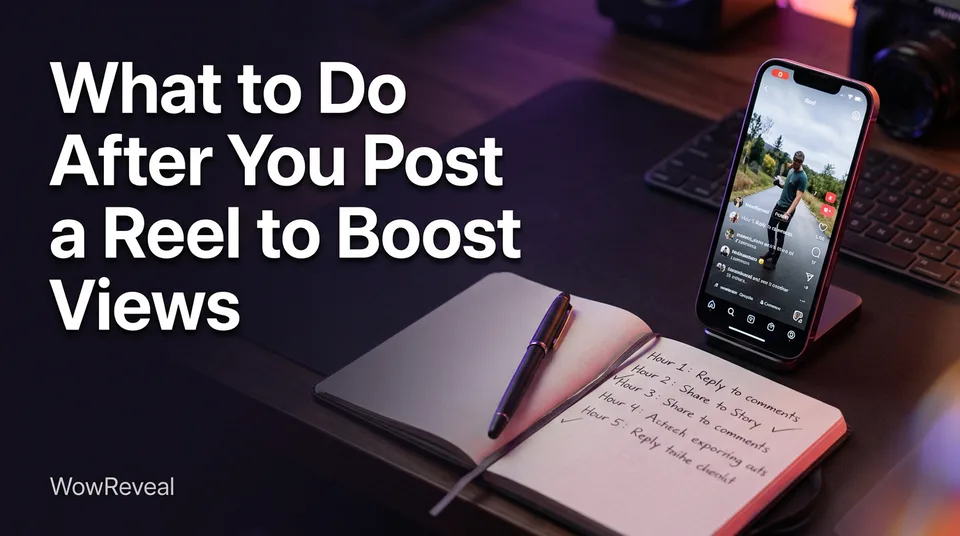
After posting, you can help a Reel mainly by replying to early comments, sharing it to Stories and relevant audiences, and cross-sharing it within the first hours, while avoiding engagement bait. No action guarantees virality, and the video's hook and retention matter far more than anything you do afterward. That's the honest answer to how to make reels go viral after posting.
We've watched pages obsess over post-publish tricks while the real problem sat in the first 3 seconds of the video. So this checklist is built around one rule: read the signals first, push only what's holding viewers.
The first hour: what actually helps
The first hour matters because early viewers give the platform its first read on whether people stay. Views can keep arriving for days, though, so a slow first hour isn't a verdict. Timing varies by account, topic and audience, and nobody outside Meta can promise a window.
Stay available to reply
Don't post and disappear. Post when you can spend 30 to 60 minutes on your phone, because the comments you answer early are the ones that start threads.
Check early retention before you push
Open Insights (in Meta Business Suite for Facebook, or the Reel's insights on Instagram) after 30 to 60 minutes. Look at reach, average watch time and, where shown, retention (the share of the video people actually watch, also called completion rate).
If viewers drop in the first seconds, stop. Extra pushing sends more people to a video they'll leave. If they hold, you've earned the next steps.
Reply to comments and pin a useful one
Replying to comments helps because it turns a one-way view into a conversation, which is the behavior Meta says it wants more of. Pinning a comment gives you a controlled place to guide that conversation.
Reply fast with real answers
Answer the question that was asked. "Thanks!" adds nothing. A reply that asks a follow-up, like "Which of the three did you try first?", gives people a reason to come back.
What a good pinned comment looks like
A good pinned comment adds context or asks a real, easy-to-answer question related to the video. "Which breed do you think this is?" under a rescue clip works. "Comment YES if you love dogs" doesn't, and it edges into bait (more below).
Share the Reel to Stories and relevant audiences
Sharing the Reel gives it viewers beyond your feed, and those viewers are the ones your next post depends on. Do it in the first hours, not on day four.
Stories and Facebook/Instagram cross-sharing
Share to Instagram Stories right after posting, and use Facebook's share options if your Instagram and Facebook accounts are linked. A Story reaches people who already follow you but missed the feed, and tapping through is a clean signal.
Sending to people who care about the topic
Send the Reel to groups, friends or communities where the topic is genuinely relevant. Ten interested viewers beat 200 indifferent ones. Don't mass-DM or tag strangers; that's spam, and people hide it.
Should you repost a Reel?
Reposting the same Reel on the same account is rarely worth it, and deleting and reposting repeatedly can reset whatever early signals you had. Fix the hook and post a new version instead.
Cross-posting to other platforms is different. Putting your own original video on YouTube Shorts, TikTok and Facebook is normal, as long as it's your content and you're not republishing someone else's clip. Leftover watermarks from another app are a common reason cross-posted videos get less reach, so export a clean file. Space posts a few hours apart if you can, and tailor the caption per platform.
Never repost other people's videos without permission, and don't try to dodge Content ID or originality checks. Those rules change, so check each platform's current guidance in Meta's creator resources and Instagram's creator hub.
What to avoid: engagement bait and shortcuts
Engagement bait is any prompt that begs for likes, shares or comments in exchange for something, and Meta's published stance is that it demotes this content. Policies evolve, so read the current wording rather than relying on our summary.
Skip these:
- "Like and share to win" or "comment to enter" prompts
- Bought likes, views or comments
- Deleting and reposting the same Reel over and over
- Tagging dozens of unrelated accounts
- Comment-for-a-link or "tag a friend or bad luck" tricks
The test is simple. Would you ask the question if no algorithm existed? If yes, it's a legitimate prompt. If it only exists to inflate a number, it's bait.
Why a Reel isn't taking off, and what to fix next time
Most Reels stall because the hook is weak or viewers leave before the end, and no post-publish action fixes that. Compare your numbers: a Reel that loses half its viewers at second 2 has a hook problem, not a distribution problem.
How long after posting do Reels go viral? There's no fixed answer. Some take off in hours, some pick up days later, and many never do. Judge a Reel over 2 to 3 days, not 20 minutes.
You'll also hear about the 5-3-1 rule. It's a creator-community heuristic, not an official Instagram rule, and versions differ, usually describing a weekly posting rhythm. Treat it as a planning habit at most.
Captions and hashtags are set before posting, not after. A clear first line and a few relevant hashtags help people understand the topic, but they won't rescue a weak video. The WowReveal Post Kit drafts titles, descriptions and hashtags so that step is done before you publish. Working without a big following? The same rules apply, and strong retention matters even more.
A simple post-publish checklist
To increase your Reel views, work through this timeline and let the early numbers decide how much effort to spend.
| When | Do this | Decision rule |
|---|---|---|
| 0 to 1 hour | Reply to every comment, pin a useful one, share to Stories | Don't push yet if retention is poor |
| 1 to 24 hours | Check Insights, send to relevant people, cross-share to the linked platform | Push only Reels that hold viewers |
| Day 2 to 3 | Review reach and watch time, note where viewers left | Learn from weak Reels, don't repost them |
Everything above supports a good Reel. It doesn't replace one.
Frequently asked questions
How long after posting do Reels go viral?
There's no set time. Some Reels pick up within hours, others gain views over several days, and many don't take off. Judge performance over 2 to 3 days, and remember no one can guarantee virality.
Is it okay to ask people to comment on my Reel?
Asking a genuine, easy question related to the video is fine. Asking people to like, share or comment in exchange for something is engagement bait, and Meta says it demotes that content.
Should I delete a Reel that isn't performing and repost it?
Usually no. Deleting and reposting repeatedly can throw away early signals. Check where viewers dropped off, fix the hook, and publish a new version as a fresh Reel.
Where to go next
- Hooks for Reels and Shorts: How to Win the First 3 Seconds — The hook decides whether any post-publish push works.
- Post Kit for Reels and Shorts: How to Write Titles, Descriptions and Hashtags — Get captions and hashtags right before you publish.
- Is 1,000 Views on a Reel a Lot? How to Judge Your Number — Decide whether a Reel is actually underperforming.
- How to Make Your Reels Go Viral on Facebook: Signals, Tactics and Fixes — Facebook-specific signals for the same goal.
- How to Post the Same Video on Reels, Shorts and TikTok Safely — Cross-post without duplicate or originality problems.
Turn any video into a ready-to-post Reel
Paste a link — WowReveal writes the story, voices it in 9 languages and adds captions, a headline and music. Start with free credits, no card.
Start free →