Reel Cover Size and Safe Zones: A 1080x1920 Guide
Design Reel covers at 1080x1920, but the profile grid shows only a centre crop. Here's the pixel map, the one safe-zone rule, and a 10-second check before you post.
In this article
Design a Reel cover at 1080x1920 pixels (9:16). The profile grid shows only a centre crop of it, reported as 3:4 (1080x1440), so key text and faces must stay in the middle of the frame.
Most guides give you one number and leave you guessing. There are actually three: the upload canvas, the figure on Instagram's Help Center, and the grid crop. They don't conflict once you see what each one does.
What size is a Reel cover?
A Reel cover is a vertical 9:16 image, and 1080x1920 pixels is the size to design it at. It's the same frame as the video, so it works for Instagram Reels and Facebook Reels alike.
1080x1920 (9:16): the canvas to design on
Build on 1080x1920 because it matches the video frame and gives the sharpest result. Export as JPG or PNG in sRGB. Skip tiny text, because a grid thumbnail is about a third of the screen width and small type turns to mush.
Why Instagram's Help Center says 420x654 (1:1.55)
The Instagram Help Center lists 420x654 pixels (a 1:1.55 ratio) as the recommended cover size. That's the same near-vertical shape at a smaller scale, not a rival format. 1080x1920 is slightly taller (about 1:1.78), but uploading the larger file just means a crisper cover. Platform guidance changes, so check the Help Center when in doubt.
How the profile grid crops your cover
The profile grid doesn't show your full cover, only a centre crop of it. How much gets trimmed depends on which grid shape your account uses.
The current 3:4 (1080x1440) grid crop
Creators now report that the grid shows a 3:4 crop, 1080x1440. On a centred 1080x1920 cover, that trims about 240 px from the top and 240 px from the bottom.
Treat this as creator-reported, not official. Instagram tests layouts and rolls them out unevenly, so open your own profile after posting and see what you actually get.
The older 1:1 square crop and why old advice still circulates
The older grid showed a 1080x1080 square. That trims about 420 px from the top and bottom, which is why so many tutorials say "keep everything in the middle." Those tutorials are still ranking, and still half-right. They're the reason the rule below works on both grids.
Reel cover safe zone: where to keep text and faces
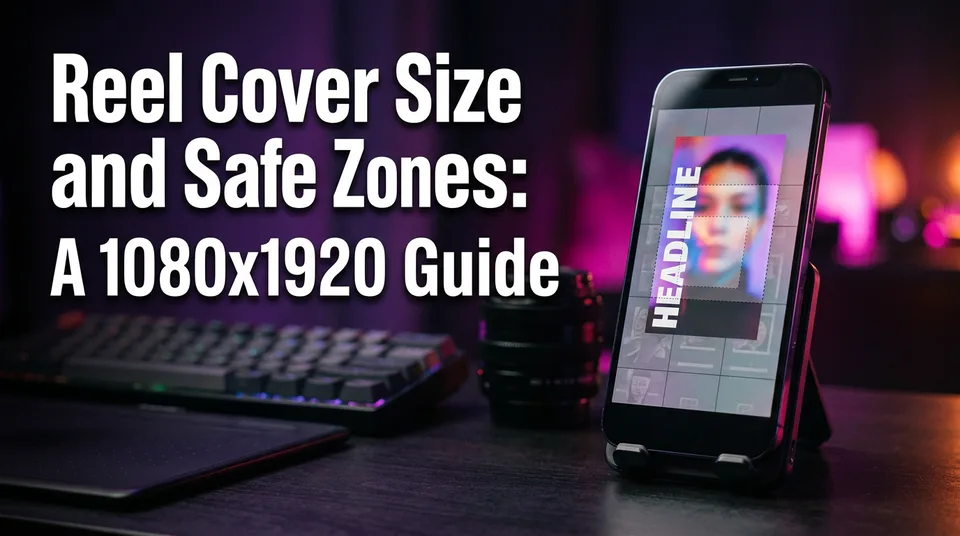
Keep the headline, faces and key objects inside the central 1080x1080 square, roughly the middle 56% of the canvas height. Here's the map, measured from the top of a 1080x1920 cover:
| Rows (px from top) | What happens there |
|---|---|
| 0 to 240 | Cut by the 3:4 grid and the old square grid |
| 240 to 420 | Visible on the 3:4 grid, cut on the old square grid |
| 420 to 1500 | Safe on every version (the centre square) |
| 1500 to 1680 | Visible on the 3:4 grid, cut on the old square grid |
| 1680 to 1920 | Cut by both grids |
One rule that works for every grid
Put everything that matters in rows 420 to 1500. That zone survives the full 9:16 view, the 3:4 grid and the legacy 1:1 grid, so you don't need to know which one a viewer sees. Background colour, texture and extra scenery can run to the edges. Words and heads can't.
Feed overlays: bottom caption and right-side buttons
In the Reels feed, the caption and account name sit at the bottom, and the like, comment and share buttons stack down the right side. Leave some margin on those edges, even inside the centre square. We'd keep about 60 px of breathing room at the sides and avoid pushing text into the lower part of the square.
The most common mistake: text cut off on the grid
The classic failure is a title sitting near the top or bottom edge, or a face centred too high so the crop slices the forehead. It looks perfect in the editor and broken on the profile.
The fix is simple. Move the text into the centre square, preview a 3:4 crop, then post. Do it before publishing, because the Help Center indicates the cover can't be edited after upload in some flows. In-app options change, so check what yours offers.
A 10-second check before you post
- Draw or drop a 1080x1440 guide over the centre of your design. Anything outside it must be disposable.
- Zoom out until the cover is thumbnail-sized. Can you still read the headline?
- Check that no face or key object touches the guide edge.
After posting, open your profile once. If the grid crop is different from what you expected, you've learned how your account behaves for every cover after.
Reel cover size on Facebook
Facebook Reels also use 9:16 at 1080x1920. You can pick a frame from the video or upload an image, and the same centre safe zone applies.
One caveat: the crop on your Page's Reels tab can differ from Instagram's grid. Preview it after posting, as above. When we build covers for Reels across both platforms, we design once for the centre square and let the platform crop however it wants.
Reel cover size in inches, cm and Canva
Pixels have no fixed physical size, so inches and centimetres only matter if you set a print resolution. At 72 ppi, 1080x1920 works out to about 15 x 26.7 inches (38.1 x 67.7 cm), but nobody prints a Reel cover. Work in pixels.
In Canva, use the Instagram Reel preset or a custom 1080 x 1920 px size. Any cover maker does the same job, including WowReveal's, as long as it exports 9:16 and you keep text in the centre.
Two ratio mix-ups come up constantly:
- 4:5 or 9:16? Reels are 9:16. The 4:5 (1080x1350) ratio belongs to feed photo posts.
- Are Reels 1920x1080? No, that's landscape. A Reel is 1080 wide by 1920 tall.
Frequently asked questions
What is the recommended Reel cover size for Instagram in 2026?
Design at 1080x1920 pixels (9:16). The Instagram Help Center cites 420x654 (1:1.55), which is the same vertical shape at a smaller scale. Rules can change, so check the Help Center.
Does the profile grid crop my Reel cover?
Yes. Creators report a 3:4 (1080x1440) crop now, which trims about 240 px from the top and bottom of a centred cover. The older grid used a 1080x1080 square. Keep text in the centre square and check your own grid after posting.
What format should a Reel cover be?
Export as JPG or PNG at 1080x1920 in sRGB. Avoid small text, since grid thumbnails are tiny.
Where to go next
- What Is a Reel Cover (Thumbnail) and Why It Matters — Background if covers are new to you.
- What Is the 9:16 Aspect Ratio? Definition, Size and Use — The ratio behind 1080x1920 explained.
- How to Make a Reel Cover That Gets Taps (Cover Maker Guide) — Next step: build the cover now that you know the size.
- Free Reel Cover Makers Compared: Templates, Watermarks and Limits — Pick a tool for the Canva and template question.
- Reels Caption Fonts, Size and Safe Zones for Mobile — The same safe-zone logic applied to in-video captions.
Generate your reel right now
Paste a link to any video — WowReveal writes the story, voices it and adds captions, a headline and music. Ready for Reels, Shorts and TikTok.



No link? Upload a file
- 30 free credits
- No card needed
- Voiceover in 9 languages
- Failed jobs refunded