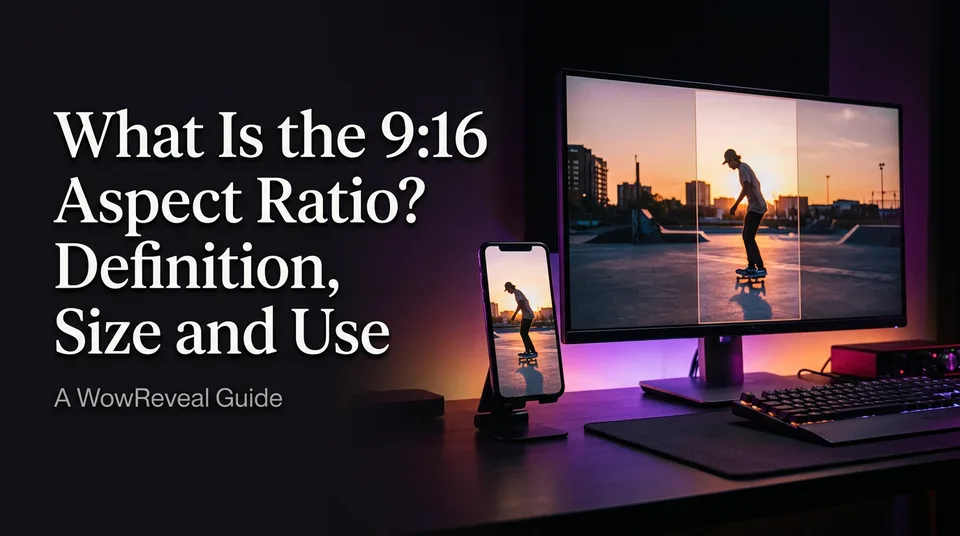
What Is the 9:16 Aspect Ratio? Definition, Size and Use
9:16 is the vertical frame behind every Reel, Short and TikTok. Here's the size in pixels, how it differs from 16:9, and what happens to landscape footage.
In this article
9:16 is a vertical aspect ratio, 9 units wide for every 16 tall, which gives a portrait frame used by Facebook Reels, YouTube Shorts, TikTok and Instagram Reels. The standard resolution is 1080x1920 pixels.
Key points
- 9:16 means width:height. Divide 9 by 16 and you get 0.5625.
- Standard export: 1080x1920 px. Minimum worth using: 720x1280. For 4K: 2160x3840.
- 16:9 is the same shape rotated 90 degrees, so 1920x1080 is landscape and 1080x1920 is portrait.
- A full-height crop of a 1920x1080 clip is only 608x1080 px, about 32% of the width.
- Keep captions out of the top 10% and bottom 20% of the frame.
9:16 aspect ratio: the short definition
A 9:16 video is a tall, phone-shaped frame whose height is about 1.78 times its width. It's the native shape of short-form video, because people hold their phones upright and the video fills the screen without black bars.
The ratio is only a proportion. It says nothing about sharpness. That comes from the resolution.
9:16 resolution and dimensions in pixels
The standard 9:16 resolution is 1080x1920 pixels, and any size works as long as width divided by height equals 0.5625. Common sizes:
| Quality | Width x height |
|---|---|
| Minimum | 720x1280 |
| Standard (Full HD) | 1080x1920 |
| 4K | 2160x3840 |
Physical units don't change anything. In cm, mm or inches, 9:16 just means keeping the proportion: 9x16 cm, 90x160 mm, or 4.5x8 in.
Is 1920x1080 a 16:9 aspect ratio?
Yes. 1920x1080 (Full HD) is 16:9, and so are 2560x1440 (QHD) and 3840x2160 (4K). Divide the width by 16 and multiply by 9 and you land on the height every time. Wikipedia's 16:9 entry lists the standard resolutions.
9:16 vs 16:9: vertical and horizontal video
9:16 is vertical video and 16:9 is horizontal, and they're the same rectangle turned on its side. 16:9 is the shape of TVs, laptops and classic YouTube videos. 9:16 is the shape of a phone held upright.
That's why a landscape upload looks like a thin strip inside a Reel. The platform doesn't fix it for you.
How to convert 16:9 footage to 9:16
You have two options, crop (fill) or fit, and each one costs you something. Crop fills the whole frame but throws away most of the picture. Fit keeps everything but shrinks it and needs a filler behind it.
The maths: crop width = height x 9/16
Take a 1920x1080 clip. Full height is 1080, so the crop width is 1080 x 9/16 = 607.5, call it 608 px. That slice is 608x1080, scaled up about 1.78x to 1080x1920. You keep roughly 32% of the original width, so a wide shot with two people will lose one of them.
Fitting does the opposite. Scale the full 1920 width down to 1080 and the image is only 608 px tall, sitting in a 1920 px frame. The rest needs a blurred background fill, a solid colour or a title area.
Face-aware reframing helps with crops, because it tracks the subject instead of locking to the centre. WowReveal's AI Clipper does this when it renders a 9:16 video from a landscape source, and you can still check the framing before posting.
How to convert an image to 9:16
Set the canvas to 1080x1920 in Canva or Photoshop, then either crop the image or place it whole over a blurred copy of itself. The same crop maths applies. A 4000x3000 photo gives 3000 x 9/16 = 1688 px of usable width.
Where 9:16 is used and caption safe zones
9:16 is the native format for Reels, Shorts, TikTok and Stories, and each app draws buttons, usernames and descriptions over your video. Keep captions and key action inside the safe zone. As a rule of thumb, the top 10% and the bottom 20% are risky. On a 1920 px frame that's about 192 px at the top and 384 px at the bottom.
We've seen plenty of good captions hidden behind a description bar for exactly this reason. Overlay layouts differ per app and change over time, so test one post on each platform. YouTube's help page on creating Shorts covers the vertical format requirement, and the specs may be updated.
Where to go next
- From Clip to Finished 9:16 Short: A Step-by-Step Process — Takes you from the ratio to a finished vertical short.
- How to Reframe a Landscape Video to 9:16 Without Cropping Faces — Goes deeper on the crop-vs-fit decision.
- YouTube Shorts Size and Aspect Ratio: 1080x1920 Explained — Platform-specific size rules for Shorts.
- What Is a Clip vs a Short? The Difference Explained — The adjacent term for readers new to the format.
- Repurposing Long Video into Shorts: The Complete Workflow — Shows why landscape footage gets converted to vertical in the first place.
- What Is a Hook in Short Video? Definition, Types and Examples
- Reels Caption Fonts, Size and Safe Zones for Mobile
- How to Make a Compilation Short with AI, Step by Step
Generate your reel right now
Paste a link to any video — WowReveal writes the story, voices it and adds captions, a headline and music. Ready for Reels, Shorts and TikTok.



No link? Upload a file
- 30 free credits
- No card needed
- Voiceover in 9 languages
- Failed jobs refunded